

连续排班约束如何用 Google OR-Tools 实现
本文档旨在指导如何使用GoogleOR-Tools解决护士排班问题,并强制执行连续排班约束,即如果护士在某天工作,则必须连续工作。我们将介绍如何定义辅助变量来跟踪第一个和最后一个班次,并使用约束来确保护士工作班次的数量等于班次差异加1。

本文档旨在指导如何使用 Google OR-Tools 解决护士排班问题,并强制执行连续排班约束,即如果护士在某天工作,则必须连续工作。我们将介绍如何定义辅助变量来跟踪第一个和最后一个班次,并使用约束来确保护士工作班次的数量等于班次差异加 1。
连续排班约束的实现
在护士排班问题中,一个常见的需求是确保护士的班次是连续的。例如,如果一个护士在一天中工作,他们不能只工作第一班和第三班,而必须是连续的班次,如第二班和第三班。以下是如何使用 Google OR-Tools 实现此约束的方法。
1. 定义辅助变量
首先,我们需要定义一些辅助变量来跟踪每个护士每天的第一个和最后一个班次。这些变量将帮助我们确定护士是否连续工作。
first_shifts = {}
last_shifts = {}
shift_differences = {}
for n in all_nurses:
    for d in all_days:
        first_shifts[(n, d)] = model.NewIntVar(0, num_shifts - 1, f"first_shift_n{n}_d{d}")
        last_shifts[(n, d)] = model.NewIntVar(0, num_shifts - 1, f"last_shift_n{n}_d{d}")
        shift_differences[(n, d)] = model.NewIntVar(0, num_shifts - 1, f"shift_diff_n{n}_d{d}")

        # Make shift difference the difference between the first and last shift
        model.Add(shift_differences[(n, d)] == last_shifts[(n, d)] - first_shifts[(n, d)])

        for s in all_shifts:
            model.Add(first_shifts[(n, d)] <= s).OnlyEnforceIf(shifts[(n, d, s)])
            model.Add(last_shifts[(n, d)] >= s).OnlyEnforceIf(shifts[(n, d, s)])
在上面的代码中,我们为每个护士和每天创建了三个整数变量:
- first_shifts[(n, d)]: 表示护士 n 在 d 天工作的第一个班次。
- last_shifts[(n, d)]: 表示护士 n 在 d 天工作的最后一个班次。
- shift_differences[(n, d)]: 表示护士 n 在 d 天工作的最后一个班次和第一个班次之间的差异。
我们还添加了约束,确保 shift_differences[(n, d)] 等于 last_shifts[(n, d)] 减去 first_shifts[(n, d)]。 此外,对于每个班次,如果护士在该班次工作,则更新 first_shifts 和 last_shifts。
2. 添加约束
接下来,我们需要添加约束来确保护士工作班次的数量等于班次差异加 1。这确保了护士的班次是连续的。
# Each nurse works at least and at most some number of shifts
for n in all_nurses:
    for d in all_days:
        model.Add(sum(shifts[(n, d, s)] for s in all_shifts) >= 1)
        model.Add(sum(shifts[(n, d, s)] for s in all_shifts) <= 8)
        # Make the number of shifts a nurse work for the day == to the shift difference
        model.Add(sum(shifts[(n, d, s)] for s in all_shifts) == (shift_differences[(n, d)]+1))
在上面的代码中,我们添加了以下约束:
- 每个护士每天至少工作 1 个班次。
- 每个护士每天最多工作 8 个班次。
- 每个护士每天工作的班次数等于班次差异加 1。
3. 完整代码示例
以下是一个完整的代码示例,展示了如何使用 Google OR-Tools 强制执行连续排班约束:
from ortools.sat.python import cp_model

def solve_nurse_scheduling():
    model = cp_model.CpModel()

    # 定义数据
    num_nurses = 3
    num_days = 5
    num_shifts = 3

    all_nurses = range(num_nurses)
    all_days = range(num_days)
    all_shifts = range(num_shifts)

    # 创建变量
    shifts = {}
    for n in all_nurses:
        for d in all_days:
            for s in all_shifts:
                shifts[(n, d, s)] = model.NewBoolVar(f"shift_n{n}_d{d}_s{s}")

    # 定义辅助变量
    first_shifts = {}
    last_shifts = {}
    shift_differences = {}
    for n in all_nurses:
        for d in all_days:
            first_shifts[(n, d)] = model.NewIntVar(0, num_shifts - 1, f"first_shift_n{n}_d{d}")
            last_shifts[(n, d)] = model.NewIntVar(0, num_shifts - 1, f"last_shift_n{n}_d{d}")
            shift_differences[(n, d)] = model.NewIntVar(0, num_shifts - 1, f"shift_diff_n{n}_d{d}")

            # Make shift difference the difference between the first and last shift
            model.Add(shift_differences[(n, d)] == last_shifts[(n, d)] - first_shifts[(n, d)])

            for s in all_shifts:
                model.Add(first_shifts[(n, d)] <= s).OnlyEnforceIf(shifts[(n, d, s)])
                model.Add(last_shifts[(n, d)] >= s).OnlyEnforceIf(shifts[(n, d, s)])


    # 添加约束
    # Each nurse works at least and at most some number of shifts
    for n in all_nurses:
        for d in all_days:
            model.Add(sum(shifts[(n, d, s)] for s in all_shifts) >= 1)
            model.Add(sum(shifts[(n, d, s)] for s in all_shifts) <= 8)
            # Make the number of shifts a nurse work for the day == to the shift difference
            model.Add(sum(shifts[(n, d, s)] for s in all_shifts) == (shift_differences[(n, d)]+1))


    # 求解模型
    solver = cp_model.CpSolver()
    status = solver.Solve(model)

    # 打印结果
    if status == cp_model.OPTIMAL or status == cp_model.FEASIBLE:
        for d in all_days:
            print(f"Day {d}")
            for n in all_nurses:
                for s in all_shifts:
                    if solver.Value(shifts[(n, d, s)]):
                        print(f"Nurse {n} works shift {s}")
            print()
    else:
        print("No solution found.")

if __name__ == "__main__":
    solve_nurse_scheduling()
注意事项
- 确保 num_shifts 的值与实际班次数匹配。
- 可以根据实际需求调整每个护士每天工作的最小和最大班次数。
- 可以根据实际需求添加其他约束,例如护士的偏好、技能要求等。
总结
通过定义辅助变量并添加约束,我们可以使用 Google OR-Tools 轻松地强制执行连续排班约束。这可以帮助我们生成更现实和可行的护士排班表。

详解如何在 Windows 电脑上通过 Microsoft Store 安装 Codex 桌面应用,包括启动登录、切换 Codex 模式、关联本地代码项目及终端环境配置的界面操作指引。
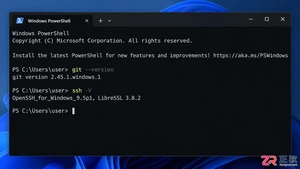
本文详解如何在Windows环境中使用PowerShell生成SSH密钥对,配置ssh-agent自动加载私钥,并将公钥安全添加至GitHub账户,最后通过git remote set-url切换为SSH地址,解决每次操作需输入账号密码的问题。
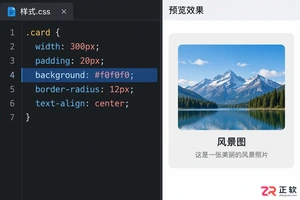
深入解析backdrop与background在网页开发及视觉设计中的区别。通过CSS代码示例,展示如何正确使用background设置元素背景,以及利用backdrop-filter创建弹窗遮罩模糊效果,避免概念混用。

详解 Windsurf IDE 在 Windows 系统的下载来源、安装步骤及首次启动界面。指导用户如何导入编辑器设置、打开项目文件夹及使用终端与 AI 功能,适合初次接触该工具的开发者阅读。
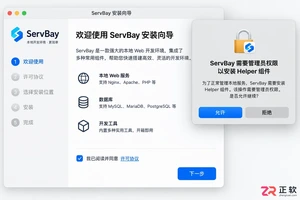
新手入门 ServBay 本地开发环境,详解安装包下载、Dashboard 状态监控、Packages 组件安装、Services 服务控制及 Websites 项目配置。掌握 .servbay.config 版本管理与日志排查技巧,快速搭建稳定的 PHP、Node.js 等多语言开发环境。
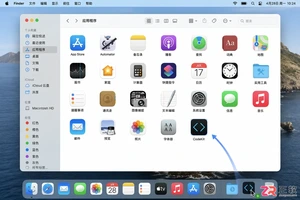
详解 CodeKit 在 macOS 下的安装步骤、项目导入方法、Sass与JavaScript编译设置及浏览器自动刷新功能,助您快速搭建高效的前端开发环境。
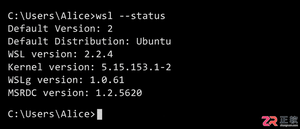
详解Windows环境下安装OpenAI Codex CLI的步骤,包括WSL环境检查、Node.js/npm配置、npm全局安装命令及首次启动验证,适合开发者快速上手。
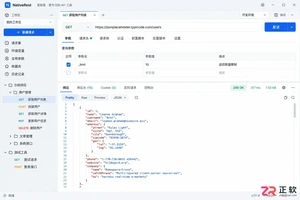
学习如何配置 NativeRest REST API 客户端。涵盖 Windows/macOS/Linux 安装后的工作区创建、环境变量管理、请求编辑及响应查看步骤,帮助开发者快速完成基础环境搭建与连通性测试。
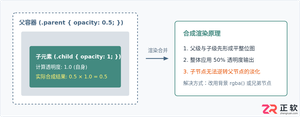
深入解析CSS中设置透明度的核心属性opacity,剖析子元素继承、事件穿透、层叠上下文等关键注意事项,并提供与rgba、hsla的实用选型对比。




WPS Office是一款面向macOS用户的综合办公套件,将文字处理、电子表格、演示文稿、PDF工具、模板与云协作整合在同一应用中。它兼容常见Microsoft Office格式,支持Intel及Apple芯片Mac,基础功能可免费使用,

Shapr3D是一款面向工业设计、机械工程、建筑概念和三维打印工作流的CAD软件。Mac版采用Parasolid建模内核,支持草图约束、实体建模、工程图、可视化渲染及常见CAD格式交换,并可通过账户在多台设备之间同步项目。

REAPER是Cockos开发的数字音频工作站,提供多轨音频与MIDI录制、剪辑、处理、混音和母带制作工具。Mac版兼容Intel与Apple芯片,支持AU、VST、VST3、CLAP等插件格式,并提供高度可定制的工作流程。

Adobe Photoshop 是面向摄影师、设计师和内容创作者的专业图像处理工具,可在 Windows 上完成照片修饰、选区抠图、图层合成、文字排版、绘画及生成式编辑。软件采用订阅授权,由 Creative Cloud 管理安装、更新与许

Adobe InDesign 是面向印刷与数字出版的专业页面排版工具,可制作书籍、杂志、宣传册、海报、交互式 PDF 和电子书。它提供精细的文字样式、多页面管理、印前检查及多格式输出能力,并能与 Photoshop、Illustrator

Adobe Illustrator 是用于绘制矢量图形、插画、图标、徽标和版式的专业设计工具。它以路径和锚点为核心,作品放大后仍能保持清晰,并提供画板、文字、渐变、图像描摹及精确变换等功能,适合品牌视觉、印刷物料、数字界面和商业插画创作。