

How to resolve Java build errors
Introduction Java build errors can be challenging for developers at all levels, often causing frustration and project delays. This comprehensive tutor
Introduction
Java build errors can be challenging for developers at all levels, often causing frustration and project delays. This comprehensive tutorial provides essential insights into understanding, diagnosing, and resolving common build errors in Java development environments. By exploring systematic approaches and practical techniques, developers will gain the skills needed to quickly identify and fix compilation problems.
Build Error Basics
What are Java Build Errors?
Java构建错误,乃是那些阻碍Java项目成功编译与运行的编译或配置问题。这些错误通常在构建过程中出现,其源头多样,比如语法错误、依赖缺失、配置难题或者环境设置问题等。
Common Types of Build Errors
1. Compilation Errors
Compilation errors happen when the Java compiler cannot process your source code. These include:
- Syntax errors
- Undefined variables or methods
- Type mismatches
- Missing semicolons
Example of a compilation error:
public class ErrorExample {
    public static void main(String[] args) {
        int x = 10  // Missing semicolon - compilation error
        System.out.println(x);
    }
}
2. Dependency Errors
Dependency errors occur when required libraries or modules are missing or incompatible.
graph TD
    A[Java Project] --> B{Dependency Management}
    B --> |Missing Dependency| C[Build Failure]
    B --> |Version Conflict| D[Compilation Error]
    B --> |Successful Resolution| E[Successful Build]
3. Configuration Errors
Configuration errors relate to project setup, build tool configurations, or environment variables.
| Error Type | Description | Common Cause |
| -------------------------- | --------------------------------- | -------------------------------------------- |
| CLASSPATH Error | Java cannot find required classes | Incorrect path configuration |
| JDK Version Mismatch | Incompatible Java version | Misaligned project and system JDK |
| Maven/Gradle Configuration | Build tool setup issues | Incorrect plugin or dependency configuration |
Importance of Understanding Build Errors
Resolving build errors is crucial for:
- Ensuring code quality
- Maintaining project reliability
- Improving development efficiency
Tools for Identifying Build Errors
1. Integrated Development Environments (IDEs)
- Eclipse
- IntelliJ IDEA
- NetBeans
2. Build Tools
- Maven
- Gradle
3. Command-line Compilation
```bash
javac YourFile.java ## Basic compilation check
```
Best Practices for Preventing Build Errors
- Keep dependencies updated
- Use consistent JDK versions
- Regularly clean and rebuild projects
- Utilize build tool dependency management
- Practice continuous integration
By understanding these build error basics, developers can more effectively troubleshoot and resolve issues in their Java projects. LabEx recommends a systematic approach to identifying and fixing build errors to maintain smooth development workflows.
Diagnosis Strategies
Systematic Approach to Build Error Diagnosis
1. Error Message Analysis
Carefully read and understand compiler error messages. They provide critical information about the root cause of build errors.
graph TD
    A[Error Message] --> B{Analyze Components}
    B --> C[Line Number]
    B --> D[Error Type]
    B --> E[Specific Description]
2. Compilation Diagnostics
Using javac with Verbose Options
```bash
## Detailed compilation information
javac -verbose MyProject.java
## Extended error details
javac -Xlint:all MyProject.java
```
3. Build Tool Diagnostic Commands
| Build Tool | Diagnostic Command | Purpose |
| ---------- | --------------------- | ---------------------------- |
| Maven | CODE0 | Inspect dependency hierarchy |
| Gradle | CODE1 | Analyze project dependencies |
4. Common Diagnosis Techniques
Classpath Verification
```bash
## Check current classpath
echo $CLASSPATH
## Temporary classpath debugging
java -verbose:class -cp /path/to/classes MyMainClass
```
5. Logging and Debugging Strategies
flowchart TD
    A[Build Error Diagnosis] --> B{Logging Level}
    B --> |DEBUG| C[Detailed Diagnostic Information]
    B --> |INFO| D[Summary of Build Process]
    B --> |ERROR| E[Critical Issue Reporting]
6. Environment Validation
```bash
## Java version check
java -version
## Compiler version verification
javac -version
## System architecture
uname -m
```
7. Dependency Conflict Resolution
Identify and resolve version conflicts:
## Maven dependency conflict analysis
mvn dependency:resolve
mvn dependency:tree
Advanced Diagnosis Techniques
IDE-Based Diagnostics
1. IntelliJ IDEA
- Build > Analyze Project Dependencies
- View > Tool Windows > Maven/Gradle Projects
2. Eclipse
- Window > Show View > Problems
- Project > Clean
Continuous Integration Diagnostics
Integrate diagnostic tools in CI/CD pipelines:
- Jenkins
- Travis CI
- GitHub Actions
Practical Diagnosis Workflow
- Identify the error message
- Verify environment configuration
- Check dependency compatibility
- Use build tool diagnostics
- Implement targeted fixes
LabEx Recommended Diagnostic Approach
Leverage systematic, step-by-step error analysis to quickly resolve build issues and maintain project integrity.
Pro Tips
- Always start with the most specific error message
- Use verbose compilation options
- Regularly update dependencies
- Maintain clean development environments
Resolution Techniques
Comprehensive Build Error Resolution Strategies
1. Syntax Error Correction
Common Syntax Fix Patterns
```java
// Incorrect
public class Example {
public static void main(String[] args) {
int x = 10 // Missing semicolon
System.out.println(x)
}
}
// Corrected
public class Example {
public static void main(String[] args) {
int x = 10; // Added semicolon
System.out.println(x);
}
}
```
2. Dependency Management
graph TD
    A[Dependency Issue] --> B{Resolution Strategy}
    B --> |Update POM| C[Maven Dependency Update]
    B --> |Exclude Conflict| D[Dependency Exclusion]
    B --> |Version Alignment| E[Version Management]
Maven Dependency Resolution
    org.example
    my-library
    1.0.0


            conflicting-library
            conflict-artifact
3. Classpath Configuration
|问题|解决方案|命令|
| ---- | ---- | ---- |
|缺少类路径|添加JAR|CODE0||
|路径不正确|验证路径|CODE1||
|多个版本|版本管理|CODE2|
4. Environment Configuration
Java Version Management
```bash
## Install multiple Java versions
sudo apt-get install openjdk-11-jdk
sudo apt-get install openjdk-17-jdk
## Switch Java versions
sudo update-alternatives --config java
```
5. Build Tool Specific Resolutions
Maven Clean and Rebuild
```bash
## Clean project
mvn clean
## Validate project configuration
mvn validate
## Compile project
mvn compile
## Full rebuild
mvn clean install
```
6. Gradle Resolution Techniques
```bash
## Clean Gradle project
./gradlew clean
## Refresh dependencies
./gradlew --refresh-dependencies
## Rebuild project
./gradlew build
```
7. Advanced Troubleshooting
flowchart TD
    A[Build Error] --> B{Diagnostic Level}
    B --> |Level 1| C[Syntax Check]
    B --> |Level 2| D[Dependency Verification]
    B --> |Level 3| E[Environment Configuration]
    B --> |Level 4| F[Advanced Debugging]
8. Continuous Integration Fixes
- Implement automated build validation
- Use CI/CD pipeline checks
- Integrate static code analysis
LabEx Recommended Resolution Workflow
- Identify specific error type
- Analyze error message
- Apply targeted fix
- Verify resolution
- Prevent future occurrences
Pro Tips
- Always backup project before major changes
- Use incremental debugging
- Maintain consistent development environment
- Regularly update build tools and dependencies
Common Resolution Patterns
- Update project dependencies
- Align Java versions
- Correct classpath configurations
- Resolve syntax inconsistencies
- Manage library conflicts
Summary
Resolving Java build errors requires a systematic approach that combines technical knowledge, diagnostic skills, and problem-solving strategies. By understanding common error types, utilizing effective diagnosis techniques, and implementing targeted resolution methods, developers can streamline their build processes and enhance overall software development efficiency. Continuous learning and practice are key to mastering Java build error resolution.
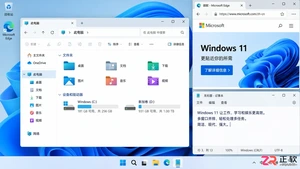
除了开始菜单的变化,Windows 11在TPM 2.0安全要求、窗口贴靠布局、驱动兼容性以及系统更新策略上与Windows 10有显著不同。本文详解两者实质差异,助你判断是否值得升级。
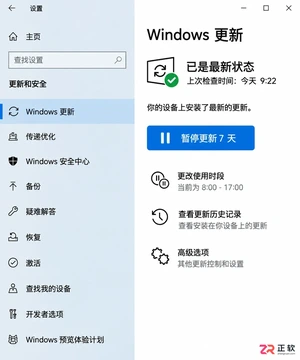
详解Windows 10家庭版和专业版在关闭或暂停自动更新时的操作区别。涵盖通用的暂停更新、活动时间设置,以及专业版独有的组策略管理入口,帮助不同版本用户合理控制更新节奏,避免系统安全风险。
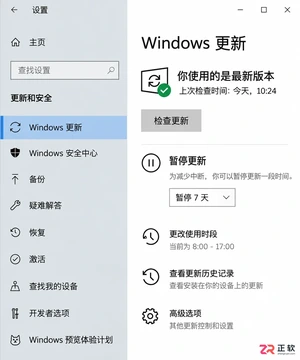
想知道Win10暂停更新最长能设多久?官方支持最长暂停35天。本文图文演示如何在设置中开启暂停、确认生效日期,以及到期后如何恢复更新或调整活动时间以避免打扰。
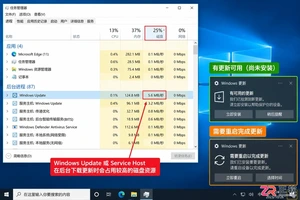
本教程介绍如何在Windows 10中通过暂停更新、设置活动时间及安排重启时间来减少更新弹窗提醒。包含通知隐藏技巧及更新失败排查步骤,帮助你在保持系统安全的同时减少工作打扰。
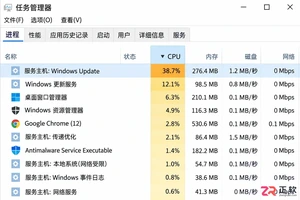
Windows 10 更新时 CPU 占用过高怎么办?本教程演示如何通过任务管理器确认更新进程,使用“暂停更新”功能临时停止后台活动,并设置“活动时间”防止自动重启干扰工作。提供安全的故障排查步骤,避免直接禁用系统服务带来的风险。
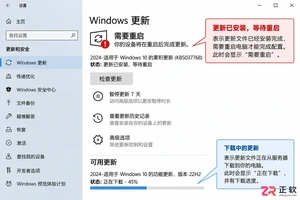
Win10玩游戏时突然弹出更新重启提示?不要强制关机。本文教你如何通过设置“活动时间”避免自动重启,利用“安排重启”规划空闲时间,以及合理使用“暂停更新”功能。区分不同状态下的应对策略,既保护游戏进度又维持系统安全。
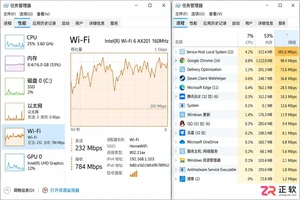
Win10自动更新抢占带宽导致游戏卡顿或网页打不开?本教程教你通过任务管理器确认更新进程,利用暂停更新、按流量计费连接和传递优化带宽限制,精准控制Windows Update下载速度,解决网络拥堵问题。
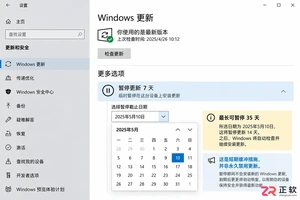
Win10家庭版用户常受强制更新困扰。本文详解如何利用系统自带的暂停更新、活动时间和安排重启功能,在不破坏系统稳定性的前提下减少更新打扰,并分析注册表修改的风险及系统支持现状。
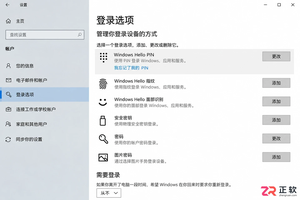
Windows 10更新后开机突然要求输入密码?本文解析自动登录失效的真实原因,提供通过netplwiz重新保存凭据、关闭Windows Hello干扰及排查账户策略的完整步骤,助你恢复免密进入桌面。
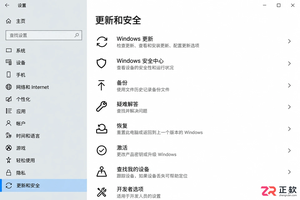
Windows 10更新下载失败反复重试怎么办?不要直接停用服务。本文教你通过设置页面暂停更新、启用按流量计费连接以及调整活动时间,安全地暂时停止下载任务并避免意外重启。




Photoshop 2026 是 Adobe 推出的专业图像处理与视觉设计软件,支持 Windows、macOS 和 iPad 等平台,广泛应用于摄影修图、电商设计、平面海报、数字绘画及视觉合成等创作场景。

Blender 是一款免费开源、跨平台的专业 3D 创作软件,集建模、动画、渲染、视频编辑与视觉合成等功能于一体,广泛应用于影视动画、游戏设计和建筑可视化等领域。软件支持 Cycles 物理渲染器与 Eevee 实时渲染引擎,并提供多边形建模、骨骼绑定、物理模拟等专业工具。Blender 兼容 Windows、macOS 和 Linux 系统,安装包轻巧、运行流畅,依托活跃的全球开发者社区持续更新,是从初学者到专业创作者都值得选择的正版 3D 创作工具。


Photoshop 2026 是 Adobe 推出的专业图像处理与视觉设计软件,支持 Windows、macOS 和 iPad 等平台,广泛应用于摄影修图、电商设计、平面海报、数字绘画及视觉合成等创作场景。
Blender 是一款免费开源、跨平台的专业 3D 创作软件,集建模、动画、渲染、视频编辑与视觉合成等功能于一体,广泛应用于影视动画、游戏设计和建筑可视化等领域。软件支持 Cycles 物理渲染器与 Eevee 实时渲染引擎,并提供多边形建模、骨骼绑定、物理模拟等专业工具。Blender 兼容 Windows、macOS 和 Linux 系统,安装包轻巧、运行流畅,依托活跃的全球开发者社区持续更新,是从初学者到专业创作者都值得选择的正版 3D 创作工具。