Windows 8配置Eclipse与Hadoop2.2.0环境指南
图文详解如何在Windows8.0上的Eclipse4.4.0中配置CentOS6.5上的Hadoop2.2.0开发环境,供有需要的朋友参考学习。Eclipse的Hadoop插件下载地址:https://github.com/winghc/hadoop2x-eclipse-plugin下载压缩包后,解压并将hadoop-eclipse-kepler-plugin-2.2.0.jar文件放置到Eclipse的dropins目录中,重启Eclipse即可。进入Windows->Prefere
图文详解如何在Windows 8.0上的Eclipse 4.4.0中配置CentOS 6.5上的Hadoop 2.2.0开发环境,供有需要的朋友参考学习。
Eclipse的Hadoop插件下载地址:https://github.com/winghc/hadoop2x-eclipse-plugin
下载压缩包后,解压并将hadoop-eclipse-kepler-plugin-2.2.0.jar文件放置到Eclipse的dropins目录中,重启Eclipse即可。
进入Windows -> Preferences配置根目录。
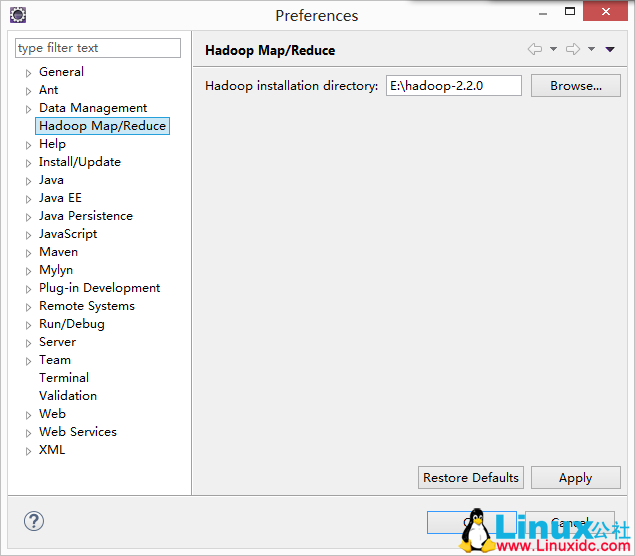 ,这里的hadoop installation directory不是指你在Windows上安装的Hadoop目录,而是你在CentOS上编译好的源码在Windows上的解压路径。这个路径仅用于创建MapReduce项目时自动引入所需的jar文件。
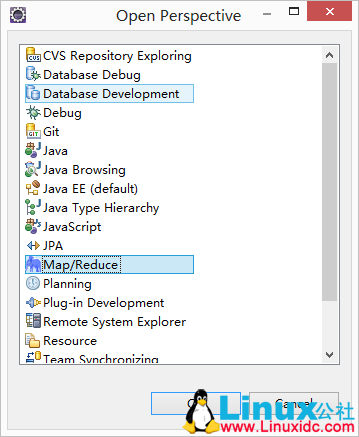
进入Window -> Open Perspective -> Other -> Map/Reduce,打开Map/Reduce窗口。
 找到
找到
 ,右击选择New Hadoop location,这时会出现
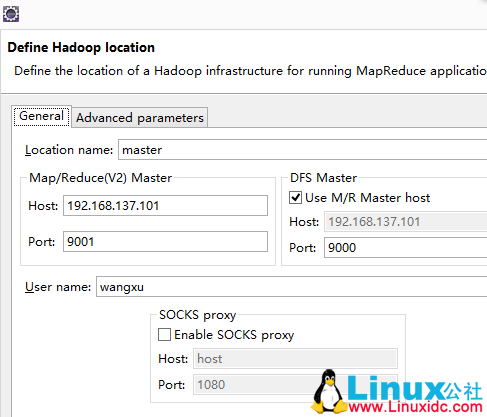 Map/Reduce(V2)中的配置对应于mapred-site.xml中的端口配置,DFS Master中的配置对应于core-site.xml中的端口配置,配置完成后点击finish即可。这时可以查看
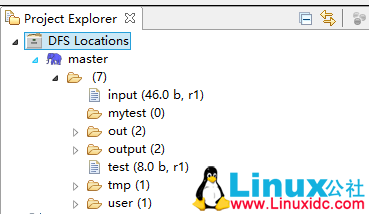 进行测试,创建一个新的MapReduce项目,
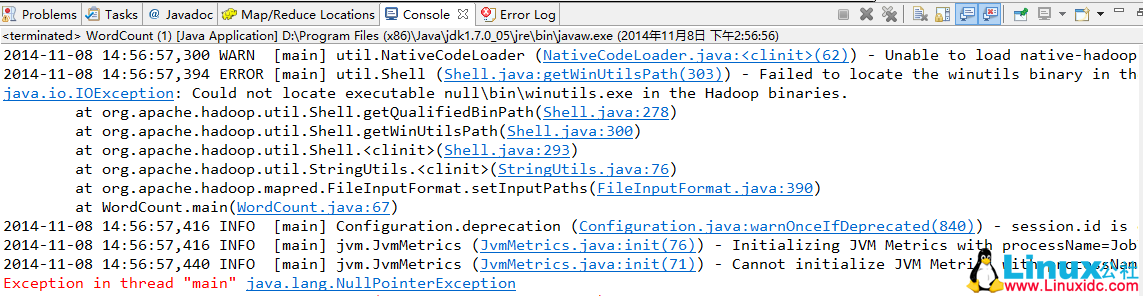 ,要解决这个问题,你需要在Windows上配置HADOOP_HOME,并将%HADOOP_HOME%\bin添加到path中。然后从https://github.com/srccodes/hadoop-common-2.2.0-bin下载文件,下载后将bin目录中的内容全部复制到你自己在Windows上的Hadoop bin目录中,覆盖即可。同时,将hadoop.dll添加到C盘的system32目录中。如果完成这些步骤后仍然遇到“Exception in thread "main" java.lang.UnsatisfiedLinkError: org.apache.hadoop.io.nativeio.NativeIO$Windows.access0(Ljava/lang/String;I)Z”,请检查你的JDK版本,可能是由于使用了32位JDK导致的,需要下载并安装64位JDK,并在Eclipse中将JRE环境配置为新安装的64位JRE。
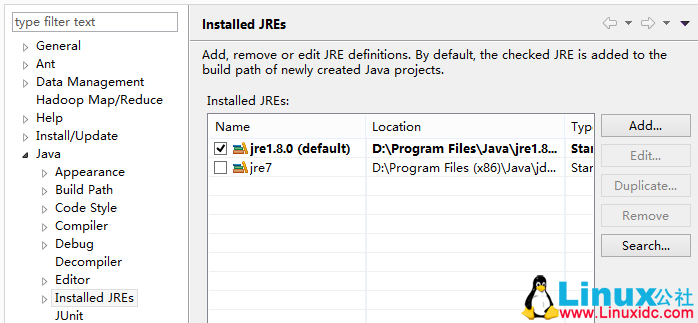 。比如我的jre1.8是64位,而jre7是32位,如果列表中没有你需要的JRE,直接点击add添加即可,选择你的64位JRE环境后,问题就会解决。
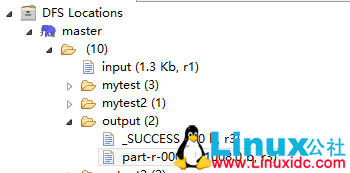
接下来编写一个wordcount程序进行测试,下面是我的代码,前提是你已经在HDFS上创建了input文件,并在其中放置了一些内容:
import java.io.IOException;
import java.util.StringTokenizer;
import org.apache.hadoop.conf.Configuration;
import org.apache.hadoop.fs.Path;
import org.apache.hadoop.io.IntWritable;
import org.apache.hadoop.io.Text;
import org.apache.hadoop.mapreduce.Job;
import org.apache.hadoop.mapreduce.Mapper;
import org.apache.hadoop.mapreduce.Reducer;
import org.apache.hadoop.mapreduce.lib.input.FileInputFormat;
import org.apache.hadoop.mapreduce.lib.output.FileOutputFormat;
import org.apache.hadoop.util.GenericOptionsParser;

public class WordCount {
    public static class TokenizerMapper extends Mapper {
        private final static IntWritable one = new IntWritable(1);
        private Text word = new Text();

        public void map(Object key, Text value, Context context) throws IOException, InterruptedException {
            StringTokenizer itr = new StringTokenizer(value.toString());
            while (itr.hasMoreTokens()) {
                word.set(itr.nextToken());
                context.write(word, one);
            }
        }
    }

    public static class IntSumReducer extends Reducer {
        private IntWritable result = new IntWritable();

        public void reduce(Text key, Iterable values, Context context) throws IOException, InterruptedException {
            int sum = 0;
            for (IntWritable val : values) {
                sum += val.get();
            }
            result.set(sum);
            context.write(key, result);
        }
    }

    public static void main(String[] args) throws Exception {
        // System.setProperty("hadoop.home.dir", "E:\\\\hadoop2.2\\\\");
        Configuration conf = new Configuration();
        String[] otherArgs = new GenericOptionsParser(conf, args).getRemainingArgs();
        // if (otherArgs.length != 2) {
        //     System.err.println("Usage: wordcount ");
        //     System.exit(2);
        // }
        Job job = new Job(conf, "word count");
        job.setJarByClass(WordCount.class);
        job.setMapperClass(TokenizerMapper.class);
        job.setCombinerClass(IntSumReducer.class);
        job.setReducerClass(IntSumReducer.class);
        job.setOutputKeyClass(Text.class);
        job.setOutputValueClass(IntWritable.class);
        FileInputFormat.addInputPath(job, new Path("hdfs://master:9000/input"));
        FileOutputFormat.setOutputPath(job, new Path("hdfs://master:9000/output"));
        boolean flag = job.waitForCompletion(true);
        System.out.print("SUCCEED!" + flag);
        System.exit(flag ? 0 : 1);
        System.out.println();
    }
} 
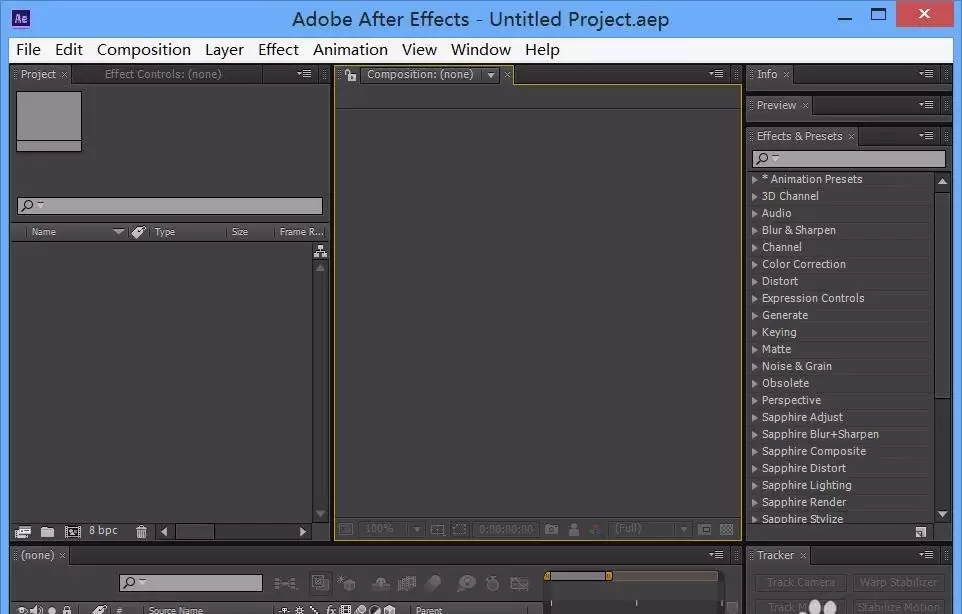
本文指导After Effects新手完成从打开软件到制作简单动画的完整流程。内容涵盖新建合成、导入素材、添加关键帧及预览验证,适用于AE基础学习。读者可依据步骤快速完成首个可播放的动效项目。
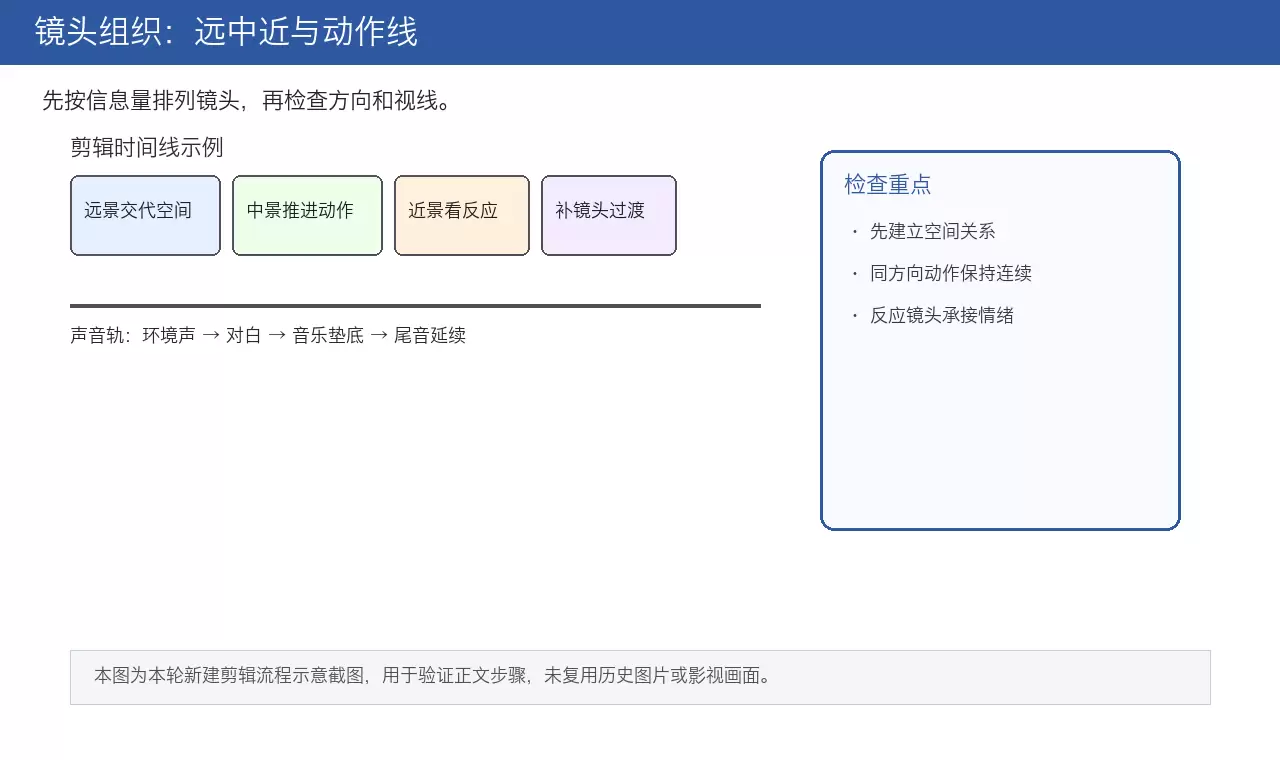
本文详解电影剪辑核心流程,从素材整理、镜头空间组织到叙事节奏压缩,再到J-cut/L-cut声音衔接技巧。通过粗剪保逻辑、精剪压停顿、反应镜头缓冲及电平统一检查,帮助创作者打造空间清晰、情绪连贯且听感自然的成片。
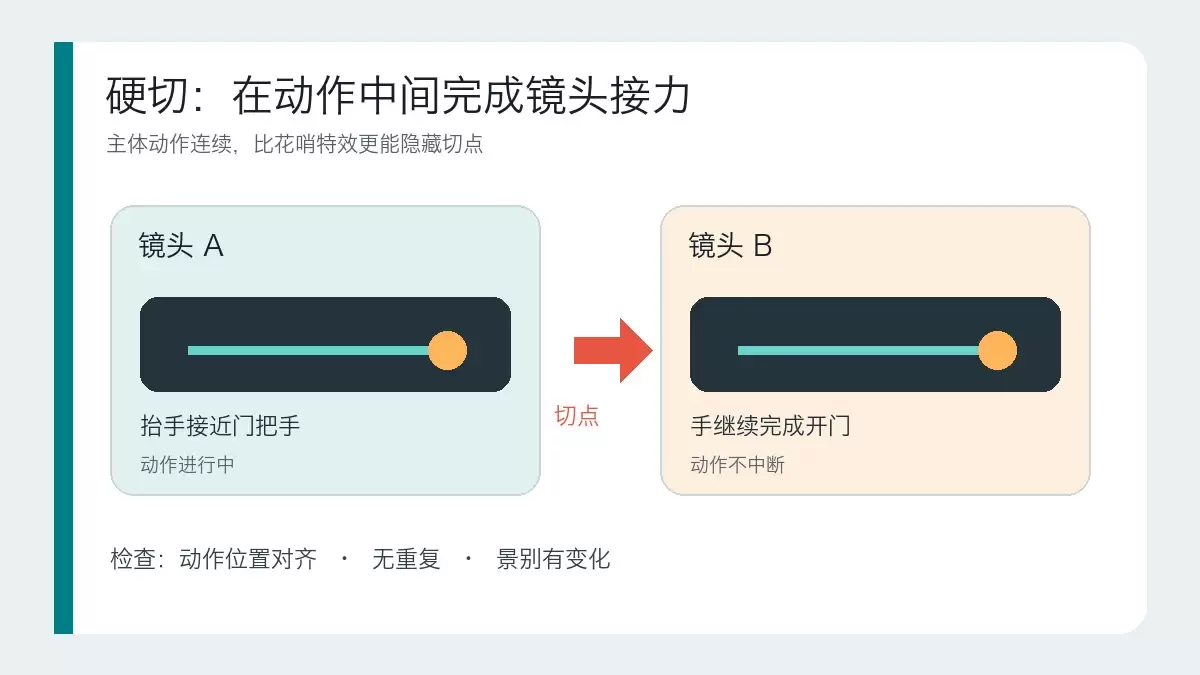
本文详解硬切、遮挡转场和运镜转场的适用场景与操作逻辑。通过对比三种转场的核心区别,提供基于素材条件和叙事目的的判断标准,帮助剪辑师避免滥用特效,掌握自然衔接画面的实战技巧。
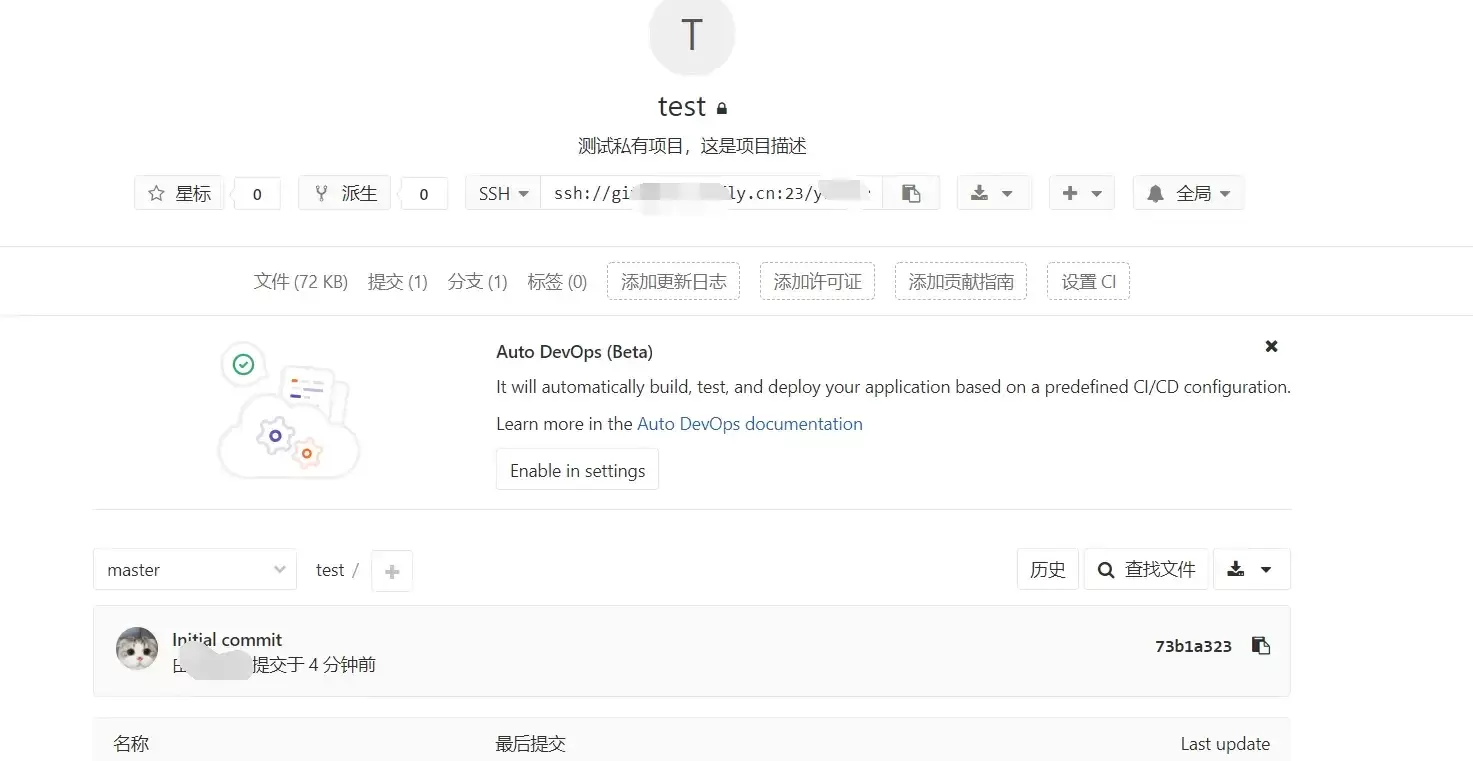
本文指导GitLab新手完成创建项目并推送第一次提交的最小闭环。涵盖远程项目创建、本地仓库初始化、添加远程地址及执行git push。重点说明HTTPS与SSH认证差异、分支名(master/main)核对及提交验证标准,确保远程仓库真正建立。
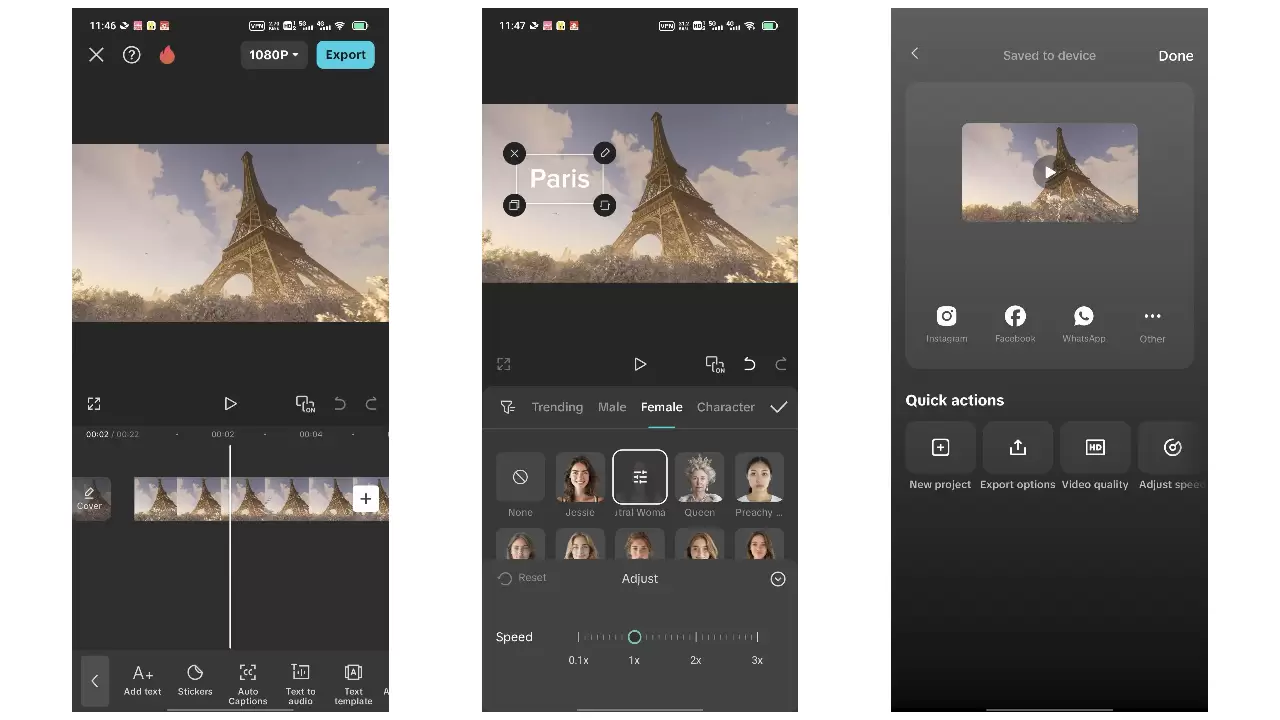
本教程针对抖音竖屏视频制作,涵盖拍摄前构思、稳定运镜、粗剪筛选、音乐卡点及导出检查全流程。重点在于拍摄时预留字幕空间、利用动作节点辅助剪辑,以及通过鼓点对齐画面。适用于新手快速完成第一条完整成片,强调素材质量与节奏自然,避免过度特效与版权风险。
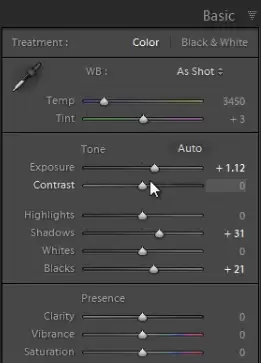
针对饭圈舞台照光线乱、噪点多、背景抢眼的痛点,本文提供“保脸、控光、突出主体”的修图方案。核心步骤包括:利用Lightroom降噪面板处理高ISO颗粒,控制曝光避免高光死白或脸部死黑;通过压低背景色彩、提升人物亮度与对比度来修正舞台灯光导致的肤色偏差;最后通过裁剪去除杂乱元素,确保人物主体清晰且肤色自然。
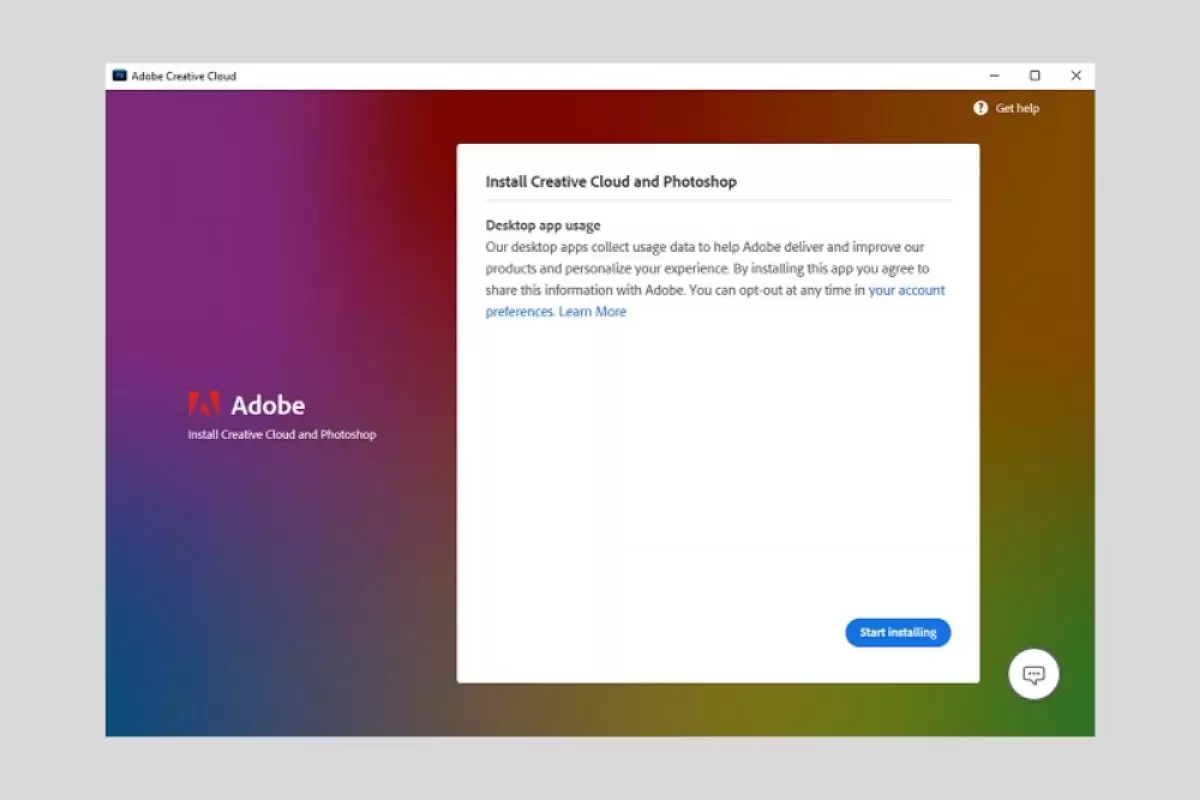
本文提供Photoshop完整安装指南,涵盖Windows/macOS系统要求、Creative Cloud客户端部署及常见启动故障排查。通过安装前磁盘与账号检查、安装中网络监控、安装后功能测试三步法,解决安装中断、登录失败及启动卡顿问题,确保软件稳定可用。
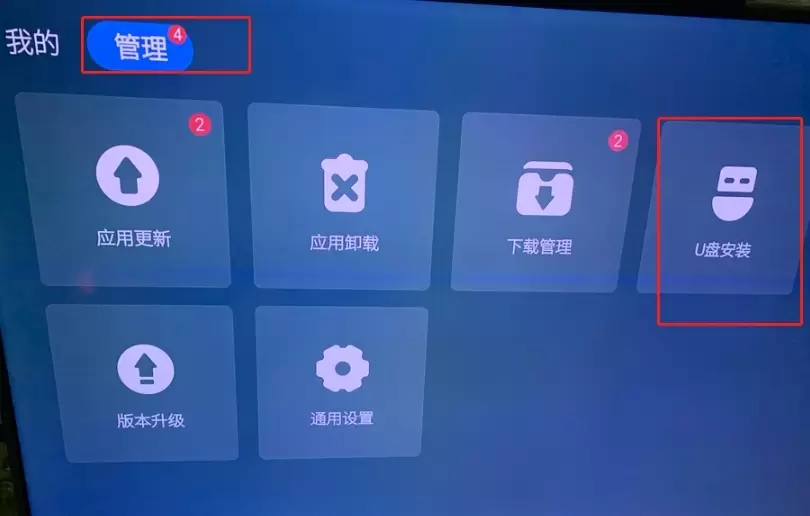
本文提供创维电视通过U盘安装第三方APK的完整操作指南。核心步骤包括:准备格式化的U盘与正规APK文件,在酷开系统“应用管理”中找到安装入口,临时开启“允许安装未知来源应用”权限,以及安装后的功能测试与权限关闭。适用于解决电视无法识别U盘、提示解析失败或权限受限等问题,确保安装安全且不影响系统稳定。
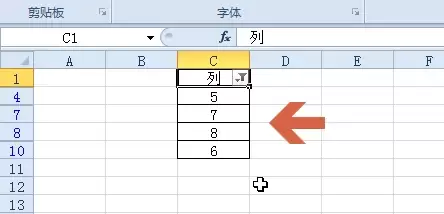
本教程演示如何在Excel中筛选大于指定数值的数据。核心步骤包括:确保数据连续、选中表头、通过“开始→排序和筛选”开启筛选,并在“数字筛选”中选择“大于”输入阈值。筛选仅隐藏不符合条件的行,不删除数据。完成后需逐行验证可见数据是否均大于阈值,并可通过取消筛选恢复全部数据。
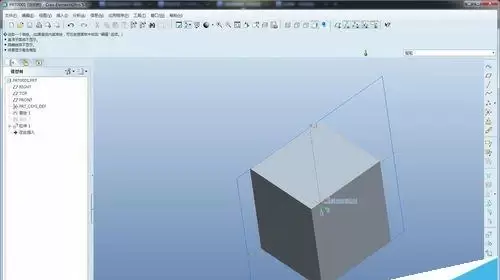
本教程指导Creo初学者完成首个拉伸实体建模。通过新建零件、选择mmns_part_solid模板、定义草绘平面及绘制封闭轮廓,生成三维实体。内容涵盖操作路径、参数设置及常见错误排查,帮助新手建立正确的建模逻辑与单位概念。






Windows 10 是一款微软推出的经典操作系统,拥有硬件兼容性与多任务处理能力。它更偏向把系统状态查看和常用调节动作放在一起,适合需要持续观察和微调设备状态的场景。

极度公式是一款跨平台专业LaTeX公式识别编辑软件,支持OCR公式识别和多平台编辑。和使用说明,避免使用,享受完整功能与稳定支持。做扫描整理、文字提取和表格转换时,它能把识别后的处理步骤接得更顺,资料录入这类场景会省下不少时间。