

Python装饰器原理与使用详解
装饰器通过函数作为第一类对象实现,定义一个接收函数的装饰器,在其内部定义wrapper函数并添加额外逻辑,最后返回wrapper;使用@语法糖将原函数替换为包装后的函数,从而在不修改原函数代码的情况下增强功能。
装饰器通过函数作为第一类对象实现,定义一个接收函数的装饰器,在其内部定义wrapper函数并添加额外逻辑,最后返回wrapper;使用@语法糖将原函数替换为包装后的函数,从而在不修改原函数代码的情况下增强功能。
装饰器本质上是一个Python函数,它可以让其他函数在不需要做任何代码变动的前提下增加额外的功能,装饰器的返回值也是一个函数对象。 它们经常用于有切面需求的场景,比如:插入日志、性能测试、事务处理等等。
装饰器就像给函数穿上了一件“外衣”,这件“外衣”可以给函数增加额外的能力,但不会改变函数本身。
装饰器是如何实现的?
Python的装饰器是基于函数是“第一类对象”这一概念实现的。这意味着函数可以像任何其他对象一样被传递、赋值和作为返回值。
简单来说,装饰器通过以下步骤工作:
- 定义一个装饰器函数,该函数接收一个函数作为参数。
- 在装饰器函数内部,定义一个新的函数(通常称为wrapper函数)。
- wrapper函数中,调用原始函数,并在调用前后添加额外的功能。
- 装饰器函数返回wrapper函数。
当使用@decorator语法糖来装饰一个函数时,实际上是将原始函数作为参数传递给装饰器函数,并将装饰器返回的wrapper函数赋值给原始函数的名字。
def my_decorator(func):
    def wrapper():
        print("Something is happening before the function is called.")
        func()
        print("Something is happening after the function is called.")
    return wrapper

@my_decorator
def say_hello():
    print("Hello!")

say_hello()
这段代码的执行结果是:
Something is happening before the function is called.
Hello!
Something is happening after the function is called.
如何处理带参数的函数?
如果被装饰的函数带有参数,wrapper函数需要能够接收和传递这些参数。可以使用*args和**kwargs来实现:
def my_decorator(func):
    def wrapper(*args, **kwargs):
        print("Before calling the function")
        result = func(*args, **kwargs)
        print("After calling the function")
        return result
    return wrapper

@my_decorator
def add(a, b):
    return a + b

print(add(2, 3))
输出结果:
Before calling the function
After calling the function
5
装饰器能做什么?除了日志和性能监控
装饰器可以做的远不止日志和性能监控。 它们可以用于:
- 权限验证: 检查用户是否有权限访问某个函数。
- 缓存: 缓存函数的返回值,避免重复计算。
- 重试机制: 在函数执行失败时自动重试。
- 类型检查: 验证函数参数的类型。
- 信号处理: 在函数执行前后发送信号。
- 路由控制: 在Web框架中,将URL映射到对应的处理函数。
例如,一个简单的缓存装饰器:
import functools

def cache(func):
    cached_values = {}
    @functools.wraps(func)
    def wrapper(*args):
        if args in cached_values:
            return cached_values[args]
        else:
            result = func(*args)
            cached_values[args] = result
            return result
    return wrapper

@cache
def expensive_operation(n):
    print(f"Calculating for {n}...")
    return n * n

print(expensive_operation(5))
print(expensive_operation(5)) # 从缓存中获取
装饰器与类装饰器有什么区别?
除了函数装饰器,Python还支持类装饰器。 类装饰器接收一个函数或类作为参数,并返回一个修改后的函数或类。
类装饰器通常通过实现__call__方法来工作。 当使用类装饰器装饰一个函数时,实际上是创建了该类的一个实例,并将被装饰的函数作为参数传递给类的构造函数。 当调用被装饰的函数时,实际上是调用了类实例的__call__方法。
class MyDecorator:
    def __init__(self, func):
        self.func = func

    def __call__(self, *args, **kwargs):
        print("Before calling the function")
        result = self.func(*args, **kwargs)
        print("After calling the function")
        return result

@MyDecorator
def say_hello(name):
    print(f"Hello, {name}!")

say_hello("Alice")
如何编写一个带参数的装饰器?
有时候,我们需要一个可以接收参数的装饰器。 这可以通过创建一个返回装饰器函数的函数来实现。
def repeat(num_times):
    def decorator_repeat(func):
        def wrapper(*args, **kwargs):
            for _ in range(num_times):
                result = func(*args, **kwargs)
            return result
        return wrapper
    return decorator_repeat

@repeat(num_times=3)
def greet(name):
    print(f"Hello, {name}!")

greet("Bob")这个例子中,repeat函数接收一个num_times参数,并返回一个装饰器函数decorator_repeat。 decorator_repeat函数再接收被装饰的函数func,并返回wrapper函数。
装饰器会影响函数的元数据吗?
默认情况下,装饰器会改变被装饰函数的元数据,例如__name__和__doc__。 这可能会导致一些问题,例如在使用help()函数时显示不正确的信息。
为了解决这个问题,可以使用functools.wraps装饰器来保留原始函数的元数据。
import functools

def my_decorator(func):
    @functools.wraps(func)
    def wrapper(*args, **kwargs):
        """This is the wrapper function."""
        print("Before calling the function")
        result = func(*args, **kwargs)
        print("After calling the function")
        return result
    return wrapper

@my_decorator
def say_hello():
    """This is the original function."""
    print("Hello!")

print(say_hello.__name__)
print(say_hello.__doc__)使用了functools.wraps后,say_hello.__name__会输出say_hello,say_hello.__doc__会输出This is the original function.。 如果没有使用functools.wraps,则会输出wrapper函数的信息。
装饰器链:多个装饰器叠加使用
可以同时使用多个装饰器来增强一个函数的功能,这就是装饰器链。 装饰器的应用顺序是从下往上,从里到外。
def bold(func):
    def wrapper(*args, **kwargs):
        return "" + func(*args, **kwargs) + ""
    return wrapper

def italic(func):
    def wrapper(*args, **kwargs):
        return "" + func(*args, **kwargs) + ""
    return wrapper

@bold
@italic
def get_message(message):
    return message

print(get_message("Hello"))在这个例子中,get_message函数首先被italic装饰器装饰,然后再被bold装饰器装饰。 因此,输出结果是Hello。
详细讲解在Java单元测试中如何使用Mockito模拟依赖对象,包括引入依赖、创建Mock、打桩返回值、行为验证以及Mock与Spy的核心差异和常见陷阱排查。
详细分析链表删除节点的时间复杂度,深入探讨单链表与双向链表在不同已知前提下的查找与删除开销,并结合完整代码与清晰图解进行对比总结。
想知道如何让AI写出的代码更贴合你的习惯?本文手把手教你在VS Code中调整Codex相关模型参数,通过修改配置文件优化温度值和令牌限制,解决代码建议不准确或响应慢的问题。
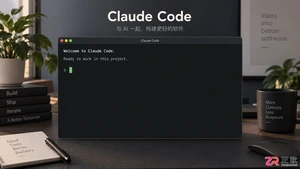
通过实测展示Claude Code在终端中如何理解自然语言指令、自动修改代码文件并处理复杂编程任务,帮助开发者评估其实际辅助能力。
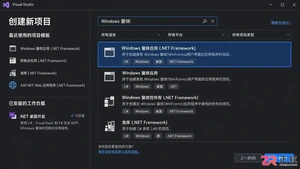
本教程详细讲解如何使用Visual Studio创建WinForms项目,通过添加按钮和标签控件并编写点击事件代码,实现一个基础的计数器功能,适合C#初学者快速上手Windows窗体应用开发。
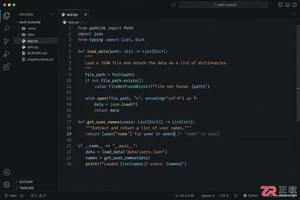
详解Cursor编辑器中自动补全功能的开启与优化设置,涵盖Tab触发机制、上下文窗口调整及模型切换,帮助开发者解决补全延迟、干扰大等问题,提升编码流畅度。
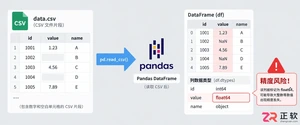
详解Pandas中数据格式转换的核心方法,包括astype强制转换、to_numeric容错处理及日期解析技巧,解决常见类型错误并提升数据处理效率。
详细介绍在Visual Studio Code中安装Chinese (Simplified)语言包的方法,包括通过扩展市场搜索、安装及自动重启切换至简体中文界面的完整步骤,帮助开发者快速将编辑器本地化。

针对Cursor安装包默认锁定C盘且无路径选择界面的问题,提供通过手动移动文件并创建目录联结(Symbolic Link)的解决方案,实现将软件安装在其他磁盘分区。
详解Windows系统下Rust语言的安装步骤,重点解析rustup工具链管理机制,解决环境变量配置错误及MSVC链接器缺失问题,提供可复制的命令验证方法与常见报错的因果排查思路。




Photoshop 2026 是 Adobe 推出的专业图像处理与视觉设计软件,支持 Windows、macOS 和 iPad 等平台,广泛应用于摄影修图、电商设计、平面海报、数字绘画及视觉合成等创作场景。

Blender 是一款免费开源、跨平台的专业 3D 创作软件,集建模、动画、渲染、视频编辑与视觉合成等功能于一体,广泛应用于影视动画、游戏设计和建筑可视化等领域。软件支持 Cycles 物理渲染器与 Eevee 实时渲染引擎,并提供多边形建模、骨骼绑定、物理模拟等专业工具。Blender 兼容 Windows、macOS 和 Linux 系统,安装包轻巧、运行流畅,依托活跃的全球开发者社区持续更新,是从初学者到专业创作者都值得选择的正版 3D 创作工具。


Photoshop 2026 是 Adobe 推出的专业图像处理与视觉设计软件,支持 Windows、macOS 和 iPad 等平台,广泛应用于摄影修图、电商设计、平面海报、数字绘画及视觉合成等创作场景。
Blender 是一款免费开源、跨平台的专业 3D 创作软件,集建模、动画、渲染、视频编辑与视觉合成等功能于一体,广泛应用于影视动画、游戏设计和建筑可视化等领域。软件支持 Cycles 物理渲染器与 Eevee 实时渲染引擎,并提供多边形建模、骨骼绑定、物理模拟等专业工具。Blender 兼容 Windows、macOS 和 Linux 系统,安装包轻巧、运行流畅,依托活跃的全球开发者社区持续更新,是从初学者到专业创作者都值得选择的正版 3D 创作工具。