

如何在固定位置替换文本字段:基于数据库查询的字符串字段动态更新
本文介绍如何读取固定格式的文本文件,根据指定位置提取字段、查询数据库获取新值,并仅对满足条件(如字段值为“120”)的行,在精确字符偏移处安全替换目标子串,最终生成更新后的文件。

本文介绍如何读取固定格式的文本文件,根据指定位置提取字段、查询数据库获取新值,并仅对满足条件(如字段值为“120”)的行,在精确字符偏移处安全替换目标子串,最终生成更新后的文件。
本文介绍如何读取固定格式的文本文件,根据指定位置提取字段、查询数据库获取新值,并仅对满足条件(如字段值为“120”)的行,在精确字符偏移处安全替换目标子串,最终生成更新后的文件。
在处理银行对账单、金融报文或传统主机导出的定长格式文件(Fixed-Width Format)时,常需按列位置(而非分隔符)解析并修改特定字段。本教程以一个典型场景为例:输入文件中每行是长度固定的字符串,需识别 section 字段(位于索引 11–13,共3位),当其值为 "120" 时,提取 OldValue(索引 47–66,共20位),查询数据库获得对应 NewValue,并原位替换该20字符区域——关键在于精准覆盖、不破坏格式对齐。
✅ 核心实现步骤
- 逐行读取并校验长度:避免 String.substring() 抛出 IndexOutOfBoundsException;
- 按索引提取字段:使用 substring(start, end)(注意:end 为exclusive);
- 条件过滤与数据库查询:仅对 section.equals("120") 的行执行 DB 查询;
- 精准字符串替换:不可用 replace(oldValue, newValue)(会全局匹配、破坏格式),而应使用字符串拼接重建:
String updatedLine = line.substring(0, 47) + padRight(newValue, 20) + // 确保长度恒为20(见下方说明) line.substring(67); - 写回文件:使用 Files.write() 原子覆盖,或写入临时文件后重命名。
? 完整可运行示例(含数据库查询模拟)
import java.io.*;
import java.nio.file.*;
import java.sql.*;
import java.util.*;

public class FixedWidthReplacer {
    private static final String DB_URL = "jdbc:h2:mem:testdb"; // 示例:H2内存库,实际请替换为您的DB
    private static final String DB_USER = "";
    private static final String DB_PASS = "";

    public static void main(String[] args) {
        Path inputFile = Paths.get("C:/Users/20230309.in");
        Path outputFile = Paths.get("C:/Users/20230309.out");

        try (Connection conn = DriverManager.getConnection(DB_URL, DB_USER, DB_PASS)) {
            initDatabase(conn); // 初始化测试数据(实际项目中省略)

            List lines = Files.readAllLines(inputFile, StandardCharsets.UTF_8);
            List updatedLines = new ArrayList<>();

            for (String line : lines) {
                // 安全校验:确保行足够长(至少67字符)
                if (line.length() < 67) {
                    updatedLines.add(line);
                    continue;
                }

                // 提取 section (pos 11-13 → substring(11,14))
                String section = line.substring(11, 14).trim();
                if ("120".equals(section)) {
                    String oldValue = line.substring(47, 67).trim(); // 提取 OldValue (47-66)
                    String newValue = queryNewValue(conn, oldValue);
                    // 精准覆盖:保持总长不变,右补空格对齐
                    String paddedNewValue = padRight(newValue, 20);
                    String updatedLine = line.substring(0, 47) + paddedNewValue + line.substring(67);
                    updatedLines.add(updatedLine);
                } else {
                    updatedLines.add(line); // 不符合条件,保持原样
                }
            }

            Files.write(outputFile, updatedLines, StandardCharsets.UTF_8);
            System.out.println("✅ 文件已更新,共处理 " + lines.size() + " 行。");

        } catch (Exception e) {
            e.printStackTrace();
        }
    }

    private static String queryNewValue(Connection conn, String oldValue) throws SQLException {
        String sql = "SELECT NewValue FROM myTable WHERE OldValue = ?";
        try (PreparedStatement ps = conn.prepareStatement(sql)) {
            ps.setString(1, oldValue);
            try (ResultSet rs = ps.executeQuery()) {
                return rs.next() ? rs.getString("NewValue") : oldValue; // 未查到则保留原值
            }
        }
    }

    // 确保字符串长度为 targetLen,不足则右补空格(维持定长格式)
    private static String padRight(String s, int targetLen) {
        if (s == null) s = "";
        return String.format("%-" + targetLen + "s", s);
    }

    // 【测试用】初始化 H2 内存表(实际项目中删除此方法)
    private static void initDatabase(Connection conn) throws SQLException {
        try (Statement stmt = conn.createStatement()) {
            stmt.execute("CREATE TABLE myTable (OldValue VARCHAR(20), NewValue VARCHAR(20))");
            stmt.execute("INSERT INTO myTable VALUES ('13626142', 'NewValue1'), ('13626143', 'NewValue2')");
        }
    }
}
⚠️ 关键注意事项
- 索引边界:Java substring(start, end) 中 end 是不包含的,因此位置 47–67 需写为 substring(47, 67)(共20字符);
- 空格处理:原始字段可能含尾部空格,trim() 后查询更健壮,但写回时必须用 padRight() 补齐至20位,否则格式错乱;
- 性能优化:若文件极大(>100MB)或 section=120 行很多,建议将所有待查 OldValue 批量 IN 查询,避免 N+1;
- 线程安全:本方案假设单线程操作。多线程/多进程并发写同一文件时,必须加文件锁(如 FileChannel.lock())或改用临时文件原子提交;
- 异常兜底:数据库查询失败时,建议记录日志并选择跳过、保留原值或抛出业务异常,避免静默失败。
通过以上结构化处理,您即可可靠、高效地完成定长文本中基于数据库驱动的字段精准替换,兼顾可读性、健壮性与生产可用性。
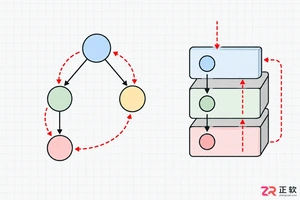
解析PHP递归函数在树形数据处理中的性能瓶颈,提供预加载数据消除I/O、使用显式栈替代深层递归的实战方案,帮助开发者在代码可读性与执行效率间做出合理取舍。
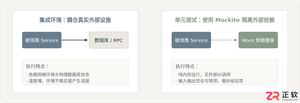
详细讲解在Java单元测试中如何使用Mockito模拟依赖对象,包括引入依赖、创建Mock、打桩返回值、行为验证以及Mock与Spy的核心差异和常见陷阱排查。
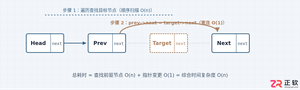
详细分析链表删除节点的时间复杂度,深入探讨单链表与双向链表在不同已知前提下的查找与删除开销,并结合完整代码与清晰图解进行对比总结。
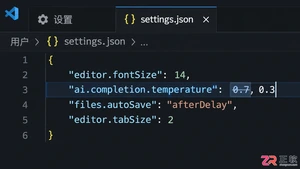
想知道如何让AI写出的代码更贴合你的习惯?本文手把手教你在VS Code中调整Codex相关模型参数,通过修改配置文件优化温度值和令牌限制,解决代码建议不准确或响应慢的问题。
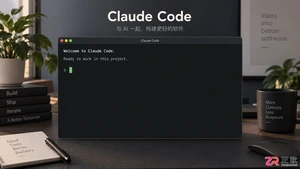
通过实测展示Claude Code在终端中如何理解自然语言指令、自动修改代码文件并处理复杂编程任务,帮助开发者评估其实际辅助能力。
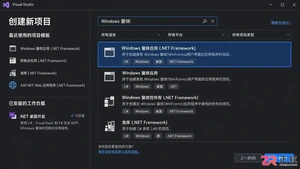
本教程详细讲解如何使用Visual Studio创建WinForms项目,通过添加按钮和标签控件并编写点击事件代码,实现一个基础的计数器功能,适合C#初学者快速上手Windows窗体应用开发。
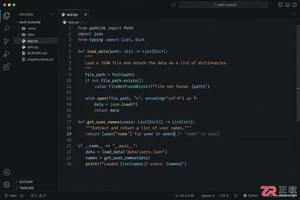
详解Cursor编辑器中自动补全功能的开启与优化设置,涵盖Tab触发机制、上下文窗口调整及模型切换,帮助开发者解决补全延迟、干扰大等问题,提升编码流畅度。
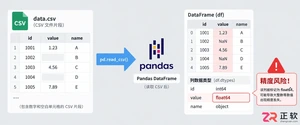
详解Pandas中数据格式转换的核心方法,包括astype强制转换、to_numeric容错处理及日期解析技巧,解决常见类型错误并提升数据处理效率。
详细介绍在Visual Studio Code中安装Chinese (Simplified)语言包的方法,包括通过扩展市场搜索、安装及自动重启切换至简体中文界面的完整步骤,帮助开发者快速将编辑器本地化。
针对Cursor安装包默认锁定C盘且无路径选择界面的问题,提供通过手动移动文件并创建目录联结(Symbolic Link)的解决方案,实现将软件安装在其他磁盘分区。




Photoshop 2026 是 Adobe 推出的专业图像处理与视觉设计软件,支持 Windows、macOS 和 iPad 等平台,广泛应用于摄影修图、电商设计、平面海报、数字绘画及视觉合成等创作场景。

Blender 是一款免费开源、跨平台的专业 3D 创作软件,集建模、动画、渲染、视频编辑与视觉合成等功能于一体,广泛应用于影视动画、游戏设计和建筑可视化等领域。软件支持 Cycles 物理渲染器与 Eevee 实时渲染引擎,并提供多边形建模、骨骼绑定、物理模拟等专业工具。Blender 兼容 Windows、macOS 和 Linux 系统,安装包轻巧、运行流畅,依托活跃的全球开发者社区持续更新,是从初学者到专业创作者都值得选择的正版 3D 创作工具。


Photoshop 2026 是 Adobe 推出的专业图像处理与视觉设计软件,支持 Windows、macOS 和 iPad 等平台,广泛应用于摄影修图、电商设计、平面海报、数字绘画及视觉合成等创作场景。
Blender 是一款免费开源、跨平台的专业 3D 创作软件,集建模、动画、渲染、视频编辑与视觉合成等功能于一体,广泛应用于影视动画、游戏设计和建筑可视化等领域。软件支持 Cycles 物理渲染器与 Eevee 实时渲染引擎,并提供多边形建模、骨骼绑定、物理模拟等专业工具。Blender 兼容 Windows、macOS 和 Linux 系统,安装包轻巧、运行流畅,依托活跃的全球开发者社区持续更新,是从初学者到专业创作者都值得选择的正版 3D 创作工具。