

AgentScopeJava集成SpringAIAlibabaWorkflow完整指南
结合 agentscope-ai/agentscope-ja va、alibaba/spring-ai-alibaba 及 ja va2ai 生态中 Graph Core 工作流规范,我们梳理出一套可直接落地的集成方案。这套方案覆盖了从核心思路到工程实践的完整链路,旨在充分发挥 AgentScope
结合 agentscope-ai/agentscope-ja va、alibaba/spring-ai-alibaba 及 ja va2ai 生态中 Graph Core 工作流规范,我们梳理出一套可直接落地的集成方案。这套方案覆盖了从核心思路到工程实践的完整链路,旨在充分发挥 AgentScope 的智能体特性与 Spring AI 工作流的编排能力。
一、核心集成思路
1. 能力边界划分(关键前提)
| 框架/组件 | 核心职责 |
|---|---|
| AgentScope Ja va | 智能体(Agent)生命周期管理、多智能体协作、工具调用、上下文(Context)管理 |
| Spring AI Alibaba | 阿里云大模型(通义千问/百炼)标准化调用、Workflow 声明式编排、Spring 生态适配 |
| Ja va2AI Graph Core | 工作流节点标准化定义、执行引擎适配、可视化编排规范(参考) |
2. 集成核心逻辑
整个集成的核心逻辑可以概括为:以 AgentScope 为智能体核心,以 Spring AI Alibaba 为工作流引擎。具体实现则需要通过三层适配来完成能力融合:
- 模型层复用:让 AgentScope 直接复用 Spring AI Alibaba 的 DashScope 客户端,统一大模型调用入口,避免重复配置;
- 工作流层封装:将 Spring AI Alibaba Workflow 封装成 AgentScope 能够识别和调用的“工具”或“服务”;
- 执行层适配:对齐异步模型(Reactor/CompletableFuture)、生命周期(Spring/AgentScope)以及上下文数据的格式,确保流程顺畅。
二、前置工程配置
1. 依赖整合(Ma ven pom.xml)
项目需要兼容 JDK 17+ 和 Spring Boot 3.2+。以下是核心依赖配置,版本请以官方最新为准:
    org.springframework.boot
    spring-boot-starter-parent
    3.2.5


        com.alibaba
        spring-ai-alibaba-dashscope-spring-boot-starter
        0.1.0


        com.alibaba
        spring-ai-alibaba-workflow-core
        0.1.0


        io.agentscope
        agentscope-core
        0.1.0


        io.agentscope
        agentscope-spring-boot-starter
        0.1.0


        com.ja va2ai
        graph-core
        1.0.0


        org.springframework.boot
        spring-boot-starter-web


        org.springframework.boot
        spring-boot-starter-validation
2. 配置文件(application.yml)
接下来,需要在配置文件中统一模型密钥、工作流引擎以及 AgentScope 的相关设置:
# 1. Spring AI Alibaba 配置
spring:
  ai:
    # 阿里云 DashScope 配置(通义千问)
    dashscope:
      api-key: ${DASHSCOPE_API_KEY:你的阿里云API密钥}
      chat:
        options:
          model: qwen-turbo
          temperature: 0.7
    # Spring AI Workflow 配置
    workflow:
      executor:
        thread-pool-size: 8
      persistence:
        enabled: true # 开启工作流持久化(可选)
# 2. AgentScope 配置(复用 Spring AI 的模型密钥)
agentscope:
  core:
    agent:
      default-context-size: 1000 # 智能体默认上下文大小
    model:
      dashscope:
        api-key: ${spring.ai.dashscope.api-key}
        model-name: ${spring.ai.dashscope.chat.options.model}
  spring:
    integration:
      enabled: true # 开启 AgentScope 与 Spring 集成
# 3. Ja va2AI Graph Core 配置(可选)
ja va2ai:
  graph:
    core:
      node-package: com.yourpackage.agent.workflow.node # 工作流节点扫描包
三、核心代码实现
步骤 1:定义 Spring AI Alibaba Workflow 模板
首先,参考 Ja va2AI Graph Core 的节点规范,定义一个标准化的 AI 工作流。这里以医疗场景的“病历分析”为例:
package com.yourpackage.workflow;
import com.alibaba.spring.ai.workflow.annotation.Workflow;
import com.alibaba.spring.ai.workflow.annotation.WorkflowNode;
import com.alibaba.spring.ai.workflow.executor.WorkflowContext;
import org.springframework.ai.dashscope.DashScopeChatClient;
import org.springframework.stereotype.Component;
/**
 * 基于 Spring AI Alibaba 定义的病历分析工作流
 * 节点1:提取病历关键信息 → 节点2:校验数据完整性 → 节点3:生成分析报告
 */
@Workflow(name = "medical-record-analysis", description = "医疗病历分析工作流")
@Component
public class MedicalRecordAnalysisWorkflow {
    private final DashScopeChatClient dashScopeChatClient;
    public MedicalRecordAnalysisWorkflow(DashScopeChatClient dashScopeChatClient) {
        this.dashScopeChatClient = dashScopeChatClient;
    }
    /**
     * 节点1:提取病历关键信息(大模型调用)
     */
    @WorkflowNode(name = "extract-info", order = 1, requiredParams = "medicalRecord")
    public String extractMedicalInfo(WorkflowContext context) {
        String medicalRecord = context.getParam("medicalRecord", String.class);
        String prompt = """
                提取以下病历的关键信息(患者姓名、症状、检查结果、诊断结论):
                %s
                要求:结构化输出,简洁明了
                """.formatted(medicalRecord);
        // 调用 Spring AI Alibaba 的 DashScope 客户端
        return dashScopeChatClient.call(prompt).getResult().getOutput().getContent();
    }
    /**
     * 节点2:校验数据完整性(工具调用)
     */
    @WorkflowNode(name = "validate-data", order = 2, dependOn = "extract-info")
    public String validateData(WorkflowContext context) {
        String extractedInfo = context.getResult("extract-info", String.class);
        // 自定义校验逻辑(可复用 AgentScope 工具)
        boolean isComplete = extractedInfo.contains("检查结果") && extractedInfo.contains("诊断结论");
        return isComplete ? "数据完整" : "缺少检查结果/诊断结论,数据不完整";
    }
    /**
     * 节点3:生成分析报告(结果聚合)
     */
    @WorkflowNode(name = "generate-report", order = 3, dependOn = "validate-data")
    public String generateReport(WorkflowContext context) {
        String extractedInfo = context.getResult("extract-info", String.class);
        String validateResult = context.getResult("validate-data", String.class);
        String prompt = """
                基于以下信息生成医疗分析报告:
                1. 提取的病历信息:%s
                2. 数据校验结果:%s
                要求:专业、简洁,符合医疗规范
                """.formatted(extractedInfo, validateResult);
        return dashScopeChatClient.call(prompt).getResult().getOutput().getContent();
    }
}
步骤 2:封装 Workflow 为 AgentScope 工具
定义好工作流之后,下一步就是将其封装成 AgentScope 能够调用的“工具”。这需要符合 AgentScope 的工具规范:
package com.yourpackage.agent.tool;
import io.agentscope.core.tool.Tool;
import io.agentscope.core.tool.ToolParam;
import com.alibaba.spring.ai.workflow.executor.WorkflowExecutor;
import com.alibaba.spring.ai.workflow.model.WorkflowExecutionResult;
import org.springframework.stereotype.Component;
/**
 * AgentScope 工具:调用 Spring AI Alibaba Workflow
 */
@Component
@Tool(name = "medical_record_workflow_tool", description = "执行医疗病历分析工作流")
public class MedicalRecordWorkflowTool {
    private final WorkflowExecutor workflowExecutor;
    public MedicalRecordWorkflowTool(WorkflowExecutor workflowExecutor) {
        this.workflowExecutor = workflowExecutor;
    }
    /**
     * 工具执行方法(AgentScope 调用入口)
     * @param medicalRecord 病历文本
     * @return 工作流执行结果(分析报告)
     */
    public String execute(
            @ToolParam(name = "medicalRecord", description = "待分析的病历文本", required = true)
            String medicalRecord
    ) {
        // 执行 Spring AI Workflow
        WorkflowExecutionResult result = workflowExecutor.execute(
                "medical-record-analysis", // 工作流名称
                param -> param.put("medicalRecord", medicalRecord)
        );
        // 返回最终节点结果
        return result.getNodeResult("generate-report", String.class);
    }
}
步骤 3:AgentScope 智能体集成 Workflow 工具
工具封装完毕,就可以创建智能体了。这里创建一个 ReAct 智能体,并将上一步的 Workflow 工具注册进去,从而实现“智能体决策,工作流执行”的协作模式:
package com.yourpackage.agent;
import io.agentscope.core.agent.ReActAgent;
import io.agentscope.core.model.dashscope.DashScopeChatModel;
import io.agentscope.core.tool.Toolkit;
import io.agentscope.spring.annotation.Agent;
import org.springframework.beans.factory.annotation.Autowired;
import org.springframework.context.annotation.Bean;
/**
 * AgentScope 智能体:集成 Spring AI Workflow 工具
 */
@Agent
public class MedicalAnalysisAgent {
    @Autowired
    private MedicalRecordWorkflowTool medicalRecordWorkflowTool;
    @Autowired
    private DashScopeChatModel dashScopeChatModel;
    /**
     * 创建 ReAct 智能体(核心)
     */
    @Bean
    public ReActAgent createMedicalAnalysisAgent() {
        // 1. 初始化工具包,注册 Workflow 工具
        Toolkit toolkit = Toolkit.createDefault();
        toolkit.registration()
                .tool(medicalRecordWorkflowTool::execute)
                .group("workflow_tools")
                .apply();
        // 2. 构建 ReAct 智能体
        return ReActAgent.builder()
                .id("medical-analysis-agent")
                .name("MedicalAnalysisAgent")
                .model(dashScopeChatModel) // 复用 Spring AI 的 DashScope 模型
                .toolkit(toolkit) // 注册 Workflow 工具
                .sysPrompt("""
                        你是医疗病历分析智能体,用户输入病历文本后,必须调用「medical_record_workflow_tool」工具执行分析,
                        并返回最终的分析报告,禁止直接生成结果。
                        """)
                .build();
    }
}
步骤 4:业务入口(API 调用示例)
最后,通过 Spring Boot 的 Web 层暴露一个接口,打通从用户请求到智能体响应的完整链路:
package com.yourpackage.controller;
import io.agentscope.core.agent.ReActAgent;
import org.springframework.http.ResponseEntity;
import org.springframework.web.bind.annotation.PostMapping;
import org.springframework.web.bind.annotation.RequestBody;
import org.springframework.web.bind.annotation.RequestMapping;
import org.springframework.web.bind.annotation.RestController;
/**
 * 业务入口:病历分析接口
 */
@RestController
@RequestMapping("/api/agent")
public class MedicalAgentController {
    private final ReActAgent medicalAnalysisAgent;
    public MedicalAgentController(ReActAgent medicalAnalysisAgent) {
        this.medicalAnalysisAgent = medicalAnalysisAgent;
    }
    /**
     * 智能体 + 工作流 执行接口
     */
    @PostMapping("/analyze-medical-record")
    public ResponseEntity analyzeMedicalRecord(@RequestBody String medicalRecord) {
        // 1. 智能体处理用户请求(自动决策调用 Workflow 工具)
        String response = medicalAnalysisAgent.chat("分析以下病历:" + medicalRecord).getTextContent();
        // 2. 返回结果
        return ResponseEntity.ok(response);
    }
}
四、关键适配与最佳实践
1. 异步模型对齐(核心)
这里有个关键点需要注意:AgentScope 基于 Reactor 异步编程,而 Spring AI Workflow 支持 CompletableFuture。为了确保两者协同工作,需要对异步模型进行统一适配:
// 改造 Workflow 工具为异步执行 public CompletableFutureexecuteAsync(String medicalRecord) { return CompletableFuture.supplyAsync(() -> { WorkflowExecutionResult result = workflowExecutor.execute( "medical-record-analysis", param -> param.put("medicalRecord", medicalRecord) ); return result.getNodeResult("generate-report", String.class); }); } // AgentScope 智能体调用异步工具 toolkit.registration() .tool(medicalRecordWorkflowTool::executeAsync) .async(true) // 标记为异步工具 .apply();
2. 上下文数据互通
智能体的上下文和工作流的上下文需要打通,这样才能实现状态共享和数据传递:
// Workflow 工具中注入 Agent 上下文
public String execute(String medicalRecord, @RequestAttribute("agentContext") Map agentContext) {
    WorkflowExecutionResult result = workflowExecutor.execute(
            "medical-record-analysis",
            param -> {
                param.put("medicalRecord", medicalRecord);
                param.put("agentContext", agentContext); // 传递 Agent 上下文
            }
    );
    // 将 Workflow 结果同步回 Agent 上下文
    agentContext.put("workflowResult", result.getNodeResult("generate-report", String.class));
    return result.getNodeResult("generate-report", String.class);
}
3. 异常处理兜底
任何复杂的流程都可能出错。为 Workflow 执行添加异常捕获,是保障智能体稳定性的必要措施:
public String execute(String medicalRecord) {
    try {
        WorkflowExecutionResult result = workflowExecutor.execute(
                "medical-record-analysis",
                param -> param.put("medicalRecord", medicalRecord)
        );
        return result.getNodeResult("generate-report", String.class);
    } catch (Exception e) {
        // 兜底逻辑:AgentScope 智能体降级处理
        return "病历分析失败:" + e.getMessage() + ",已触发人工审核流程";
    }
}
4. 可观测性集成
在微服务架构下,可观测性至关重要。可以复用 Spring Boot Actuator 来监控 Workflow 与 Agent 的运行状态:
# application.yml 新增
management:
  endpoints:
    web:
      exposure:
        include: health, metrics, workflows, agents
  metrics:
    enable: true
  endpoint:
    workflows:
      enabled: true # 暴露 Workflow 执行指标
    agents:
      enabled: true # 暴露 AgentScope 智能体指标
五、总结
核心集成要点
- 依赖层:复用 Spring AI Alibaba 的 DashScope 客户端是关键,避免了模型密钥的重复配置;
- 工具层:将 Spring AI Workflow 封装为 AgentScope 的标准工具,这是智能体调用工作流的桥梁;
- 执行层:对齐异步模型、上下文数据和异常处理机制,是确保二者稳定协同的技术保障;
- 工程层:充分利用 Spring 生态已有的可观测性、持久化和微服务能力,能显著降低后续的运维成本。
关键参考资源
- AgentScope Ja va 工具开发:https://github.com/agentscope-ai/agentscope-ja va/blob/main/docs/zh/tool/tool.md
- Spring AI Alibaba Workflow:https://github.com/alibaba/spring-ai-alibaba/tree/main/spring-ai-alibaba-workflow
- Ja va2AI Graph Core 节点规范:https://ja va2ai.com/docs/frameworks/graph-core/node-definition/
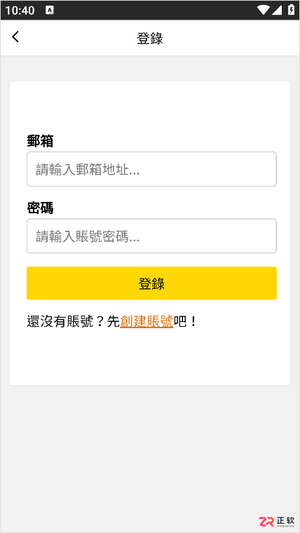
漫蛙2 Manwa2 (https://www.ao3cn.cc/)提供海量正版资源与无广告清爽体验。针对多设备阅读断点、离线缓存及画质需求,本文详解其横竖屏切换、智能推荐及高清显示功能,并逐步指导用户通过账号登录与书架设置完成阅读进度同步,确保在Android设备上获得流畅、舒适的追更体验。
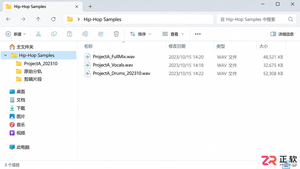
想提升Hip-Hop制作手感?利用音述AI的分轨功能,提取人声、鼓点和贝斯素材。本文详解从导出、剪辑到标签管理的完整流程,助你打造合规且实用的个人采样库。
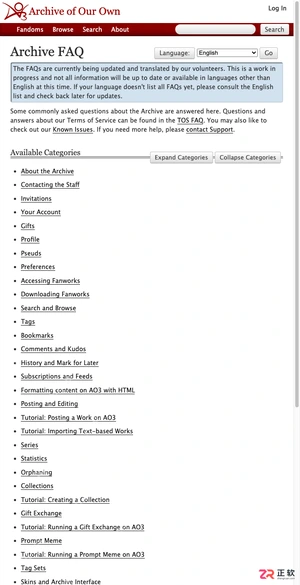
本文提供 AO3 的最新镜像入口https://www.ao3cn.cc/及登录指引。针对网络访问不稳定或页面加载异常的痛点,文章汇总了可用的访问地址,并区分手机端与电脑端的浏览优化技巧。同时,详解如何利用收藏、追更和历史记录功能管理阅读进度,最后强调账号安全与防钓鱼注意事项,帮助用户安全、高效地在线阅读和筛选同人小说。
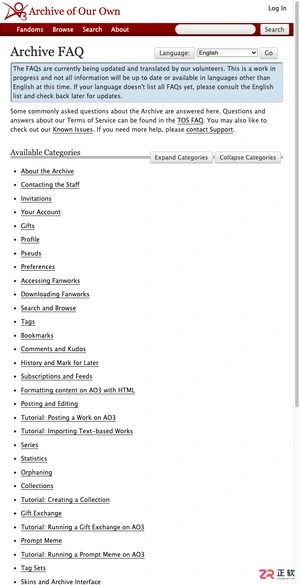
本文提供稳定的国内直达入口https://www.ao3cn.cc/及操作指引。针对网络访问不稳定及海量作品筛选困难的痛点,介绍如何通过ao3cn.cc镜像站点快速进入平台,并利用标签、Fandom、作者等多维度信息进行精准检索。内容涵盖入口验证、搜索策略及阅读前的信息筛选方法,帮助用户高效定位长篇、短篇或系列同人作品,提升阅读体验。

Windows 11右键点击桌面或文件时出现明显延迟?本文详解如何通过重启资源管理器、排查第三方软件扩展、检查系统文件完整性及清理后台负载来优化右键菜单响应速度,提供安全有效的实操步骤。
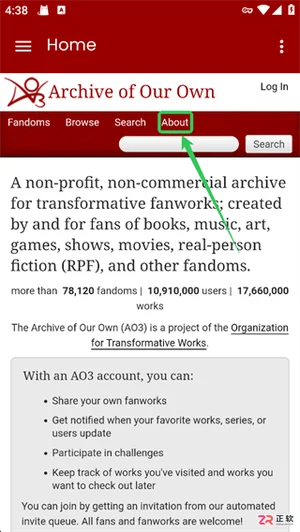
Archive of Our Own(AO3)平台网页端入口是:https://www.ao3cn.cc/,本文详细拆解AO3网页端与App端的中文语言切换步骤,涵盖从菜单导航到确认生效的全流程。同时梳理精准搜索、自由标签筛选、离线缓存优化及评论区净化等核心功能,帮助用户在去广告、非营利的包容环境中,高效定位小众题材并享受稳定的阅读与互动体验。
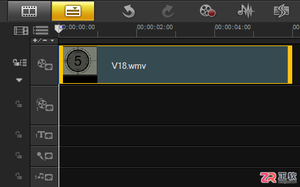
面向使用会声会影X10进行基础视频处理的用户,解决如何从长视频中精准截取所需片段的需求。针对手动拖动易误差的痛点,本文详解利用时间轴滑块配合导览面板“开始/结束标记”功能的实操步骤。通过设置橘红色标记线界定剪辑范围,实现非破坏性快速剪辑并即时预览,帮助用户掌握简单高效的视频截取方法。

立刻MV网页版不需要安装Windows或macOS客户端,打开浏览器登录即可导入音频、生成字幕和导出视频。只有手机端才需下载App或使用小程序。本文解答网页版操作流程、项目同步及常见登录问题。
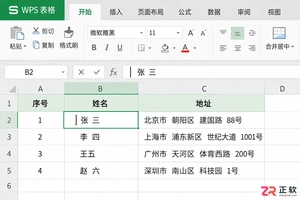
WPS表格中多余空格会导致数据匹配失败。本文详解如何区分首尾空格与业务分隔空格,使用查找替换和TRIM函数安全清理数据,并处理全角空格等隐藏字符,确保数据清洗后字段含义准确。

遇到视频字幕无法单独选中或删除?本文详解如何在会声会影中通过时间轴对象、轨道隐藏测试及字幕文件逻辑,准确区分内嵌硬字幕与独立软字幕轨道,并提供对应的修改、删除或遮盖技巧。




IntelliJ IDEA 是 JetBrains 推出的专业集成开发环境,重点服务于 Java、Kotlin 与 JVM 项目开发。软件集成代码补全、静态检查、重构、调试、测试、版本控制及构建工具,并可借助插件扩展语言和框架支持。

JetBrains PyCharm 是面向 Python 开发者的集成开发环境,提供智能补全、代码检查、重构、调试、测试、版本控制及虚拟环境管理功能。Mac 版兼容 Intel 与 Apple 芯片,核心功能可免费使用。

JetBrains WebStorm 是面向 JavaScript、TypeScript 和现代 Web 技术的专业集成开发环境,可智能理解项目结构,提供代码补全、重构、错误检查、运行调试、测试及 Git 工具。

JetBrains IntelliJ IDEA 是以 Java、Kotlin 和 JVM 项目为核心的专业集成开发环境,提供智能补全、代码检查、安全重构、调试、测试、版本控制及构建工具集成。统一发行版的核心功能可免费用于商业和非商业项目,

PhpStorm 是 JetBrains 面向 PHP 与现代 Web 开发打造的专业集成开发环境,提供代码补全、静态检查、重构、调试、测试、数据库、版本控制及前端语言支持。Windows 用户可直接下载安装程序,

PyCharm 是 JetBrains 推出的 Python 集成开发环境,提供智能代码补全、错误检查、重构、调试、测试、Git、终端及 Jupyter Notebook 支持。统一版安装后可体验 30 天 Pro 功能,


