

Linux系统Java如何进行网络编程
在Linux上玩转Ja va网络编程:从基础到进阶 想在Linux环境下用Ja va搞定网络通信?这事儿其实没想象中那么复杂。核心就在于用好Ja va标准库里的那套网络API,特别是ja va.net包下的那些工具。下面,咱们就通过几个典型的场景和代码示例,来快速上手。 1. 创建Socket连接:
在Linux上玩转Ja va网络编程:从基础到进阶
想在Linux环境下用Ja va搞定网络通信?这事儿其实没想象中那么复杂。核心就在于用好Ja va标准库里的那套网络API,特别是ja va.net包下的那些工具。下面,咱们就通过几个典型的场景和代码示例,来快速上手。
1. 创建Socket连接:最经典的通信方式
Socket编程是网络通信的基石,理解它,就等于拿到了入门钥匙。
客户端:主动发起连接
客户端的工作很明确:找到服务器,建立连接,然后收发数据。用Socket类就能轻松实现。
import ja va.io.*;
import ja va.net.*;

public class Client {
    public static void main(String[] args) {
        // 使用try-with-resources确保资源自动关闭
        try (Socket socket = new Socket("localhost", 8080);
             PrintWriter out = new PrintWriter(socket.getOutputStream(), true);
             BufferedReader in = new BufferedReader(new InputStreamReader(socket.getInputStream()))) {

            // 向服务器打个招呼
            out.println("Hello, Server!");

            // 等待并打印服务器的回应
            String response = in.readLine();
            System.out.println("Server response: " + response);

        } catch (UnknownHostException e) {
            System.err.println("找不到主机: localhost。");
            e.printStackTrace();
        } catch (IOException e) {
            System.err.println("连接到 localhost 时出现I/O错误。");
            e.printStackTrace();
        }
    }
}服务器:耐心等待与响应
服务器则要沉得住气,它用ServerSocket在指定端口上“蹲点”,等待客户端上门。
import ja va.io.*;
import ja va.net.*;

public class Server {
    public static void main(String[] args) {
        // 在8080端口开启监听
        try (ServerSocket serverSocket = new ServerSocket(8080)) {
            System.out.println("服务器已在端口 8080 上启动监听...");

            // 持续运行,处理源源不断的客户端连接
            while (true) {
                try (Socket clientSocket = serverSocket.accept();
                     PrintWriter out = new PrintWriter(clientSocket.getOutputStream(), true);
                     BufferedReader in = new BufferedReader(new InputStreamReader(clientSocket.getInputStream()))) {

                    // 读取客户端发来的消息
                    String inputLine = in.readLine();
                    System.out.println("收到客户端消息: " + inputLine);

                    // 给客户端一个回应
                    out.println("Hello, Client!");

                } catch (IOException e) {
                    System.err.println("处理客户端连接时发生异常。");
                    e.printStackTrace();
                }
            }
        } catch (IOException e) {
            System.err.println("无法在端口 8080 上启动监听。");
            e.printStackTrace();
        }
    }
}
2. 使用URL和URLConnection:面向资源的访问
如果你的目标是访问Web资源(比如抓取网页内容),那么URL和URLConnection这套组合拳会更顺手。
客户端:读取网页内容
import ja va.io.*;
import ja va.net.*;

public class URLClient {
    public static void main(String[] args) {
        try {
            // 指定目标URL
            URL url = new URL("http://example.com");
            // 打开连接
            URLConnection connection = url.openConnection();

            // 读取返回的数据流
            BufferedReader in = new BufferedReader(new InputStreamReader(connection.getInputStream()));
            String inputLine;
            while ((inputLine = in.readLine()) != null) {
                System.out.println(inputLine);
            }
            in.close();

        } catch (MalformedURLException e) {
            System.err.println("URL格式错误: http://example.com");
            e.printStackTrace();
        } catch (IOException e) {
            System.err.println("从URL读取数据时发生I/O错误。");
            e.printStackTrace();
        }
    }
}
3. 使用NIO(非阻塞I/O):应对高并发挑战
当连接数成百上千时,传统的阻塞式I/O可能会力不从心。这时,就该Ja va NIO登场了。它通过选择器(Selector)机制,能用单个线程管理多个通道,特别适合高性能服务器。
服务器:非阻塞式处理
import ja va.io.IOException;
import ja va.net.InetSocketAddress;
import ja va.nio.ByteBuffer;
import ja va.nio.channels.SelectionKey;
import ja va.nio.channels.Selector;
import ja va.nio.channels.ServerSocketChannel;
import ja va.nio.channels.SocketChannel;
import ja va.util.Iterator;
import ja va.util.Set;

public class NIOServer {
    public static void main(String[] args) throws IOException {
        // 1. 打开选择器
        Selector selector = Selector.open();
        // 2. 创建服务器通道并绑定端口
        ServerSocketChannel serverSocketChannel = ServerSocketChannel.open();
        serverSocketChannel.bind(new InetSocketAddress(8080));
        // 3. 设置为非阻塞模式,并注册到选择器,关注“接受连接”事件
        serverSocketChannel.configureBlocking(false);
        serverSocketChannel.register(selector, SelectionKey.OP_ACCEPT);

        while (true) {
            // 4. 阻塞,直到有感兴趣的事件发生
            selector.select();
            Set selectedKeys = selector.selectedKeys();
            Iterator iter = selectedKeys.iterator();

            while (iter.hasNext()) {
                SelectionKey key = iter.next();

                if (key.isAcceptable()) {
                    // 有新的连接到来
                    register(selector, serverSocketChannel);
                }
                if (key.isReadable()) {
                    // 有通道可读,处理数据
                    readDataFromSocket(key);
                }
                iter.remove(); // 处理完后移除当前key
            }
        }
    }

    private static void register(Selector selector, ServerSocketChannel serverSocketChannel) throws IOException {
        // 接受客户端连接,并将其注册到选择器,关注“读”事件
        SocketChannel client = serverSocketChannel.accept();
        client.configureBlocking(false);
        client.register(selector, SelectionKey.OP_READ);
    }

    private static void readDataFromSocket(SelectionKey key) throws IOException {
        SocketChannel client = (SocketChannel) key.channel();
        ByteBuffer buffer = ByteBuffer.allocate(1024);
        int bytesRead = client.read(buffer);

        if (bytesRead == -1) {
            // 连接已关闭
            client.close();
        } else if (bytesRead > 0) {
            buffer.flip();
            byte[] data = new byte[buffer.remaining()];
            buffer.get(data);
            String message = new String(data).trim();
            System.out.println("收到消息: " + message);
        }
    }
}
总结
好了,以上就是Ja va在Linux平台上进行网络编程的几个核心套路。从最基础的Socket对话,到便捷的URL资源访问,再到应对高性能挑战的NIO模型,各有各的适用场景。简单来说,常规需求用前两种方法就足够了;但如果你在构建需要同时处理海量连接的服务器,那么深入研究NIO,绝对是值得的。关键在于根据你的实际项目需求,挑选最合适的那把“工具”。
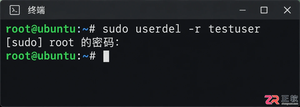
掌握Linux中删除用户和用户组的正确方法,避免残留文件和进程冲突。本文深入解析userdel和groupdel命令的参数用法,提供处理“用户仍在使用”等常见错误的实战方案。

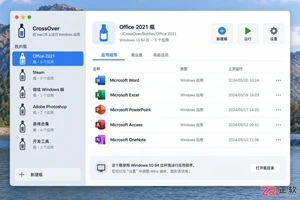
遇到CrossOver运行错误或需要更新版本时,如何彻底卸载旧版并干净重装?本教程详解macOS和Linux下的卸载步骤、残留文件清理方法及官方下载渠道,确保软件环境纯净稳定。




AirBuddy 3 是面向 macOS 的蓝牙外设增强工具,可集中查看 AirPods、Beats 与苹果设备电量,提供快速连接、播放控制、电量提醒、桌面小组件和多台 Mac 外设接力等功能。

AirServer macOS版可把 Mac 转换为无线投屏接收端,通过 AirPlay 或 Google Cast 接收手机、平板和电脑画面,并支持多设备同时连接、高清镜像及会话录制,适合家庭娱乐、课堂教学、会议演示和应用展示。

AnyDesk macOS版是一款适用于远程办公、设备维护和客户支持的远程桌面工具,可连接并操作异地计算机,支持文件传输、无人值守访问、会话权限控制及跨平台协作。


AirServer Windows版可把电脑变成AirPlay、Google Cast和Miracast无线投屏接收端,适合会议演示、课堂教学及家庭大屏分享。发送设备通常无需另装客户端,并可同时接收和智能排列多个镜像会话。

AlwaysUp是一款面向Windows的系统服务注册与程序托管工具,可让普通应用、脚本及批处理在无人登录时随系统启动,并通过状态检测、异常重启、资源监控和邮件通知保障关键任务持续运行。


