

YOLOv8图像推理:多尺寸输入处理方法
本文旨在解决YOLOv8等深度学习模型在推理时因输入图像尺寸与训练尺寸不匹配导致的性能下降问题。核心原因是神经网络内部矩阵对输入尺寸的固定要求。解决方案是在将图像送入模型前,对其进行尺寸调整。文章将详细阐述其原理,并提供PyTorch和TensorFlow两种主流框架下的图像尺寸调整代码示例,确保模型在不同尺寸图像上也能高效准确地进行推理。

图像尺寸与模型兼容性
深度学习模型,特别是用于计算机视觉任务的卷积神经网络(CNN),在训练时通常被配置为接收固定尺寸的输入图像。例如,一个YOLOv8模型可能在512x512像素的图像上进行训练。这意味着模型内部的卷积层、池化层以及最终的全连接层(或检测头)都是基于这种固定输入尺寸来设计和优化的。
当模型被部署并用于推理时,如果输入的图像尺寸与训练时使用的尺寸不一致(例如,将2145x1195的图像直接输入到期望512x512输入的模型中),就会出现问题。模型内部的矩阵运算和特征图尺寸将不再匹配预期,导致以下几种情况:
- 尺寸不匹配错误: 某些框架或模型结构在遇到尺寸不匹配时会直接抛出运行时错误。
- 性能急剧下降: 即使没有直接报错,模型也无法正确提取特征。例如,过大的图像会导致特征图尺寸超出模型预期,或导致边缘信息丢失;过小的图像则可能使模型无法捕捉到足够的细节。这直接表现为检测精度大幅下降,甚至完全失效。
- 计算资源浪费: 处理未经调整的过大图像可能导致不必要的内存消耗和计算负担。
因此,确保推理时的图像尺寸与模型训练时的输入尺寸保持一致,是模型能够正常工作并发挥最佳性能的关键。
解决方案:推理前图像预处理
解决上述问题的核心策略是在将图像送入模型进行推理之前,对其进行必要的预处理,其中最重要的一步就是图像尺寸调整。目标是将所有待推理的图像统一调整到模型训练时所使用的固定尺寸。
这通常涉及以下步骤:
- 加载图像: 读取待处理的图像文件。
- 定义目标尺寸: 明确模型期望的输入尺寸(例如,512x512)。
- 执行尺寸调整: 使用图像处理库将图像缩放到目标尺寸。
- 转换为张量: 将处理后的图像数据转换为模型框架(如PyTorch或TensorFlow)所需的张量格式。
- 归一化: 通常还需要将像素值归一化到特定范围(例如,[0, 1]或[-1, 1]),这取决于模型训练时的预处理方式。
代码示例:图像尺寸调整
以下是使用PyTorch和TensorFlow实现图像尺寸调整的示例代码。
PyTorch 实现
在PyTorch中,通常使用torchvision.transforms模块进行图像预处理。
import torchvision.transforms as transforms
from PIL import Image
import torch # 导入torch以确保后续可以转换为tensor

def preprocess_image_pytorch(image_path, desired_size=(512, 512)):
    """
    使用PyTorch的transforms对图像进行尺寸调整和预处理。

    Args:
        image_path (str): 图像文件路径。
        desired_size (tuple): 目标图像尺寸 (height, width)。

    Returns:
        torch.Tensor: 预处理后的图像张量,可直接输入PyTorch模型。
    """
    try:
        image = Image.open(image_path).convert("RGB") # 确保图像为RGB格式
    except FileNotFoundError:
        print(f"错误:文件未找到 - {image_path}")
        return None
    except Exception as e:
        print(f"加载图像时发生错误:{e}")
        return None

    transform = transforms.Compose([
        transforms.Resize(desired_size),  # 将图像调整到指定尺寸
        transforms.ToTensor(),            # 将PIL图像转换为PyTorch张量 (HWC -> CHW, 0-255 -> 0-1)
        # 如果模型训练时有特定的归一化,可以在这里添加
        # transforms.Normalize(mean=[0.485, 0.456, 0.406], std=[0.229, 0.224, 0.225])
    ])

    resized_image_tensor = transform(image)
    return resized_image_tensor

# 示例用法
# image_path = "path/to/your/large_image.jpg"
# model_input_size = (512, 512) # 假设YOLOv8模型训练时的输入尺寸
# processed_image = preprocess_image_pytorch(image_path, model_input_size)

# if processed_image is not None:
#     print(f"处理后的PyTorch图像张量形状: {processed_image.shape}")
#     # 接下来,将processed_image送入YOLOv8模型进行推理
#     # results = yolo_model(processed_image.unsqueeze(0)) # 添加batch维度
TensorFlow 实现
在TensorFlow中,可以使用tf.image.resize函数进行图像尺寸调整。
import tensorflow as tf
from PIL import Image
import numpy as np # 用于PIL图像到numpy数组的转换

def preprocess_image_tensorflow(image_path, desired_size=(512, 512)):
    """
    使用TensorFlow对图像进行尺寸调整和预处理。

    Args:
        image_path (str): 图像文件路径。
        desired_size (tuple): 目标图像尺寸 (height, width)。

    Returns:
        tf.Tensor: 预处理后的图像张量,可直接输入TensorFlow模型。
    """
    try:
        image = Image.open(image_path).convert("RGB") # 确保图像为RGB格式
        image_np = np.array(image) # 将PIL图像转换为NumPy数组
    except FileNotFoundError:
        print(f"错误:文件未找到 - {image_path}")
        return None
    except Exception as e:
        print(f"加载图像时发生错误:{e}")
        return None

    # 将NumPy数组转换为TensorFlow张量
    image_tensor = tf.convert_to_tensor(image_np, dtype=tf.float32)

    # 尺寸调整
    # tf.image.resize会自动处理通道维度,并可以指定插值方法
    resized_image_tensor = tf.image.resize(image_tensor, size=desired_size)

    # 归一化到[0, 1]范围(如果模型期望如此)
    resized_image_tensor = resized_image_tensor / 255.0

    return resized_image_tensor

# 示例用法
# image_path = "path/to/your/large_image.jpg"
# model_input_size = (512, 512) # 假设YOLOv8模型训练时的输入尺寸
# processed_image = preprocess_image_tensorflow(image_path, model_input_size)

# if processed_image is not None:
#     print(f"处理后的TensorFlow图像张量形状: {processed_image.shape}")
#     # 接下来,将processed_image送入YOLOv8模型进行推理
#     # results = yolo_model(tf.expand_dims(processed_image, axis=0)) # 添加batch维度
注意事项
- 训练与推理尺寸一致性: 最理想的情况是模型在训练时和推理时都使用相同的图像尺寸。如果训练时使用了多种尺寸或动态尺寸,那么推理时也应遵循相应的策略。
- 长宽比保持: 简单的resize操作可能会扭曲图像的长宽比,导致图像中的物体变形。对于目标检测任务,这可能会影响检测精度。一种更优的策略是“letterboxing”(也称为“pad to square”),即先按比例缩放图像使其最长边与目标尺寸匹配,然后将较短边填充(通常用灰色像素)至目标尺寸,以保持原始长宽比。YOLOv8默认的预处理通常会采用类似letterbox的方法,因此在实际应用中,建议参考YOLOv8官方的预处理代码。
- 数据归一化: 除了尺寸调整,图像像素值的归一化(例如,将像素值从[0, 255]缩放到[0, 1]或使用ImageNet的均值和标准差进行标准化)也是深度学习模型预处理的关键步骤。这必须与模型训练时使用的归一化方式保持一致。
- 批量处理: 在实际推理中,为了提高效率,通常会将多张图像打包成一个批次(batch)进行处理。这意味着在将单张图像张量送入模型前,需要添加一个批次维度(例如,使用unsqueeze(0)在PyTorch中或tf.expand_dims(..., axis=0)在TensorFlow中)。
- 模型输入通道: 确保图像的通道数(通常为3,代表RGB)与模型期望的输入通道数一致。
总结
为YOLOv8或其他深度学习模型进行推理时,图像尺寸不匹配是一个常见且容易被忽视的问题。理解神经网络对固定输入尺寸的要求至关重要。通过在推理前对图像进行正确的尺寸调整预处理,可以有效解决因尺寸不匹配导致的性能下降问题,确保模型能够稳定、准确地完成目标检测任务。同时,结合长宽比保持、数据归一化和批量处理等最佳实践,将进一步提升模型的推理效率和准确性。
遇到PHP递归报错时,不要盲目调大max_nesting_level。本文教你区分Xdebug限制、内存耗尽和正则递归错误,提供代码级的终止条件优化与迭代替代方案,彻底解决栈溢出问题。
本文分析PHP递归中static变量导致的状态污染及引用传递引发的共享数据修改问题。提供具体的代码复现、缓存键设计建议及调试打印技巧,帮助开发者避免隐蔽的逻辑错误。
解析PHP递归函数在树形数据处理中的性能瓶颈,提供预加载数据消除I/O、使用显式栈替代深层递归的实战方案,帮助开发者在代码可读性与执行效率间做出合理取舍。
详细讲解在Java单元测试中如何使用Mockito模拟依赖对象,包括引入依赖、创建Mock、打桩返回值、行为验证以及Mock与Spy的核心差异和常见陷阱排查。
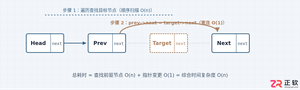
详细分析链表删除节点的时间复杂度,深入探讨单链表与双向链表在不同已知前提下的查找与删除开销,并结合完整代码与清晰图解进行对比总结。
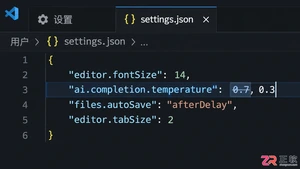
想知道如何让AI写出的代码更贴合你的习惯?本文手把手教你在VS Code中调整Codex相关模型参数,通过修改配置文件优化温度值和令牌限制,解决代码建议不准确或响应慢的问题。
通过实测展示Claude Code在终端中如何理解自然语言指令、自动修改代码文件并处理复杂编程任务,帮助开发者评估其实际辅助能力。
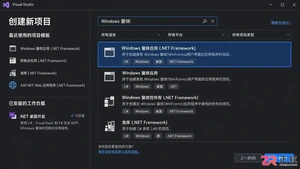
本教程详细讲解如何使用Visual Studio创建WinForms项目,通过添加按钮和标签控件并编写点击事件代码,实现一个基础的计数器功能,适合C#初学者快速上手Windows窗体应用开发。
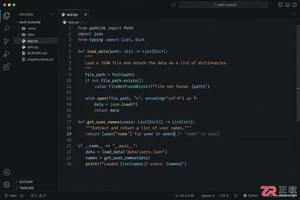
详解Cursor编辑器中自动补全功能的开启与优化设置,涵盖Tab触发机制、上下文窗口调整及模型切换,帮助开发者解决补全延迟、干扰大等问题,提升编码流畅度。
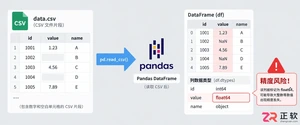
详解Pandas中数据格式转换的核心方法,包括astype强制转换、to_numeric容错处理及日期解析技巧,解决常见类型错误并提升数据处理效率。




Photoshop 2026 是 Adobe 推出的专业图像处理与视觉设计软件,支持 Windows、macOS 和 iPad 等平台,广泛应用于摄影修图、电商设计、平面海报、数字绘画及视觉合成等创作场景。
Blender 是一款免费开源、跨平台的专业 3D 创作软件,集建模、动画、渲染、视频编辑与视觉合成等功能于一体,广泛应用于影视动画、游戏设计和建筑可视化等领域。软件支持 Cycles 物理渲染器与 Eevee 实时渲染引擎,并提供多边形建模、骨骼绑定、物理模拟等专业工具。Blender 兼容 Windows、macOS 和 Linux 系统,安装包轻巧、运行流畅,依托活跃的全球开发者社区持续更新,是从初学者到专业创作者都值得选择的正版 3D 创作工具。


Photoshop 2026 是 Adobe 推出的专业图像处理与视觉设计软件,支持 Windows、macOS 和 iPad 等平台,广泛应用于摄影修图、电商设计、平面海报、数字绘画及视觉合成等创作场景。
Blender 是一款免费开源、跨平台的专业 3D 创作软件,集建模、动画、渲染、视频编辑与视觉合成等功能于一体,广泛应用于影视动画、游戏设计和建筑可视化等领域。软件支持 Cycles 物理渲染器与 Eevee 实时渲染引擎,并提供多边形建模、骨骼绑定、物理模拟等专业工具。Blender 兼容 Windows、macOS 和 Linux 系统,安装包轻巧、运行流畅,依托活跃的全球开发者社区持续更新,是从初学者到专业创作者都值得选择的正版 3D 创作工具。