NIO文件系统异常分析与解决方法
 发布于2026-03-15 阅读(0)
扫一扫,手机访问
在使用nio加载文件时,在idea中运行没有问题,但打成jar包后在windows和linux下都有问题:代码语言:javascript代码运行次数:0运行复制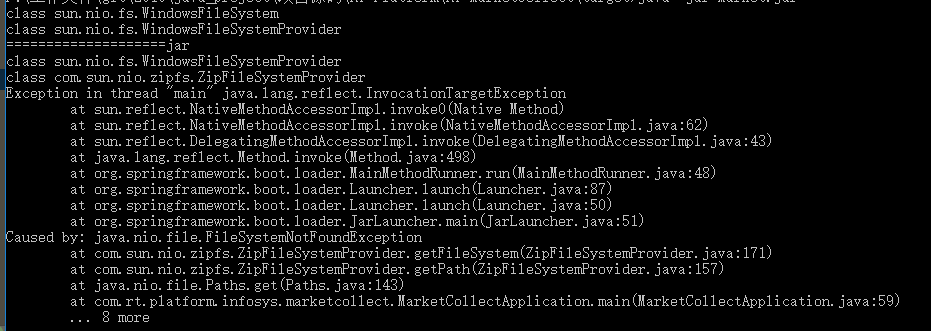
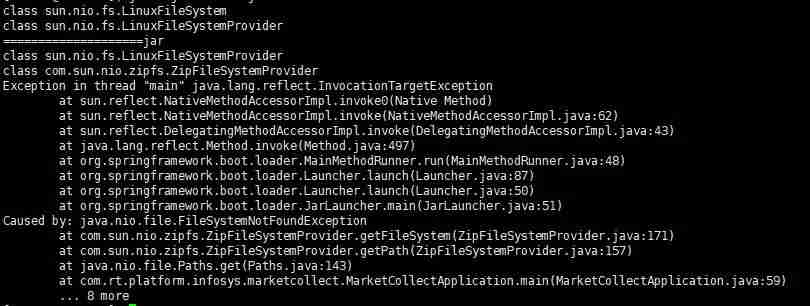
public static void main(String[] args) throws Exception{ // SpringApplication.run(MarketCollectApplication.class,args); URI uri = MarketCollectApplication.class.getClassLoader().getResource("conf/sh.txt").toURI(); FileSystem aDefault = FileSystems.getDefault(); System.out.println(aDefault.getClass()); FileSystemProvider provider = FileSystems.getDefault().provider(); System.out.println(provider.getClass()); System.out.println("====================" + uri.getScheme()); List fileSystemProviders = FileSystemProvider.installedProviders(); fileSystemProviders.forEach(p -> { System.out.println(p.getClass()); }); Path path = Paths.get(uri); } class sun.nio.fs.WindowsFileSystemclass sun.nio.fs.WindowsFileSystemProvider====================fileclass sun.nio.fs.WindowsFileSystemProviderclass com.sun.nio.zipfs.ZipFileSystemProviderpublic static Path get(URI uri) { String scheme = uri.getScheme(); if (scheme == null) throw new IllegalArgumentException("Missing scheme"); // check for default provider to avoid loading of installed providers if (scheme.equalsIgnoreCase("file")) return FileSystems.getDefault().provider().getPath(uri); // try to find provider for (FileSystemProvider provider: FileSystemProvider.installedProviders()) { if (provider.getScheme().equalsIgnoreCase(scheme)) { return provider.getPath(uri); } } throw new FileSystemNotFoundException("Provider \"" + scheme + "\" not installed"); } Path path = null; try{ path = Paths.get(uri); }catch (Exception e){ //@see https://stackoverflow.com/questions/25032716/getting-filesystemnotfoundexception-from-zipfilesystemprovider-when-creating-a-p //@see http://docs.oracle.com/javase/7/docs/technotes/guides/io/fsp/zipfilesystemprovider.html FileSystem zipfs = FileSystems.newFileSystem(uri, env); path = Paths.get(uri); }或者使用其他办法加载资源文件:
代码语言:javascript代码运行次数:0运行复制byte[] data;try (InputStream in = getClass().getResourceAsStream("/elasticsearch/segmentsIndex.json")) { data = IOUtils.toByteArray(in);}
本文转载于:https://cloud.tencent.com/developer/article/1452439 如有侵犯,请联系zhengruancom@outlook.com删除。
免责声明:正软商城发布此文仅为传递信息,不代表正软商城认同其观点或证实其描述。
免责声明:正软商城发布此文仅为传递信息,不代表正软商城认同其观点或证实其描述。
上一篇:PS调整图片明暗对比技巧
下一篇:韩小圈官网入口及观看地址
产品推荐
-

售后无忧
立即购买>- DAEMON Tools Lite 10【序列号终身授权 + 中文版 + Win】
-
¥150.00
office旗舰店
-

售后无忧
立即购买>- DAEMON Tools Ultra 5【序列号终身授权 + 中文版 + Win】
-
¥198.00
office旗舰店
-

售后无忧
立即购买>- DAEMON Tools Pro 8【序列号终身授权 + 中文版 + Win】
-
¥189.00
office旗舰店
-

售后无忧
立即购买>- CorelDRAW X8 简体中文【标准版 + Win】
-
¥1788.00
office旗舰店
-
 正版软件
正版软件
- 小红书深色模式怎么关
- 小红书深色模式关闭全攻略:告别“夜间模式”困扰 最近有没有发现,你的小红书界面突然“黑”了?这不是手机坏了,而是深色模式被启用了。虽然深色模式护眼,但不少人还是习惯经典的浅色界面,觉得看着更清晰舒服。今天,就跟你详细聊聊,怎么把这个“暗黑模式”给关掉,方法有好几种,总有一款能解决你的问题。 一、关闭
- 7小时前 22:59 0
-
 正版软件
正版软件
- cad看图王云图网页版入口
- cad看图王云图网页版入口为https://web.gstarcad.com/,支持多端同步、专业图纸交互、加密云端存储及跨版本兼容。 “CAD看图王云图网页版的入口到底在哪儿?”——这已悄然成为众多设计师和工程师高频搜索的“共同课题”。别再东寻西找了,那个能让你随时随地、打开浏览器就能审阅图纸的关
- 7小时前 22:59 0
-
 正版软件
正版软件
- write的现在进行时变化规则
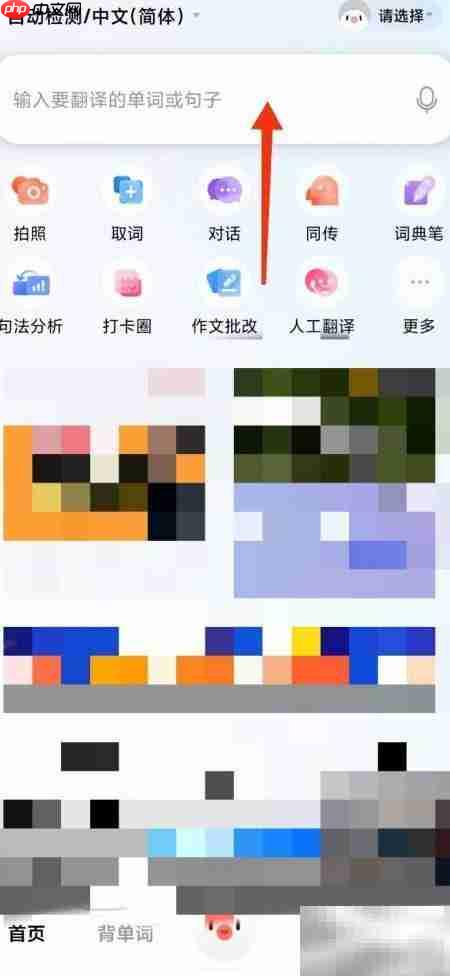
- 说起英语的现在进行时,很多初学者第一个想问的就是:它究竟该怎么构成?规则复杂吗?其实,掌握它的构成是有清晰路径可循的,咱们不妨借助一个大家都熟悉的工具来直观地看一看。 第一步:启动你的查询工具 首先,最直接的方法就是打开百度翻译的官网首页。就像下图所展示的,你只需在页面中央那个醒目的输入框里,敲入你
- 7小时前 22:59 0
-
 正版软件
正版软件
- AO3作品打不开怎么办
- 当AO3作品页面死活打不开、持续转圈或跳“Retry Later”提示时,别慌。按顺序试试这五步:一、切个镜像站点;二、强制刷新绕缓存;三、查查JavaScript等权限开了没;四、先把广告拦截插件关一下;五、终极方案——用Tor浏览器直连官方站。 想追的同人文读不了,页面卡在加载界面?这事儿确实挺
- 7小时前 22:58 0
-
 正版软件
正版软件
- 爱作业布置纸质作业指南
- 在爱作业平台发布纸质家庭作业:详细操作指南 对于很多习惯使用纸质作业的班级来说,在爱作业平台上完成布置其实是个很简单的流程。下面这个三步走的指南,能帮助老师们快速上手,确保作业顺利下发。 第一步:进入班级,找到布置入口 首先,你需要进入对应的班级管理页面。在这里,一眼就能看到“布置纸质作业”的选项,
- 7小时前 22:58 0
最新发布
-
 1
1
- 动漫共和国官网入口在线看
- 343天前
-
 2
2
- B站免费入口官网-B站在线观看永久畅享
- 前天 08-14 16:55
-
 3
3
- 51漫画高清入口及最新章节更新
- 前天 08-14 10:56
-
 4
4
- 拷贝漫画最新官网入口2025
- 前天 08-14 13:36
-
 5
5
- 高德地图是哪个国家开发的?
- 418天前
-
 6
6
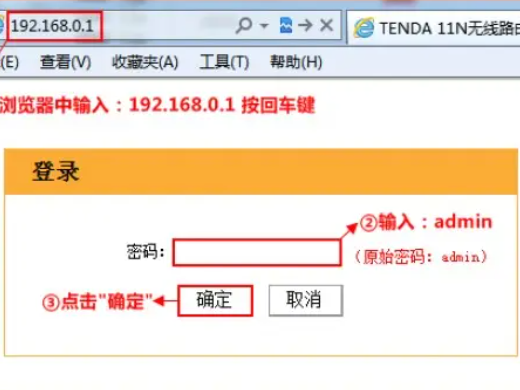
- 如何找到192.168.0.1登录入口
- 471天前
-
 7
7
- yy漫画下拉式免费阅读官网入口
- 341天前
-
 8
8
- 天堂漫画网页版登录入口及访问指南
- 前天 08-14 10:44
-
 9
9
- ACfun回家官网入口-acfun网页版免费入口
- 220天前
相关推荐
热门关注
-

- PixPin
- ¥8.00-¥8.00
-

- Total Uninstall
- ¥29.00-¥29.00
-

- 酷呆桌面
- ¥31.50-¥35.00
-

- ByePhotos
- ¥31.50-¥45.00
-

- TTime
- ¥3.00-¥3.00