

PHP中RGB颜色怎么用
DefineRGBvaluesusingvariableslike$red=255,$green=0,$blue=0fordirectmanipulationinimagefunctions.2.StoreRGBcomponentsinanassociativearraysuchas$color=['red'=>255,'green'=>165,'blue'=>0]forbetterreadabilityandreusability.3.ConvertRGBtohexadecimalfo
Define RGB values using variables like $red = 255, $green = 0, $blue = 0 for direct manipulation in image functions. 2. Store RGB components in an associative array such as $color = ['red' => 255, 'green' => 165, 'blue' => 0] for better readability and reusability. 3. Convert RGB to hexadecimal format using sprintf('%02X%02X%02X', $red, $green, $blue) for CSS styling. 4. Apply RGB colors in GD library image creation by allocating colors with imagecolorallocate() and using them in drawing functions, then outputting the image with proper headers.

If you are trying to work with RGB color values in PHP, understanding how to define and manipulate these values is essential for tasks like image processing or dynamic styling. Here are the ways to use and implement RGB colors in PHP:
The operating environment of this tutorial: MacBook Pro, macOS Sonoma
1. Define RGB Values as Variables
RGB colors can be represented using three separate variables for red, green, and blue components. Each component ranges from 0 to 255. This method allows direct manipulation and reuse of color values across functions.
- Set individual variables such as $red = 255, $green = 0, $blue = 0 for pure red
- Use these variables in image functions like imagecolorallocate() to apply the color
- Modify values dynamically based on conditions or user input
2. Use Arrays to Store RGB Components
Grouping RGB values into an associative array improves code readability and enables easy passing of color data between functions. This approach enhances maintainability when handling multiple colors.
- Create an array like $color = ['red' => 255, 'green' => 165, 'blue' => 0] for orange
- Access components via keys: $color['red'], $color['green'], $color['blue']
- Pass the entire array to custom drawing or conversion functions
3. Convert RGB to Hexadecimal Format
Sometimes it's necessary to output RGB colors in hexadecimal format, especially when generating CSS styles. A simple function can convert decimal RGB values into a hex string.
- Use sprintf('%02X%02X%02X', $red, $green, $blue) to generate a hex color code
- Ensure input values are within 0–255 range to avoid invalid outputs
- Prefix with '#' when embedding in HTML style attributes
4. Apply RGB Colors in Image Creation
When creating images with the GD library, RGB values are used to allocate colors that can be applied to shapes, text, or backgrounds. Proper allocation ensures accurate color rendering.
- Initialize a canvas using imagecreatetruecolor(200, 100)
- Allocate a color: $textColor = imagecolorallocate($image, 0, 0, 255) for blue
- Use the color identifier in functions like imagestring() or imagefilledrectangle()
- Output the image with header('Content-Type: image/png') and imagepng($image)
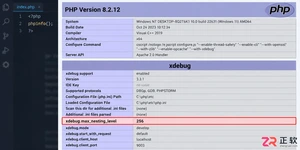
遇到PHP递归报错时,不要盲目调大max_nesting_level。本文教你区分Xdebug限制、内存耗尽和正则递归错误,提供代码级的终止条件优化与迭代替代方案,彻底解决栈溢出问题。
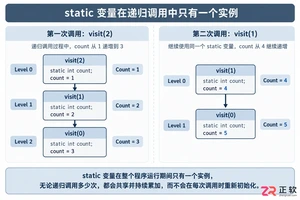
本文分析PHP递归中static变量导致的状态污染及引用传递引发的共享数据修改问题。提供具体的代码复现、缓存键设计建议及调试打印技巧,帮助开发者避免隐蔽的逻辑错误。
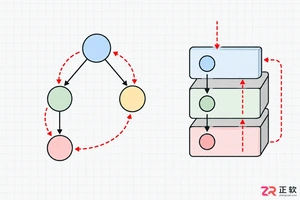
解析PHP递归函数在树形数据处理中的性能瓶颈,提供预加载数据消除I/O、使用显式栈替代深层递归的实战方案,帮助开发者在代码可读性与执行效率间做出合理取舍。

详细讲解在Java单元测试中如何使用Mockito模拟依赖对象,包括引入依赖、创建Mock、打桩返回值、行为验证以及Mock与Spy的核心差异和常见陷阱排查。

详细分析链表删除节点的时间复杂度,深入探讨单链表与双向链表在不同已知前提下的查找与删除开销,并结合完整代码与清晰图解进行对比总结。

想知道如何让AI写出的代码更贴合你的习惯?本文手把手教你在VS Code中调整Codex相关模型参数,通过修改配置文件优化温度值和令牌限制,解决代码建议不准确或响应慢的问题。

通过实测展示Claude Code在终端中如何理解自然语言指令、自动修改代码文件并处理复杂编程任务,帮助开发者评估其实际辅助能力。

本教程详细讲解如何使用Visual Studio创建WinForms项目,通过添加按钮和标签控件并编写点击事件代码,实现一个基础的计数器功能,适合C#初学者快速上手Windows窗体应用开发。

详解Cursor编辑器中自动补全功能的开启与优化设置,涵盖Tab触发机制、上下文窗口调整及模型切换,帮助开发者解决补全延迟、干扰大等问题,提升编码流畅度。

详解Pandas中数据格式转换的核心方法,包括astype强制转换、to_numeric容错处理及日期解析技巧,解决常见类型错误并提升数据处理效率。




Photoshop 2026 是 Adobe 推出的专业图像处理与视觉设计软件,支持 Windows、macOS 和 iPad 等平台,广泛应用于摄影修图、电商设计、平面海报、数字绘画及视觉合成等创作场景。

Blender 是一款免费开源、跨平台的专业 3D 创作软件,集建模、动画、渲染、视频编辑与视觉合成等功能于一体,广泛应用于影视动画、游戏设计和建筑可视化等领域。软件支持 Cycles 物理渲染器与 Eevee 实时渲染引擎,并提供多边形建模、骨骼绑定、物理模拟等专业工具。Blender 兼容 Windows、macOS 和 Linux 系统,安装包轻巧、运行流畅,依托活跃的全球开发者社区持续更新,是从初学者到专业创作者都值得选择的正版 3D 创作工具。


Photoshop 2026 是 Adobe 推出的专业图像处理与视觉设计软件,支持 Windows、macOS 和 iPad 等平台,广泛应用于摄影修图、电商设计、平面海报、数字绘画及视觉合成等创作场景。
Blender 是一款免费开源、跨平台的专业 3D 创作软件,集建模、动画、渲染、视频编辑与视觉合成等功能于一体,广泛应用于影视动画、游戏设计和建筑可视化等领域。软件支持 Cycles 物理渲染器与 Eevee 实时渲染引擎,并提供多边形建模、骨骼绑定、物理模拟等专业工具。Blender 兼容 Windows、macOS 和 Linux 系统,安装包轻巧、运行流畅,依托活跃的全球开发者社区持续更新,是从初学者到专业创作者都值得选择的正版 3D 创作工具。