

PHP读取文件生成统计图表方法详解
PHP生成可视化图表有五种方法:一、解析CSV输出JSON供前端调用;二、读取JSON嵌入HTML配合ECharts;三、拼接SVG代码生成静态矢量图;四、用GD库绘制PNG位图;五、解析INI生成HTML指标卡片。
PHP生成可视化图表有五种方法:一、解析CSV输出JSON供前端调用;二、读取JSON嵌入HTML配合ECharts;三、拼接SVG代码生成静态矢量图;四、用GD库绘制PNG位图;五、解析INI生成HTML指标卡片。

如果您拥有一个包含结构化数据的文本文件(如CSV或JSON格式),并希望使用PHP读取其中内容后生成可视化图表,则需要借助PHP的数据解析能力与前端图表库协同工作。以下是实现此目标的具体步骤:
一、使用PHP读取CSV文件并输出JSON格式数据
该方法适用于以逗号分隔的表格型数据,PHP通过fgetcsv函数逐行读取,再将结果组织为数组并编码为JSON,供前端图表库调用。
1、在Web服务器根目录下创建data.csv文件,内容示例如下:
月份,销售额,用户数
1月,12000,85
2月,13500,92
3月,11800,78
2、新建chart_data.php文件,写入以下代码:
$file = 'data.csv';
$data = [];
if (($handle = fopen($file, 'r')) !== FALSE) {
while (($row = fgetcsv($handle, 1000, ',')) !== FALSE) {
if (count($row) >= 3 && $row[0] !== '月份') {
$data[] = ['month' => $row[0], 'sales' => (int)$row[1], 'users' => (int)$row[2]];
}
}
fclose($handle);
}
header('Content-Type: application/json');
echo json_encode($data);
?>
3、确保chart_data.php可被AJAX请求访问,且返回格式为标准JSON数组。
二、使用PHP读取JSON文件并直接嵌入HTML页面
该方法适用于已预先整理好的JSON格式数据文件,PHP通过file_get_contents和json_decode解析内容,并在HTML中以内联脚本方式传递给前端图表库。
1、创建data.json文件,内容示例如下:
[{"month":"1月","sales":12000,"users":85},{"month":"2月","sales":13500,"users":92}]
2、新建chart_page.php,写入以下代码:
$json_content = file_get_contents('data.json');
$chart_data = json_decode($json_content, true);
?>
3、确保data.json与chart_page.php位于同一目录,且Web服务器支持PHP执行。
三、使用PHP生成SVG图表并直接输出
该方法不依赖JavaScript图表库,而是利用PHP字符串拼接生成静态SVG代码,适合轻量级、无交互需求的图表展示。
1、创建svg_chart.php文件,写入以下代码:
$data = [[12000, 85], [13500, 92], [11800, 78]]; // 销售额、用户数
$width = 600;
$height = 400;
$margin = 40;
$barWidth = ($width - 2 * $margin) / count($data);
$maxValue = max(array_column($data, 0));
$scale = ($height - 2 * $margin) / $maxValue;
echo '';
?>
2、访问svg_chart.php即可直接渲染出柱状图SVG图像。
四、使用PHP结合GD库绘制PNG图表
该方法利用PHP内置GD扩展,在服务端生成位图格式图表,适用于需导出图片或规避前端JS依赖的场景。
1、确认PHP已启用GD扩展:运行phpinfo()检查gd项是否启用。
2、创建png_chart.php文件,写入以下代码:
$data = [12000, 13500, 11800];
$width = 600;
$height = 400;
$img = imagecreatetruecolor($width, $height);
$bg = imagecolorallocate($img, 255, 255, 255);
$bar_color = imagecolorallocate($img, 70, 130, 180);
$text_color = imagecolorallocate($img, 0, 0, 0);
imagefilledrectangle($img, 0, 0, $width, $height, $bg);
$max = max($data);
$bar_width = 60;
$gap = 40;
$x_start = 80;
for ($i = 0; $i < count($data); $i++) {
$bar_height = ($data[$i] / $max) * ($height - 100);
$x = $x_start + $i * ($bar_width + $gap);
$y = $height - 50 - $bar_height;
imagefilledrectangle($img, $x, $y, $x + $bar_width, $height - 50, $bar_color);
imagestring($img, 5, $x + 10, $height - 30, ($i+1).'月', $text_color);
imagestring($img, 4, $x + 5, $y - 15, $data[$i], $text_color);
}
header('Content-Type: image/png');
imagepng($img);
imagedestroy($img);
?>
3、访问png_chart.php将直接输出PNG图像流,浏览器自动渲染。
五、使用PHP读取INI配置文件生成指标卡片
该方法适用于非数值密集型统计,如系统状态、配置摘要等,PHP读取INI格式后生成带样式的HTML指标块。
1、创建config.ini文件,内容如下:
[system]
uptime = 142
memory_usage = 68
disk_usage = 42
2、创建dashboard.php文件,写入以下代码:
$ini = parse_ini_file('config.ini', true);
$sys = $ini['system'];
?>
3、确保config.ini与dashboard.php同目录,且PHP有读取权限。
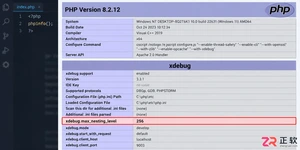
遇到PHP递归报错时,不要盲目调大max_nesting_level。本文教你区分Xdebug限制、内存耗尽和正则递归错误,提供代码级的终止条件优化与迭代替代方案,彻底解决栈溢出问题。
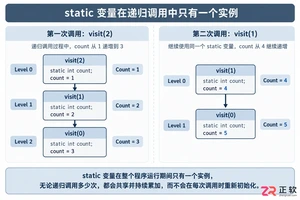
本文分析PHP递归中static变量导致的状态污染及引用传递引发的共享数据修改问题。提供具体的代码复现、缓存键设计建议及调试打印技巧,帮助开发者避免隐蔽的逻辑错误。
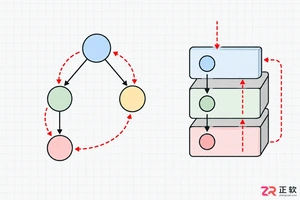
解析PHP递归函数在树形数据处理中的性能瓶颈,提供预加载数据消除I/O、使用显式栈替代深层递归的实战方案,帮助开发者在代码可读性与执行效率间做出合理取舍。
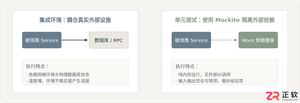
详细讲解在Java单元测试中如何使用Mockito模拟依赖对象,包括引入依赖、创建Mock、打桩返回值、行为验证以及Mock与Spy的核心差异和常见陷阱排查。
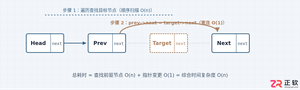
详细分析链表删除节点的时间复杂度,深入探讨单链表与双向链表在不同已知前提下的查找与删除开销,并结合完整代码与清晰图解进行对比总结。
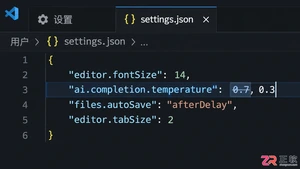
想知道如何让AI写出的代码更贴合你的习惯?本文手把手教你在VS Code中调整Codex相关模型参数,通过修改配置文件优化温度值和令牌限制,解决代码建议不准确或响应慢的问题。
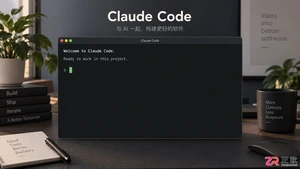
通过实测展示Claude Code在终端中如何理解自然语言指令、自动修改代码文件并处理复杂编程任务,帮助开发者评估其实际辅助能力。
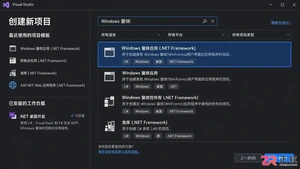
本教程详细讲解如何使用Visual Studio创建WinForms项目,通过添加按钮和标签控件并编写点击事件代码,实现一个基础的计数器功能,适合C#初学者快速上手Windows窗体应用开发。
详解Cursor编辑器中自动补全功能的开启与优化设置,涵盖Tab触发机制、上下文窗口调整及模型切换,帮助开发者解决补全延迟、干扰大等问题,提升编码流畅度。
详解Pandas中数据格式转换的核心方法,包括astype强制转换、to_numeric容错处理及日期解析技巧,解决常见类型错误并提升数据处理效率。




Photoshop 2026 是 Adobe 推出的专业图像处理与视觉设计软件,支持 Windows、macOS 和 iPad 等平台,广泛应用于摄影修图、电商设计、平面海报、数字绘画及视觉合成等创作场景。

Blender 是一款免费开源、跨平台的专业 3D 创作软件,集建模、动画、渲染、视频编辑与视觉合成等功能于一体,广泛应用于影视动画、游戏设计和建筑可视化等领域。软件支持 Cycles 物理渲染器与 Eevee 实时渲染引擎,并提供多边形建模、骨骼绑定、物理模拟等专业工具。Blender 兼容 Windows、macOS 和 Linux 系统,安装包轻巧、运行流畅,依托活跃的全球开发者社区持续更新,是从初学者到专业创作者都值得选择的正版 3D 创作工具。


Photoshop 2026 是 Adobe 推出的专业图像处理与视觉设计软件,支持 Windows、macOS 和 iPad 等平台,广泛应用于摄影修图、电商设计、平面海报、数字绘画及视觉合成等创作场景。
Blender 是一款免费开源、跨平台的专业 3D 创作软件,集建模、动画、渲染、视频编辑与视觉合成等功能于一体,广泛应用于影视动画、游戏设计和建筑可视化等领域。软件支持 Cycles 物理渲染器与 Eevee 实时渲染引擎,并提供多边形建模、骨骼绑定、物理模拟等专业工具。Blender 兼容 Windows、macOS 和 Linux 系统,安装包轻巧、运行流畅,依托活跃的全球开发者社区持续更新,是从初学者到专业创作者都值得选择的正版 3D 创作工具。