

三餐美食系统英文界面设置教程
InterfaceConfigurationApproachfortheThreeMealsGourmetSmartCateringSystem(EnglishVersion)OverallInterfaceStructureTheEnglish-languageinterfaceoftheThreeMealsGourmetSmartCateringSystemadoptsaclean,user-centriclayoutdesignedto
Interface Configuration Approach for the Three Meals Gourmet Smart Catering System (English Version)
- Overall Interface Structure
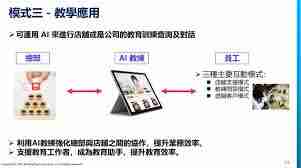
The English-language interface of the Three Meals Gourmet Smart Catering System adopts a clean, user-centric layout designed to deliver immediate clarity and effortless navigation. The primary navigation bar is positioned at the top of the screen and features horizontally aligned buttons labeled “Home”, “Menu”, “Order”, “Reservation”, and more. Each button combines a concise, universally understandable icon with its corresponding English label—ensuring rapid recognition and efficient access to core system functions.
- Language Switching Functionality
A dedicated language toggle appears in the top-right corner—or another clearly marked zone—of the interface. Activating it reveals a dropdown list offering multiple language choices, including English. Selecting English triggers an immediate, full-system language switch: all textual content—including dish names, order summaries, reservation fields, and system alerts—is rendered exclusively in English, supporting global patrons and native or proficient English speakers alike.
- Menu Presentation Design
The “Menu” module serves as a central hub for culinary exploration. Dishes are logically grouped into distinct categories—such as Starters, Main Dishes, Sweets, and Drinks—with each category displayed as a collapsible section. Upon expanding a category, users view rich English descriptions for every item, covering key details like core ingredients, preparation techniques, and unique attributes (e.g., gluten-free, chef’s special). Complementing each description is a high-resolution food image, enhancing visual appeal and aiding informed selection.
- Order Placement Workflow
Within the “Order” interface, users browse a curated list of available dishes. Each item includes an “Add to Cart” control; clicking it instantly adds the selection to the active order. A dynamic cart panel updates in real time—displaying itemized quantities, unit prices, cumulative total, and applied promotions or discounts. Users retain full control: they may adjust quantities directly or delete items before finalizing payment via the checkout process.
- Table Reservation Panel
The “Reservation” interface streamlines table booking through a streamlined, English-guided form. Users input required details—including preferred date and time, party size, and optional notes (e.g., seating preferences or dietary requests)—using intuitive, labeled fields. Once completed, submission triggers an on-screen confirmation message in English, providing booking reference number, scheduled time, and next-step instructions.
- User Account & Preference Management
A dedicated “Profile & Settings” section empowers users to manage personal data and system behavior. Here, individuals can edit contact information, update shipping or billing addresses, and configure secure payment options. Additional settings include notification preferences (e.g., SMS/email alerts for order status or exclusive offers) and fine-tuned language-related options—even within the English interface—for enhanced personalization. All interactions are supported by straightforward, grammatically accurate English prompts and tooltips.

面向寻求免费高清漫画资源的安卓用户,JM漫画(Jmcomic2.0)提供逾万部涵盖恋爱、悬疑等多元题材的正版作品。针对追更等待久、查找困难及阅读体验不佳等痛点,本文介绍其每日智能推送、章节零时差同步更新及AI精准推荐功能。内容涵盖软件核心亮点解析,以及从打开应用、进入个人中心到完成手机号或邮箱验证的详细注册登录步骤,帮助用户快速上手享受纯净沉浸的阅读体验。
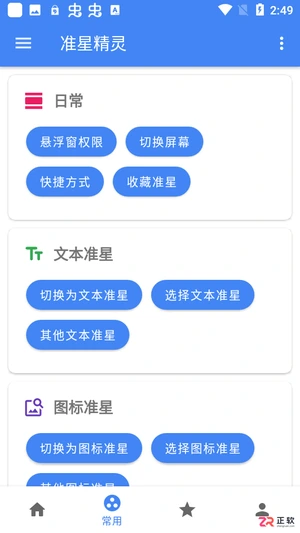
面向《和平精英》等战术射击手游玩家,准星精灵通过悬浮窗技术提供虚拟辅助准星,解决原生准星不明显或个性化不足的问题。本文介绍该工具的核心功能,包括双模准星切换、自定义图片导入及多维度参数精细调节。针对用户关心的操作便捷性,详解从下载安装、浏览推荐样式到调整透明度、颜色及大小的完整步骤,帮助玩家在合规范围内优化视觉体验,提升瞄准效率。
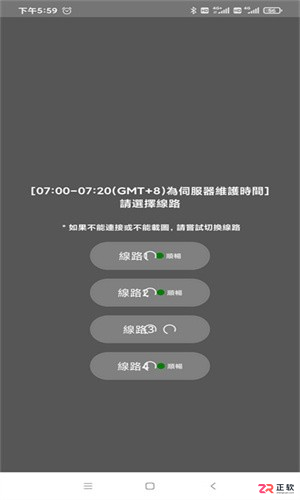
面向追求高清画质与流畅体验的漫画读者,JM漫画最新版通过优化界面交互与引入高清渲染技术,解决阅读卡顿及资源查找困难等痛点。本文详细介绍其原创作者追踪、极速章节同步、多维智能搜索等核心功能,解析纯净无广告环境与社区互动优势,并提供从进入个人中心到完成验证的详细注册步骤,帮助用户快速上手享受便捷追漫服务。

想知道即梦AI能否让动物说话?基于OmniHuman1.5模型,本教程演示如何用卡通小猫图片和欢迎语音频,制作口型同步的数字人视频,包含素材准备与效果验证步骤。

面向寻找安全正版手游资源的Android用户,TapTap提供一站式游戏发现、社区互动及便捷管理服务。针对手动更新繁琐、资源筛选困难及购买后退款流程不明等痛点,本文详解TapTap v2.90.2版本的安装步骤、一键更新功能、高效搜索技巧以及订单退款的具体操作路径,帮助用户快速定位心仪游戏并享受安全的游玩体验。
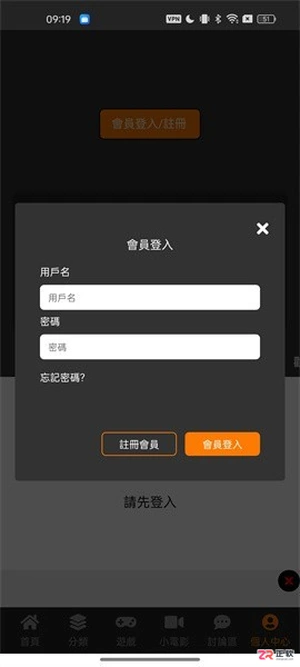
面向二次元漫画阅读用户,JM漫画软件官方版通过优化正版内容汇集与推荐算法,提升追更效率与发现体验。本文详解最新版v1.8.2的注册登录流程,包括手机号验证步骤;针对常见的加载卡顿问题,提供清理内存、切换网络线路及更新版本等具体解决方案;同时介绍离线缓存、多语言支持及护眼模式等核心功能,帮助用户获得流畅稳定的阅读体验。
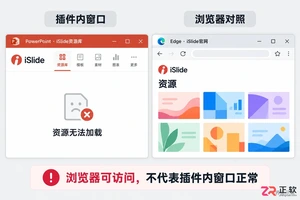
iSlide提示无法打开网页?本文详解Windows环境下PowerPoint插件资源库空白、官网加载失败的排查步骤。涵盖Edge缓存清理、iSlide设置中浏览器内核修复、完整安装包更新及网络限制检查,助您快速恢复插件正常功能。
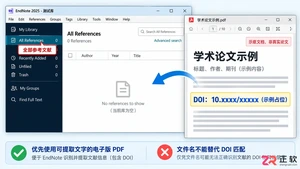
详解 Windows 端 EndNote 2025 如何通过导入 PDF 自动提取 DOI 并匹配标题、作者等元数据。包含导入设置、重复项处理、字段核对及手动补录技巧,确保文献记录准确且附带全文。

面向Android手游玩家,介绍TapTap免费版的核心价值与实用设置。该平台提供全球游戏资源同步、智能推荐及安全下载服务,解决找游戏难、更新繁琐等痛点。本文详解如何关闭“自动删除安装包”功能以保留APK文件,并梳理社区互动、静默更新等特色操作,帮助用户高效管理游戏库并享受纯净的游玩体验。
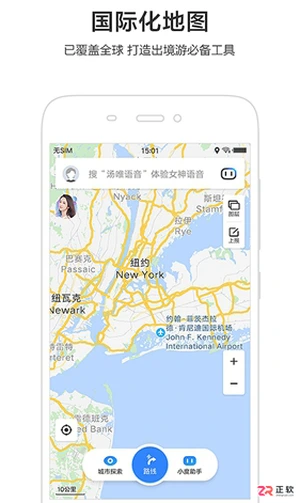
面向需要在无网或弱网环境下出行的用户,百度地图离线版提供精准定位与路线规划服务。本文介绍该版本的核心功能,包括智能避堵、AR步行导航及室内地图覆盖,并详细说明如何下载离线地图包以节省流量。针对驾驶用户,文中包含具体的“设置不走高速”操作步骤:进入个人中心-导航设置-路线偏好,勾选相应选项即可优先规划非高速路线,确保在山区、隧道等信号盲区也能流畅导航。





火山引擎是字节跳动旗下企业级云与AI服务平台。聚焦大模型核心能力,依托字节自研豆包多模态大模型,凭借火山方舟一站式平台,提供模型精调、推理部署、智能应用搭建等全链路服务,结合高性能AI算力,助力各行业快速落地大模型数字化与智能化应用。


Autodesk Maya 是面向影视、电视、动画和游戏行业的专业三维制作软件,集多边形与 NURBS 建模、角色绑定、关键帧和动作捕捉动画、Bifrost 特效模拟、材质开发及 Arnold 渲染于一体,
火山引擎是字节跳动旗下企业级云与AI服务平台。聚焦大模型核心能力,依托字节自研豆包多模态大模型,凭借火山方舟一站式平台,提供模型精调、推理部署、智能应用搭建等全链路服务,结合高性能AI算力,助力各行业快速落地大模型数字化与智能化应用。


