

如何在Ubuntu用Python进行机器学习
在 Ubuntu 上用 Python 开启机器学习之旅:一份即拿即用的实操指南 想在 Ubuntu 系统上快速搭建一个稳定、高效的机器学习开发环境吗?这份指南将带你从零开始,一步步完成环境配置、框架安装,并运行你的第一个模型。整个过程清晰直接,力求避开常见的“坑”。 一、环境准备与 Python 安
在 Ubuntu 上用 Python 开启机器学习之旅:一份即拿即用的实操指南
想在 Ubuntu 系统上快速搭建一个稳定、高效的机器学习开发环境吗?这份指南将带你从零开始,一步步完成环境配置、框架安装,并运行你的第一个模型。整个过程清晰直接,力求避开常见的“坑”。
一、环境准备与 Python 安装
万事开头先打基础。首先,确保你的系统是最新的,并安装好 Python 和包管理工具 pip。
- 更新系统并安装基础工具:
- 打开终端,执行更新命令:
sudo apt update && sudo apt upgrade -y - 安装 Python 3 和 pip:
sudo apt install python3 python3-pip - 安装完成后,别忘了验证一下版本:
python3 --version、pip3 --version
- 打开终端,执行更新命令:
- 强烈建议:使用虚拟环境隔离依赖
这是保证项目依赖纯净、避免版本冲突的关键一步。以下两种主流方案,任选其一即可:- 方案一:使用系统自带的 venv(轻量简洁)
- 创建环境:
python3 -m venv ~/ml_venv - 激活环境:
source ~/ml_venv/bin/activate
- 创建环境:
- 方案二:使用 Conda/Miniconda(数据科学领域更常用,尤其便于管理复杂依赖)
- 安装 Miniconda(以下为示例脚本,建议从官网获取最新链接):
wget https://repo.anaconda.com/miniconda/Miniconda3-latest-Linux-x86_64.sh && bash Miniconda3-latest-Linux-x86_64.sh - 创建指定 Python 版本的环境:
conda create -n ml_env python=3.10 - 激活环境:
conda activate ml_env
- 安装 Miniconda(以下为示例脚本,建议从官网获取最新链接):
- 方案一:使用系统自带的 venv(轻量简洁)
- 一键安装常用基础库
在已激活的虚拟环境中,运行下面这条命令,就能把数据分析、建模和可视化的核心工具包一次性备齐:pip install numpy pandas scikit-learn matplotlib seaborn jupyter
二、安装机器学习与深度学习框架
基础打好,就该上“主菜”了。根据你的硬件和需求,选择安装对应的框架。
- CPU 与通用安装(适合入门学习和大多数 CPU 计算场景):
- scikit-learn(传统机器学习利器):
pip install scikit-learn - TensorFlow(CPU 版本):
pip install tensorflow - PyTorch(CPU 版本):
pip install torch torchvision torchaudio
- scikit-learn(传统机器学习利器):
- GPU 支持安装(释放 NVIDIA 显卡的算力,大幅加速训练)
前提是已正确安装 NVIDIA 驱动、CUDA 和 cuDNN。这里以 CUDA 11.8 为例(建议在 Conda 环境中执行,依赖管理更省心):- PyTorch GPU 版:
conda install pytorch torchvision torchaudio pytorch-cuda=11.8 -c pytorch -c nvidia - (备选)如需 CPU 版 PyTorch:
conda install pytorch torchvision torchaudio cpuonly -c pytorch
- PyTorch GPU 版:
- 验证安装是否成功(跑个简单命令看看):
- 验证 PyTorch 及 CUDA:
python -c "import torch; print('CUDA a vailable:', torch.cuda.is_a vailable())" - 验证 TensorFlow:
python -c "import tensorflow as tf; print('TF version:', tf.__version__)"
- 验证 PyTorch 及 CUDA:
三、快速上手示例:从传统机器学习到深度学习
环境就绪,最好的验证方式就是跑通一个例子。下面两个经典示例,带你感受不同范式的建模流程。
- 示例一:传统机器学习(使用 scikit-learn 实现线性回归)
- 将以下代码保存为
ml_linear.py:import numpy as np from sklearn.model_selection import train_test_split from sklearn.linear_model import LinearRegression from sklearn.metrics import mean_squared_error # 生成模拟数据 X = np.random.rand(100, 1) y = 2 + 3 * X + 0.1 * np.random.randn(100, 1) # 划分训练集和测试集 X_train, X_test, y_train, y_test = train_test_split(X, y, test_size=0.2, random_state=42) # 创建模型、训练、预测 model = LinearRegression() model.fit(X_train, y_train) y_pred = model.predict(X_test) # 评估模型 print("MSE:", mean_squared_error(y_test, y_pred)) - 在终端运行:
python ml_linear.py
- 将以下代码保存为
- 示例二:深度学习(使用 TensorFlow/Keras 识别 MNIST 手写数字)
- 将以下代码保存为
tf_mnist.py:import tensorflow as tf from tensorflow.keras import Sequential from tensorflow.keras.layers import Dense, Flatten # 加载并预处理数据 (x_train, y_train), (x_test, y_test) = tf.keras.datasets.mnist.load_data() x_train, x_test = x_train/255.0, x_test/255.0 # 构建一个简单的神经网络 model = Sequential([ Flatten(input_shape=(28, 28)), Dense(128, activation='relu'), Dense(10, activation='softmax') ]) # 编译并训练模型 model.compile(optimizer='adam', loss='sparse_categorical_crossentropy', metrics=['accuracy']) model.fit(x_train, y_train, epochs=5, batch_size=32, verbose=2) # 在测试集上评估 test_loss, test_acc = model.evaluate(x_test, y_test, verbose=0) print(f"Test accuracy: {test_acc:.4f}") - 在终端运行:
python tf_mnist.py
- 将以下代码保存为
- 交互式开发建议:使用 Jupyter Notebook
对于探索性数据分析和模型调试,Jupyter Notebook 是绝佳工具。- 安装:
pip install notebook或conda install jupyter - 启动:在终端输入
jupyter notebook,浏览器会自动打开工作界面。
- 安装:
四、数据处理与计算机视觉扩展
机器学习离不开数据。如果你想涉足计算机视觉,OpenCV 是处理图像数据的瑞士军刀。
- 安装 OpenCV 进行图像读取与预处理:
- 安装:
pip install opencv-python - 基本用法示例:
import cv2
img = cv2.imread('image.jpg')
gray = cv2.cvtColor(img, cv2.COLOR_BGR2GRAY)
print(gray.shape)
- 安装:
- 一个小项目思路:可以尝试用 OpenCV 读取一个文件夹下的所有图像,将它们转换为灰度图并展平为特征向量,然后使用 scikit-learn 中的随机森林(RandomForest)等分类器进行训练和准确率评估。这能让你完整走通一个简单的图像分类 pipeline。
五、常见问题与排错建议
最后,分享几个实践中高频出现的问题和解决思路,希望能帮你节省时间。
- 环境与权限问题
- 务必优先使用虚拟环境(venv/conda),这是避免系统级包冲突的根本方法。如果不得已使用系统 pip,建议加上
--user参数,或者确保将虚拟环境的 bin 目录加入 PATH。
- 务必优先使用虚拟环境(venv/conda),这是避免系统级包冲突的根本方法。如果不得已使用系统 pip,建议加上
- GPU 不可用或未被识别
- 首先确认三件套:NVIDIA 驱动、CUDA、cuDNN 的版本是否匹配且安装正确。
- 命令行输入
nvidia-smi检查驱动和 GPU 状态。 - 在 Python 中,PyTorch 可用
torch.cuda.is_a vailable()验证;TensorFlow 2.10+ 在 Linux 上通常已内置 GPU 支持,无需单独安装旧的 tensorflow-gpu 包。
- 包依赖冲突与安装失败
- 首先尝试升级 pip 本身:
pip install -U pip - 对于 PyTorch、TensorFlow 等大型框架,尤其是 GPU 版本,尽量使用 conda 安装。Conda 能更好地解决复杂依赖关系,避免与 pip 混合安装导致的环境混乱。
- 首先尝试升级 pip 本身:
- Jupyter Notebook 无法启动或找不到内核
- 在目标虚拟环境中,执行以下命令为 Jupyter 安装内核:
python -m ipykernel install --user --name=ml_env(将 ml_env 替换为你的环境名)。 - 重启 Jupyter,在 “Kernel” -> “Change kernel” 菜单中选择刚添加的环境内核即可。
- 在目标虚拟环境中,执行以下命令为 Jupyter 安装内核:
详解 CodeKit 在 macOS 下的安装步骤、项目导入方法、Sass与JavaScript编译设置及浏览器自动刷新功能,助您快速搭建高效的前端开发环境。
详解Windows环境下安装OpenAI Codex CLI的步骤,包括WSL环境检查、Node.js/npm配置、npm全局安装命令及首次启动验证,适合开发者快速上手。
学习如何配置 NativeRest REST API 客户端。涵盖 Windows/macOS/Linux 安装后的工作区创建、环境变量管理、请求编辑及响应查看步骤,帮助开发者快速完成基础环境搭建与连通性测试。
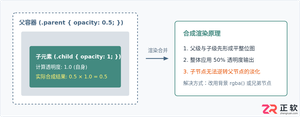
深入解析CSS中设置透明度的核心属性opacity,剖析子元素继承、事件穿透、层叠上下文等关键注意事项,并提供与rgba、hsla的实用选型对比。
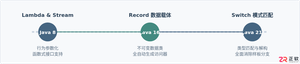
本文通过具体的旧版与新版代码对比,详细剖析Java 8引入的Lambda表达式、Java 14/16引入的Record类,以及Java 12至21逐步演进完善的Switch表达式与模式匹配,展示代码简化路径与避坑要点。
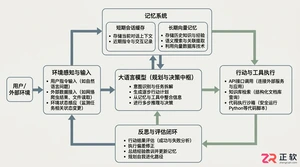
系统梳理AI智能体开发培训的核心知识模块、技术栈选型与典型实战项目,解析低代码平台与纯代码框架的差异,提供从零构建可落地智能体的完整学习与实施路径。
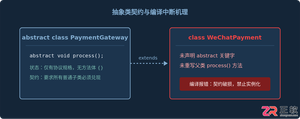
针对Java开发中常见的“子类未实现抽象方法”编译错误,深入分析报错原因,提供重写实现、声明抽象子类两种标准修复路径,并总结参数签名、访问修饰符等典型避坑要点。
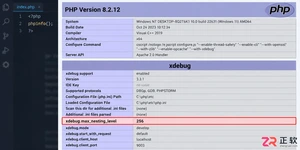
遇到PHP递归报错时,不要盲目调大max_nesting_level。本文教你区分Xdebug限制、内存耗尽和正则递归错误,提供代码级的终止条件优化与迭代替代方案,彻底解决栈溢出问题。
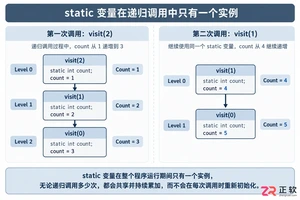
本文分析PHP递归中static变量导致的状态污染及引用传递引发的共享数据修改问题。提供具体的代码复现、缓存键设计建议及调试打印技巧,帮助开发者避免隐蔽的逻辑错误。




Photoshop 2026 是 Adobe 推出的专业图像处理与视觉设计软件,支持 Windows、macOS 和 iPad 等平台,广泛应用于摄影修图、电商设计、平面海报、数字绘画及视觉合成等创作场景。

Blender 是一款免费开源、跨平台的专业 3D 创作软件,集建模、动画、渲染、视频编辑与视觉合成等功能于一体,广泛应用于影视动画、游戏设计和建筑可视化等领域。软件支持 Cycles 物理渲染器与 Eevee 实时渲染引擎,并提供多边形建模、骨骼绑定、物理模拟等专业工具。Blender 兼容 Windows、macOS 和 Linux 系统,安装包轻巧、运行流畅,依托活跃的全球开发者社区持续更新,是从初学者到专业创作者都值得选择的正版 3D 创作工具。


Photoshop 2026 是 Adobe 推出的专业图像处理与视觉设计软件,支持 Windows、macOS 和 iPad 等平台,广泛应用于摄影修图、电商设计、平面海报、数字绘画及视觉合成等创作场景。
Blender 是一款免费开源、跨平台的专业 3D 创作软件,集建模、动画、渲染、视频编辑与视觉合成等功能于一体,广泛应用于影视动画、游戏设计和建筑可视化等领域。软件支持 Cycles 物理渲染器与 Eevee 实时渲染引擎,并提供多边形建模、骨骼绑定、物理模拟等专业工具。Blender 兼容 Windows、macOS 和 Linux 系统,安装包轻巧、运行流畅,依托活跃的全球开发者社区持续更新,是从初学者到专业创作者都值得选择的正版 3D 创作工具。