Linux C++中如何有效处理文件I/O操作
在Linux环境下使用C++进行文件I/O操作 在Linux平台上用C++处理文件,方法选对了,性能调优到位了,效果大不一样。下面这些经过实践检验的建议和最佳实践,能帮你把文件读写这件事做得既高效又可靠。 1. 用好标准库 说到文件操作,C++标准库里的绝对是首选。它提供了几个得力的类:std::i
在Linux环境下使用C++进行文件I/O操作
在Linux平台上用C++处理文件,方法选对了,性能调优到位了,效果大不一样。下面这些经过实践检验的建议和最佳实践,能帮你把文件读写这件事做得既高效又可靠。
1. 用好标准库
说到文件操作,C++标准库里的std::ifstream专管读取,std::ofstream负责写入,而std::fstream则能读写通吃。上手非常直观。
来看一个读取文件的典型例子:
#include
#include
#include

int main() {
    std::ifstream infile("example.txt");
    if (!infile) {
        std::cerr << "无法打开文件" << std::endl;
        return 1;
    }
    std::string line;
    while (std::getline(infile, line)) {
        std::cout << line << std::endl;
    }
    infile.close();
    return 0;
}
写入文件也同样简单:
#include
#include
#include

int main() {
    std::ofstream outfile("output.txt");
    if (!outfile) {
        std::cerr << "无法打开文件" << std::endl;
        return 1;
    }
    outfile << "Hello, World!" << std::endl;
    outfile << "这是一个测试文件。" << std::endl;
    outfile.close();
    return 0;
}
2. 善用缓冲区提升性能
处理海量数据时,缓冲区的威力就显现出来了。虽然
比如,你可以像下面这样设置一个自定义的大缓冲区:
#include
#include

int main() {
    const size_t BUFFER_SIZE = 1024 * 1024; // 1MB 缓冲区
    char* buffer = new char[BUFFER_SIZE];

    std::ofstream outfile("large_file.bin", std::ios::out | std::ios::binary);
    if (!outfile) {
        std::cerr << "无法打开文件" << std::endl;
        delete[] buffer;
        return 1;
    }

    // 设置自定义缓冲区
    outfile.rdbuf()->pubsetbuf(buffer, BUFFER_SIZE);

    // 写入数据
    for (int i = 0; i < 1024; ++i) {
        outfile.write("This is a test line.\n", 20);
    }

    outfile.close();
    delete[] buffer;
    return 0;
}
3. 尝试内存映射文件(Memory-Mapped Files)
当场景变成需要高效、随机地访问一个大文件时,内存映射就成了一个非常有效的武器。虽然C++标准库没有直接支持,但我们可以调用操作系统提供的接口,比如在Linux上,POSIX的mmap函数就非常好用。
下面是一个使用mmap的Linux特定示例:
#include
#include
#include
#include
#include
#include

int main() {
    int fd = open("mapped_file.txt", O_RDONLY);
    if (fd == -1) {
        std::cerr << "无法打开文件" << std::endl;
        return 1;
    }

    struct stat sb;
    if (fstat(fd, &sb) == -1) {
        std::cerr << "无法获取文件大小" << std::endl;
        close(fd);
        return 1;
    }

    char* addr = static_cast(mmap(nullptr, sb.st_size, PROT_READ, MAP_PRIVATE, fd, 0));
    if (addr == MAP_FAILED) {
        std::cerr << "内存映射失败" << std::endl;
        close(fd);
        return 1;
    }

    // 读取内容
    std::cout.write(addr, sb.st_size);

    // 解除映射
    if (munmap(addr, sb.st_size) == -1) {
        std::cerr << "解除内存映射失败" << std::endl;
    }
    close(fd);
    return 0;
}
4. 引入异步I/O
如果你的程序不能因为等待文件I/O而阻塞,那么异步I/O就是提升响应性和整体性能的关键。C++11引入的
看看如何用std::async来异步读取文件:
#include
#include
#include
#include

std::string readFileAsync(const std::string& filename) {
    std::ifstream infile(filename);
    if (!infile) {
        throw std::runtime_error("无法打开文件");
    }
    std::string content((std::istreambuf_iterator(infile)), std::istreambuf_iterator());
    return content;
}

int main() {
    auto future = std::async(std::launch::async, readFileAsync, "example.txt");

    // 可以在此期间执行其他任务
    try {
        std::string content = future.get();
        std::cout << content;
    } catch (const std::exception& e) {
        std::cerr << e.what() << std::endl;
    }
    return 0;
}
5. 别忘了高效的文件操作函数
C++的流式操作固然方便,但在某些对性能有极致要求的场景下,回归C标准库的函数,如fopen、fread、fwrite、fclose等,有时反而能带来更优的表现。
下面是一个使用C标准库进行二进制文件读写的例子:
#include
#include

int main() {
    FILE* fp = fopen("example.bin", "wb");
    if (!fp) {
        std::cerr << "无法打开文件" << std::endl;
        return 1;
    }
    const char* data = "Hello, World!";
    size_t written = fwrite(data, sizeof(char), strlen(data), fp);
    if (written != strlen(data)) {
        std::cerr << "写入数据失败" << std::endl;
    }
    fclose(fp);

    fp = fopen("example.bin", "rb");
    if (!fp) {
        std::cerr << "无法打开文件" << std::endl;
        return 1;
    }
    char buffer[100];
    size_t read = fread(buffer, sizeof(char), sizeof(buffer)-1, fp);
    if (read > 0) {
        buffer[read] = '\0';
        std::cout << buffer;
    }
    fclose(fp);
    return 0;
}
6. 妥善处理文件错误和异常
文件操作充满了不确定性,因此健壮的错误处理机制不是可选项,而是必需品。利用std::ios::failbit和std::ios::badbit来检测流状态,并用异常处理来兜底,是个好习惯。
来看一个包含错误处理的读取示例:
#include
#include
#include

int main() {
    std::ifstream infile("nonexistent.txt");
    if (!infile) {
        std::cerr << "无法打开文件" << std::endl;
        return 1;
    }

    std::string line;
    try {
        while (std::getline(infile, line)) {
            std::cout << line << std::endl;
        }
    } catch (const std::ios_base::failure& e) {
        std::cerr << "读取文件时发生错误: " << e.what() << std::endl;
    }
    infile.close();
    return 0;
}
7. 根据场景优化文件访问模式
不同的任务需要不同的策略,文件访问也不例外:
- 顺序读写:如果只是从头到尾处理文件,那么搭配一个合适的缓冲区,性能提升会非常明显。
- 随机访问:当需要频繁地在文件不同位置跳转读写时,内存映射文件或者支持随机访问的函数(如
fseek)会是更好的选择。 - 大文件处理:面对体积庞大的文件,明智的做法是分块读取和写入,避免一次性将整个文件加载到内存中。
8. 利用多线程和并行处理
在多核处理器成为主流的今天,通过多线程并行处理来榨干硬件性能,是处理大型文件I/O任务的高级技巧。例如,可以把一个大文件切成几块,分给不同的线程去处理,最后再合并结果。
下面演示了如何用多线程分块读取一个大文件:
#include
#include
#include
#include
#include

void readChunk(const std::string& filename, size_t start, size_t end, std::vector& chunks) {
    std::ifstream infile(filename, std::ios::in | std::ios::binary);
    if (!infile) {
        throw std::runtime_error("无法打开文件");
    }
    infile.seekg(start);
    std::string content;
    content.resize(end - start);
    infile.read(&content[0], content.size());
    chunks.push_back(content);
    infile.close();
}

int main() {
    const std::string filename = "large_file.bin";
    std::ifstream infile(filename, std::ios::ate | std::ios::binary);
    if (!infile) {
        std::cerr << "无法打开文件" << std::endl;
        return 1;
    }
    size_t fileSize = infile.tellg();
    infile.close();

    const size_t numThreads = 4;
    const size_t chunkSize = fileSize / numThreads;
    std::vector threads;
    std::vector chunks;

    for (size_t i = 0; i < numThreads; ++i) {
        size_t start = i * chunkSize;
        size_t end = (i == numThreads - 1) ? fileSize : start + chunkSize;
        threads.emplace_back(readChunk, filename, start, end, std::ref(chunks));
    }

    for (auto& th : threads) {
        th.join();
    }

    // 合并结果
    std::string combined;
    for (const auto& chunk : chunks) {
        combined += chunk;
    }

    // 处理合并后的数据
    std::cout << "读取完成,共 " << combined.size() << " 字节。" << std::endl;
    return 0;
}
总结
在Linux上用C++做文件I/O,本质上是在标准库的便利性和系统调用的高效性之间寻找最佳平衡点。从基础的缓冲区和访问模式选择,到高级的内存映射、异步I/O和多线程并行,工具箱里的方法很丰富。关键在于,你需要根据实际的应用场景——是顺序读还是随机访,文件是大还是小,需不需要高响应性——来灵活搭配这些策略。把合适的工具用在合适的地方,再加上严谨的错误处理,程序的性能和可靠性自然就上去了。
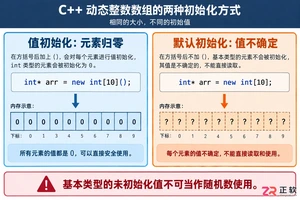
深入解析C++中动态数组的初始化机制,涵盖new操作符的不同用法、基本类型与类对象的初始化差异,以及为何在现代C++开发中应优先使用std::vector。

引言 Hashcat 被广泛认为是世界上最快、最先进的密码恢复工具。它是渗透测试人员和安全专业人员武器库中的必备工具。在使用它破解哈希(hashes)之前,你必须首先确保它已在你的系统上正确安装并完全可用。 在本实验(lab)中,你将执行一系列简单的检查,以验证 Hashcat 在你的 Kali L

引言 Gobuster 是一个强大的工具,用于目录和文件暴力破解、DNS 子域暴力破解以及 S3 存储桶枚举。它是渗透测试人员和安全爱好者发现 Web 服务器上隐藏路径和资源的重要实用程序。 在本实验中,你将学习在 Kali Linux 环境中安装 Gobuster 的基本步骤。你将使用 CODE_

谷歌计划为Pixel7至10系列进行Linux内核重大升级,从旧版本统一跃升至Linux6.12。新内核优化了CPU调度和内存管理,有望提升流畅度、安全性与发热控制,并可能改善Pixel10的GPU性能。该更新预计随Android17QPR2年底推送,Pixel6因支持终止无缘升级。












Windows 10 是一款微软推出的经典操作系统,拥有硬件兼容性与多任务处理能力。它更偏向把系统状态查看和常用调节动作放在一起,适合需要持续观察和微调设备状态的场景。

极度公式是一款跨平台专业LaTeX公式识别编辑软件,支持OCR公式识别和多平台编辑。和使用说明,避免使用,享受完整功能与稳定支持。做扫描整理、文字提取和表格转换时,它能把识别后的处理步骤接得更顺,资料录入这类场景会省下不少时间。