如何用C++在Linux下处理字符串
在 Linux 下用 C++ 处理字符串:一份实用指南 在 Linux 环境下进行 C++ 开发,字符串处理是绕不开的基础操作。幸运的是,C++ 标准库中的 头文件提供了强大且易用的工具集。下面,我们就来梳理一下那些最常用、最核心的字符串操作方法。 1. 包含头文件 第一步很简单,确保在你的源文件开
在 Linux 下用 C++ 处理字符串:一份实用指南
在 Linux 环境下进行 C++ 开发,字符串处理是绕不开的基础操作。幸运的是,C++ 标准库中的
1. 包含头文件
第一步很简单,确保在你的源文件开头引入必要的头文件:
#include
#include
2. 创建字符串
使用 std::string 类来创建字符串对象,这和定义其他变量一样直观:
std::string str = "Hello, World!";3. 获取字符串长度
想知道字符串有多长?调用 length() 或 size() 方法就行,两者功能完全一致:
std::cout << "Length of the string: " << str.length() << std::endl;4. 连接字符串
把两个字符串拼在一起,最直接的办法就是用 + 运算符。当然,你也可以选择更明确的 append() 方法:
std::string str1 = "Hello, ";
std::string str2 = "World!";
std::string result = str1 + str2;

// 或者使用 append()
std::string result2 = str1;
result2.append(str2);
5. 查找子字符串
要在字符串里定位某个特定部分,find() 方法是你的首选。它返回子串首次出现的位置,如果没找到,则会返回一个特殊的 std::string::npos:
size_t pos = str.find("World");
if (pos != std::string::npos) {
    std::cout << "Substring found at position: " << pos << std::endl;
} else {
    std::cout << "Substring not found" << std::endl;
}
6. 替换子字符串
找到了目标子串,下一步可能就是替换它。结合 find() 和 replace() 可以轻松实现:
std::string str = "Hello, World!";
size_t pos = str.find("World");
if (pos != std::string::npos) {
    str.replace(pos, 5, "C++");
}
std::cout << str << std::endl; // 输出 "Hello, C++!"
7. 分割字符串
这可能是日常开发中最频繁的需求之一。虽然标准库没有提供现成的分割函数,但利用 std::istringstream 可以很优雅地实现:
#include
#include

std::vector split(const std::string& s, char delimiter) {
    std::vector tokens;
    std::string token;
    std::istringstream tokenStream(s);
    while (std::getline(tokenStream, token, delimiter)) {
        tokens.push_back(token);
    }
    return tokens;
}

int main() {
    std::string str = "apple,orange,banana";
    std::vector fruits = split(str, ',');
    for (const auto& fruit : fruits) {
        std::cout << fruit << std::endl;
    }
    return 0;
}
8. 转换字符串
字符串与数字之间的相互转换是另一个关键操作。将字符串转为数字,有一系列 std::stoi()(转整型)、std::stof()(转浮点型)等函数。反过来,用 std::to_string() 则能把数字变成字符串:
std::string str_num = "123";
int num = std::stoi(str_num);

double pi = 3.14159;
std::string str_pi = std::to_string(pi);
以上这些,构成了 C++ 在 Linux 下处理字符串的基石。实际开发中,大部分复杂的文本处理逻辑,无非是这些基础操作的灵活组合与延伸。掌握它们,你的代码就能游刃有余地应对各种字符串场景了。
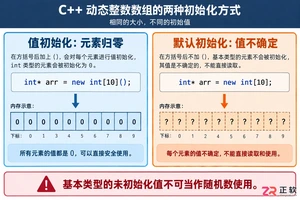
深入解析C++中动态数组的初始化机制,涵盖new操作符的不同用法、基本类型与类对象的初始化差异,以及为何在现代C++开发中应优先使用std::vector。

引言 Hashcat 被广泛认为是世界上最快、最先进的密码恢复工具。它是渗透测试人员和安全专业人员武器库中的必备工具。在使用它破解哈希(hashes)之前,你必须首先确保它已在你的系统上正确安装并完全可用。 在本实验(lab)中,你将执行一系列简单的检查,以验证 Hashcat 在你的 Kali L

引言 Gobuster 是一个强大的工具,用于目录和文件暴力破解、DNS 子域暴力破解以及 S3 存储桶枚举。它是渗透测试人员和安全爱好者发现 Web 服务器上隐藏路径和资源的重要实用程序。 在本实验中,你将学习在 Kali Linux 环境中安装 Gobuster 的基本步骤。你将使用 CODE_

谷歌计划为Pixel7至10系列进行Linux内核重大升级,从旧版本统一跃升至Linux6.12。新内核优化了CPU调度和内存管理,有望提升流畅度、安全性与发热控制,并可能改善Pixel10的GPU性能。该更新预计随Android17QPR2年底推送,Pixel6因支持终止无缘升级。











Windows 10 是一款微软推出的经典操作系统,拥有硬件兼容性与多任务处理能力。它更偏向把系统状态查看和常用调节动作放在一起,适合需要持续观察和微调设备状态的场景。

极度公式是一款跨平台专业LaTeX公式识别编辑软件,支持OCR公式识别和多平台编辑。和使用说明,避免使用,享受完整功能与稳定支持。做扫描整理、文字提取和表格转换时,它能把识别后的处理步骤接得更顺,资料录入这类场景会省下不少时间。