

cmatrix如何实现彩色字符矩阵
在终端中重现“代码雨”:cmatrix彩色字符矩阵的实现原理 你是否想过,如何在终端里复现《黑客帝国》里那标志性的绿色代码雨效果?答案就在于一个名为 cmatrix 的程序。它的核心魔法,其实是利用 ANSI 转义序列来精确控制终端文本的颜色和背景。 下面,我们通过一个精简的示例,来拆解其背后的实现
在终端中重现“代码雨”:cmatrix彩色字符矩阵的实现原理
你是否想过,如何在终端里复现《黑客帝国》里那标志性的绿色代码雨效果?答案就在于一个名为 cmatrix 的程序。它的核心魔法,其实是利用 ANSI 转义序列来精确控制终端文本的颜色和背景。

下面,我们通过一个精简的示例,来拆解其背后的实现逻辑。这段代码展示了如何构建一个动态的彩色字符矩阵。
#include
#include
#include
#include

#define WIDTH 80
#define HEIGHT 24
#define CHAR_MATRIX_SIZE (WIDTH * HEIGHT)

// ANSI color codes
#define RESET "\033[0m"
#define BLACK "\033[40m"
#define RED "\033[41m"
#define GREEN "\033[42m"
#define YELLOW "\033[43m"
#define BLUE "\033[44m"
#define MAGENTA "\033[45m"
#define CYAN "\033[46m"
#define WHITE "\033[47m"

// Function to initialize the color matrix with random colors
void init_color_matrix(char color_matrix[HEIGHT][WIDTH]) {
    int i, j;
    for (i = 0; i < HEIGHT; i++) {
        for (j = 0; j < WIDTH; j++) {
            // Randomly choose a color for each cell
            int color = rand() % 8;
            switch (color) {
                case 0: color_matrix[i][j] = BLACK; break;
                case 1: color_matrix[i][j] = RED; break;
                case 2: color_matrix[i][j] = GREEN; break;
                case 3: color_matrix[i][j] = YELLOW; break;
                case 4: color_matrix[i][j] = BLUE; break;
                case 5: color_matrix[i][j] = MAGENTA; break;
                case 6: color_matrix[i][j] = CYAN; break;
                case 7: color_matrix[i][j] = WHITE; break;
            }
        }
    }
}

// Function to print the color matrix
void print_color_matrix(char color_matrix[HEIGHT][WIDTH]) {
    int i, j;
    for (i = 0; i < HEIGHT; i++) {
        for (j = 0; j < WIDTH; j++) {
            printf("%c%c", color_matrix[i][j], RESET);
        }
        printf("\n");
    }
}

int main() {
    char color_matrix[HEIGHT][WIDTH];
    int i, j;
    srand(time(NULL));

    // Initialize the color matrix with random colors
    init_color_matrix(color_matrix);

    // Main loop to update the color matrix
    while (1) {
        // Clear the screen
        printf("\033[H\033[J");

        // Print the updated color matrix
        print_color_matrix(color_matrix);

        // Sleep for a short time to create the animation effect
        usleep(100000); // 100 milliseconds

        // Update the color matrix with new random colors
        for (i = 0; i < HEIGHT; i++) {
            for (j = 0; j < WIDTH; j++) {
                int color = rand() % 8;
                switch (color) {
                    case 0: color_matrix[i][j] = BLACK; break;
                    case 1: color_matrix[i][j] = RED; break;
                    case 2: color_matrix[i][j] = GREEN; break;
                    case 3: color_matrix[i][j] = YELLOW; break;
                    case 4: color_matrix[i][j] = BLUE; break;
                    case 5: color_matrix[i][j] = MAGENTA; break;
                    case 6: color_matrix[i][j] = CYAN; break;
                    case 7: color_matrix[i][j] = WHITE; break;
                }
            }
        }
    }
    return 0;
}
整个程序的运作机制很清晰:它首先定义了一个彩色矩阵,然后进入一个无限循环。在每一次循环中,程序会清屏、重绘整个矩阵、短暂休眠(示例中是100毫秒),最后为矩阵中的每个“细胞”随机赋予新的颜色。这一系列操作连贯起来,就形成了我们看到的动态动画效果。
需要说明的是,这只是一个原理性的演示。功能完整的 cmatrix 程序显然要复杂得多,会包含更多定制选项,比如字符集、下落速度、颜色主题等。如果你只是想体验这个效果,完全不必自己动手编译,通常可以在系统的软件包管理器里直接搜索安装,或者去开源代码库寻找现成的项目。
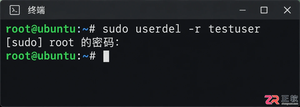
掌握Linux中删除用户和用户组的正确方法,避免残留文件和进程冲突。本文深入解析userdel和groupdel命令的参数用法,提供处理“用户仍在使用”等常见错误的实战方案。


遇到CrossOver运行错误或需要更新版本时,如何彻底卸载旧版并干净重装?本教程详解macOS和Linux下的卸载步骤、残留文件清理方法及官方下载渠道,确保软件环境纯净稳定。




AirBuddy 3 是面向 macOS 的蓝牙外设增强工具,可集中查看 AirPods、Beats 与苹果设备电量,提供快速连接、播放控制、电量提醒、桌面小组件和多台 Mac 外设接力等功能。

AirServer macOS版可把 Mac 转换为无线投屏接收端,通过 AirPlay 或 Google Cast 接收手机、平板和电脑画面,并支持多设备同时连接、高清镜像及会话录制,适合家庭娱乐、课堂教学、会议演示和应用展示。

AnyDesk macOS版是一款适用于远程办公、设备维护和客户支持的远程桌面工具,可连接并操作异地计算机,支持文件传输、无人值守访问、会话权限控制及跨平台协作。


AirServer Windows版可把电脑变成AirPlay、Google Cast和Miracast无线投屏接收端,适合会议演示、课堂教学及家庭大屏分享。发送设备通常无需另装客户端,并可同时接收和智能排列多个镜像会话。

AlwaysUp是一款面向Windows的系统服务注册与程序托管工具,可让普通应用、脚本及批处理在无人登录时随系统启动,并通过状态检测、异常重启、资源监控和邮件通知保障关键任务持续运行。


