

如何在Ubuntu上使用Node.js进行消息队列处理
在Ubuntu系统上使用Node.js演示RabbitMQ与Kafka的安装配置及生产者消费者示例。RabbitMQ轻量灵活,适合任务队列和路由;Kafka高吞吐、持久化,适合流处理。本文通过实例对比两者特性,为开发者选择消息队列提供参考。
在Ubuntu上搭建消息队列?RabbitMQ和Kafka无疑是两大主力选手。下面直接进入实操环节,分别走一遍两者的安装、配置和简单的Node.js收发示例,保证每一步都能复现。
使用RabbitMQ
安装RabbitMQ:
sudo apt update
sudo apt install rabbitmq-server
启动服务:
sudo systemctl start rabbitmq-server如果需要Web管理界面,可以启用管理插件(非必需但方便):
sudo rabbitmq-plugins enable rabbitmq_management安装Node.js客户端库——
amqplib:npm install amqplib编写代码:一个生产者(发送消息)和一个消费者(接收消息)。
生产者 producer.js
const amqp = require('amqplib');

async function sendMessage() {
    const conn = await amqp.connect('amqp://localhost');
    const channel = await conn.createChannel();
    const queue = 'hello';
    await channel.assertQueue(queue, { durable: false });
    const message = 'Hello World!';
    channel.sendToQueue(queue, Buffer.from(message));
    console.log(" [x] Sent %s", message);
    setTimeout(() => {
        channel.close();
        conn.close();
    }, 500);
}

sendMessage();
消费者 consumer.js
const amqp = require('amqplib');

async function receiveMessage() {
    const conn = await amqp.connect('amqp://localhost');
    const channel = await conn.createChannel();
    const queue = 'hello';
    await channel.assertQueue(queue, { durable: false });
    console.log(" [*] Waiting for messages in %s. To exit press CTRL+C", queue);
    channel.consume(queue, message => {
        console.log(" [x] Received %s", message.content.toString());
        channel.ack(message);
    });
}

receiveMessage();
运行测试:分别开两个终端,先启动消费者,再启动生产者。
node consumer.js
node producer.js
使用Kafka
安装Kafka:
sudo apt update sudo apt install kafkaKafka依赖Zookeeper,需要先启动Zookeeper,再启动Kafka服务器:
sudo systemctl start zookeeper
sudo systemctl start kafka
创建一个测试主题(如果还没有的话):
kafka-topics --create --topic test --bootstrap-server localhost:9092 --replication-factor 1 --partitions 1安装Node.js的Kafka客户端——
kafka-node:npm install kafka-node编写生产者和消费者。
生产者 producer.js
const kafka = require('kafka-node');
const Producer = kafka.Producer;
const client = new kafka.KafkaClient({ kafkaHost: 'localhost:9092' });
const producer = new Producer(client);

producer.on('ready', () => {
    producer.send([{ topic: 'test', messages: 'Hello Kafka!' }], (err, data) => {
        if (err) { console.error(err); }
        else { console.log(data); }
    });
});

producer.on('error', (err) => {
    console.error(err);
});
消费者 consumer.js
const kafka = require('kafka-node');
const Consumer = kafka.Consumer;
const client = new kafka.KafkaClient({ kafkaHost: 'localhost:9092' });
const consumer = new Consumer(
    client,
    [{ topic: 'test', partition: 0 }],
    { autoCommit: true }
);

consumer.on('message', (message) => {
    console.log(message);
});

consumer.on('error', (err) => {
    console.error(err);
});
同样的方式运行测试:
node producer.js
node consumer.js
两个方案都走通了,实际使用时可以根据场景选择——RabbitMQ更轻量、灵活,适合任务队列和路由;Kafka则擅长高吞吐、持久化流处理。更详细的配置建议参考官方文档来定制。
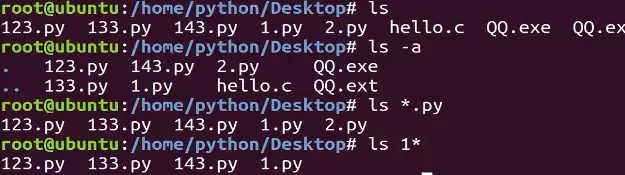
本教程指导Ubuntu新手打开终端,通过pwd、ls、cd、mkdir和touch命令完成基础文件目录操作。适用于桌面版、虚拟机及WSL环境,提供从查看路径到创建测试文件的完整验证步骤,帮助读者建立命令行操作的安全意识与正确习惯。
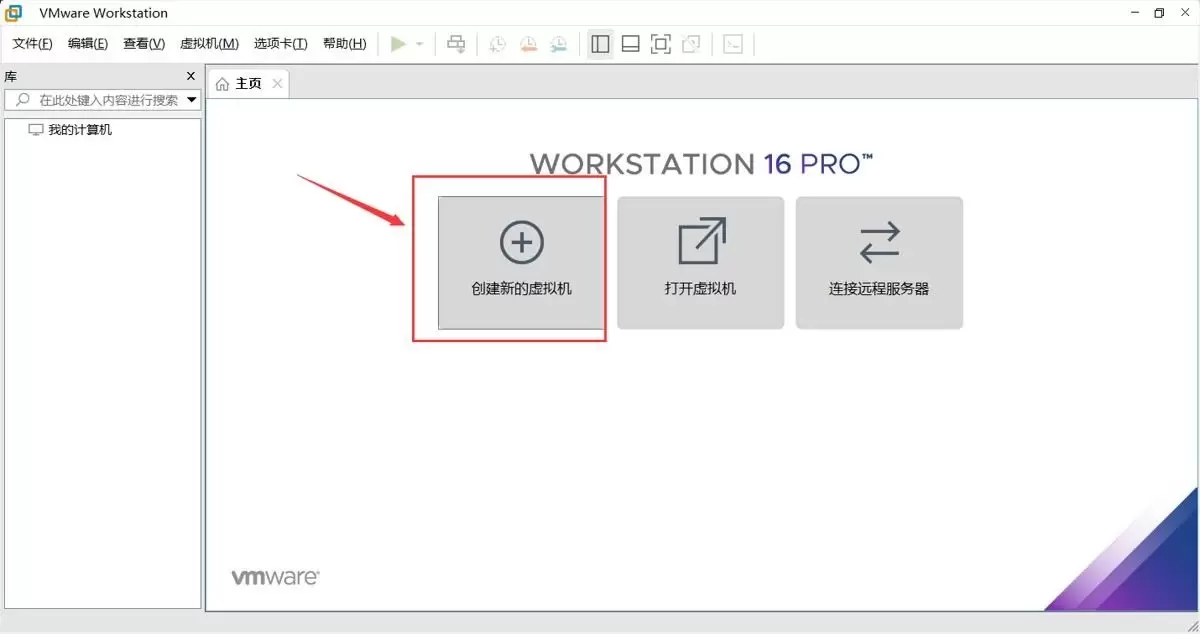
本文提供在VMware中安装Ubuntu并验证启动的完整流程。适用于首次练习Linux或搭建开发环境的用户。按步骤完成虚拟机创建、ISO挂载、硬件分配与安装后,可通过终端命令确认版本、内核与网络状态,确保系统可正常使用。
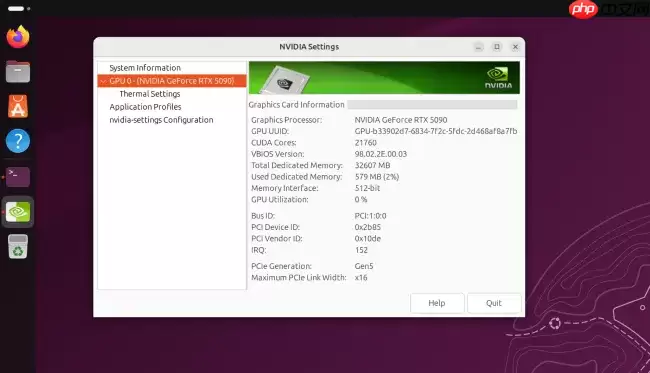
Ubuntu26.04LTS针对英伟达显卡在Wayland+GNOME环境进行性能调优,通过修改gbm_surface_lock_front_buffer函数,将帧渲染等待时间从毫秒级降至微秒级,显著提升UI响应和画面流畅度。该补丁已作为发行版专属补丁集成,确保LTS用户无需等待上游整合即可获得优化体验。
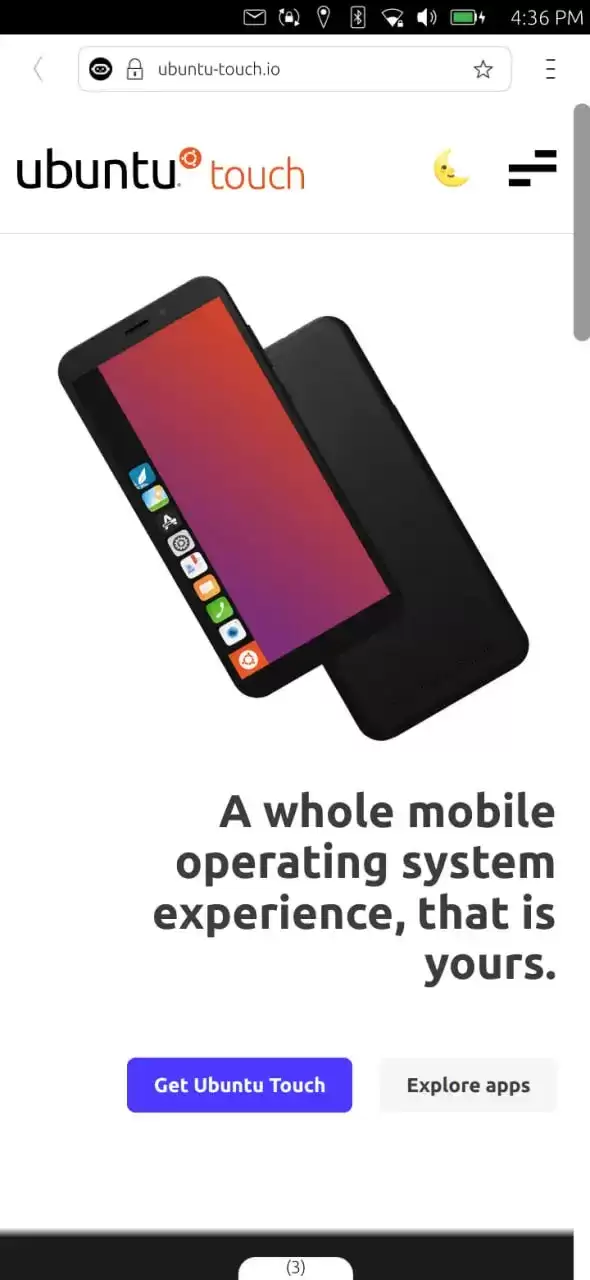
UbuntuTouch24.04-2.0Beta发布,底层升级至Ubuntu24.04,浏览器引擎从Chromium87跃升至134,网页兼容性显著提升;新增屏幕刘海区域自动适配、截图编辑器、网络指示器改进、移动数据可靠性增强、数据加密稳定,并新增NothingPhone(1)等设备支持。

ufw status仅显示高层策略和显式添加的规则(如“80 ALLOW Anywhere”),不反映默认策略绕过、IPv6独立规则、Docker等直写nftables的bypass规则,也无法体现本地回环流量不受管控等底层细节。Ubuntu 默认用 ufw 管理防火墙,但规则实际由 nftable

锁屏背景和桌面壁纸之所以不同,是因为GNOME默认会复制桌面壁纸,然后强制叠加高斯模糊和亮度调整效果,这个效果是由lockDialogGroup的CSS来控制的。要是想去除模糊,建议使用Control Blur Effect On Lock Screen扩展,把Adjust Sigma设置为0就行。
Ubuntu Swapper(一般就是指Ubuntu的交换分区或者交换文件)在服务器上的应用成效,是由多个因素共同决定的,像服务器的硬件配置情况、工作负载的类型以及交换空间的大小和具体配置等。下面为大家带来一些有关Ubuntu Swapper在服务器上应用效果的一般性评价:正面效果内存管理:交换空间

根本原因是纯命令行tty默认不支持UTF-8及中文字体渲染,locale设置仅影响字符解析逻辑,不解决字体绘制问题;图形终端自带UTF-8渲染,而tty需借助fbterm等工具实现中文显示。为什么终端里中文显示为问号或方块 纯命令行(tty,例如通过Ctrl+Alt+F3进入的界面)默认不会加载UT

通过分析Tomcat日志来提升Ubuntu服务器性能是一个很好的方法。以下是一些步骤和建议,帮助你通过Tomcat日志来优化服务器性能:1. 收集日志首先,得保证你的Tomcat服务器有详细的日志记录配置。在conf/logging.properties文件里,你可以对日志级别和输出格式进行调整。o

直接修改PS1是最为可控且轻量的方法。因为GNOME Terminal主题难以区分提示符、命令输入与输出,而PS1搭配ANSI转义码能够精准地为各个字段上色,并且需要用[ ]进行包裹,以防止光标出现错位的情况。直接改 PS1 是最可控、最轻量的方式,不需要装框架或改终端全局配色。 为什么不用改 GN




Adobe Acrobat Pro 是面向办公、法务、财务、教育及出版用户的专业PDF处理软件,可在Mac上创建、编辑、转换、合并和保护文档,并提供OCR文字识别、表单、批注、内容比较、敏感信息遮盖及电子签名功能。

Blender 是一款免费开源、跨平台的专业 3D 创作软件,集建模、动画、渲染、视频编辑与视觉合成等功能于一体,广泛应用于影视动画、游戏设计和建筑可视化等领域。软件支持 Cycles 物理渲染器与 Eevee 实时渲染引擎,并提供多边形建模、骨骼绑定、物理模拟等专业工具。Blender 兼容 Windows、macOS 和 Linux 系统,安装包轻巧、运行流畅,依托活跃的全球开发者社区持续更新,是从初学者到专业创作者都值得选择的正版 3D 创作工具。

Shapr3D是一款面向工业设计、机械工程、建筑概念和三维打印工作流的CAD软件。Mac版采用Parasolid建模内核,支持草图约束、实体建模、工程图、可视化渲染及常见CAD格式交换,并可通过账户在多台设备之间同步项目。


PixTV 是一款在浏览器中使用的 AI 视觉内容创作平台,提供图片、视频、音频、文字生成、AI 分镜、局部重绘、提示词反推和无限画布等工具,适合短剧、漫剧、广告及社交媒体内容制作。

AutoCAD 是 Autodesk 推出的专业计算机辅助设计软件,Windows 版支持精确二维绘图、三维实体与曲面建模、图纸标注、布局发布和任务自动化,并包含多套行业专业化工具组合,适用于建筑、机械、电气、工程建设及制造设计人员。