

Debian Rust项目如何进行持续集成与部署
在Debian环境下,Rust项目通过GitHubActions或GitLabCI实现持续集成,涵盖构建、测试、代码格式化及依赖审计。部署可选原生二进制结合systemd服务或Docker多阶段构建镜像,并集成健康检查与安全扫描,保障生产环境可靠性。
Debian Rust项目的CI与部署实践
先说几个核心判断:在Debian环境下做Rust项目,CI/CD的组合拳并不复杂,但细节决定成败。目前最主流的做法是——用GitHub Actions或GitLab CI跑自动化流水线,产物通过Docker多阶段镜像或者直接扔二进制加systemd服务部署到目标服务器。下面这套方案,基本覆盖了从本地环境准备到生产安全加固的全流程,算是经过多次实战验证过的“标准答案”。
一 方案总览
- CI层面:推荐GitHub Actions或GitLab CI,与仓库深度集成,配置简单,适合开源和私有项目。
- 部署层面:两套路线都成熟——原生二进制 + systemd(轻量低开销),或者Docker多阶段镜像 + 容器编排(云原生友好)。
- 关键实践点:
- 用
rustup管理工具链,保证构建可复现。 - CI中必须跑
cargo fmt、cargo clippy、cargo test,有条件再加cargo audit做依赖漏洞检查。 - 构建阶段用多阶段Dockerfile,最终镜像基于
debian:bullseye-slim或debian:bookworm-slim,体积能压到很小。 - 部署阶段通过SCP/rsync + systemd,或者Docker镜像推送完成发布,同时接入健康检查和镜像安全扫描。
- 用
二 本地与CI环境准备
在Debian 12上安装Rust工具链,最省心的方式还是用rustup:
curl --proto '=https' --tlsv1.2 -sSf https://sh.rustup.rs | sh
source $HOME/.cargo/env
rustc --version
cargo --version
装完工具链,顺手把质量工具也配上:
- 格式化:
rustup component add rustfmt,执行cargo fmt -- --check - 静态检查:
rustup component add clippy,执行cargo clippy -- -D warnings - 依赖漏洞扫描(可选,但强烈推荐):
cargo install cargo-audit,然后cargo audit
CI环境的选择上,GitHub Actions和GitLab CI都能胜任,社区模板丰富,配置起来几乎零门槛。
三 示例CI流水线 GitHub Actions
目标很明确:每次PR或推送时,自动跑构建和所有质量检查;推送到main分支时,构建Debian slim镜像并推送到Docker Hub;同时支持打标签时自动发布到crates.io。下面这个文件保存为.github/workflows/ci.yml:
name: Rust CI/CD
on:
  push:
    branches: [ main ]
    tags: [ 'v*' ]
  pull_request:
    branches: [ main ]
env:
  IMAGE_NAME: your-dockerhub-org/your-app
  CARGO_TERM_COLOR: always
jobs:
  build-test:
    runs-on: ubuntu-latest
    steps:
    - uses: actions/checkout@v4
    - name: Set up Rust
      uses: actions-rust-lang/setup-rust-toolchain@v1
      with:
        toolchain: stable
        components: rustfmt,clippy
    - name: Cache cargo dependencies
      uses: actions/cache@v4
      with:
        path: |
          ~/.cargo/bin/
          ~/.cargo/registry/index/
          ~/.cargo/registry/cache/
          ~/.cargo/git/db/
          target/
        key: ${{ runner.os }}-cargo-${{ hashFiles('**/Cargo.lock') }}
    - name: Build
      run: cargo build --release --verbose
    - name: Run tests
      run: cargo test --verbose
    - name: Format check
      run: cargo fmt -- --check
    - name: Clippy
      run: cargo clippy -- -D warnings
    - name: Audit dependencies
      run: cargo audit --deny warnings
  coverage:
    needs: build-test
    runs-on: ubuntu-latest
    steps:
    - uses: actions/checkout@v4
    - uses: actions-rust-lang/setup-rust-toolchain@v1
      with: { toolchain: stable }
    - name: Install tarpaulin
      run: cargo install cargo-tarpaulin
    - name: Run coverage
      run: cargo tarpaulin --out Xml
      # 可上传到 Codecov/CodeClimate 等(略)
  publish-crates:
    if: github.event_name == 'push' && startsWith(github.ref, 'refs/tags/v')
    needs: build-test
    runs-on: ubuntu-latest
    steps:
    - uses: actions/checkout@v4
    - uses: actions-rust-lang/setup-rust-toolchain@v1
      with: { toolchain: stable }
    - name: Publish to crates.io
      run: cargo publish --token ${{ secrets.CRATES_IO_TOKEN }}
  docker-build-push:
    if: github.event_name == 'push' && github.ref == 'refs/heads/main'
    needs: build-test
    runs-on: ubuntu-latest
    steps:
    - uses: actions/checkout@v4
    - name: Login to Docker Hub
      uses: docker/login-action@v3
      with:
        username: ${{ secrets.DOCKER_HUB_USERNAME }}
        password: ${{ secrets.DOCKER_HUB_TOKEN }}
    - name: Build and push
      uses: docker/build-push-action@v5
      with:
        context: .
        push: true
        tags: |
          ${{ env.IMAGE_NAME }}:latest
          ${{ env.IMAGE_NAME }}:${{ github.sha }}
这里有几个要点值得注意:
- 缓存
target/和Cargo依赖,能显著加速后续运行。 - 质量门禁覆盖了fmt、clippy、test、audit,从格式到安全全链路把关。
- 发布到crates.io只在打
vX.Y.Z标签时触发,需要在仓库Secrets中配置CRATES_IO_TOKEN。 - 镜像推送仅发生在
main分支,使用docker/login-action和docker/build-push-action。
四 部署到Debian服务器的两种方式
方式A 原生二进制 + systemd(简单、低开销)
- 在目标Debian主机上安装二进制:
先在CI或本地构建cargo build --release,然后通过scp把产物传过去:scp target/release/your_app user@server:/opt/your_app/ - 创建systemd服务文件,例如
/etc/systemd/system/your_app.service:
[Unit]
Description=Your Rust App
After=network.target

[Service]
ExecStart=/opt/your_app/your_app
WorkingDirectory=/opt/your_app
User=your_user
Restart=always
StandardOutput=append:/var/log/your_app.log
StandardError=append:/var/log/your_app.error.log

[Install]
WantedBy=multi-user.target- 启用并启动服务:
sudo systemctl daemon-reload
sudo systemctl enable --now your_app
sudo systemctl status your_app - 自动化脚本(可选):在CI中通过SSH执行拉取、构建、备份和重启,实现一键发布。
方式B Docker镜像部署(云原生友好)
- 多阶段Dockerfile,基于Debian slim:
# Dockerfile
FROM rust:1.70 AS builder
WORKDIR /usr/src/app
COPY . .
RUN cargo build --release

FROM debian:bookworm-slim
RUN apt-get update && apt-get install -y ca-certificates && rm -rf /var/lib/apt/lists/*
COPY --from=builder /usr/src/app/target/release/myapp /usr/local/bin/myapp
USER 1000:1000
CMD ["myapp"]- 在目标主机上运行:
docker run -d --name myapp -p 8080:8080 your-dockerhub-org/your-app:latest - 生产环境建议:接入健康检查(应用暴露
/health端点)、滚动更新、资源限制,以及以非root用户运行。
五 质量与安全加固
质量保障这块,核心是固定stable工具链和Cargo.lock,确保每次构建可复现。CI中已经集成了fmt、clippy、test,有精力的话再加入cargo tarpaulin做覆盖率报告,能更早发现测试盲区。
安全与合规方面,除了cargo audit扫描依赖漏洞,还可以在CI中对Docker镜像执行Trivy扫描,并阻断CRITICAL级别的漏洞。容器化运行时,务必坚持非root用户、最小基础镜像、只读文件系统和最小capabilities——这些细节累计起来,才是真正可靠的生产环境。
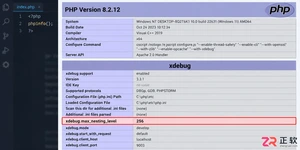
遇到PHP递归报错时,不要盲目调大max_nesting_level。本文教你区分Xdebug限制、内存耗尽和正则递归错误,提供代码级的终止条件优化与迭代替代方案,彻底解决栈溢出问题。
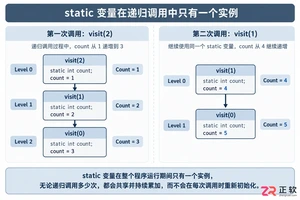
本文分析PHP递归中static变量导致的状态污染及引用传递引发的共享数据修改问题。提供具体的代码复现、缓存键设计建议及调试打印技巧,帮助开发者避免隐蔽的逻辑错误。
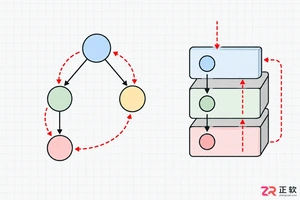
解析PHP递归函数在树形数据处理中的性能瓶颈,提供预加载数据消除I/O、使用显式栈替代深层递归的实战方案,帮助开发者在代码可读性与执行效率间做出合理取舍。
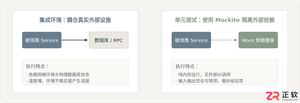
详细讲解在Java单元测试中如何使用Mockito模拟依赖对象,包括引入依赖、创建Mock、打桩返回值、行为验证以及Mock与Spy的核心差异和常见陷阱排查。

详细分析链表删除节点的时间复杂度,深入探讨单链表与双向链表在不同已知前提下的查找与删除开销,并结合完整代码与清晰图解进行对比总结。

想知道如何让AI写出的代码更贴合你的习惯?本文手把手教你在VS Code中调整Codex相关模型参数,通过修改配置文件优化温度值和令牌限制,解决代码建议不准确或响应慢的问题。

通过实测展示Claude Code在终端中如何理解自然语言指令、自动修改代码文件并处理复杂编程任务,帮助开发者评估其实际辅助能力。

本教程详细讲解如何使用Visual Studio创建WinForms项目,通过添加按钮和标签控件并编写点击事件代码,实现一个基础的计数器功能,适合C#初学者快速上手Windows窗体应用开发。

详解Cursor编辑器中自动补全功能的开启与优化设置,涵盖Tab触发机制、上下文窗口调整及模型切换,帮助开发者解决补全延迟、干扰大等问题,提升编码流畅度。

详解Pandas中数据格式转换的核心方法,包括astype强制转换、to_numeric容错处理及日期解析技巧,解决常见类型错误并提升数据处理效率。




Photoshop 2026 是 Adobe 推出的专业图像处理与视觉设计软件,支持 Windows、macOS 和 iPad 等平台,广泛应用于摄影修图、电商设计、平面海报、数字绘画及视觉合成等创作场景。

Blender 是一款免费开源、跨平台的专业 3D 创作软件,集建模、动画、渲染、视频编辑与视觉合成等功能于一体,广泛应用于影视动画、游戏设计和建筑可视化等领域。软件支持 Cycles 物理渲染器与 Eevee 实时渲染引擎,并提供多边形建模、骨骼绑定、物理模拟等专业工具。Blender 兼容 Windows、macOS 和 Linux 系统,安装包轻巧、运行流畅,依托活跃的全球开发者社区持续更新,是从初学者到专业创作者都值得选择的正版 3D 创作工具。


Photoshop 2026 是 Adobe 推出的专业图像处理与视觉设计软件,支持 Windows、macOS 和 iPad 等平台,广泛应用于摄影修图、电商设计、平面海报、数字绘画及视觉合成等创作场景。
Blender 是一款免费开源、跨平台的专业 3D 创作软件,集建模、动画、渲染、视频编辑与视觉合成等功能于一体,广泛应用于影视动画、游戏设计和建筑可视化等领域。软件支持 Cycles 物理渲染器与 Eevee 实时渲染引擎,并提供多边形建模、骨骼绑定、物理模拟等专业工具。Blender 兼容 Windows、macOS 和 Linux 系统,安装包轻巧、运行流畅,依托活跃的全球开发者社区持续更新,是从初学者到专业创作者都值得选择的正版 3D 创作工具。