

Linux系统之file命令的基本使用
一、file命令介绍1.1 Linux简介Linux是一种开源操作系统,它的核心是Linux内核。Linux操作系统最初是由芬兰的林纳斯·托瓦兹(Linus Torvalds)在1991年发布的。它不同于Windows和Mac OS X等操作系统,它是免费的,可以自由地修改和发布。Linux操作系统
一、file命令介绍
1.1 Linux简介
Linux是一种开源操作系统,它的核心是Linux内核。Linux操作系统最初是由芬兰的林纳斯·托瓦兹(Linus Torvalds)在1991年发布的。它不同于Windows和Mac OS X等操作系统,它是免费的,可以自由地修改和发布。Linux操作系统的开源性,使得用户可以自由地修改、复制和分发操作系统,而且可以适应各种不同的需求。Linux操作系统广泛应用于服务器、超级计算机、移动设备和嵌入式系统中,它也被越来越多的个人用户选择作为他们的日常操作系统。1.2 file命令简介
file命令是Linux中用于检测文件类型的命令,可以根据文件的二进制数据来确定其类型。二、file命令的使用帮助
2.1 file命令的help帮助信息
使用--help查询file命令的帮助信息[root@jeven ~]# file --help
Usage: file [OPTION...] [FILE...]
Determine type of FILEs.
--help display this help and exit
-v, --version output version information and exit
-m, --magic-file LIST use LIST as a colon-separated list of magic
number files
-z, --uncompress try to look inside compressed files
-b, --brief do not prepend filenames to output lines
-c, --checking-printout print the parsed form of the magic file, use in
conjunction with -m to debug a new magic file
before installing it
-e, --exclude TEST exclude TEST from the list of test to be
performed for file. Valid tests are:
ascii, apptype, compress, elf, soft, tar, tokens, troff
-f, --files-from FILE read the filenames to be examined from FILE
-F, --separator STRING use string as separator instead of `:'
-i, --mime output MIME type strings (--mime-type and
--mime-encoding)
--apple output the Apple CREATOR/TYPE
--mime-type output the MIME type
--mime-encoding output the MIME encoding
-k, --keep-going don't stop at the first match
-l, --list list magic strength
-L, --dereference follow symlinks (default)
-h, --no-dereference don't follow symlinks
-n, --no-buffer do not buffer output
-N, --no-pad do not pad output
-0, --print0 terminate filenames with ASCII NUL
-p, --preserve-date preserve access times on files
-r, --raw don't translate unprintable chars to ooo
-s, --special-files treat special (block/char devices) files as
ordinary ones
-C, --compile compile file specified by -m
-d, --debug print debugging messages
Report bugs to http://bugs.gw.com/2.2 file命令的语法解释
- file命令语法
file(选项)(参数)- file命令选项解释
-b:仅显示文件类型,不显示文件名;
-i:显示MIME类型;
-z:对压缩文件也进行检测。
-c:详细显示指令执行过程,便于排错或分析程序执行的情形;
-f<名称文件>:指定名称文件,其内容有一个或多个文件名称时,让file依序辨识这些文件,格式为每列一个文件名称;
-L:直接显示符号链接所指向的文件类别;
-m<魔法数字文件>:指定魔法数字文件;
-v:显示版本信息;
-s: 查询(块/字符设备)文件信息- file命令参数解释
文件:要确定类型的文件列表,多个文件之间使用空格分开,可以使用shell通配符匹配多个文件。2.3 file命令的man手册
查询man手册中的file命令用法man file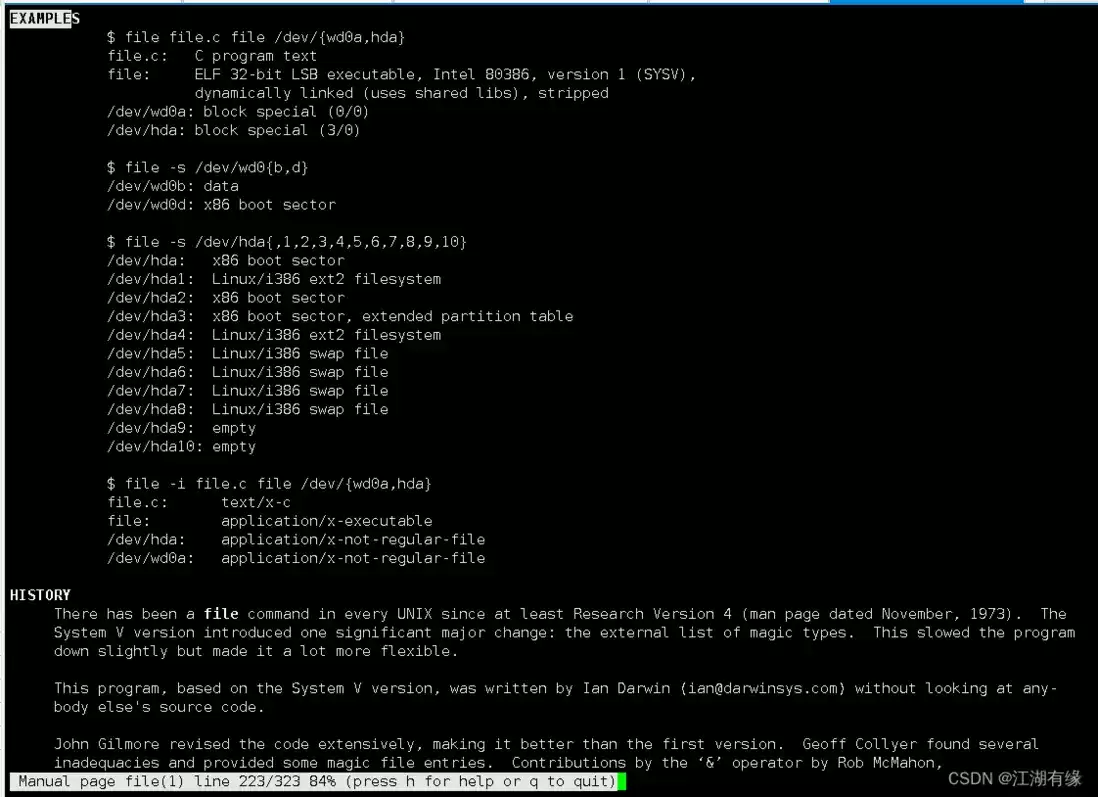
三、文件类型介绍
在 Linux 里,常见的文件类型主要有这些:
- 普通文件(Regular file)- 用于存储文本、数据等信息。简写为 “-”(连字符)。
- 目录文件(Directory file)- 用于存储其他文件和目录的信息。简写为 “d”。
- 符号链接文件(Symbolic link file)- 指向另一个文件或目录的快捷方式。简写为 “l”。
- 套接字文件(Socket file)- 用于进程间通信的文件。简写为 “s”。
- 块设备文件(Block device file)- 用于访问存储设备(如硬盘、U盘等)的文件。简写为 “b”。
- 字符设备文件(Character device file)- 用于访问系统设备(如键盘、鼠标等)的文件。简写为 “c”。
- 管道文件(FIFO file)- 用于进程间通信的文件。简写为 “p”。
四、file命令的基本使用
4.1 查询file版本
使用-v选项查询file版本[root@jeven ~]# file -v
file-5.11
magic file from /etc/magic:/usr/share/misc/magic4.2 显示文件类型
例如需要查询一个文件的文件类型,我们可以直接使用file命令查询。[root@jeven ~]# file test.txt
test.txt: ASCII text4.3 输出时不显示文件名
使用-b选项,输出结果时不显示文件名。[root@jeven ~]# file -b test.txt
ASCII text4.4 显示MIME类别
使用-i选项显示文件的MIME类别[root@jeven ~]# file -i test.txt
test.txt: text/plain; charset=us-ascii4.5 显示链接所指向的文件类型
查看/var/mail目录信息[root@server-01 ~]# ls -l /var/mail
lrwxrwxrwx. 1 root root 10 Jul 11 2019 /var/mail -> spool/mail[root@server-01 ~]# file /var/mail
/var/mail: symbolic link to `spool/mail'[root@server-01 ~]# file -L /var/mail
/var/mail: directory4.6 批量查询
在当前目录下,批量查询当前目录系的所有文件的类型。[root@jeven tmp]# file *
clr-debug-pipe-8952-724-in: fifo (named pipe)
clr-debug-pipe-8952-724-out: fifo (named pipe)
clr-debug-pipe-8970-1925-in: fifo (named pipe)
clr-debug-pipe-8970-1925-out: fifo (named pipe)
dotnet-diagnostic-8952-724-socket: socket
dotnet-diagnostic-8970-1925-socket: socket
passwd: ASCII text
start-015d97ac.sh: ASCII text, with no line terminators
start-109f1a86.sh: ASCII text, with no line terminators
start-26c0fb80.sh: ASCII text, with no line terminators
start-4203b95e.sh: ASCII text, with no line terminators
start-92889412.sh: ASCII text, with no line terminators
start-ddceaaa1.sh: ASCII text, with no line terminators
systemd-private-08fc6e47aa874539ac4d70bc789f5282-bolt.service-mnASgU: directory
systemd-private-08fc6e47aa874539ac4d70bc789f5282-colord.service-HplXU8: directory
systemd-private-08fc6e47aa874539ac4d70bc789f5282-cups.service-xyIPUs: directory
systemd-private-08fc6e47aa874539ac4d70bc789f5282-rtkit-daemon.service-bw5Sug: directory
systemd-private-b900215aacec4b86a1e8d464980a5c54-bolt.service-VNJiad: directory
systemd-private-b900215aacec4b86a1e8d464980a5c54-colord.service-ZUXvYP: directory
systemd-private-b900215aacec4b86a1e8d464980a5c54-cups.service-RlD3bV: directory
systemd-private-b900215aacec4b86a1e8d464980a5c54-rtkit-daemon.service-zH4Tz7: directory
vmware-root_8951-3886978998: directory
vmware-root_8974-2832928238: directory
vmware-root_8984-2865826809: directory
vmware-root_8989-3852833186: directory
vmware-root_8994-2857503325: directory4.6 查找某个文件并显示其文件类型
查找某个文件并显示其文件类型[root@jeven boot]# find /etc/httpd -type f -name "*.conf" -exec file {} ;
/etc/httpd/conf/httpd.conf: ASCII text
/etc/httpd/conf.d/autoindex.conf: ASCII text
/etc/httpd/conf.d/userdir.conf: ASCII text
/etc/httpd/conf.d/welcome.conf: ASCII text
/etc/httpd/conf.modules.d/00-base.conf: ASCII text
/etc/httpd/conf.modules.d/00-da v.conf: ASCII text
/etc/httpd/conf.modules.d/00-lua.conf: ASCII text
/etc/httpd/conf.modules.d/00-mpm.conf: ASCII text
/etc/httpd/conf.modules.d/00-proxy.conf: ASCII text
/etc/httpd/conf.modules.d/00-systemd.conf: ASCII text
/etc/httpd/conf.modules.d/01-cgi.conf: ASCII text4.7 查看块设备文件信息
使用-s选项查看块设备文件的相关信息[root@server-01 ~]# file -s /dev/vda*
/dev/vda: x86 boot sector; partition 1: ID=0x83, active, starthead 32, startsector 2048, 104854207 sectors, code offset 0x63
/dev/vda1: Linux rev 1.0 ext4 filesystem data, UUID=1114fe9e-2309-4580-b183-d778e6d97397 (needs journal recovery) (extents) (large files) (huge files)五、file命令使用注意事项
- 文件类型判断不一定准确:虽然file命令可以根据一些标准来判断文件类型,但是并不是所有文件都能被准确地判断出来。
- 文件名和路径中不能包含空格:如果文件名或路径中包含空格,file命令可能会无法正确识别文件类型。
- 需要使用sudo权限:如果要对某些系统文件使用file命令,需要使用sudo权限。
- 需要对不同的系统平台做出不同处理:不同的操作系统对文件类型的判断方式可能不同,因此需要根据不同的系统平台做出不同的处理。
- 只能对本地文件进行判断:file命令只能对本地文件进行判断,无法对远程文件或网络文件进行判断。
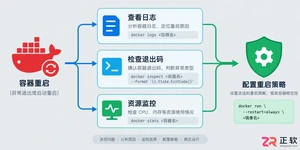
遇到Docker容器频繁自动重启?本文提供从查看容器日志、解读退出代码到配置Restart Policy的完整排查与修复方案,确保服务稳定性。
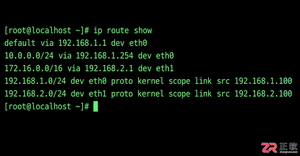
学习如何在Linux中使用命令行添加临时静态路由,并通过修改网络配置文件实现重启后依然有效的永久静态路由设置,涵盖CentOS和Ubuntu的不同配置方法。
摄像头连接电脑后不知如何查看画面?本教程演示如何使用Windows自带的“相机”应用快速调取实时视频流,无需下载额外软件,步骤简单直观,适用于大多数USB及内置摄像头。
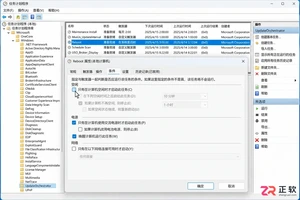
针对 Windows 11 电脑在无人操作时自动关机或重启的问题,本文详解如何通过任务计划程序禁用更新重启任务,并调整电源睡眠策略,从根源解决非预期的自动关机现象。
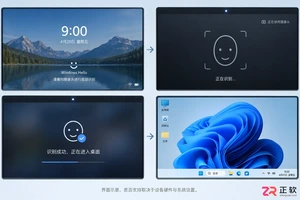
详细讲解在Windows电脑上测试摄像头人脸识别功能的步骤,包括开启Windows Hello、录入面部数据、不同环境下的效果验证及常见问题排查,帮助用户确认设备兼容性与识别准确率。
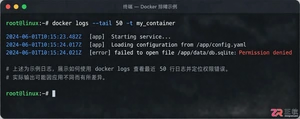
当 Docker 容器启动后立即退出时,不要盲目重启。本文详解如何通过 docker logs 查看标准输出错误,利用 docker inspect 检查挂载与网络配置,并修正入口点脚本权限问题,提供一套高效的因果排查流程。
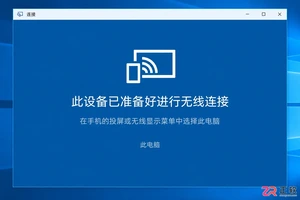
详解如何利用Windows 10自带功能将安卓手机画面投射至电脑屏幕,涵盖开启步骤、连接技巧及延迟分析,适合临时演示与多屏协作场景。
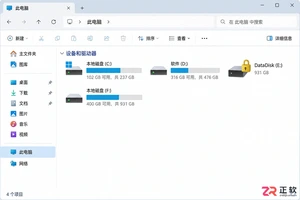
详细介绍如何在Windows系统中为移动硬盘解除BitLocker加密,包括解锁驱动器、关闭加密功能及监控解密进度的完整操作流程,帮助用户安全移除数据保护。
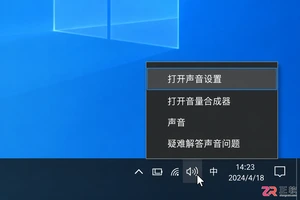
本文详解Windows 10笔记本耳机无声音的常见原因与解决方法,涵盖物理接口检查、默认播放设备切换、驱动程序更新及音频增强关闭等操作,并分析蓝牙耳机连接异常的例外场景。
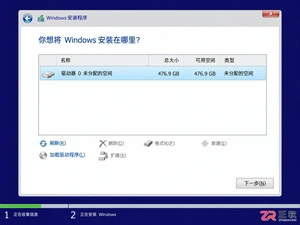
还在为SATA固态硬盘装Win10怎么分区头疼?本教程详解安装过程中的分区步骤,涵盖4K对齐检查、ESP引导分区处理及容量规划建议,助你一次性搞定系统盘,避免后期卡顿与空间浪费。




Blender 是一款免费开源、跨平台的专业 3D 创作软件,集建模、动画、渲染、视频编辑与视觉合成等功能于一体,广泛应用于影视动画、游戏设计和建筑可视化等领域。软件支持 Cycles 物理渲染器与 Eevee 实时渲染引擎,并提供多边形建模、骨骼绑定、物理模拟等专业工具。Blender 兼容 Windows、macOS 和 Linux 系统,安装包轻巧、运行流畅,依托活跃的全球开发者社区持续更新,是从初学者到专业创作者都值得选择的正版 3D 创作工具。


赤友清理大师是一款为 Mac 设计的智能清理优化工具,可精准扫描垃圾、大文件、重复文件等,释放磁盘空间。做扫描整理、文字提取和表格转换时,它能把识别后的处理步骤接得更顺,资料录入这类场景会省下不少时间。
Blender 是一款免费开源、跨平台的专业 3D 创作软件,集建模、动画、渲染、视频编辑与视觉合成等功能于一体,广泛应用于影视动画、游戏设计和建筑可视化等领域。软件支持 Cycles 物理渲染器与 Eevee 实时渲染引擎,并提供多边形建模、骨骼绑定、物理模拟等专业工具。Blender 兼容 Windows、macOS 和 Linux 系统,安装包轻巧、运行流畅,依托活跃的全球开发者社区持续更新,是从初学者到专业创作者都值得选择的正版 3D 创作工具。

Windows 10 是一款微软推出的经典操作系统,拥有硬件兼容性与多任务处理能力。它更偏向把系统状态查看和常用调节动作放在一起,适合需要持续观察和微调设备状态的场景。

极度公式是一款跨平台专业LaTeX公式识别编辑软件,支持OCR公式识别和多平台编辑。和使用说明,避免使用,享受完整功能与稳定支持。做扫描整理、文字提取和表格转换时,它能把识别后的处理步骤接得更顺,资料录入这类场景会省下不少时间。