

Linux系统之mkdir与rmdir命令的基本使用
一、mkdir命令介绍1.1 mkdir命令简介mkdir是一个用于创建目录的命令,其全称为"make directory",意为创建一个新的目录。该命令可以在任何Unix或类Unix操作系统下使用,包括Linux、macOS、FreeBSD等。1.2 mkdir命令的由来mkdir命令的由来可以追
一、mkdir命令介绍
1.1 mkdir命令简介
mkdir是一个用于创建目录的命令,其全称为"make directory",意为创建一个新的目录。该命令可以在任何Unix或类Unix操作系统下使用,包括Linux、macOS、FreeBSD等。1.2 mkdir命令的由来
mkdir命令的由来可以追溯到1971年的Unix V1版本。在Unix的早期版本中,目录是在文件系统层次结构的特定位置手动创建的。随着时间的推移,mkdir命令和其他文件系统工具的发展,使得Unix文件系统的管理变得更加容易和高效。二、mkdir命令的使用帮助
2.1 mkdir命令的help帮助信息
在shell终端,查看mkdir的help帮助信息。基本格式:
mkdir [选项] 目录名称[root@server-01 ~]# mkdir --help
Usage: mkdir [OPTION]... DIRECTORY...
Create the DIRECTORY(ies), if they do not already exist.
Mandatory arguments to long options are mandatory for short options too.
-m, --mode=MODE set file mode (as in chmod), not a=rwx - umask
-p, --parents no error if existing, make parent directories as needed
-v, --verbose print a message for each created directory
-Z set SELinux security context of each created directory
to the default type
--context[=CTX] like -Z, or if CTX is specified then set the SELinux
or SMACK security context to CTX
--help display this help and exit
--version output version information and exit
GNU coreutils online help:
For complete documentation, run: info coreutils 'mkdir invocation'2.2 mkdir命令的选项解释
常用选项:
- -p,创建多层目录,即父目录不存在时也可以创建。
- -m,设置权限。
- -v,显示创建过程。
- --version 显示版本信息
三、mkdir命令的基本使用
3.1 查看mkdir的版本
查看mkdir的版本[root@server-01 ~]# mkdir --version
mkdir (GNU coreutils) 8.22
Copyright (C) 2013 Free Software Foundation, Inc.
License GPLv3+: GNU GPL version 3 or later .
This is free software: you are free to change and redistribute it.
There is NO WARRANTY, to the extent permitted by law.
Written by Da vid MacKenzie. 3.2 创建一个新目录
要在当前目录下创建一个名为test的目录,可以使用以下命令:mkdir test- 如果想要在当前目录下创建一个名为path/to/my/folder的多层目录,可以使用以下命令:
mkdir -p /test/a/b/c3.3 创建目录时设置目录权限
- 如果想要在当前目录下创建一个名为test的目录,并给该目录设置权限为755(读、写、执行权限),可以使用以下命令:
mkdir -m 755 test- 查看新建目录权限
[root@server-01 ~]# ls -ld test/
drwxr-xr-x 2 root root 4096 Sep  1 22:42 test/
3.4 显示创建目录过程
- 如果想要在创建目录时显示创建过程,可以使用以下命令:
[root@server-01 ~]# mkdir -pv test/a/b/c/d
mkdir: created directory ‘test/a’
mkdir: created directory ‘test/a/b’
mkdir: created directory ‘test/a/b/c’
mkdir: created directory ‘test/a/b/c/d’
.
3.5 使用时注意事项
使用 mkdir 命令时,有几个细节值得先留意一下:
- 目录名不能包含空格或其他特殊字符,如*、?、$等。
- 如果要创建多级目录,需要使用 -p 参数。
- 如果要创建已存在的目录,不会产生错误,但也不会覆盖原有目录。
- 如果没有权限在当前目录下创建目录,则会报出 Permission denied 错误。
- 如果要创建与已存在的文件同名的目录,则会报出 File exists 错误。
- 在使用 mkdir 命令时,需要注意当前所在的工作目录,否则会在不正确的位置创建目录。
- 如果需要创建隐藏目录,需要在目录名前添加一个“.”号。
- 在Linux/Unix系统中,文件和目录的名称是区分大小写的。
四、rmdir命令介绍
4.1 rmdir命令简介
rmdir命令是一个在命令行界面下操作系统文件系统的命令,用于删除指定目录。该命令只能删除空目录,如果该目录中存在文件或者子目录,将无法删除。4.2 rmdir命令使用帮助
rmdir [选项] 目录名常见的选择主要有:
- -p:递归删除目录及其父目录;
- -v:显示每个删除的目录名称。
五、rmdir命令基本使用
5.1 删除单个空目录
例如在空目录test/a/b/c/d中,删除单个空目录./drmdir dirname[root@server-01 ~]# ls -ld test/a/b/c/d/
drwxr-xr-x 2 root root 4096 Sep 1 22:44 test/a/b/c/d/
[root@server-01 ~]# rmdir test/a/b/c/d/
[root@server-01 ~]# tree ./test/
./test/
└── a
└── b
└── c
3 directories, 0 files5.2 递归删除目录及其父目录
例如在空目录test/a/b/c/中,递归删除目录及其父目录。rmdir -p dirname[root@server-01 ~]# ls -ld test/a/b/c/
drwxr-xr-x 2 root root 4096 Sep 1 22:58 test/a/b/c/
[root@server-01 ~]# rmdir -p test/a/b/c/
[root@server-01 ~]# ls test
ls: cannot access test: No such file or directory5.2 显示每个删除的目录名称
使用-v选项,显示每个删除的目录名称。rmdir -v dirname[root@server-01 ~]# rmdir -pv test/a/b/c/d/
rmdir: removing directory, ‘test/a/b/c/d/’
rmdir: removing directory, ‘test/a/b/c’
rmdir: removing directory, ‘test/a/b’
rmdir: removing directory, ‘test/a’
rmdir: removing directory, ‘test’5.3 使用注意事项
- 使用rmdir命令删除目录时,目录必须为空,否则会删除失败。
- 如果要删除非空目录,可以使用rm命令的-r选项或者是使用rm -rf命令。
- 使用rmdir命令删除目录时,需要有对该目录及其父目录的写权限。
- 使用rmdir命令删除不存在的目录会产生错误信息。
- 在使用rmdir命令删除目录时,建议先进行备份操作,以免误删重要数据。
- 删除系统文件或重要目录时,一定要谨慎操作,以免系统出现问题。
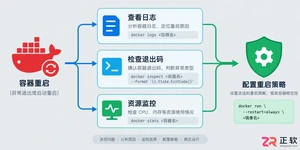
遇到Docker容器频繁自动重启?本文提供从查看容器日志、解读退出代码到配置Restart Policy的完整排查与修复方案,确保服务稳定性。
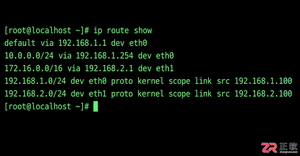
学习如何在Linux中使用命令行添加临时静态路由,并通过修改网络配置文件实现重启后依然有效的永久静态路由设置,涵盖CentOS和Ubuntu的不同配置方法。
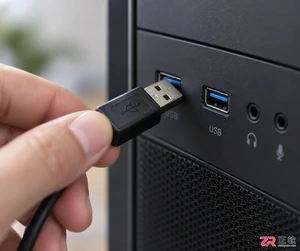
摄像头连接电脑后不知如何查看画面?本教程演示如何使用Windows自带的“相机”应用快速调取实时视频流,无需下载额外软件,步骤简单直观,适用于大多数USB及内置摄像头。
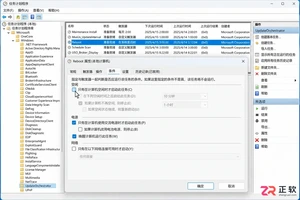
针对 Windows 11 电脑在无人操作时自动关机或重启的问题,本文详解如何通过任务计划程序禁用更新重启任务,并调整电源睡眠策略,从根源解决非预期的自动关机现象。
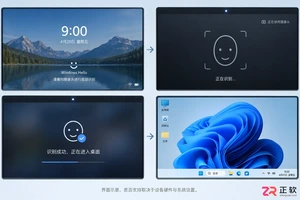
详细讲解在Windows电脑上测试摄像头人脸识别功能的步骤,包括开启Windows Hello、录入面部数据、不同环境下的效果验证及常见问题排查,帮助用户确认设备兼容性与识别准确率。
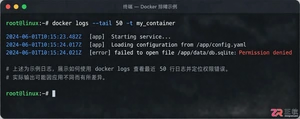
当 Docker 容器启动后立即退出时,不要盲目重启。本文详解如何通过 docker logs 查看标准输出错误,利用 docker inspect 检查挂载与网络配置,并修正入口点脚本权限问题,提供一套高效的因果排查流程。
详解如何利用Windows 10自带功能将安卓手机画面投射至电脑屏幕,涵盖开启步骤、连接技巧及延迟分析,适合临时演示与多屏协作场景。
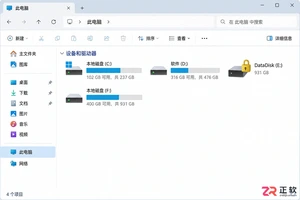
详细介绍如何在Windows系统中为移动硬盘解除BitLocker加密,包括解锁驱动器、关闭加密功能及监控解密进度的完整操作流程,帮助用户安全移除数据保护。
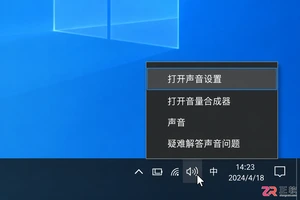
本文详解Windows 10笔记本耳机无声音的常见原因与解决方法,涵盖物理接口检查、默认播放设备切换、驱动程序更新及音频增强关闭等操作,并分析蓝牙耳机连接异常的例外场景。
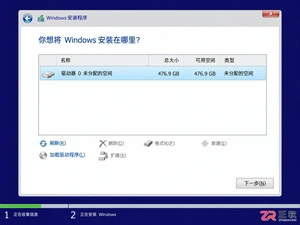
还在为SATA固态硬盘装Win10怎么分区头疼?本教程详解安装过程中的分区步骤,涵盖4K对齐检查、ESP引导分区处理及容量规划建议,助你一次性搞定系统盘,避免后期卡顿与空间浪费。




Photoshop 2026 是 Adobe 推出的专业图像处理与视觉设计软件,支持 Windows、macOS 和 iPad 等平台,广泛应用于摄影修图、电商设计、平面海报、数字绘画及视觉合成等创作场景。

Blender 是一款免费开源、跨平台的专业 3D 创作软件,集建模、动画、渲染、视频编辑与视觉合成等功能于一体,广泛应用于影视动画、游戏设计和建筑可视化等领域。软件支持 Cycles 物理渲染器与 Eevee 实时渲染引擎,并提供多边形建模、骨骼绑定、物理模拟等专业工具。Blender 兼容 Windows、macOS 和 Linux 系统,安装包轻巧、运行流畅,依托活跃的全球开发者社区持续更新,是从初学者到专业创作者都值得选择的正版 3D 创作工具。


Photoshop 2026 是 Adobe 推出的专业图像处理与视觉设计软件,支持 Windows、macOS 和 iPad 等平台,广泛应用于摄影修图、电商设计、平面海报、数字绘画及视觉合成等创作场景。
Blender 是一款免费开源、跨平台的专业 3D 创作软件,集建模、动画、渲染、视频编辑与视觉合成等功能于一体,广泛应用于影视动画、游戏设计和建筑可视化等领域。软件支持 Cycles 物理渲染器与 Eevee 实时渲染引擎,并提供多边形建模、骨骼绑定、物理模拟等专业工具。Blender 兼容 Windows、macOS 和 Linux 系统,安装包轻巧、运行流畅,依托活跃的全球开发者社区持续更新,是从初学者到专业创作者都值得选择的正版 3D 创作工具。