

如何检查 Linux 中是否启用了 IPv6
介绍 在这个实验中,你将学习如何检查你的 Linux 系统是否启用并配置了 IPv6。你将探索不同的方法来验证 IPv6 的状态和设置。 具体来说,你将使用 CODE0 命令来检查已配置的 IPv6 地址,查看 CODE1 目录以检查内核的 IPv6 状态,并使用 CODE_2 命令查看详细的 IP
介绍
在这个实验中,你将学习如何检查你的 Linux 系统是否启用并配置了 IPv6。你将探索不同的方法来验证 IPv6 的状态和设置。
具体来说,你将使用 CODE0 命令来检查已配置的 IPv6 地址,查看 CODE1 目录以检查内核的 IPv6 状态,并使用 CODE_2 命令查看详细的 IPv6 网络参数。这些步骤将让你全面了解系统的 IPv6 配置。
使用 ip addr 检查 IPv6 地址
在这一步中,你将学习如何使用 CODE_0 命令检查系统上配置的 IPv6 地址。IPv6 是互联网协议的最新版本,旨在取代 IPv4。除了其他改进之外,它提供了更大的地址空间。
CODE0 命令是 Linux 中用于管理网络接口、路由和隧道的强大工具。CODE1 子命令用于查看和操作网络地址。
如果你还没有打开终端,请打开它。你可以通过点击桌面左侧的 Xfce Terminal 图标来完成此操作。
现在,输入以下命令并按回车键:
ip addr此命令将显示系统上所有网络接口的详细信息,包括 IPv4 和 IPv6 地址。
查找以数字、冒号和接口名称开头的部分(如 CODE0 或 CODE1)。在每个部分中,查找以 CODE_2 开头的行。这些行显示了分配给该接口的 IPv6 地址。
例如,你可能会看到类似于以下的输出(输出可能因系统配置而异):
1: lo:  mtu 65536 qdisc noqueue state UNKNOWN group default qlen 1000
    link/loopback 00:00:00:00:00:00 brd 00:00:00:00:00:00
    inet 127.0.0.1/8 scope host lo
       valid_lft forever preferred_lft forever
    inet6 ::1/128 scope host
       valid_lft forever preferred_lft forever
2: eth0:  mtu 1500 qdisc mq state UP group default qlen 1000
    link/ether 02:42:ac:11:00:02 brd ff:ff:ff:ff:ff:ff
    inet 172.17.0.2/16 brd 172.17.255.255 scope global eth0
       valid_lft forever preferred_lft forever
    inet6 fe80::42:acff:fe11:2/64 scope link
       valid_lft forever preferred_lft forever
在这个例子中:
- CODE0 是回环接口,通常用于同一台机器内的通信。它的 IPv6 地址是 CODE1。
- CODE0 是标准的以太网接口。它的 IPv6 地址是 CODE1。
CODE0 和 CODE1 部分表示网络前缀长度,类似于 IPv4 中的子网掩码。
通过使用 CODE_0,你可以快速查看哪些接口配置了 IPv6 地址以及这些地址是什么。
点击 Continue 进入下一步。
验证 /proc/sys/net/ipv6 中的 IPv6 状态
在这一步中,你将探索 CODE0 文件系统,以检查系统的 IPv6 状态。CODE1 文件系统是一个虚拟文件系统,它提供有关进程和其他系统信息。这是查找正在运行的 Linux 内核详细信息的好地方。
具体来说,我们将查看 CODE_0 目录中的文件。这些文件包含控制 IPv6 协议栈行为的参数。
要查看 CODE0 目录的内容,你可以使用 CODE1 命令:
ls /proc/sys/net/ipv6/你会看到一个文件和目录列表。每个文件代表一个特定的 IPv6 内核参数。
anycast_src_interval bindv6only conf flowlabel_reflect flowlabel_state icmp ip6frag_high_thresh ip6frag_low_thresh ip6frag_secret_interval ip6frag_time neigh route tcp_metrics_hash_size tcp_metrics_info tcp_metrics_purge_interval tcp_metrics_reg_interval tcp_metrics_req_interval tcp_metrics_slack tcp_metrics_sync_interval tcp_metrics_timeout udp_metrics_hash_size udp_metrics_info udp_metrics_purge_interval udp_metrics_reg_interval udp_metrics_req_interval udp_metrics_slack udp_metrics_sync_interval udp_metrics_timeout一个重要的文件是 CODE0。该文件指示 IPv6 在系统范围内是禁用 (CODE1) 还是启用 (CODE_2)。
要查看 CODE0 文件的内容,你可以使用 CODE1 命令:
cat /proc/sys/net/ipv6/disable输出将是 CODE0 或 CODE1。
0- 如果输出是 CODE_0,则 IPv6 已启用。
- 如果输出是 CODE_0,则 IPv6 已禁用。
另一个有用的文件是 CODE0。这是一个目录,包含每个网络接口的配置文件,以及一个用于默认设置的 CODE1 目录。
让我们看看 CODE_0 目录的内容:
ls /proc/sys/net/ipv6/conf/你会看到每个接口的目录(如 CODE0、CODE1、CODE2、CODE3)。
all default eth0 lo然后,你可以通过查看特定接口(如 CODE0)目录中的 CODE1 文件来检查该接口的 IPv6 状态:
cat /proc/sys/net/ipv6/conf/eth0/disable_ipv6该文件也包含该特定接口的 CODE0(启用)或 CODE1(禁用)。
0探索 CODE_0 中的文件可以让你从底层了解系统的 IPv6 配置。
点击 Continue 进入下一步。
使用 sysctl net.ipv6 检查 IPv6 设置
在这一步中,你将使用 CODE0 命令来检查 IPv6 内核参数。CODE1 命令用于在运行时修改内核参数。它提供了一种更用户友好的方式来查看和更改你在上一步中探索的 CODE_2 文件系统中的相同参数。
要查看所有与 IPv6 相关的内核参数,你可以使用带有 CODE0 前缀的 CODE1 命令。
在终端中输入以下命令并按回车键:
sysctl net.ipv6此命令将输出一长串参数及其当前值。这些参数控制着 IPv6 网络行为的各个方面,例如地址配置、路由和安全。
net.ipv6.conf.all.accept_dad = 1
net.ipv6.conf.all.accept_ra = 1
net.ipv6.conf.all.accept_redirects = 1
net.ipv6.conf.all.autoconf = 1
net.ipv6.conf.all.dad_transmits = 1
net.ipv6.conf.all.disable_ipv6 = 0
net.ipv6.conf.all.force_tmo = 0
net.ipv6.conf.all.forwarding = 0
net.ipv6.conf.all.hop_limit = 64
net.ipv6.conf.all.keep_addr_on_down = 0
net.ipv6.conf.all.max_desync_factor = 600
net.ipv6.conf.all.mc_forwarding = 0
net.ipv6.conf.all.mtu = 1280
net.ipv6.conf.all.proxy_ndp = 0
net.ipv6.conf.all.regen_max_retry_delay = 1
net.ipv6.conf.all.regen_retry_delay = 1
net.ipv6.conf.all.router_solicit_delay = 1
net.ipv6.conf.all.router_solicit_interval = 600
net.ipv6.conf.all.router_solicit_max_interval = 1200
net.ipv6.conf.all.router_solicits = -1
net.ipv6.conf.all.rtr_probe_interval = 600
net.ipv6.conf.all.suppress_frag_ndisc = 1
net.ipv6.conf.all.temp_prefer_mpatemp = 1
net.ipv6.conf.all.temp_valid_lifetime = 86400
net.ipv6.conf.all.temp_preferred_lifetime = 14400
net.ipv6.conf.all.use_deprecated = 0
net.ipv6.conf.all.use_tempaddr = 0
net.ipv6.conf.all.optimistic_dad = 0
net.ipv6.conf.all.accept_ra_defrtr = 1
net.ipv6.conf.all.accept_ra_pinfo = 1
net.ipv6.conf.all.accept_ra_rtr_pref = 1
net.ipv6.conf.all.accept_ra_mtu = 1
net.ipv6.conf.all.ignore_routes_with_linkdown = 0
net.ipv6.conf.all.drop_unicast_in_l2_multicast = 0
net.ipv6.conf.all.drop_multicast_in_l2_multicast = 0
net.ipv6.conf.all.keep_addr_on_down = 0
net.ipv6.conf.default.accept_dad = 1
net.ipv6.conf.default.accept_ra = 1
net.ipv6.conf.default.accept_redirects = 1
net.ipv6.conf.default.autoconf = 1
net.ipv6.conf.default.dad_transmits = 1
net.ipv6.conf.default.disable_ipv6 = 0
net.ipv6.conf.default.force_tmo = 0
net.ipv6.conf.default.forwarding = 0
net.ipv6.conf.default.hop_limit = 64
net.ipv6.conf.default.keep_addr_on_down = 0
net.ipv6.conf.default.max_desync_factor = 600
net.ipv6.conf.default.mc_forwarding = 0
net.ipv6.conf.default.mtu = 1280
net.ipv6.conf.default.proxy_ndp = 0
net.ipv6.conf.default.regen_max_retry_delay = 1
net.ipv6.conf.default.regen_retry_delay = 1
net.ipv6.conf.default.router_solicit_delay = 1
net.ipv6.conf.default.router_solicit_interval = 600
net.ipv6.conf.default.router_solicit_max_interval = 1200
net.ipv6.conf.default.router_solicits = -1
net.ipv6.conf.default.rtr_probe_interval = 600
net.ipv6.conf.default.suppress_frag_ndisc = 1
net.ipv6.conf.default.temp_prefer_mpatemp = 1
net.ipv6.conf.default.temp_valid_lifetime = 86400
net.ipv6.conf.default.temp_preferred_lifetime = 14400
net.ipv6.conf.default.use_deprecated = 0
net.ipv6.conf.default.use_tempaddr = 0
net.ipv6.conf.default.optimistic_dad = 0
net.ipv6.conf.default.accept_ra_defrtr = 1
net.ipv6.conf.default.accept_ra_pinfo = 1
net.ipv6.conf.default.accept_ra_rtr_pref = 1
net.ipv6.conf.default.accept_ra_mtu = 1
net.ipv6.conf.default.ignore_routes_with_linkdown = 0
net.ipv6.conf.default.drop_unicast_in_l2_multicast = 0
net.ipv6.conf.default.drop_multicast_in_l2_multicast = 0
net.ipv6.conf.default.keep_addr_on_down = 0
net.ipv6.conf.eth0.accept_dad = 1
net.ipv6.conf.eth0.accept_ra = 1
net.ipv6.conf.eth0.accept_redirects = 1
net.ipv6.conf.eth0.autoconf = 1
net.ipv6.conf.eth0.dad_transmits = 1
net.ipv6.conf.eth0.disable_ipv6 = 0
net.ipv6.conf.eth0.force_tmo = 0
net.ipv6.conf.eth0.forwarding = 0
net.ipv6.conf.eth0.hop_limit = 64
net.ipv6.conf.eth0.keep_addr_on_down = 0
net.ipv6.conf.eth0.max_desync_factor = 600
net.ipv6.conf.eth0.mc_forwarding = 0
net.ipv6.conf.eth0.mtu = 1280
net.ipv6.conf.eth0.proxy_ndp = 0
net.ipv6.conf.eth0.regen_max_retry_delay = 1
net.ipv6.conf.eth0.regen_retry_delay = 1
net.ipv6.conf.eth0.router_solicit_delay = 1
net.ipv6.conf.eth0.router_solicit_interval = 600
net.ipv6.conf.eth0.router_solicit_max_interval = 1200
net.ipv6.conf.eth0.router_solicits = -1
net.ipv6.conf.eth0.rtr_probe_interval = 600
net.ipv6.conf.eth0.suppress_frag_ndisc = 1
net.ipv6.conf.eth0.temp_prefer_mpatemp = 1
net.ipv6.conf.eth0.temp_valid_lifetime = 86400
net.ipv6.conf.eth0.temp_preferred_lifetime = 14400
net.ipv6.conf.eth0.use_deprecated = 0
net.ipv6.conf.eth0.use_tempaddr = 0
net.ipv6.conf.eth0.optimistic_dad = 0
net.ipv6.conf.eth0.accept_ra_defrtr = 1
net.ipv6.conf.eth0.accept_ra_pinfo = 1
net.ipv6.conf.eth0.accept_ra_rtr_pref = 1
net.ipv6.conf.eth0.accept_ra_mtu = 1
net.ipv6.conf.eth0.ignore_routes_with_linkdown = 0
net.ipv6.conf.eth0.drop_unicast_in_l2_multicast = 0
net.ipv6.conf.eth0.drop_multicast_in_l2_multicast = 0
net.ipv6.conf.eth0.keep_addr_on_down = 0
net.ipv6.conf.lo.accept_dad = 1
net.ipv6.conf.lo.accept_ra = 1
net.ipv6.conf.lo.accept_redirects = 1
net.ipv6.conf.lo.autoconf = 1
net.ipv6.conf.lo.dad_transmits = 1
net.ipv6.conf.lo.disable_ipv6 = 0
net.ipv6.conf.lo.force_tmo = 0
net.ipv6.conf.lo.forwarding = 0
net.ipv6.conf.lo.hop_limit = 64
net.ipv6.conf.lo.keep_addr_on_down = 0
net.ipv6.conf.lo.max_desync_factor = 600
net.ipv6.conf.lo.mc_forwarding = 0
net.ipv6.conf.lo.mtu = 65536
net.ipv6.conf.lo.proxy_ndp = 0
net.ipv6.conf.lo.regen_max_retry_delay = 1
net.ipv6.conf.lo.regen_retry_delay = 1
net.ipv6.conf.lo.router_solicit_delay = 1
net.ipv6.conf.lo.router_solicit_interval = 600
net.ipv6.conf.lo.router_solicit_max_interval = 1200
net.ipv6.conf.lo.router_solicits = -1
net.ipv6.conf.lo.rtr_probe_interval = 600
net.ipv6.conf.lo.suppress_frag_ndisc = 1
net.ipv6.conf.lo.temp_prefer_mpatemp = 1
net.ipv6.conf.lo.temp_valid_lifetime = 86400
net.ipv6.conf.lo.temp_preferred_lifetime = 14400
net.ipv6.conf.lo.use_deprecated = 0
net.ipv6.conf.lo.use_tempaddr = 0
net.ipv6.conf.lo.optimistic_dad = 0
net.ipv6.conf.lo.accept_ra_defrtr = 1
net.ipv6.conf.lo.accept_ra_pinfo = 1
net.ipv6.conf.lo.accept_ra_rtr_pref = 1
net.ipv6.conf.lo.accept_ra_mtu = 1
net.ipv6.conf.lo.ignore_routes_with_linkdown = 0
net.ipv6.conf.lo.drop_unicast_in_l2_multicast = 0
net.ipv6.conf.lo.drop_multicast_in_l2_multicast = 0
net.ipv6.conf.lo.keep_addr_on_down = 0
net.ipv6.flowlabel_reflect = 0
net.ipv6.flowlabel_state = 0
net.ipv6.ip6frag_high_thresh = 4194304
net.ipv6.ip6frag_low_thresh = 3145728
net.ipv6.ip6frag_secret_interval = 0
net.ipv6.ip6frag_time = 60
net.ipv6.tcp_metrics_hash_size = 512
net.ipv6.tcp_metrics_info = 1
net.ipv6.tcp_metrics_purge_interval = 600
net.ipv6.tcp_metrics_reg_interval = 1800
net.ipv6.tcp_metrics_req_interval = 300
net.ipv6.tcp_metrics_slack = 10
net.ipv6.tcp_metrics_sync_interval = 300
net.ipv6.tcp_metrics_timeout = 1800
net.ipv6.udp_metrics_hash_size = 512
net.ipv6.udp_metrics_info = 1
net.ipv6.udp_metrics_purge_interval = 600
net.ipv6.udp_metrics_reg_interval = 1800
net.ipv6.udp_metrics_req_interval = 300
net.ipv6.udp_metrics_slack = 10
net.ipv6.udp_metrics_sync_interval = 300
net.ipv6.udp_metrics_timeout = 1800
你还可以检查特定的参数。例如,要使用 CODE_0 检查系统范围内的 IPv6 禁用状态,你可以使用:
sysctl net.ipv6.conf.all.disable_ipv6输出将显示参数名称及其值:
net.ipv6.conf.all.disable_ipv6 = 0这证实了 IPv6 在系统范围内已启用,与你在 CODE_0 文件系统中看到的结果一致。
CODE0 命令是一种方便的方式,无需直接与 CODE1 中的文件进行交互,即可查看和修改内核参数。
点击 Continue 完成此实验。
总结
此次实验,主要是教你怎样通过检查网络配置,来确定Linux系统上有没有启用IPv6。首先呢,你得用CODE_0命令来显示网络接口的详细信息,这样就能识别出已分配的IPv6地址啦。这个命令可厉害呢,它能把系统网络接口上配置的IPv4和IPv6地址都全面地展示出来。
然后,你对CODE0目录展开了探索,通过查看这个虚拟文件系统里的特定文件,来核实内核的IPv6状态。最后,你借助CODE1命令,对各种与IPv6相关的内核参数进行了检查,如此一来,便对系统的IPv6设置及配置有了更为深入的认识。
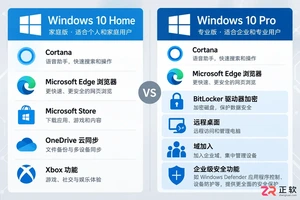
想知道如何将 Windows 10 家庭版升级到专业版?本文详解通过微软商店购买和输入产品密钥两种官方升级方法,说明数据保留情况、成本计算及升级后如何验证 BitLocker 和远程桌面等功能,助您安全获取专业版权限。
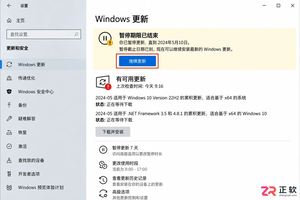
Windows 10 自动更新突然重新启用怎么办?本文详解暂停35天期限结束、误点继续更新、重启后任务续跑及公司域策略覆盖等常见原因,提供查看更新历史、设置活动时间和正确使用疑难解答的操作指南,帮助用户在支持结束前安全管理系统更新。
解决 Media Creation Tool 在下载 Windows 镜像时速度慢、中断或报错的问题。本文按操作顺序指导用户检查网络连接、系统权限、磁盘空间及 U 盘状态,确保顺利制作可启动安装介质。
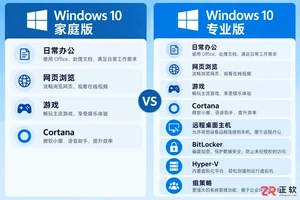
不确定该选Windows 10家庭版还是专业版?本文解析两者在远程连接、磁盘加密和虚拟化等方面的实际差异,帮你避开性能误区,根据真实使用场景做出最具性价比的选择。
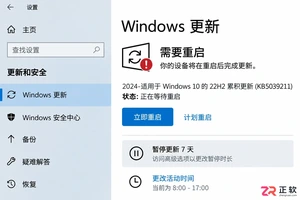
Win10断电重启后总是自动继续更新怎么办?别强行关机,先等恢复完成。教你用暂停更新、设置活动时间和按流量计费连接,减少更新对工作的打扰。注意Win10支持已终止,长期不更新有风险。
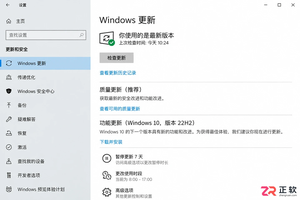
解析Windows 10功能更新与质量更新的区别。说明个人家庭版无法永久单独关闭功能更新,专业版可通过组策略延迟功能升级。提醒用户关注Win10支持终止时间,避免误用禁用服务导致安全风险。
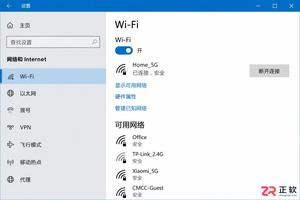
想知道Win10连手机热点时如何避免偷跑流量?只需将热点网络设为“按流量计费的连接”,即可限制Windows Update自动下载非优先更新。本文提供详细界面导览与设置步骤,助你精准控制后台数据消耗。

详解 Windows 11 安装的三种路径风险,指导如何制作官方安装介质、正确进入启动菜单、安全清理磁盘分区以及装后验证激活状态,帮助用户避免数据丢失和安装失败。
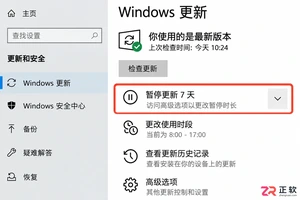
想只关闭Win10大版本升级但保留安全补丁?本文区分功能更新与质量更新,详解专业版组策略配置方法,并说明家庭版限制及Win10停止支持后的应对建议。
Win10笔记本外出使用手机热点时,如何防止自动下载更新包消耗流量?本文详解通过设置“按流量计费的连接”和“暂停更新”来精准控制流量,对比传递优化限速效果,并解释为何不应直接禁用Windows Update服务。




Photoshop 2026 是 Adobe 推出的专业图像处理与视觉设计软件,支持 Windows、macOS 和 iPad 等平台,广泛应用于摄影修图、电商设计、平面海报、数字绘画及视觉合成等创作场景。

Blender 是一款免费开源、跨平台的专业 3D 创作软件,集建模、动画、渲染、视频编辑与视觉合成等功能于一体,广泛应用于影视动画、游戏设计和建筑可视化等领域。软件支持 Cycles 物理渲染器与 Eevee 实时渲染引擎,并提供多边形建模、骨骼绑定、物理模拟等专业工具。Blender 兼容 Windows、macOS 和 Linux 系统,安装包轻巧、运行流畅,依托活跃的全球开发者社区持续更新,是从初学者到专业创作者都值得选择的正版 3D 创作工具。


Photoshop 2026 是 Adobe 推出的专业图像处理与视觉设计软件,支持 Windows、macOS 和 iPad 等平台,广泛应用于摄影修图、电商设计、平面海报、数字绘画及视觉合成等创作场景。
Blender 是一款免费开源、跨平台的专业 3D 创作软件,集建模、动画、渲染、视频编辑与视觉合成等功能于一体,广泛应用于影视动画、游戏设计和建筑可视化等领域。软件支持 Cycles 物理渲染器与 Eevee 实时渲染引擎,并提供多边形建模、骨骼绑定、物理模拟等专业工具。Blender 兼容 Windows、macOS 和 Linux 系统,安装包轻巧、运行流畅,依托活跃的全球开发者社区持续更新,是从初学者到专业创作者都值得选择的正版 3D 创作工具。