

ShardingSphere云上实践:开箱即用的ShardingSphere-Proxy集群

Process Lasso是一款功能Windows进程管理工具,可有效避免电脑出现蓝屏、假死等情况。它更偏向把系统状态查看和常用调节动作放在一起,适合需要持续观察和微调设备状态的场景。
本次 Apache ShardingSphere 5.1.2 版本更新为大家带来了三大全新功能,其中之一即为使用 ShardingSphere-Proxy chart 在云环境中快速部署一套 ShardingSphere-Proxy 集群,本篇将带大家详细了解该项功能。一、背景和痛点在云原生的环境下
本次 Apache ShardingSphere 5.1.2 版本更新为大家带来了三大全新功能,其中之一即为使用 ShardingSphere-Proxy chart 在云环境中快速部署一套 ShardingSphere-Proxy 集群,本篇将带大家详细了解该项功能。
一、背景和痛点
在云原生的环境下,一个应用可以在多个不同环境中进行批量的部署,使用原始的 yaml 进行重用,部署到新环境中也是困难重重。
可以看到,在进行 Kubernetes 软件部署时,我们面临下述问题:
如何管理,编辑和更新这些分散的 Kubernetes 应用配置文件?
如何把一套的相关配置文件作为一个应用进行管理?
如何分发和复用 Kubernetes 的应用配置?
在迁移 Apache ShardingSphere-Proxy 从 Docker 或者虚拟机到 Kubernetes 环境下,也存在上述这些问题。
鉴于Apache ShardingSphere-Proxy的灵活性,一个集群中或许会需要多个Apache ShardingSphere-Proxy副本。在传统的部署模式下,针对每个副本都得进行单独的部署文件配置。缺乏版本化管理的部署方式,在升级过程中,还面临着无法快速回滚、影响应用稳定性的风险。
在现在的企业中,集群也不只是只有一个,在多集群中进行复用配置,并且保证生产和测试集群的配置保持一致,保证测试的正确性,也是没有版本化管理的传统部署方式面临的另一大难题之一。
二、设计目标
Apache ShardingSphere-Proxy首次官方正式支持在云上标准化部署,这使得部署方式的考量至关重要。需兼顾用户易用性、复用便捷性以及对后续版本的兼容性。在对Kubernetes现有的几种部署方式进行调研后,我们最终决定使用Helm为Apache ShardingSphere-Proxy制作一个chart提供给用户,以便用户能够对其部署进行管理,实现版本化和可复用性。
三、设计内容
Helm 管理名为 chart 的 Kubernetes 包的工具,Helm 可以做以下的事情:
从头开始创建新的 chart
将 chart 打包成归档(tgz)文件
与存储 chart 的仓库进行交互
在现有的 Kubernetes 集群中安装和卸载 chart
管理与 Helm 一起安装的 chart 的发布周期
使用 Helm 去构建 Apache ShardingSphere-Proxy 云上部署 chart,将大大简化用户在 Kubernetes 环境下部署的复杂度,并且可以使 Apache ShardingSphere-Proxy 在多个环境之间进行快速复制。
由于现阶段,Apache ShardingSphere-Proxy 的部署依赖注册中心,在 Apache ShardingSphere-Proxy chart 中也同时对 ZooKeeper 集群的部署进行支持,这样给用户提供了一个一站式、开箱即用的体验。只需要执行一条命令,即可在 Kubernetes 中部署一个带有治理节点的 Apache ShardingSphere-Proxy 集群,并且可以依托于 Kubernetes 的功能,对治理节点数据进行持久化。
四、实战指南
在 5.1.2 文档中提供了 quick start 使用默认的配置文件进行 Apache ShardingSphere-Proxy 集群部署,下面我们将使用源码进行安装,详细地对其中的配置进行说明并实战在 Kubernetes 集群中部署一个 Apache ShardingSphere-Proxy 集群。
环境准备
在部署之前,我们需要准备环境。Apache ShardingSphere-Proxy charts 需要以下环境:
Kubernetes 集群 1.18+
kubectl 1.18+
Helm 3.8.0+
以上需要在实战之前进行安装配置。
charts 源码准备
在仓库中下载 Apache ShardingSphere-Proxy charts:
 helm repo add shardingsphere https://shardingsphere.apache.org/charts
 helm pull shardingsphere/apache-shardingsphere-proxy
 tar -zxvf apache-shardingsphere-proxy-1.1.0-chart.tgz
 cd apache-shardingsphere-proxy
Apache ShardingSphere-Proxy charts 配置
配置 values.yaml 文件
将:
governance:
   ...
   zookeeper:
     replicaCount: 1
   ...
 compute:
   ...
   serverConfig: ""
改为:
governance:
   ...
   zookeeper:
     replicaCount: 3
   ...
 compute:
   ...
   serverConfig:
     authority:
       privilege:
         type: ALL_PRIVILEGES_PERMITTED
       users:
       - password: root
         user: root@%
     mode:
       overwrite: true
       repository:
         props:
           maxRetries: 3
           namespace: governance_ds
           operationTimeoutMilliseconds: 5000
           retryIntervalMilliseconds: 500
           server-lists: "{{ printf "%s-zookeeper.%s:2181" .Release.Name .Release.Namespace }}"
           timeToLiveSeconds: 600
         type: ZooKeeper
       type: Cluster
:保持缩进
剩余配置请查看文档配置一项
安装 Apache ShardingSphere-Proxy & ZooKeeper 集群
现在的文件夹层级为:
helm
 ├── apache-shardingsphere-proxy
 ...
 |   |
 │   └── values.yaml
 └── apache-shardingsphere-proxy-1.1.0-chart.tgz
回到 helm 文件夹,进行安装 Apache ShardingSphere-Proxy & ZooKeeper 集群。
helm install shardingsphere-proxy apache-shardingsphere-proxy
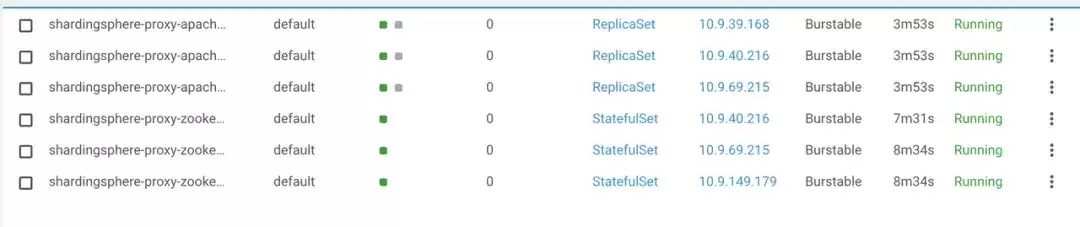
在集群的 default 命名空间下,部署了 ZooKeeper & Apache ShardingSphere-Proxy 集群:
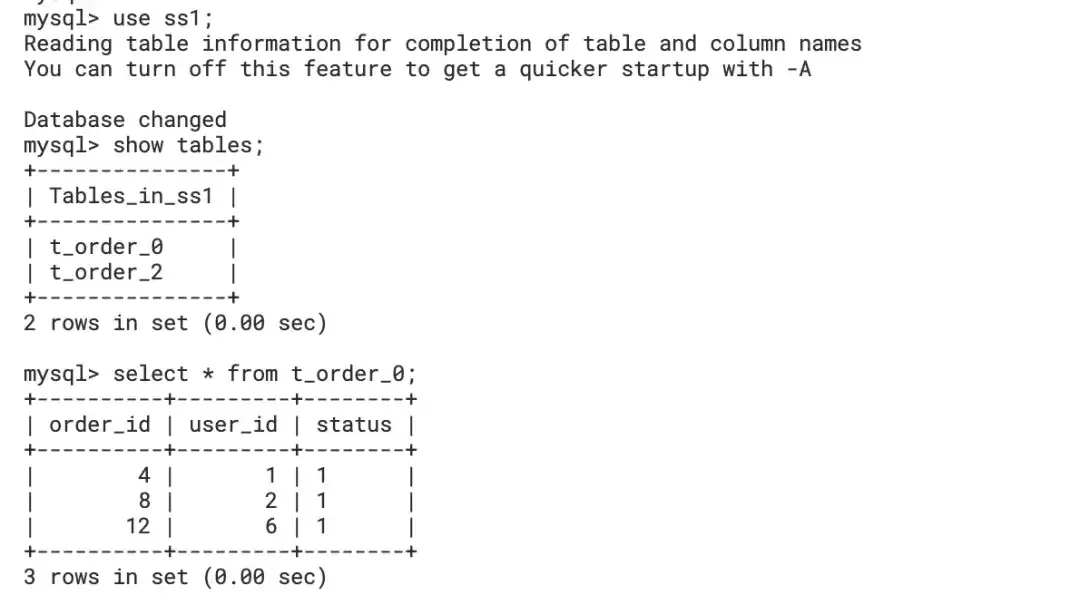
简单功能测试
使用 kubectl forward 进行本地调试:
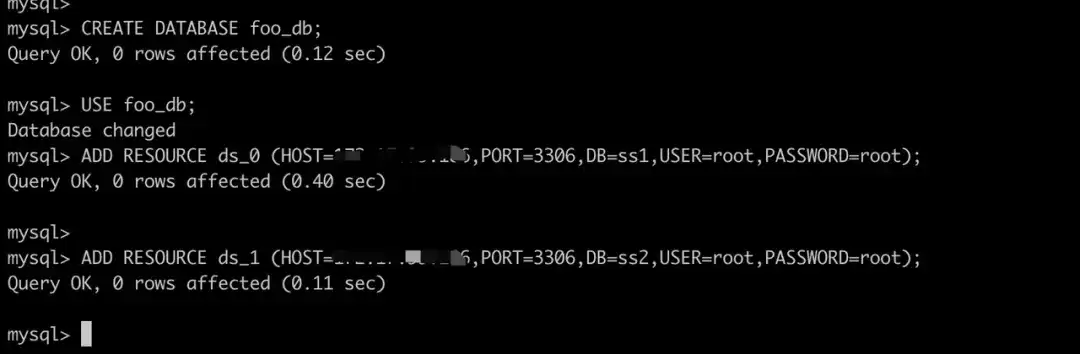
kubectl port-forward service/shardingsphere-proxy-apache-shardingsphere-proxy 3307:3307创建后端数据库 Database:

使用 MySQL client 进行连接并使用 DistSQL 添加数据源:
mysql -h 127.0.0.1 -P 3307 -uroot -proot
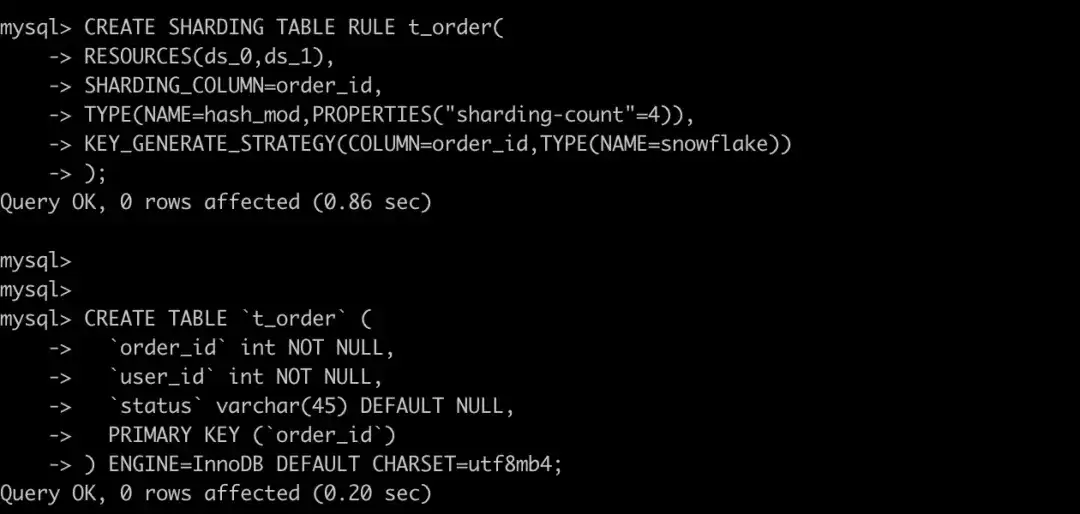
创建规则
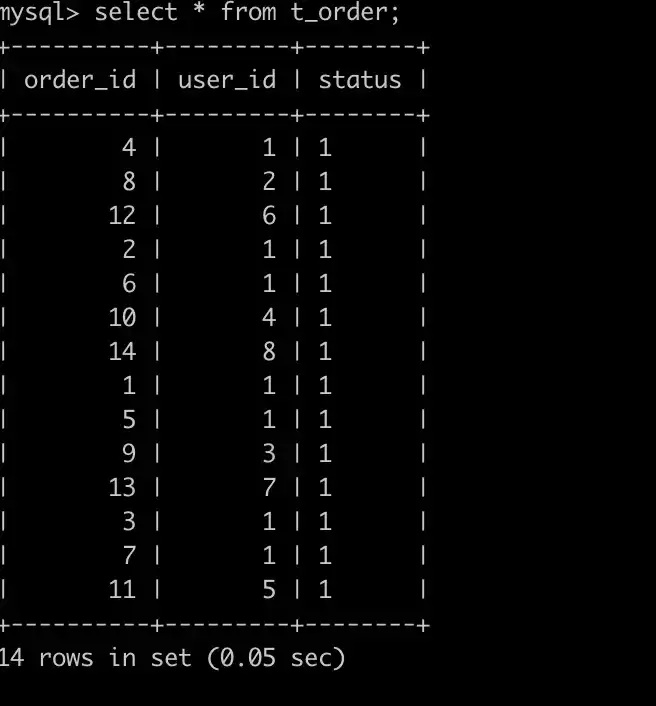
写入数据,查询结果
升级
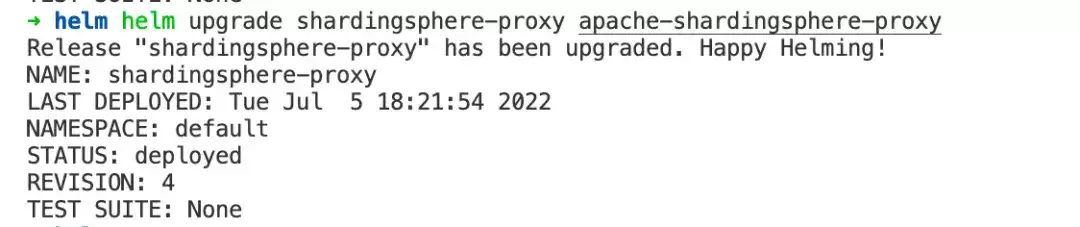
使用 Helm 可以快速对 Apache ShardingSphere-Proxy 进行升级。
helm upgrade shardingsphere-proxy apache-shardingsphere-proxy
回滚
如果升级过程中间出错,可以使用 helm rollback 命令对已经升级的 release 进行快速回滚。
helm rollback shardingsphere-proxy
 )
)
清理
在体验完成后,可以使用 helm uninstall 命令对 release 快速进行清理:
helm uninstall shardingsphere-proxy
Helm 安装的资源将被全部删除。


五、结语
使用 Apache ShardingSphere-Proxy charts 可以在 Kubernetes 集群中快速部署一套 Apache ShardingSphere-Proxy 集群进行使用,简化了运维人员在迁移 Apache ShardingSphere-Proxy 至 Kubernetes 环境下复杂的配置 yaml 的过程。加上了版本化管理后,可以轻松的对 Apache ShardingSphere-Proxy 集群进行部署、升级、回归和清理。未来我们还会对 Apache ShardingSphere-Proxy chart 进行继续迭代和完善,欢迎大家持续关注。
欢迎点击链接,了解更多内容:
Apache ShardingSphere 官网:https://shardingsphere.apache.org/
Apache ShardingSphere GitHub 地址:https://github.com/apache/shardingsphere
SphereEx 官网:https://www.sphere-ex.com
欢迎添加社区经理微信(ss_assistant_1)加入交流群,与众多 ShardingSphere 爱好者一同交流。
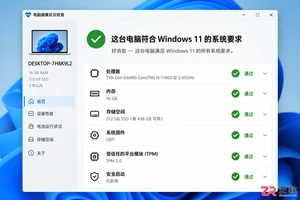
Windows 11 家庭版和专业版在安装步骤上并无本质差异,主要区别在于产品密钥激活和功能解锁。本教程指导你如何检查硬件兼容性、使用官方媒体创建工具制作安装盘,以及在安装过程中正确选择版本。同时解析安装后如何验证激活状态,以及从家庭版升级到专业版的正规路径,确保系统稳定且合规。
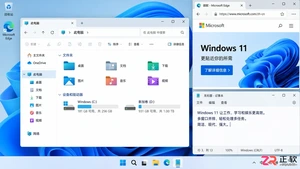
除了开始菜单的变化,Windows 11在TPM 2.0安全要求、窗口贴靠布局、驱动兼容性以及系统更新策略上与Windows 10有显著不同。本文详解两者实质差异,助你判断是否值得升级。
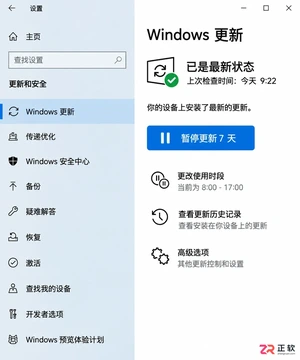
详解Windows 10家庭版和专业版在关闭或暂停自动更新时的操作区别。涵盖通用的暂停更新、活动时间设置,以及专业版独有的组策略管理入口,帮助不同版本用户合理控制更新节奏,避免系统安全风险。
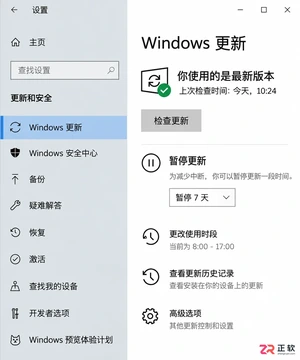
想知道Win10暂停更新最长能设多久?官方支持最长暂停35天。本文图文演示如何在设置中开启暂停、确认生效日期,以及到期后如何恢复更新或调整活动时间以避免打扰。
本教程介绍如何在Windows 10中通过暂停更新、设置活动时间及安排重启时间来减少更新弹窗提醒。包含通知隐藏技巧及更新失败排查步骤,帮助你在保持系统安全的同时减少工作打扰。
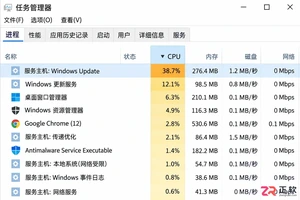
Windows 10 更新时 CPU 占用过高怎么办?本教程演示如何通过任务管理器确认更新进程,使用“暂停更新”功能临时停止后台活动,并设置“活动时间”防止自动重启干扰工作。提供安全的故障排查步骤,避免直接禁用系统服务带来的风险。
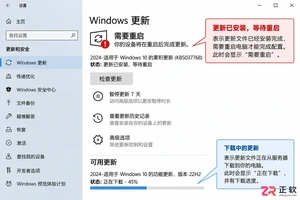
Win10玩游戏时突然弹出更新重启提示?不要强制关机。本文教你如何通过设置“活动时间”避免自动重启,利用“安排重启”规划空闲时间,以及合理使用“暂停更新”功能。区分不同状态下的应对策略,既保护游戏进度又维持系统安全。
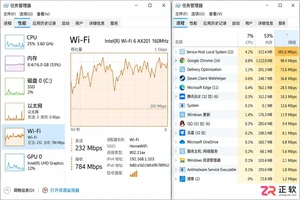
Win10自动更新抢占带宽导致游戏卡顿或网页打不开?本教程教你通过任务管理器确认更新进程,利用暂停更新、按流量计费连接和传递优化带宽限制,精准控制Windows Update下载速度,解决网络拥堵问题。
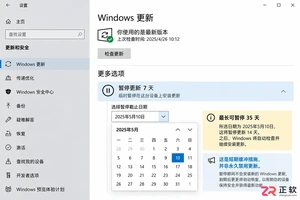
Win10家庭版用户常受强制更新困扰。本文详解如何利用系统自带的暂停更新、活动时间和安排重启功能,在不破坏系统稳定性的前提下减少更新打扰,并分析注册表修改的风险及系统支持现状。
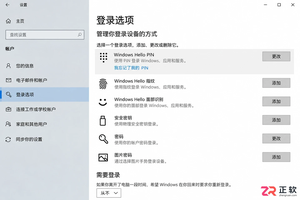
Windows 10更新后开机突然要求输入密码?本文解析自动登录失效的真实原因,提供通过netplwiz重新保存凭据、关闭Windows Hello干扰及排查账户策略的完整步骤,助你恢复免密进入桌面。




Photoshop 2026 是 Adobe 推出的专业图像处理与视觉设计软件,支持 Windows、macOS 和 iPad 等平台,广泛应用于摄影修图、电商设计、平面海报、数字绘画及视觉合成等创作场景。

Blender 是一款免费开源、跨平台的专业 3D 创作软件,集建模、动画、渲染、视频编辑与视觉合成等功能于一体,广泛应用于影视动画、游戏设计和建筑可视化等领域。软件支持 Cycles 物理渲染器与 Eevee 实时渲染引擎,并提供多边形建模、骨骼绑定、物理模拟等专业工具。Blender 兼容 Windows、macOS 和 Linux 系统,安装包轻巧、运行流畅,依托活跃的全球开发者社区持续更新,是从初学者到专业创作者都值得选择的正版 3D 创作工具。


Photoshop 2026 是 Adobe 推出的专业图像处理与视觉设计软件,支持 Windows、macOS 和 iPad 等平台,广泛应用于摄影修图、电商设计、平面海报、数字绘画及视觉合成等创作场景。
Blender 是一款免费开源、跨平台的专业 3D 创作软件,集建模、动画、渲染、视频编辑与视觉合成等功能于一体,广泛应用于影视动画、游戏设计和建筑可视化等领域。软件支持 Cycles 物理渲染器与 Eevee 实时渲染引擎,并提供多边形建模、骨骼绑定、物理模拟等专业工具。Blender 兼容 Windows、macOS 和 Linux 系统,安装包轻巧、运行流畅,依托活跃的全球开发者社区持续更新,是从初学者到专业创作者都值得选择的正版 3D 创作工具。