

Linux环境下MongoDB如何进行集群配置
在Linux环境下配置MongoDB集群,通常需要以下几个步骤:1. 准备环境首先得确保MongoDB已成功安装,而且每个节点都有自己独立的IP地址和端口哦。2. 配置文件为每个节点创建一个配置文件。以下是一个基本的配置文件示例:节点1 (mongos)sharding: clusterRole:
在Linux环境下配置MongoDB集群,通常需要以下几个步骤:
1. 准备环境
首先得确保MongoDB已成功安装,而且每个节点都有自己独立的IP地址和端口哦。
2. 配置文件
为每个节点创建一个配置文件。以下是一个基本的配置文件示例:
节点1 (mongos)
sharding:
  clusterRole: "mongos"

net:
  port: 27017

storage:
  dbPath: /var/lib/mongodb/shard1

systemLog:
  destination: file
  logAppend: true
  path: /var/log/mongodb/mongos.log
节点2 (mongos)
sharding:
  clusterRole: "mongos"

net:
  port: 27018

storage:
  dbPath: /var/lib/mongodb/shard2

systemLog:
  destination: file
  logAppend: true
  path: /var/log/mongodb/mongos.log
节点3 (config server)
sharding:
  clusterRole: "configsvr"

net:
  port: 27019

storage:
  dbPath: /var/lib/mongodb/configdb

systemLog:
  destination: file
  logAppend: true
  path: /var/log/mongodb/configsvr.log
节点4 (shard)
sharding:
  clusterRole: "shardsvr"

net:
  port: 27017

storage:
  dbPath: /var/lib/mongodb/shard1

systemLog:
  destination: file
  logAppend: true
  path: /var/log/mongodb/shard1.log
3. 启动配置服务器
在每个配置服务器节点上启动MongoDB,并使用配置文件启动:
mongod --config /path/to/config.conf4. 启动mongos路由器
在每个mongos节点上启动MongoDB,并使用配置文件启动:
mongos --config /path/to/mongos.conf5. 添加配置服务器到集群
连接到其中一个mongos节点,并添加配置服务器:
mongo --port 27017在mongo shell中执行:
sh.addShard("configsvr1:27019")
sh.addShard("configsvr2:27019")
sh.addShard("configsvr3:27019")
6. 启用分片
选择一个数据库和集合,启用分片:
sh.enableSharding("yourDatabase")
sh.shardCollection("yourDatabase.yourCollection", { "shardKey": 1 })
7. 验证集群状态
在mongo shell中执行以下命令,验证集群状态:
sh.status()注意事项
- 确保所有节点之间的网络连接正常。
- 配置文件的路径和端口要根据实际情况进行调整。
- 分片键的选择对性能有很大影响,需要根据业务需求选择合适的分片键。
按照上述步骤,你便能在Linux环境中顺利完成MongoDB集群的配置工作。
不确定该选Windows 10家庭版还是专业版?本文解析两者在远程连接、磁盘加密和虚拟化等方面的实际差异,帮你避开性能误区,根据真实使用场景做出最具性价比的选择。
Win10断电重启后总是自动继续更新怎么办?别强行关机,先等恢复完成。教你用暂停更新、设置活动时间和按流量计费连接,减少更新对工作的打扰。注意Win10支持已终止,长期不更新有风险。
解析Windows 10功能更新与质量更新的区别。说明个人家庭版无法永久单独关闭功能更新,专业版可通过组策略延迟功能升级。提醒用户关注Win10支持终止时间,避免误用禁用服务导致安全风险。
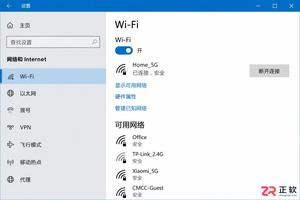
想知道Win10连手机热点时如何避免偷跑流量?只需将热点网络设为“按流量计费的连接”,即可限制Windows Update自动下载非优先更新。本文提供详细界面导览与设置步骤,助你精准控制后台数据消耗。
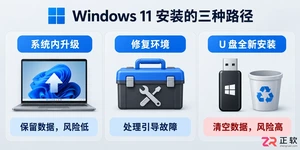
详解 Windows 11 安装的三种路径风险,指导如何制作官方安装介质、正确进入启动菜单、安全清理磁盘分区以及装后验证激活状态,帮助用户避免数据丢失和安装失败。
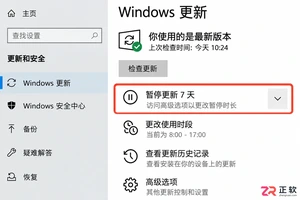
想只关闭Win10大版本升级但保留安全补丁?本文区分功能更新与质量更新,详解专业版组策略配置方法,并说明家庭版限制及Win10停止支持后的应对建议。
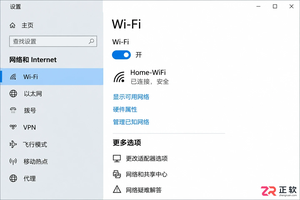
Win10笔记本外出使用手机热点时,如何防止自动下载更新包消耗流量?本文详解通过设置“按流量计费的连接”和“暂停更新”来精准控制流量,对比传递优化限速效果,并解释为何不应直接禁用Windows Update服务。
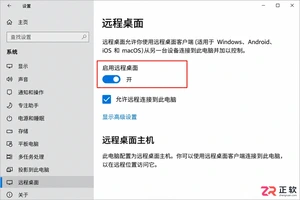
想知道Windows 10家庭版和专业版怎么选?本文不聊跑分,只讲远程桌面、磁盘加密和组策略等关键功能的实际差异,帮你判断是否真的需要升级到专业版。
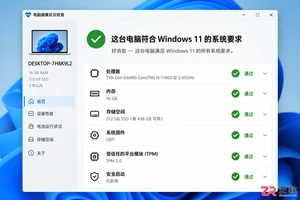
Windows 11 家庭版和专业版在安装步骤上并无本质差异,主要区别在于产品密钥激活和功能解锁。本教程指导你如何检查硬件兼容性、使用官方媒体创建工具制作安装盘,以及在安装过程中正确选择版本。同时解析安装后如何验证激活状态,以及从家庭版升级到专业版的正规路径,确保系统稳定且合规。
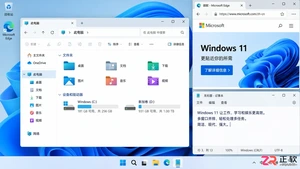
除了开始菜单的变化,Windows 11在TPM 2.0安全要求、窗口贴靠布局、驱动兼容性以及系统更新策略上与Windows 10有显著不同。本文详解两者实质差异,助你判断是否值得升级。




Photoshop 2026 是 Adobe 推出的专业图像处理与视觉设计软件,支持 Windows、macOS 和 iPad 等平台,广泛应用于摄影修图、电商设计、平面海报、数字绘画及视觉合成等创作场景。

Blender 是一款免费开源、跨平台的专业 3D 创作软件,集建模、动画、渲染、视频编辑与视觉合成等功能于一体,广泛应用于影视动画、游戏设计和建筑可视化等领域。软件支持 Cycles 物理渲染器与 Eevee 实时渲染引擎,并提供多边形建模、骨骼绑定、物理模拟等专业工具。Blender 兼容 Windows、macOS 和 Linux 系统,安装包轻巧、运行流畅,依托活跃的全球开发者社区持续更新,是从初学者到专业创作者都值得选择的正版 3D 创作工具。


Photoshop 2026 是 Adobe 推出的专业图像处理与视觉设计软件,支持 Windows、macOS 和 iPad 等平台,广泛应用于摄影修图、电商设计、平面海报、数字绘画及视觉合成等创作场景。
Blender 是一款免费开源、跨平台的专业 3D 创作软件,集建模、动画、渲染、视频编辑与视觉合成等功能于一体,广泛应用于影视动画、游戏设计和建筑可视化等领域。软件支持 Cycles 物理渲染器与 Eevee 实时渲染引擎,并提供多边形建模、骨骼绑定、物理模拟等专业工具。Blender 兼容 Windows、macOS 和 Linux 系统,安装包轻巧、运行流畅,依托活跃的全球开发者社区持续更新,是从初学者到专业创作者都值得选择的正版 3D 创作工具。