

如何使用LinuxApache2部署网站
在Linux系统上使用Apache2部署网站是一个相对简单的过程。以下是详细的步骤:1. 安装Apache2首先,确保你的系统是最新的,然后安装Apache2。sudo apt updatesudo apt install apache22. 启动和启用Apache2服务安装完成后,启动Apache
在Linux系统上使用Apache2部署网站是一个相对简单的过程。以下是详细的步骤:

1. 安装Apache2
首先,确保你的系统是最新的,然后安装Apache2。
sudo apt update
sudo apt install apache2
2. 启动和启用Apache2服务
安装完成后,启动Apache2服务并设置它在系统启动时自动运行。
sudo systemctl start apache2
sudo systemctl enable apache2
3. 配置防火墙
如果你的系统启用了防火墙,确保允许HTTP和HTTPS流量。
sudo ufw allow 'Apache Full'4. 创建网站目录
于你的服务器之上,创建一个用于存放网站文件的目录。一般情况下,此目录为/var/www/html。
sudo mkdir -p /var/www/html/yourwebsite.com
sudo chown -R $USER:$USER /var/www/html/yourwebsite.com将yourwebsite.com替换为你的网站域名。
5. 配置虚拟主机
创建一个新的虚拟主机配置文件。
sudo nano /etc/apache2/sites-a vailable/yourwebsite.com.conf在文件中添加以下内容:
    ServerAdmin webmaster@yourwebsite.com
    ServerName yourwebsite.com
    ServerAlias www.yourwebsite.com
    DocumentRoot /var/www/html/yourwebsite.com


        Options Indexes FollowSymLinks
        AllowOverride All
        Require all granted


    ErrorLog ${APACHE_LOG_DIR}/error.log
    CustomLog ${APACHE_LOG_DIR}/access.log combined
保存并关闭文件。
6. 启用虚拟主机
启用你刚刚创建的虚拟主机配置文件。
sudo a2ensite yourwebsite.com.conf7. 禁用默认站点(可选)
如果你不需要默认的Apache站点,可以禁用它。
sudo a2dissite 000-default.conf8. 重新加载Apache2服务
重新加载Apache2服务以应用更改。
sudo systemctl reload apache29. 配置DNS(可选)
如果你有自己的域名,确保你的DNS设置指向你的服务器IP地址。
10. 测试网站
首先,打开你常用的浏览器,然后在地址栏输入你的网站域名,比如http://yourwebsite.com。回车后,你就能看到你的网站文件啦。
11. 配置SSL(可选)
为了提高安全性,你可以配置SSL证书。可以使用Let’s Encrypt免费获取SSL证书。
sudo apt install certbot python3-certbot-apache
sudo certbot --apache -d yourwebsite.com -d www.yourwebsite.com
按照提示完成SSL配置。
12. 重启Apache2服务
最后,重启Apache2服务以确保所有更改生效。
sudo systemctl restart apache2现在,你的网站应该已经成功部署在Linux Apache2服务器上了。
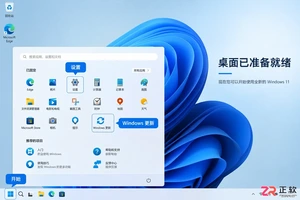
详细讲解Windows系统安装步骤,包括使用Media Creation Tool制作启动U盘、BIOS/UEFI启动设置、磁盘分区选择及驱动激活检查。区分就地重装与全新安装,帮助用户安全完成系统部署。
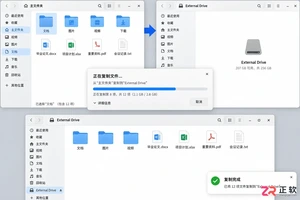
想从 Linux 换回 Windows?本文详解制作安装介质、进入 BIOS/UEFI 启动菜单、删除 Linux 分区及安装 Windows 的全过程。重点提示数据备份与磁盘确认,避免误删其他硬盘数据。

学习如何安装和配置 ObjectDock,包括设置 Dock 位置、图标大小、自动隐藏、添加应用快捷方式、更换背景主题以及设置开机自启,打造高效美观的 Windows 桌面环境。
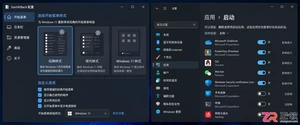
找不到StartAllBack开机启动选项?本文详解如何在Windows设置、任务管理器及启动文件夹中定位StartAllBack启动项,并验证其是否随系统自动运行,解决重启后界面恢复默认的问题。
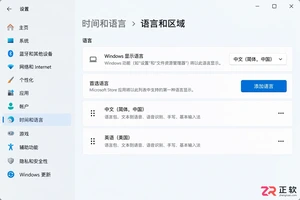
遇到Windows界面无法切换为中文的情况?本文详解如何区分输入法与显示语言,排查单一语言版本限制,正确安装中文语言包并解决下载失败问题,助您快速恢复中文界面。
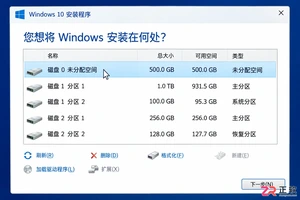
Windows 10 安装过程中遇到分区混乱或报错?本教程指导你如何在备份数据后,正确识别目标磁盘,匹配 UEFI/GPT 启动模式,并通过安装程序自动重建系统分区,确保全新安装顺利启动。
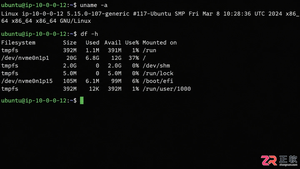
详解 1Panel 在 Linux 服务器上的在线安装步骤。涵盖环境检查、SSH 终端操作、官方脚本执行、Docker 依赖处理及浏览器访问配置,助您快速搭建运维管理面板。
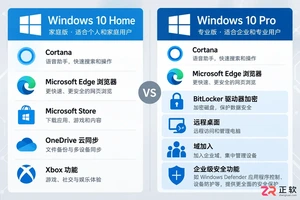
想知道如何将 Windows 10 家庭版升级到专业版?本文详解通过微软商店购买和输入产品密钥两种官方升级方法,说明数据保留情况、成本计算及升级后如何验证 BitLocker 和远程桌面等功能,助您安全获取专业版权限。
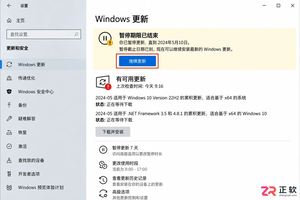
Windows 10 自动更新突然重新启用怎么办?本文详解暂停35天期限结束、误点继续更新、重启后任务续跑及公司域策略覆盖等常见原因,提供查看更新历史、设置活动时间和正确使用疑难解答的操作指南,帮助用户在支持结束前安全管理系统更新。
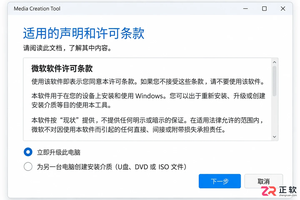
解决 Media Creation Tool 在下载 Windows 镜像时速度慢、中断或报错的问题。本文按操作顺序指导用户检查网络连接、系统权限、磁盘空间及 U 盘状态,确保顺利制作可启动安装介质。




Photoshop 2026 是 Adobe 推出的专业图像处理与视觉设计软件,支持 Windows、macOS 和 iPad 等平台,广泛应用于摄影修图、电商设计、平面海报、数字绘画及视觉合成等创作场景。

Blender 是一款免费开源、跨平台的专业 3D 创作软件,集建模、动画、渲染、视频编辑与视觉合成等功能于一体,广泛应用于影视动画、游戏设计和建筑可视化等领域。软件支持 Cycles 物理渲染器与 Eevee 实时渲染引擎,并提供多边形建模、骨骼绑定、物理模拟等专业工具。Blender 兼容 Windows、macOS 和 Linux 系统,安装包轻巧、运行流畅,依托活跃的全球开发者社区持续更新,是从初学者到专业创作者都值得选择的正版 3D 创作工具。


Photoshop 2026 是 Adobe 推出的专业图像处理与视觉设计软件,支持 Windows、macOS 和 iPad 等平台,广泛应用于摄影修图、电商设计、平面海报、数字绘画及视觉合成等创作场景。
Blender 是一款免费开源、跨平台的专业 3D 创作软件,集建模、动画、渲染、视频编辑与视觉合成等功能于一体,广泛应用于影视动画、游戏设计和建筑可视化等领域。软件支持 Cycles 物理渲染器与 Eevee 实时渲染引擎,并提供多边形建模、骨骼绑定、物理模拟等专业工具。Blender 兼容 Windows、macOS 和 Linux 系统,安装包轻巧、运行流畅,依托活跃的全球开发者社区持续更新,是从初学者到专业创作者都值得选择的正版 3D 创作工具。