

PHP下载PDF文件到HTML
本篇文章将讨论使用PHP在html链接中下载pdf文件的步骤。我们将使用phpheader()函数来提示用户保存我们的PDF文件。PHP中header()函数的语法下面的header将下载任何应用程序。header("Content-Type:application/octet-stream");下面的header将设置组合和可下载文件。header('Content-Disposition:attachment;filename="Delft.pdf"&#
本篇文章将讨论使用 PHP 在 html 链接中下载 pdf 文件的步骤。 我们将使用 php header() 函数来提示用户保存我们的 PDF 文件。
PHP 中 header() 函数的语法
下面的 header 将下载任何应用程序。
header("Content-Type: application/octet-stream");
下面的 header 将设置组合和可下载文件。
header('Content-Disposition: attachment; filename="Delft.pdf"');
下面的 header 显示了文件的大小。
header("Content-Length: " . filesize("Delft.pdf"));
使用 PHP 下载带有 HTML 链接的 PDF
在以下示例中,我们将尝试使用 PHP 脚本下载 HTML 格式的 **PDF(Delft.pdf)**。 Delft.pdf 文件是空的,打开时会显示错误,我们将向您展示我们如何进行该过程的图片。
示例代码 - HTML 脚本:
html>
<html>
 <head>
<title>Download PDF using PHP from HTML Linktitle>
 head>
 <body>
<center>
 <h2 style="color:red;">Welcome To DELFTh2>
 <p><b>Click below to download PDFb>p>
 <a href="downloadpdf.php?file=Delft">Download PDF Nowa>
center>
 body>
html>
示例代码 - PHP 脚本:
$file = $_GET["file"] .".pdf";
// To Output a PDF file
header('Content-Type: application/pdf');
// PDF will be called Delft.pdf
header('Content-Disposition: attachment; filename="Delft.pdf"');
$imagpdf = file_put_contents($image, file_get_contents($file));
echo $imagepdf;
?>
输出结果:


该链接将下载一个 Delft.pdf 文件,但由于该文件是空的,我们在尝试打开它时会遇到错误。 这是使用 PHP 下载 HTML 链接中的 PDF 文件的基本概念。
让我们尝试从本地计算机下载并阅读 Delft.pdf 文件。 在下一个示例中,我们将尝试使用 HTML 链接在本地下载 PDF 文件。
示例代码 - HTML 脚本:
html>
<html>
 <head>
<title>Download PDF using PHP from HTML Linktitle>
 head>
 <body>
<center>
 <h2 style="color:blue;">Welcome To DELFTSTACKh2>
 <p><b>Click below to download PDFb>p>
 <a href="downloadpdf.php?file=Delft">Download PDF Nowa>
center>
 body>
html>
示例代码 - PHP 脚本:
header("Content-Type: application/octet-stream");
$file = $_GET["file"] . ".pdf";
header("Content-Disposition: attachment; filename=" . urlencode($file));
header("Content-Type: application/download");
header("Content-Description: File Transfer");
header("Content-Length: " . filesize($file));
flush(); // Not a must.
$fp = fopen($file, "r");
while (!feof($fp)) {
echo fread($fp, 65536);
flush(); // This is essential for large downloads
}
fclose($fp);
?>
该链接将下载 Delft.pdf 文件,我们成功打开该文件。 在发送输出之前始终调用 header。
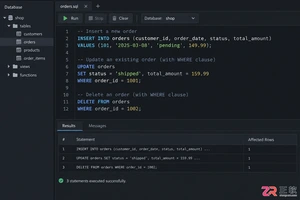
掌握SQL增删改核心规范:INSERT必须指定列清单以防结构变更错误;UPDATE和DELETE执行前务必通过SELECT确认WHERE条件范围;利用事务BEGIN/ROLLBACK机制实现误操作回滚。本文结合PostgreSQL语法与跨库差异,提供从语句编写到结果验证的完整安全操作流程,帮助开发者规避生产环境数据风险。
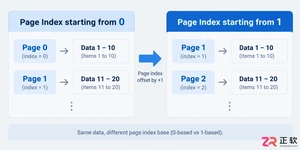
遇到接口分页数据对不上?本文解析page和size参数的核心设置规则,包括起始索引选择、默认值配置及异常处理,助你避开常见的分页陷阱。
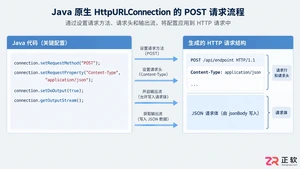
深入解析Java发送JSON格式POST请求的实现机制,对比原生API与第三方库的代码差异,提供可复制的代码示例,并探讨超时设置、编码处理及微服务场景下的例外情况。
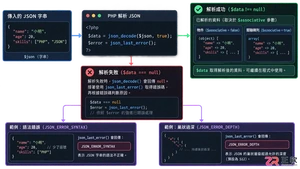
本文详解PHP中json_decode处理嵌套JSON数据的机制,对比对象与数组模式的取值差异,提供防止空指针错误的健壮代码示例,帮助开发者快速定位解析失败原因。
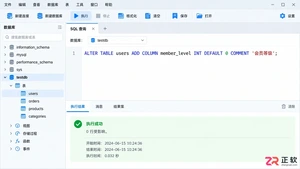
遇到需要给现有MySQL表增加新列的情况?本文详细解析ALTER TABLE ADD COLUMN语句的标准写法,包括如何在指定位置插入字段、设置默认值以及批量操作的技巧,助你避开锁表风险,轻松完成结构变更。
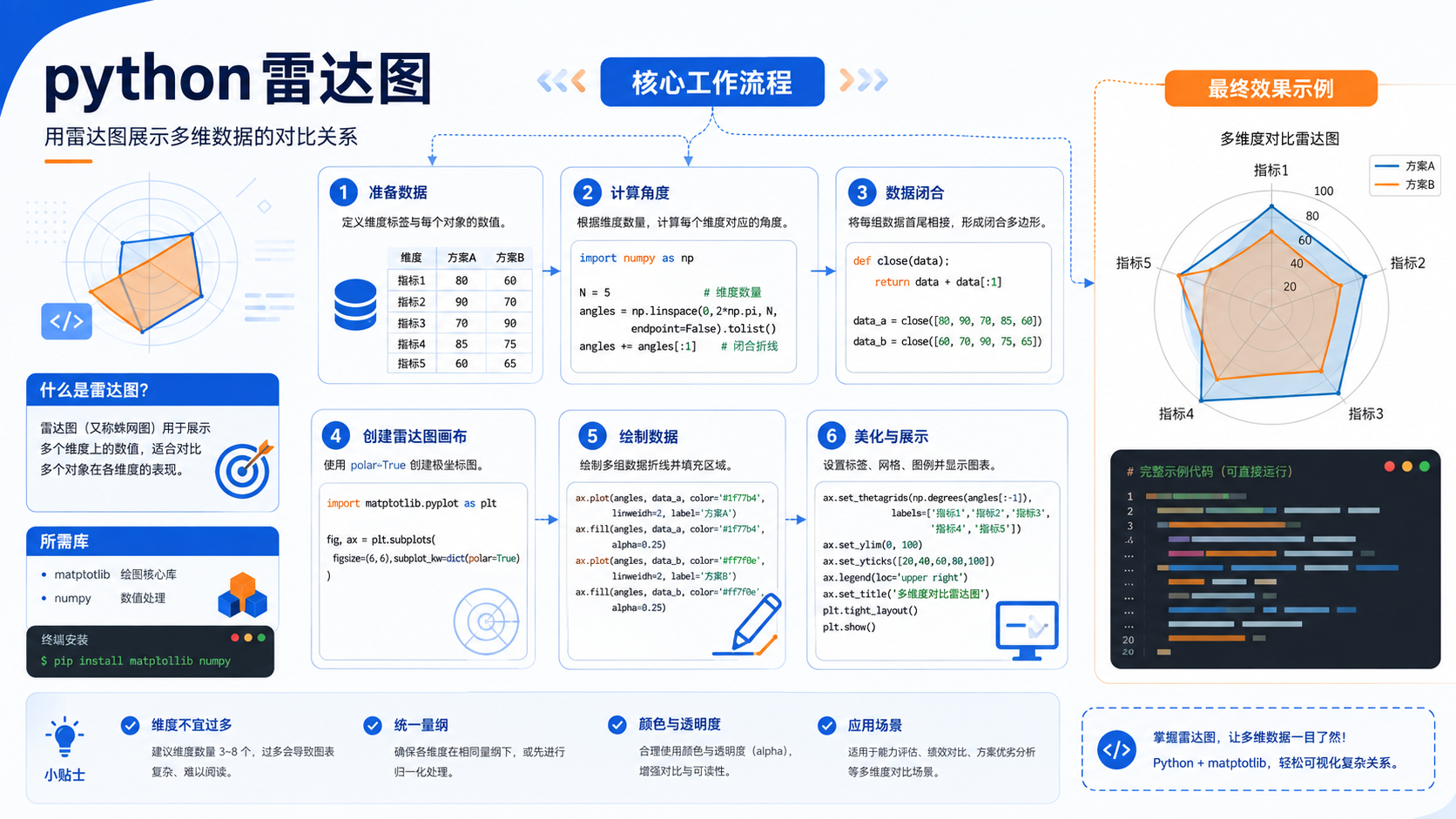
针对后端开发者的 python 雷达图实操指南。包含基于官方文档的环境准备、venv 虚拟环境创建、pip 依赖管理及验证命令,提供清晰的排错决策图与适用边界说明。
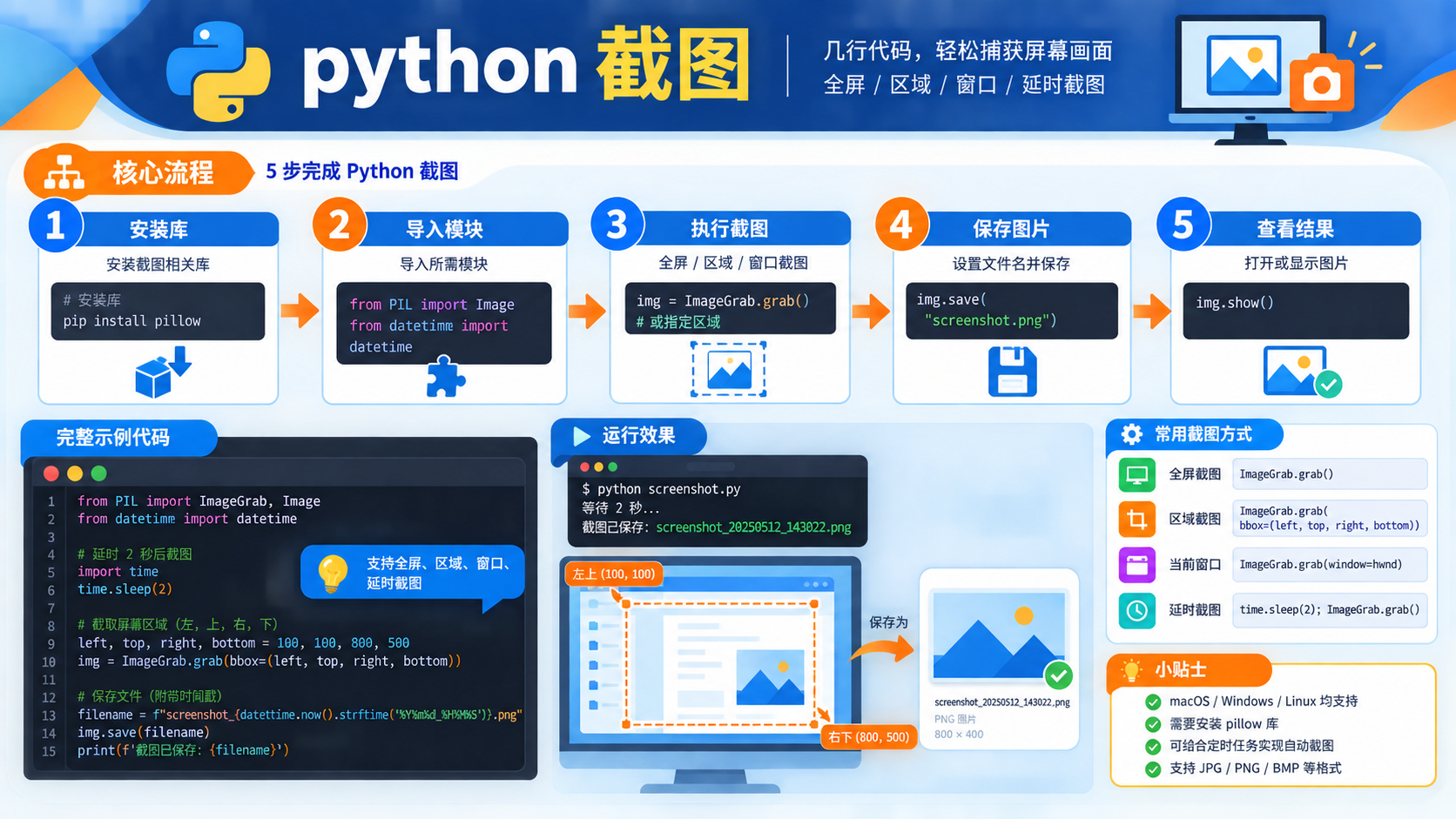
面向后端开发者的 python 截图技术文章,涵盖从环境检查、虚拟环境创建到依赖管理的完整流程。提供基于官方文档的验证命令与决策路径,帮助读者快速定位并解决截图任务中的环境问题。
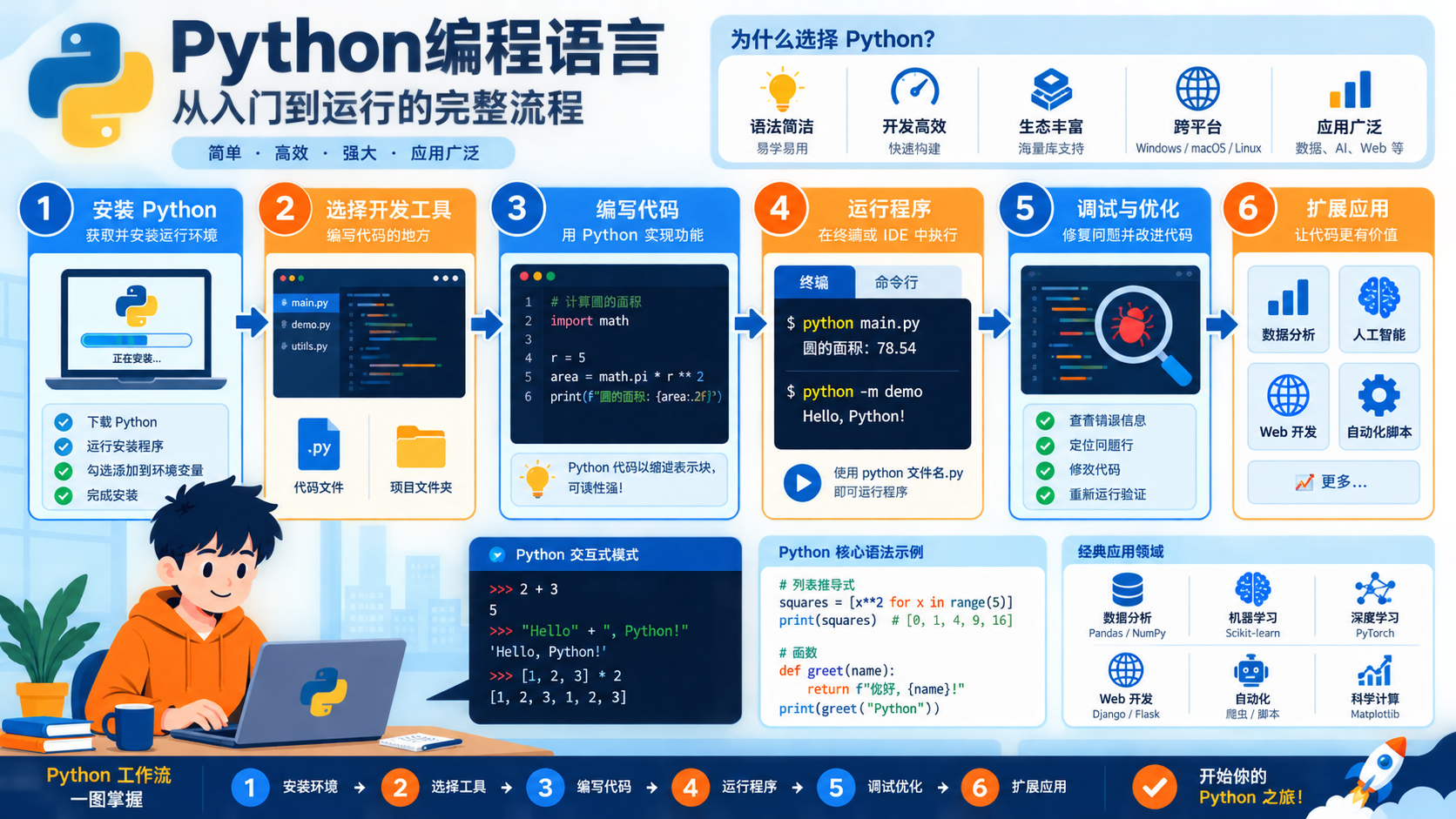
详解 python编程语言 的基础概念与实操步骤。涵盖版本检查、venv 虚拟环境隔离、pip 依赖安装及 sys.executable 验证方法,提供清晰的决策路径与适用边界说明。
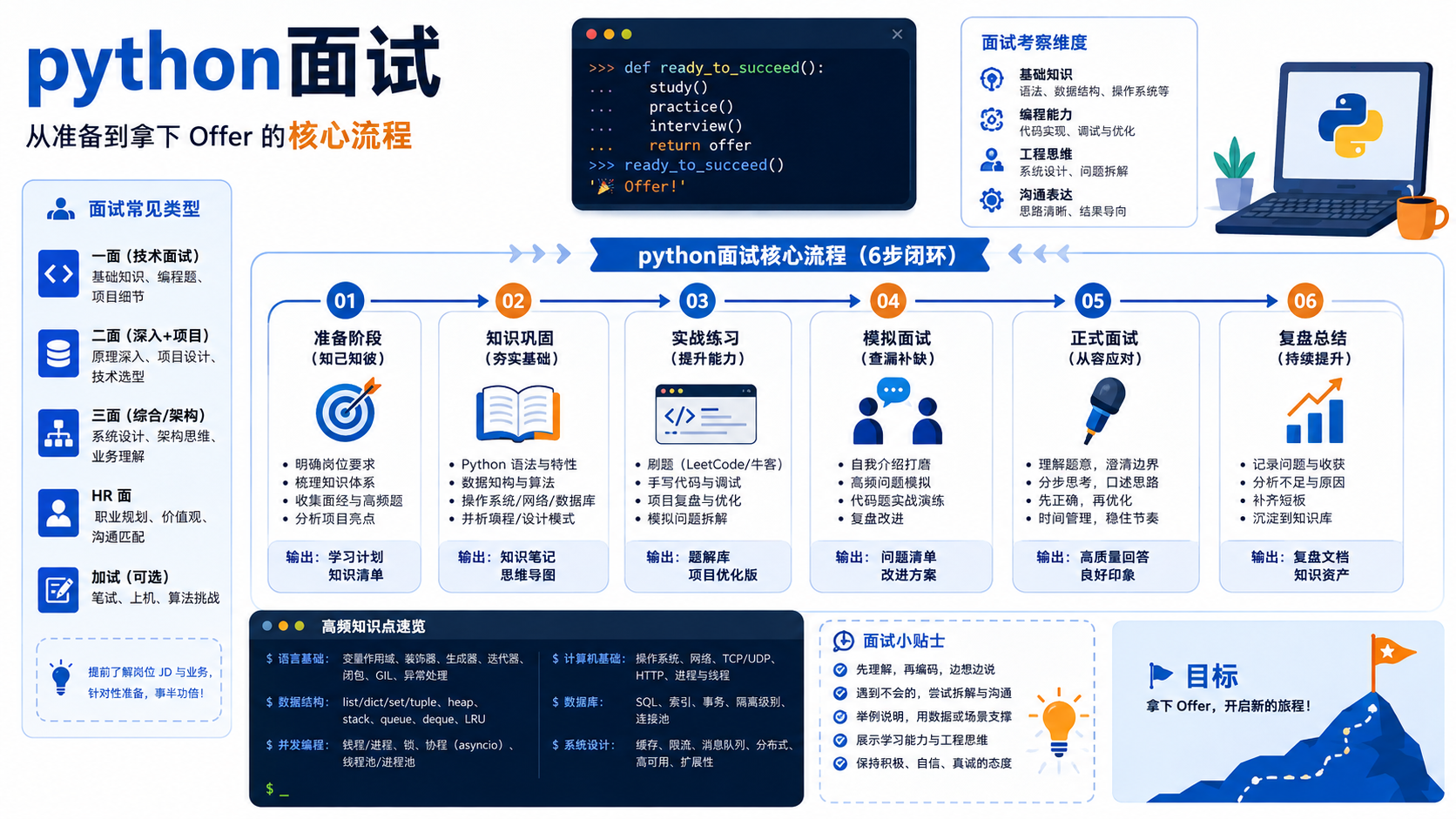
为后端开发者提供“python面试”相关的技术准备步骤,包括版本检查、虚拟环境创建、依赖安装及验证命令,严格遵循Python官方文档规范。
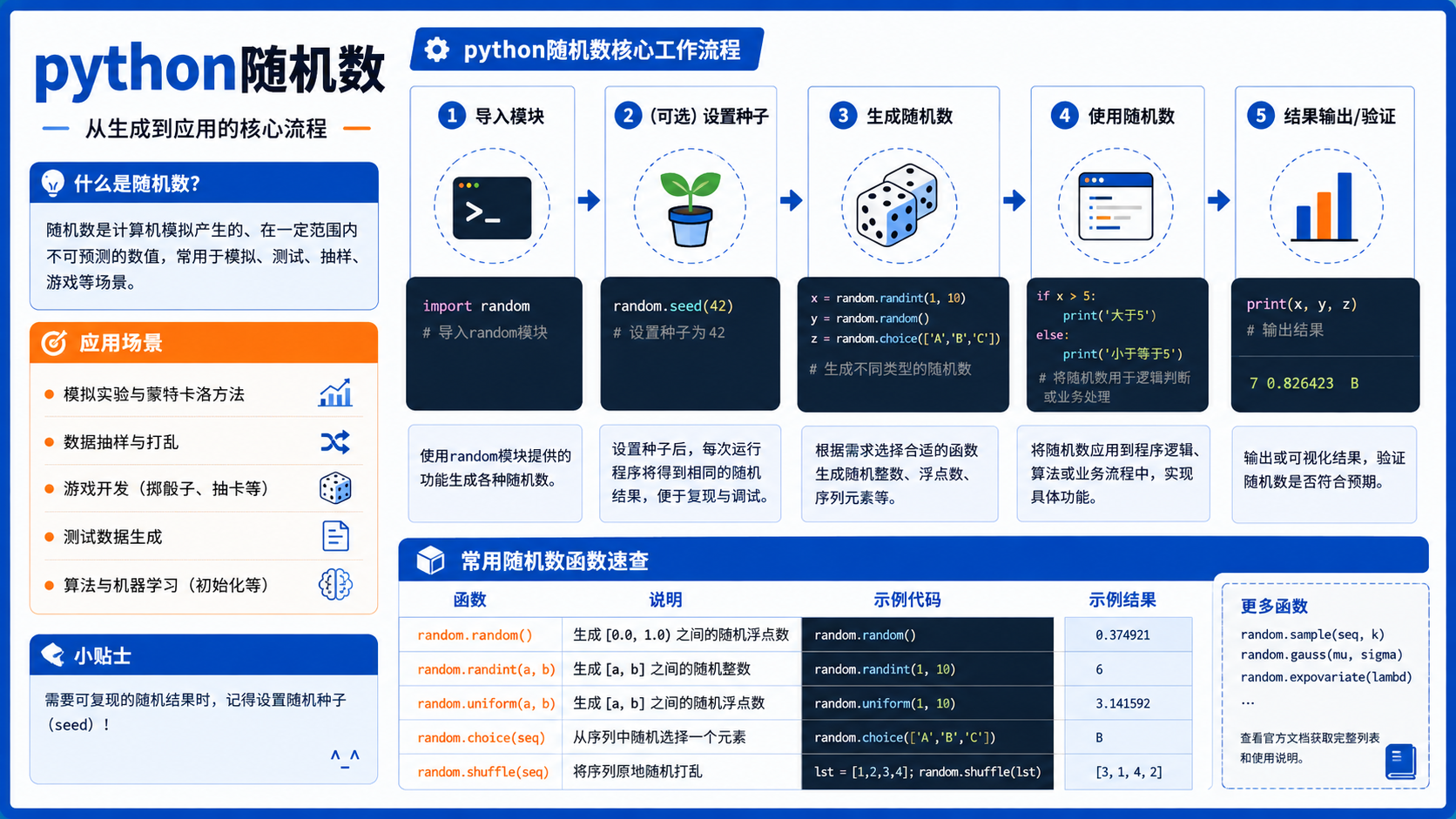
详解 python随机数 开发中的环境准备与验证流程。涵盖 venv 虚拟环境创建、pip 依赖管理及 sys.executable 路径检查,帮助开发者规避版本冲突,确保代码在隔离环境中稳定运行。





火山引擎是字节跳动旗下企业级云与AI服务平台。聚焦大模型核心能力,依托字节自研豆包多模态大模型,凭借火山方舟一站式平台,提供模型精调、推理部署、智能应用搭建等全链路服务,结合高性能AI算力,助力各行业快速落地大模型数字化与智能化应用。



