使用PHP和Google Translate API进行多语言处理
随着全球化的不断发展,越来越多的网站需要支持多语言,以满足不同用户的需求。而PHP和GoogleTranslateAPI的结合可以为网站提供快速、准确且易于管理的多语言支持。本文将介绍如何使用PHP和GoogleTranslateAPI进行多语言处理。准备工作在使用GoogleTranslateAPI之前,需要先创建一个GoogleCloud账
随着全球化的不断发展,越来越多的网站需要支持多语言,以满足不同用户的需求。而PHP和Google Translate API的结合可以为网站提供快速、准确且易于管理的多语言支持。本文将介绍如何使用PHP和Google Translate API进行多语言处理。
- 准备工作
在使用Google Translate API之前,需要先创建一个Google Cloud账号,并启用Translate API。如果您还没有Google Cloud账号,请访问Google Cloud网站进行注册。创建账号后,进入API控制台,启用Translate API并获取API密钥。同时,我们需要确保PHP具备cURL扩展库以便进行API请求。
- 获取翻译结果
在获取翻译结果之前,我们需要向Google Translate API发送请求,并指定待翻译的文本和目标语言。以下是用于向API发送请求的PHP代码:
$url = 'https://translation.googleapis.com/language/translate/v2?key=YOUR_API_KEY';
$data = array(
    'q' => 'Hello world',
    'target' => 'fr' // 法语
);
$options = array(
    'http' => array(
        'header'  => "Content-type: application/x-www-form-urlencoded
",
        'method'  => 'POST',
        'content' => http_build_query($data)
    )
);
$context  = stream_context_create($options);
$response = file_get_contents($url, false, $context);
上述代码中,我们将待翻译的文本设置为“Hello world”,翻译目标语言设置为法语。注意,这里的API密钥需要替换成您自己的密钥。
发送请求后,API将返回一个JSON格式的响应,其中包含翻译结果。以下是解析响应并获取翻译结果的PHP代码:
$responseData = json_decode($response, true);
$translation = $responseData['data']['translations'][0]['translatedText'];
上述代码中,我们使用了PHP的json_decode函数将API响应转换为数组,然后获取了翻译结果。需要注意的是,Google Translate API支持多种参数,如来源语言、多目标语言等,可根据实际需求进行调整。
- 封装API请求
为了更方便地使用Google Translate API,我们可以将请求封装成一个PHP函数。以下是封装请求的PHP代码:
function translate($text, $from, $to, $apiKey) {
    $url = 'https://translation.googleapis.com/language/translate/v2?key='.$apiKey;
    $data = array(
        'q' => $text,
        'source' => $from,
        'target' => $to
    );
    $options = array(
        'http' => array(
            'header'  => "Content-type: application/x-www-form-urlencoded
",
            'method'  => 'POST',
            'content' => http_build_query($data)
        )
    );
    $context  = stream_context_create($options);
    $response = file_get_contents($url, false, $context);
    $responseData = json_decode($response, true);
    return $responseData['data']['translations'][0]['translatedText'];
}
上述代码中,我们将请求封装成了一个名为“translate”的函数,该函数接收四个参数:待翻译文本、来源语言、目标语言和API密钥。函数返回翻译结果。
- 整合多语言支持
最后,我们可以将Google Translate API与PHP和数据库进行整合,为网站提供多语言支持。以下是一个示例,使用PHP和MySQL实现多语言支持:
// index.php
$lang = isset($_COOKIE['lang']) ? $_COOKIE['lang'] : 'en';
$data = array(
    'title' => translate('My website', 'en', $lang, $apiKey),
    'welcome' => translate('Welcome to my website', 'en', $lang, $apiKey)
);
include 'templates/'.$lang.'/index.php';

// templates/en/index.php


        <?php echo $data['title']; ?>


        ...


// templates/fr/index.php


        <?php echo $data['title']; ?>


        ...
上述代码中,我们使用了$_COOKIE数组获取用户选择的语言,并使用了translate函数将英文翻译为目标语言。然后,我们根据目标语言的不同,引用不同的模板文件。这里我们只提供了英语和法语的模板文件,您可以根据实际需求添加更多的模板文件。
通过上述方法,我们可以轻松地为网站添加多语言支持。当用户访问网站时,我们可以根据其选择的语言,为其提供相应的翻译版本。同时,由于我们使用了Google Translate API,因此网站的多语言支持也将具备快速、准确和易于管理的特点。
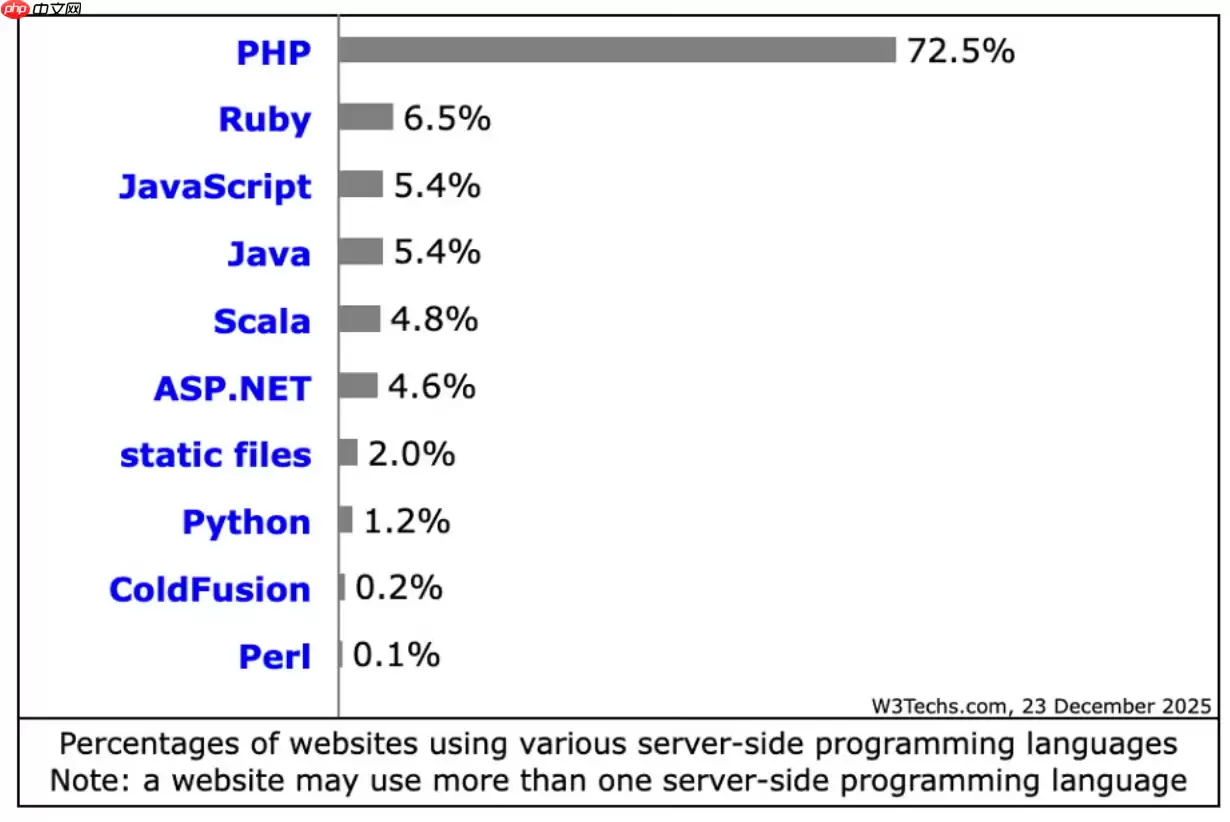
PHP在2026年仍适用于现代网站构建,在常规Web服务和内容密集型站点中较Python、Java等保持优势。其JIT编译优化性能,安全补丁及时,全面支持云原生,拥有成熟框架生态,整体成本较低。

在Debian系统上为PHP配置SSL加密,通常涉及以下几个步骤:安装SSL证书:首先,你需要一个SSL证书。你可以从Let’s Encrypt免费获取,或者购买一个商业证书。使用Let’s Encrypt:sudo apt updatesudo apt install certbotsudo ce

在Linux服务器上,若要使用ThinkPHP框架进行备份,一般会涉及到以下这些方面:数据库备份:使用mysqldump或mysql命令行工具来备份数据库。示例命令:mysqldump -u username -p database_name > backup_database.sql这将生成一个S
在Linux服务器上查看PHP错误日志的方法如下:首先,得找到PHP错误日志文件所在的位置。一般来说,它会在/var/log/php或者/var/log/apache2目录下。当然啦,你也可以通过下面这个命令来找到它:php --ini在输出的信息中,找到"ErrorLog"一行,它会显示错误日志文
在Linux系统下配置PHP以支持SSL,通常需要以下几个步骤:1. 安装PHP和SSL模块首先,确保你已经安装了PHP以及相关的SSL模块。你可以使用包管理器来安装这些软件包。在Debian/Ubuntu上:sudo apt updatesudo apt install php php-ssl在C
在Linux下配置PHP连接MySQL,你需要确保已经安装了PHP和MySQL,并且它们都在运行。接下来,请按照以下步骤操作:安装PHP MySQL扩展:对于PHP 7.x,你需要安装php-mysql扩展。在终端中运行以下命令:sudo apt-get updatesudo apt-get ins
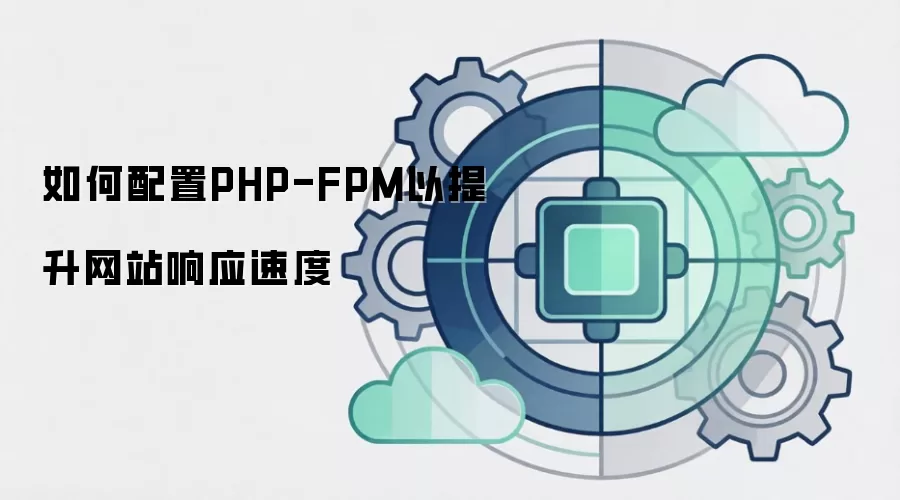
想要通过配置PHP-FPM(FastCGI进程管理器)来加快网站响应速度,需要从多个方面入手,比如调整进程管理参数、优化PHP代码、启用OPcache等等。下面就为大家详细介绍一些关键步骤和实用建议。1. 调整PHP-FPM进程管理参数1.1 增加进程数根据服务器的CPU和内存资源,适当增加PHP-

手把手教你在Linux服务器上配置PHP一 安装与基础检查更新索引并安装所需组件(以 Ubuntu/Debian 为例):安装 Web 与 PHP:sudo apt update && sudo apt install nginx php-fpm php-mysql php-cli php-gd p
Veitool后台框架ThinkPHP版v2.3.5发布,核心升级至ThinkPHP8.1.4,性能与兼容性提升。集成JWT认证,自动生成令牌及RSA密钥对;新增可选RSA加密传输,增强数据安全;fileLibrary增加复制所选文件链接功能。

介绍 LabEx在线PHP演练场,为用户打造了一个完备的在线PHP环境。在这里,用户无需在本地进行任何配置,就能畅享完整的PHP开发体验。这是一个功能多样的平台,无论是Web开发者、系统管理员,还是学生群体,它都能满足需求,为大家探索和实验PHP及Web技术,提供了绝佳的空间。 使用 LabEx 在






Windows 10 是一款微软推出的经典操作系统,拥有硬件兼容性与多任务处理能力。它更偏向把系统状态查看和常用调节动作放在一起,适合需要持续观察和微调设备状态的场景。

极度公式是一款跨平台专业LaTeX公式识别编辑软件,支持OCR公式识别和多平台编辑。和使用说明,避免使用,享受完整功能与稳定支持。做扫描整理、文字提取和表格转换时,它能把识别后的处理步骤接得更顺,资料录入这类场景会省下不少时间。