

JDBC连接MySQL的方式有哪些?
测试环境说明mysql数据库:jdbc:mysql://localhost:3306/testIDE:IDEA2022JDK:JDK8mysql:mysql5.7JDBC:5.1.37第一种方式使用静态加载驱动方式,连接mysql这种方式灵活性差,依赖性强publicvoidconnection01()throwsSQLException{//注册驱动Driverdriver=newDriver();//创建Properties对象,用于保存mysql账号和密码键值对Propertiespropertie
测试环境说明
mysql数据库:jdbc:mysql://localhost:3306/test
IDE:IDEA 2022
JDK:JDK8
mysql:mysql 5.7
JDBC:5.1.37
第一种方式
使用静态加载驱动方式,连接mysql
这种方式灵活性差,依赖性强
public void connection01() throws SQLException {
    // 注册驱动
    Driver driver = new Driver();
    // 创建Properties对象,用于保存mysql账号和密码键值对
    Properties properties = new Properties();
    properties.setProperty("user", "root");
    properties.setProperty("password", "123456");
    String url = "jdbc:mysql://localhost:3306/test";
    // 得到mysql的连接
    Connection connection = driver.connect(url, properties);
    // 得到可以与mysql语句进行交互的对象
    Statement statement = connection.createStatement();
    // 关闭与 mysql语句进行交互的对象
    statement.close();
    // 关闭与mysql的连接
    connection.close();
第二种方式
在第一种方式的基础上使用反射动态加载驱动,依赖性减小、灵活性提高
public void connection02() throws ClassNotFoundException, InstantiationException, IllegalAccessException, SQLException {
    // 使用反射动态加载mysql驱动件程序
    Class aClass = Class.forName("com.mysql.jdbc.Driver");
    Driver driver = (Driver) aClass.newInstance();
    // 创建Properties对象,用于保存mysql账号和密码键值对
    Properties properties = new Properties();
    properties.setProperty("user", "root");
    properties.setProperty("password", "123456");
    String url = "jdbc:mysql://localhost:3306/test";
    // 得到mysql的连接
    Connection connection = driver.connect(url, properties);
    // 得到可以与mysql语句进行交互的对象
    Statement statement = connection.createStatement();
    // 关闭与 mysql语句进行交互的对象
    statement.close();
    // 关闭与 mysql语句进行交互的对象
    connection.close();
}
第三种方式
使用DriverManager统一进行管理
public void connection03() throws ClassNotFoundException, InstantiationException, IllegalAccessException, SQLException {
	// 使用反射动态加载mysql驱动件程序
    Class aClass = Class.forName("com.mysql.jdbc.Driver");
    Driver driver = (Driver) aClass.newInstance();
    String user = "root";
    String password = "123456";
    String url = "jdbc:mysql://localhost:3306/test";
    // 使用DriverManager加载Driver
    DriverManager.registerDriver(driver);
    // 得到mysql的连接
    Connection connection = DriverManager.getConnection(url, user, password);
    // 得到可以与mysql语句进行交互的对象
    Statement statement = connection.createStatement();
    // 关闭与 mysql语句进行交互的对象
    statement.close();
    // 关闭与 mysql语句进行交互的对象
    connection.close();
}
第四种方式
其实Class.forName(“com.mysql.jdbc.Driver”)在底层已经自动加载好了Driver实例
所以Driver driver = (Driver) aClass.newInstance();这句话可以省略
这种方式也是开发中使用最多的一种方式
public void connection04() throws ClassNotFoundException, SQLException {
    // 使用反射动态加载mysql驱动件程序
    Class aClass = Class.forName("com.mysql.jdbc.Driver");
    String user = "root";
    String password = "123456";
    String url = "jdbc:mysql://localhost:3306/test";
    // 得到mysql的连接
    Connection connection = DriverManager.getConnection(url, user, password);
    // 得到可以与mysql语句进行交互的对象
    Statement statement = connection.createStatement();
    // 关闭与 mysql语句进行交互的对象
    statement.close();
    // 关闭与 mysql语句进行交互的对象
    connection.close();
}
第五种方式
mysql5.16后可以不用Class.forName(“com.mysql.jdbc.Driver”);来加载驱动了
从jdk1.5以后使用了jdbc4,不再需要显示调用class.forName()注册驱动而是自动调用驱动jar包下META-INF\services\java.sql.Driver文本中的类名称去注册
建议还是写上 CLass . forName(“com.mysql.jdbc.Driver”),更加明确,兼容性更好
这里同时使用properties配置文件实现动态信息动态读取,灵活性得到提升
推荐使用这种方式
src/com/mysql/mysql.properties配置文件内容如下
url=jdbc:mysql://localhost:3306/test
user=root
password=123456
连接mysql程序
public void connection05() throws SQLException, ClassNotFoundException, IOException {
    // 使用Properties读取配置文件下的内容
    Properties properties = new Properties();
    properties.load(new FileInputStream("src/com/mysql/mysql.properties"));
    String url = properties.getProperty("url");
    String user = properties.getProperty("user");
    String password = properties.getProperty("password");
    // 得到mysql的连接
    Connection connection = DriverManager.getConnection(url, user, password);
    // 得到可以与mysql语句进行交互的对象
    Statement statement = connection.createStatement();
    // 关闭与 mysql语句进行交互的对象
    statement.close();
    // 关闭与 mysql语句进行交互的对象
    connection.close();
} 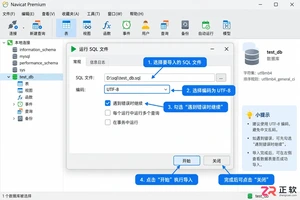
详解Navicat导入数据库的标准步骤,涵盖SQL脚本执行与CSV数据导入两种核心场景。针对导入过程中常见的字符集乱码、主键冲突及外键约束错误,提供具体的设置方法与修复建议,确保数据迁移准确无误。
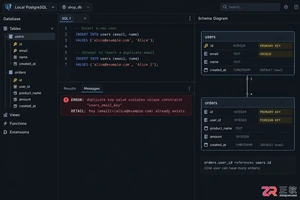
深入理解SQL PRIMARY KEY与UNIQUE约束的区别。文章从行标识与重复限制的目标出发,详解主键的非空特性、外键引用角色以及多数据库对NULL值的处理差异。结合users表实战示例,指导开发者如何根据字段稳定性与业务语义合理选择约束类型,避免设计误区。
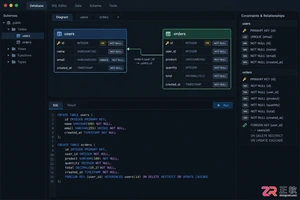
刚开始设计关系型数据库?了解PRIMARY KEY、FOREIGN KEY、UNIQUE、NOT NULL、CHECK、DEFAULT等约束的作用、语法和排错方法。本文以PostgreSQL语法为主,结合用户订单场景,清晰展示如何防止脏数据并处理常见约束冲突。
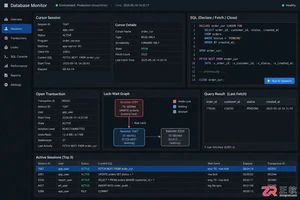
深入解析SQL游标导致的死锁与资源未释放问题。通过PostgreSQL与MySQL语法对比,展示如何识别长事务持锁、分析锁等待链,并提供短事务提交、异常清理及批量处理的最佳实践,确保数据库连接与锁资源及时释放。
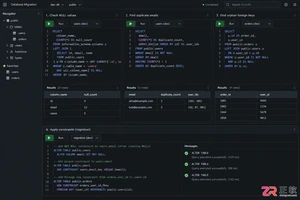
后端开发者在维护数据库时,常需对现有表添加主键、唯一或外键约束。若直接执行ADD CONSTRAINT,往往因存量数据不合规导致报错。本文详解操作前的数据清洗步骤、标准SQL语法及MySQL等特殊写法,帮助你在生产环境安全完成结构变更。
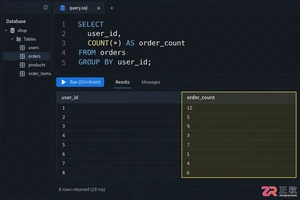
针对 SQL 初学者的分组统计实战指南。深入解析 GROUP BY 分组机制、WHERE 与 HAVING 的执行时机差异,以及 COUNT 函数对 NULL 值的处理逻辑。通过具体代码示例演示如何正确筛选聚合结果,并排查因 JOIN 连接导致的统计数据异常,提升报表准确性。
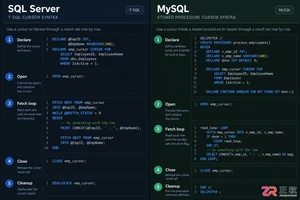
本文详细对比SQL Server和MySQL中游标的基本用法。从DECLARE声明到FETCH遍历,再到CLOSE关闭与DEALLOCATE/Handler清理,解析两者在语法结构、变量接收及异常处理上的核心差异。通过标准代码示例展示如何安全使用游标,避免资源泄漏,适用于需要进行数据库存储过程开发或跨平台迁移的开发者。

深入解析SQL中INNER JOIN与LEFT JOIN的核心区别。通过users和orders表实例,展示匹配行保留与NULL补位机制,重点讲解ON与WHERE子句中放置右表过滤条件的不同后果,提供防止LEFT JOIN退化的实战技巧及行数异常排查步骤。
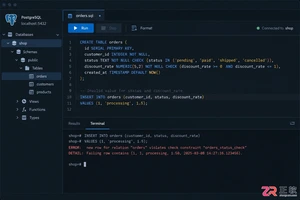
深入理解 SQL CHECK 约束在 PostgreSQL、MySQL 等数据库中的实现差异。文章通过订单业务场景,讲解如何定义单列范围与多列逻辑约束,分析 NULL 值对布尔条件的影响,并提供修改已有表结构时的安全操作建议,帮助开发者构建更健壮的数据完整性防线。
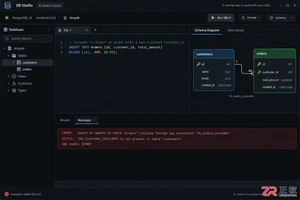
后端开发中,如何正确使用 SQL 外键约束来维护订单与明细表的关系?本文通过 PostgreSQL 示例,深入讲解外键的创建语法、插入顺序要求,以及 ON DELETE CASCADE、RESTRICT、SET NULL 等策略的实际影响与风险控制,助你构建健壮的数据库结构。





火山引擎是字节跳动旗下企业级云与AI服务平台。聚焦大模型核心能力,依托字节自研豆包多模态大模型,凭借火山方舟一站式平台,提供模型精调、推理部署、智能应用搭建等全链路服务,结合高性能AI算力,助力各行业快速落地大模型数字化与智能化应用。



