FastStone Capture怎么截图 FastStone Capture截图教程
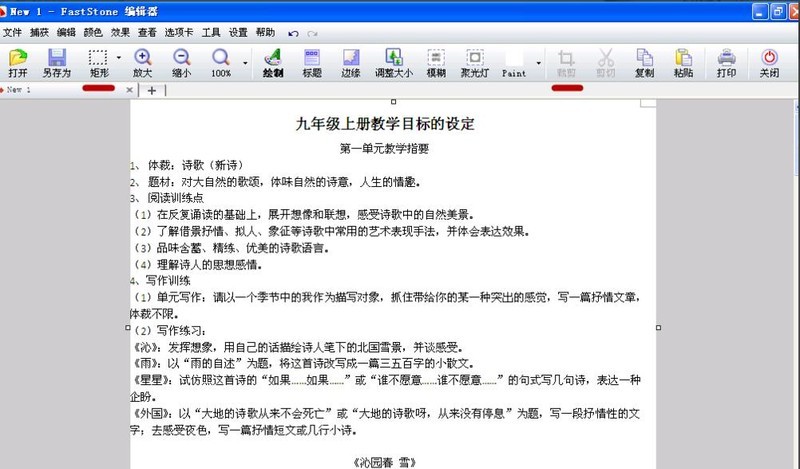
首先,在电脑上打开需要截图的WORD文档。然后,打开FastStoneCapture软件,会出现一个工具栏。接着,切换到文档界面,然后点击【捕获滚动窗口】按钮,如图。界面会出现红框,鼠标点击文档,文档就会滚动抓图到文档结束,结束时会发出轻轻的【当】的一声。如果想中间停止,按【esc】键停止。抓图结束后,可以直接保存为图片。FastStoneCapture截图教程小编就分享到这里了,希望可以帮助大家更好地使用FastStoneCapture哦。
首先,在电脑上打开需要截图的WORD文档。
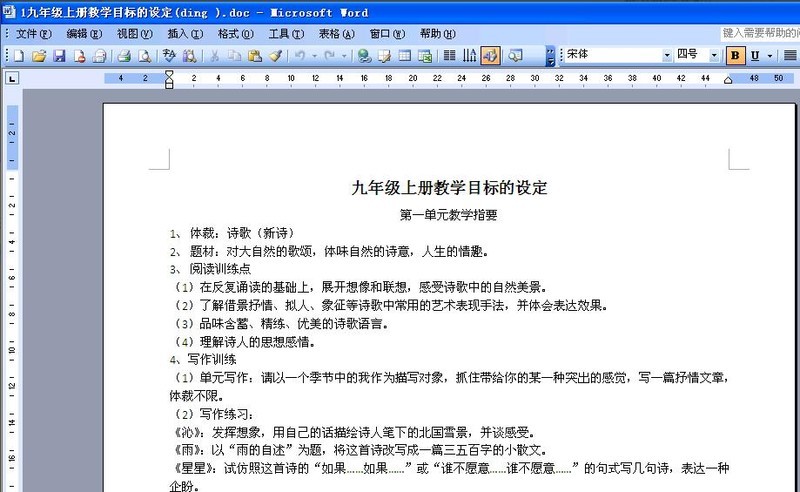
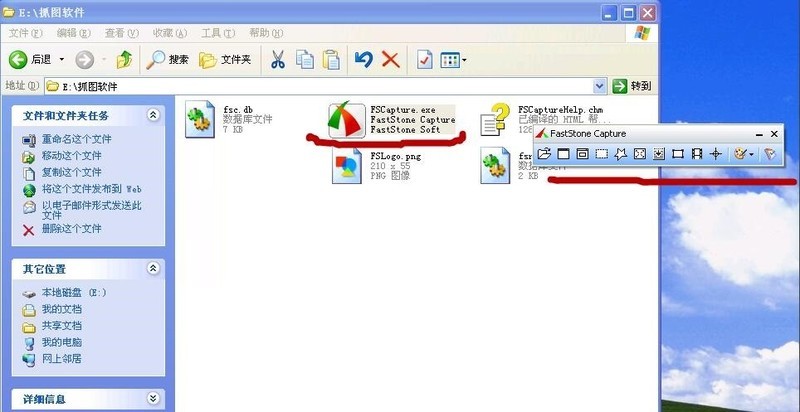
然后,打开FastStone Capture软件,会出现一个工具栏。
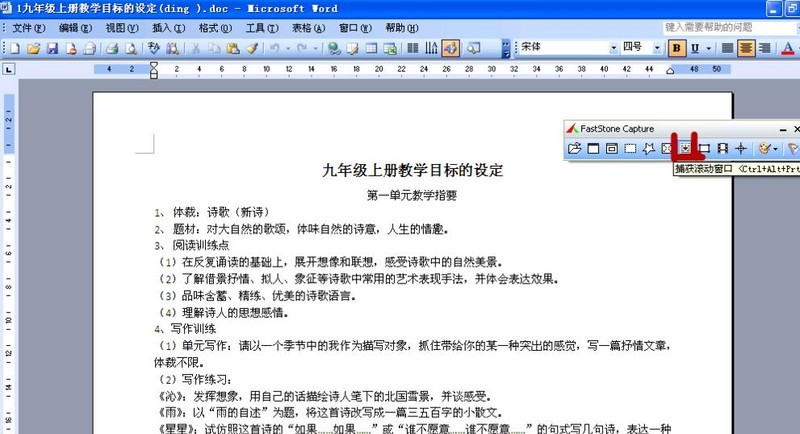
接着,切换到文档界面,然后点击【捕获滚动窗口】按钮,如图。
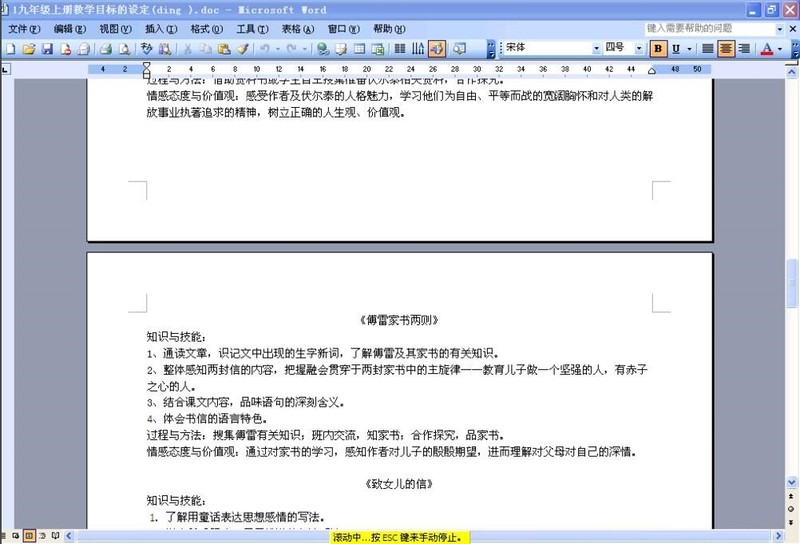
界面会出现红框,鼠标点击文档,文档就会滚动抓图到文档结束,结束时会发出轻轻的【当】的一声。如果想中间停止,按【esc】键停止。抓图结束后,可以直接保存为图片。
FastStone Capture截图教程小编就分享到这里了,希望可以帮助大家更好地使用FastStone Capture哦。
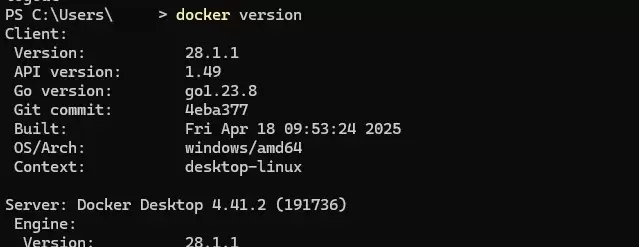
本文提供Windows环境下安装Docker Desktop的完整步骤,重点在于启用WSL2后端及验证容器运行。通过PowerShell执行docker version确认客户端与服务端连通,并运行hello-world测试镜像完成基础环境搭建。
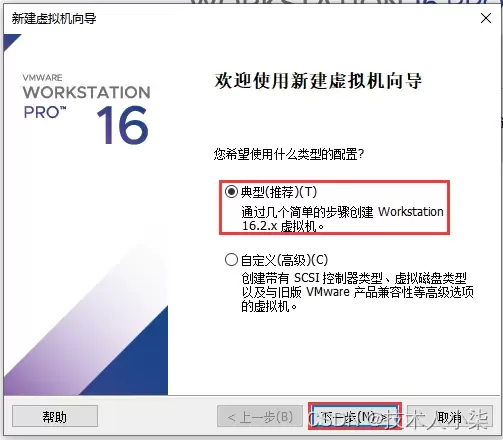
本文详细讲解如何在VMware Workstation中从零开始安装CentOS 7虚拟机。内容涵盖ISO镜像准备、典型配置创建、硬件参数分配(磁盘与内存)、安装器操作及首次启动后的版本与网络验证。通过规范化的步骤指引,帮助读者快速搭建稳定可用的Linux学习环境,并解决常见的启动与网络故障。
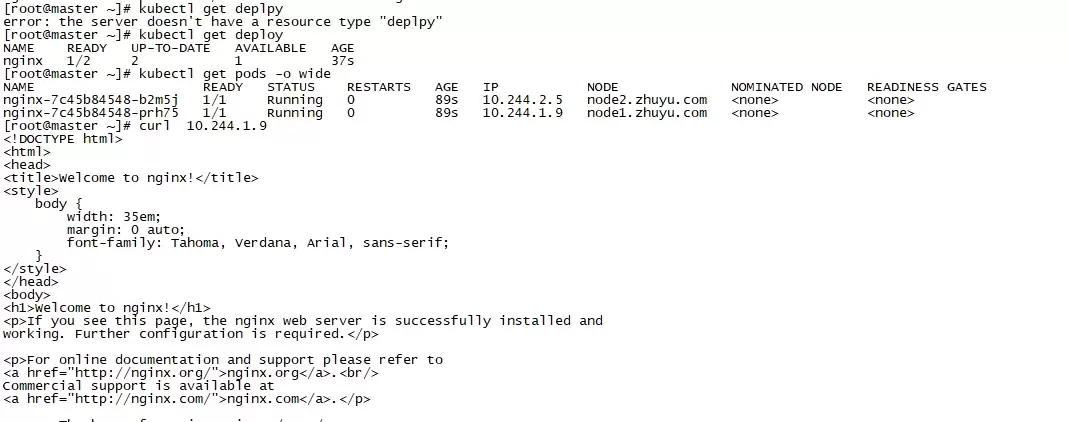
本文指导使用 kubectl 创建最小 nginx Deployment,并通过 READY、UP-TO-DATE、AVAILABLE 与 Pod Running 状态进行验收。重点区分“命令已接收”和“工作负载已可用”,并在状态异常时利用 Pod 详情与事件输出定位镜像、调度或启动问题。
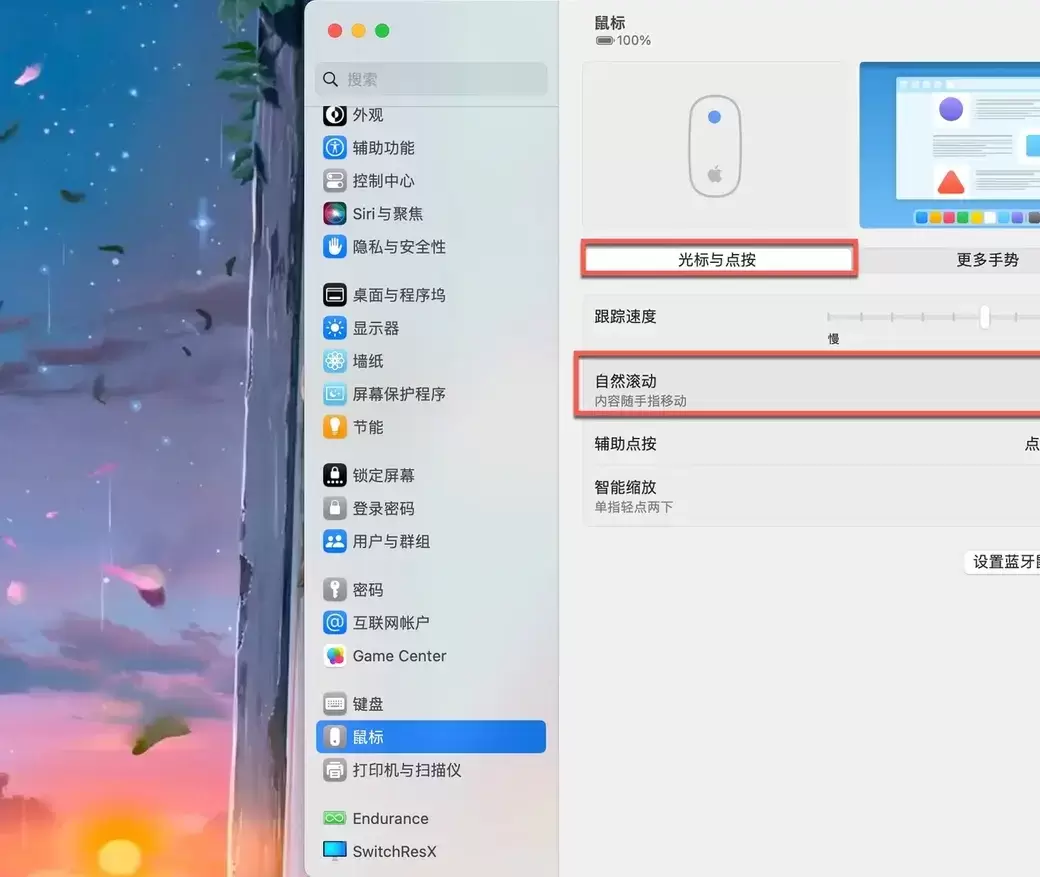
Mac外接鼠标滚动方向与触控板不一致时,可通过系统设置中的“自然滚动”开关调整。本文详解如何进入鼠标设置页面、切换滚动逻辑,并提供鼠标与触控板方向分离的第三方工具方案,解决滚轮手感不适及多设备冲突问题。
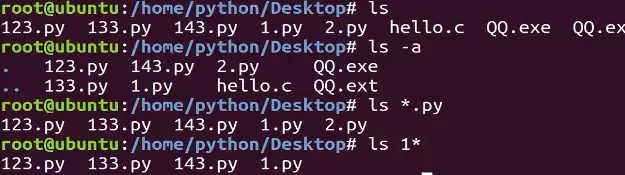
本教程指导Ubuntu新手打开终端,通过pwd、ls、cd、mkdir和touch命令完成基础文件目录操作。适用于桌面版、虚拟机及WSL环境,提供从查看路径到创建测试文件的完整验证步骤,帮助读者建立命令行操作的安全意识与正确习惯。
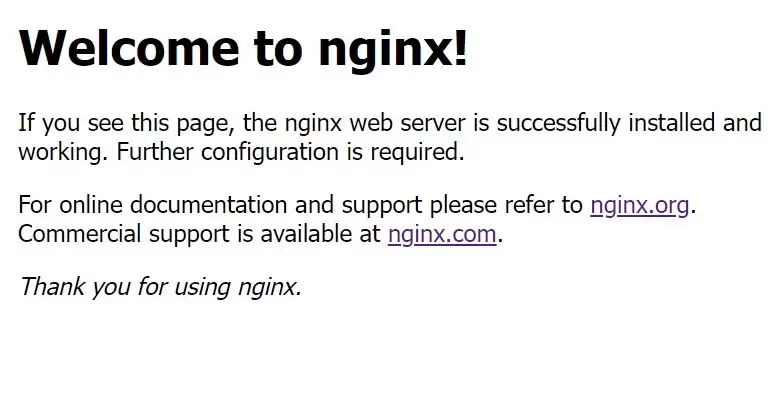
本教程针对Windows环境,详解Nginx稳定版(如1.24.0)的下载、解压、启动及验证流程。核心步骤包括:下载官方压缩包至英文目录,使用start nginx启动,通过localhost访问默认页面,并利用tasklist和nginx -t命令确认进程状态及配置语法。涵盖端口冲突排查、配置重载及停止服务的标准操作,适用于本地开发环境搭建与基础运维验证。
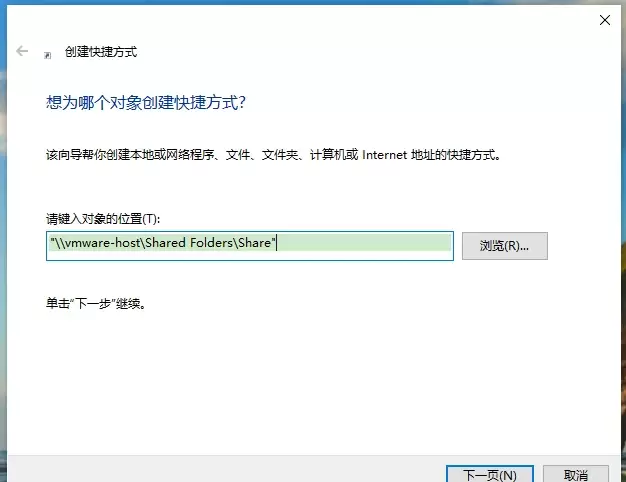
本文提供VMware虚拟机共享文件夹的配置与验证方法。核心步骤包括:确保VMware Tools已安装,在虚拟机设置中启用共享文件夹并添加主机目录,最后通过读写测试文件确认传输正常。适用于Windows及Linux虚拟机,旨在解决主机与虚拟机间文件交换问题。
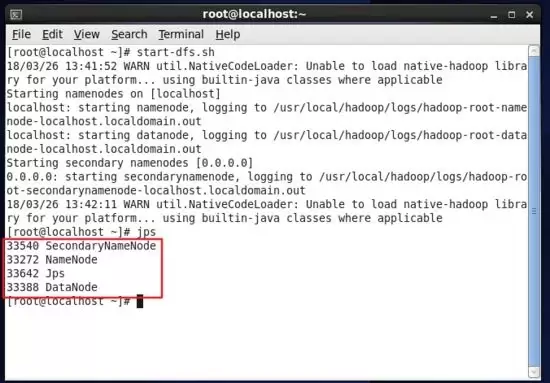
本教程指导大数据分析师在Linux环境中安装Hadoop,通过配置环境变量、验证版本及启动服务,确保Java和Hadoop命令可用。最终利用jps命令检查NameNode等核心进程状态,为后续学习HDFS和Spark打下基础。
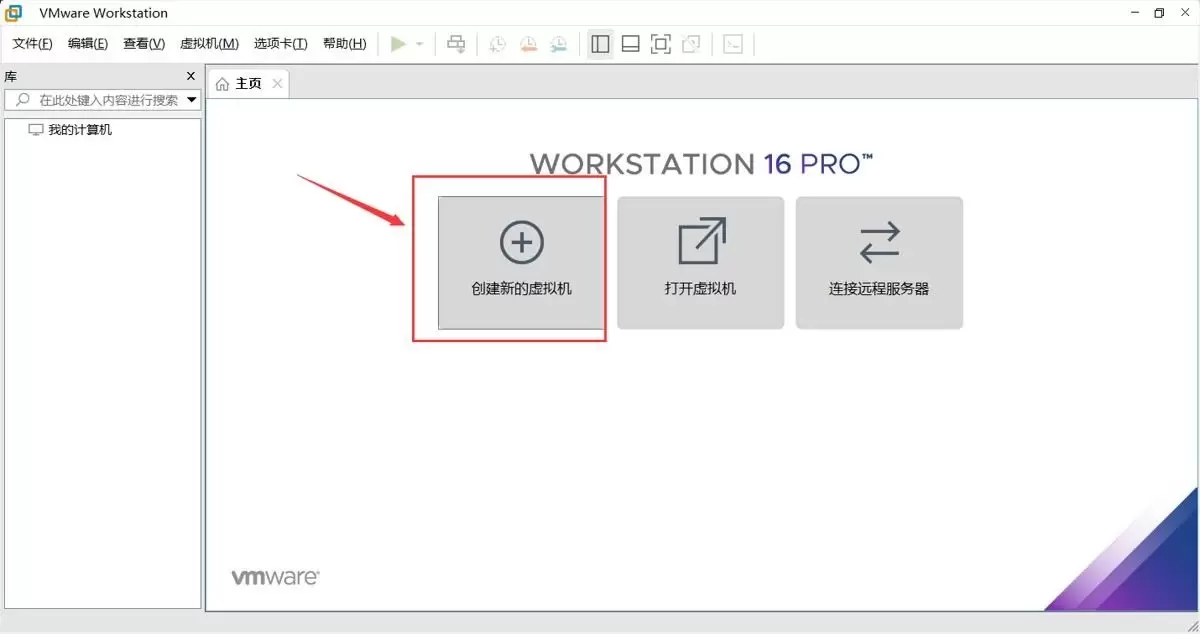
本文提供在VMware中安装Ubuntu并验证启动的完整流程。适用于首次练习Linux或搭建开发环境的用户。按步骤完成虚拟机创建、ISO挂载、硬件分配与安装后,可通过终端命令确认版本、内核与网络状态,确保系统可正常使用。
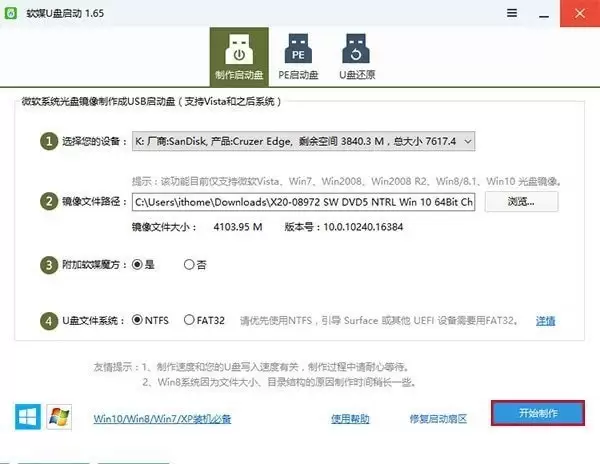
本文提供从准备镜像到完成安装的完整链路。需准备8GB以上U盘与官方镜像,制作启动盘会清空U盘数据。通过F12等快捷键或BIOS设置从U盘启动,安装时选择专业版并谨慎分区。完成后在“设置—系统—关于”验证版本,并检查激活与驱动状态。





Windows 10 是一款微软推出的经典操作系统,拥有硬件兼容性与多任务处理能力。它更偏向把系统状态查看和常用调节动作放在一起,适合需要持续观察和微调设备状态的场景。

极度公式是一款跨平台专业LaTeX公式识别编辑软件,支持OCR公式识别和多平台编辑。和使用说明,避免使用,享受完整功能与稳定支持。做扫描整理、文字提取和表格转换时,它能把识别后的处理步骤接得更顺,资料录入这类场景会省下不少时间。