

怎么创建一个创建MySQL数据库中的datetime类型
环境系统平台:MicrosoftWindows(64-bit)10版本:4.5瀚高数据库中支持使用以下语句创建用户定义的数据类型:CREATEDOMAIN:它创建了一个用户定义的数据类型,可以有可选的约束,基于其他基本类型,实质是定义一个域。CREATETYPE:它通常用于使用存储过程创建复合类型(两种或多种数据类型混合的数据类型)。一、domain用法及示例假如有以下表结构:createtabletest_domain(idvarchar,md5textnotnullcheck(length(md5)=
环境系统平台:Microsoft Windows (64-bit) 10版本:4.5
瀚高数据库中支持使用以下语句创建用户定义的数据类型:
CREATE DOMAIN:它创建了一个用户定义的数据类型,可以有可选的约束,基于其他基本类型,实质是定义一个域。CREATE TYPE:它通常用于使用存储过程创建复合类型(两种或多种数据类型混合的数据类型)。
一、domain用法及示例
假如有以下表结构:
create table test_domain (id varchar,md5 text not null check(length(md5)=32));
其中md5列的类型及约束,可以定义一个domain来抽象,如下:
highgo=# create domain md5 as

highgo-# text not null

highgo-# check (

highgo(#     length(value) = 32

highgo(# );

CREATE DOMAIN

highgo=#

highgo=# \dD md5

                                  List of domains

 Schema | Name | Type | Collation | Nullable | Default |           Check

--------+------+------+-----------+----------+---------+----------------------------

 public | md5  | text |           | not null |         | CHECK (length(VALUE) = 32)

(1 row)

highgo=# create table test_domain (id varchar,md5 md5);

CREATE TABLE

highgo=# insert into test_domain values('1','2');

ERROR:  value for domain md5 violates check constraint "md5_check"

highgo=# insert into test_domain values('2','76a2173be6393254e72ffa4d6df1030a');

INSERT 0 1
二、创建MySQL中datetime类型
highgo=# create domain datetime as timestamp without time zone;

highgo=# create table t_time (id int,create_time datetime);

CREATE TABLE

highgo=# \d+ t_time

                                     Table "public.t_time"

   Column    |   Type   | Collation | Nullable | Default | Storage | Stats target | Description

-------------+----------+-----------+----------+---------+---------+--------------+-------------

 id          | integer  |           |          |         | plain   |              |

 create_time | datetime |           |          |         | plain   |              |

Access method: heap

highgo=# insert into t_time values (1,now()),(2,now());

INSERT 0 2

highgo=#

highgo=# select * from t_time;

 id |        create_time

----+----------------------------

  1 | 2021-08-03 19:28:11.207324

  2 | 2021-08-03 19:28:11.207324

(2 rows)
三、create type用法及示例
CREATE TYPE name AS

    ( [ attribute_name data_type [ COLLATE collation ] [, ... ] ] )

CREATE TYPE name AS ENUM

    ( [ 'label' [, ... ] ] )

CREATE TYPE name AS RANGE (

    SUBTYPE = subtype

    [ , SUBTYPE_OPCLASS = subtype_operator_class ]

    [ , COLLATION = collation ]

    [ , CANONICAL = canonical_function ]

    [ , SUBTYPE_DIFF = subtype_diff_function ]

)

CREATE TYPE name (

    INPUT = input_function,

    OUTPUT = output_function

    [ , RECEIVE = receive_function ]

    [ , SEND = send_function ]

    [ , TYPMOD_IN = type_modifier_input_function ]

    [ , TYPMOD_OUT = type_modifier_output_function ]

    [ , ANALYZE = analyze_function ]

    [ , INTERNALLENGTH = { internallength | VARIABLE } ]

    [ , PASSEDBYVALUE ]

    [ , ALIGNMENT = alignment ]

    [ , STORAGE = storage ]

    [ , LIKE = like_type ]

    [ , CATEGORY = category ]

    [ , PREFERRED = preferred ]

    [ , DEFAULT = default ]

    [ , ELEMENT = element ]

    [ , DELIMITER = delimiter ]

    [ , COLLATABLE = collatable ]

)

CREATE TYPE name
创建示例:
CREATE TYPE compfoo AS (f1 int, f2 text);

CREATE FUNCTION getfoo() RETURNS SETOF compfoo AS $$

    SELECT fooid, fooname FROM foo

$$ LANGUAGE SQL;

CREATE TYPE bug_status AS ENUM ('new', 'open', 'closed');

CREATE TABLE bug (

    id serial,

    description text,

    status bug_status

);

CREATE TYPE float8_range AS RANGE (subtype = float8, subtype_diff = float8mi); 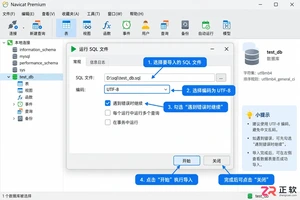
详解Navicat导入数据库的标准步骤,涵盖SQL脚本执行与CSV数据导入两种核心场景。针对导入过程中常见的字符集乱码、主键冲突及外键约束错误,提供具体的设置方法与修复建议,确保数据迁移准确无误。
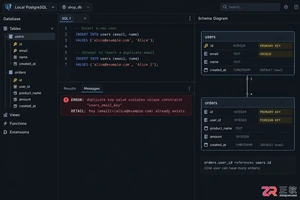
深入理解SQL PRIMARY KEY与UNIQUE约束的区别。文章从行标识与重复限制的目标出发,详解主键的非空特性、外键引用角色以及多数据库对NULL值的处理差异。结合users表实战示例,指导开发者如何根据字段稳定性与业务语义合理选择约束类型,避免设计误区。
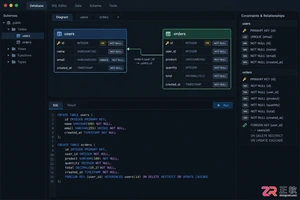
刚开始设计关系型数据库?了解PRIMARY KEY、FOREIGN KEY、UNIQUE、NOT NULL、CHECK、DEFAULT等约束的作用、语法和排错方法。本文以PostgreSQL语法为主,结合用户订单场景,清晰展示如何防止脏数据并处理常见约束冲突。
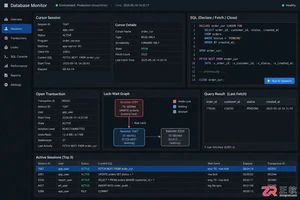
深入解析SQL游标导致的死锁与资源未释放问题。通过PostgreSQL与MySQL语法对比,展示如何识别长事务持锁、分析锁等待链,并提供短事务提交、异常清理及批量处理的最佳实践,确保数据库连接与锁资源及时释放。
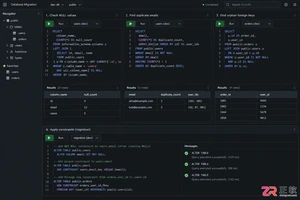
后端开发者在维护数据库时,常需对现有表添加主键、唯一或外键约束。若直接执行ADD CONSTRAINT,往往因存量数据不合规导致报错。本文详解操作前的数据清洗步骤、标准SQL语法及MySQL等特殊写法,帮助你在生产环境安全完成结构变更。
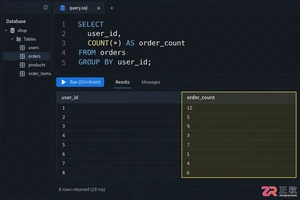
针对 SQL 初学者的分组统计实战指南。深入解析 GROUP BY 分组机制、WHERE 与 HAVING 的执行时机差异,以及 COUNT 函数对 NULL 值的处理逻辑。通过具体代码示例演示如何正确筛选聚合结果,并排查因 JOIN 连接导致的统计数据异常,提升报表准确性。
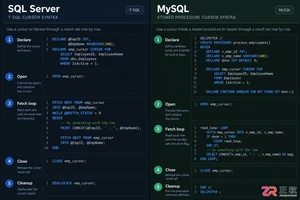
本文详细对比SQL Server和MySQL中游标的基本用法。从DECLARE声明到FETCH遍历,再到CLOSE关闭与DEALLOCATE/Handler清理,解析两者在语法结构、变量接收及异常处理上的核心差异。通过标准代码示例展示如何安全使用游标,避免资源泄漏,适用于需要进行数据库存储过程开发或跨平台迁移的开发者。

深入解析SQL中INNER JOIN与LEFT JOIN的核心区别。通过users和orders表实例,展示匹配行保留与NULL补位机制,重点讲解ON与WHERE子句中放置右表过滤条件的不同后果,提供防止LEFT JOIN退化的实战技巧及行数异常排查步骤。
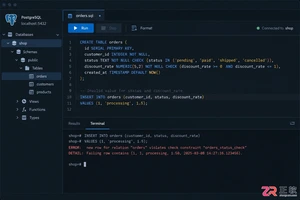
深入理解 SQL CHECK 约束在 PostgreSQL、MySQL 等数据库中的实现差异。文章通过订单业务场景,讲解如何定义单列范围与多列逻辑约束,分析 NULL 值对布尔条件的影响,并提供修改已有表结构时的安全操作建议,帮助开发者构建更健壮的数据完整性防线。
后端开发中,如何正确使用 SQL 外键约束来维护订单与明细表的关系?本文通过 PostgreSQL 示例,深入讲解外键的创建语法、插入顺序要求,以及 ON DELETE CASCADE、RESTRICT、SET NULL 等策略的实际影响与风险控制,助你构建健壮的数据库结构。





火山引擎是字节跳动旗下企业级云与AI服务平台。聚焦大模型核心能力,依托字节自研豆包多模态大模型,凭借火山方舟一站式平台,提供模型精调、推理部署、智能应用搭建等全链路服务,结合高性能AI算力,助力各行业快速落地大模型数字化与智能化应用。



