

mysql多实例如何部署
mysql多实例部署软件下载[root@lnh~]#rpm-qa|grepmysql[root@lnh~]#ss-antlStateRecv-QSend-QLocalAddress:PortPeerAddress:PortProcessLISTEN01280.0.0.0:220.0.0.0:*LISTEN0128[::]:22[::]:*//验证一下是否有mysql[root@lnh~]#cd/usr/src/[root@lnhsrc]#wgethttps://downloads.mysql.com/ar
mysql多实例部署
软件下载
[root@lnh ~]# rpm -qa |grep mysql
[root@lnh ~]# ss -antl
State    Recv-Q   Send-Q     Local Address:Port      Peer Address:Port   Process
LISTEN   0        128              0.0.0.0:22             0.0.0.0:*
LISTEN   0        128                 [::]:22                [::]:*
//验证一下是否有mysql
[root@lnh ~]# cd /usr/src/
[root@lnh src]# wget https://downloads.mysql.com/archives/get/p/23/file/mysql-5.7.38-linux-glibc2.12-x86_64.tar.gz
--2022-07-31 14:25:22--  https://downloads.mysql.com/archives/get/p/23/file/mysql-5.7.38-linux-glibc2.12-x86_64.tar.gz
Resolving downloads.mysql.com (downloads.mysql.com)... 23.10.6.175, 2600:1405:1800:19c::2e31, 2600:1405:1800:184::2e31
Connecting to downloads.mysql.com (downloads.mysql.com)|23.10.6.175|:443... connected.
HTTP request sent, awaiting response... 302 Moved Temporarily
Location: https://cdn.mysql.com/archives/mysql-5.7/mysql-5.7.38-linux-glibc2.12-x86_64.tar.gz [following]
--2022-07-31 14:25:23--  https://cdn.mysql.com/archives/mysql-5.7/mysql-5.7.38-linux-glibc2.12-x86_64.tar.gz
Resolving cdn.mysql.com (cdn.mysql.com)... 23.212.157.5
Connecting to cdn.mysql.com (cdn.mysql.com)|23.212.157.5|:443... connected.
HTTP request sent, awaiting response... 200 OK
Length: 674830866 (644M) [application/x-tar-gz]
Saving to: ‘mysql-5.7.38-linux-glibc2.12-x86_64.tar.gz'

mysql-5.7.38-linux-g 100%[=====================>] 643.57M  1.88MB/s    in 8m 54s

2022-07-31 14:34:17 (1.21 MB/s) - ‘mysql-5.7.38-linux-glibc2.12-x86_64.tar.gz' saved [674830866/674830866]
//在www.mysql.com里面进行复制下载地址
[root@lnh src]# ls
debug  kernels  mysql-5.7.38-linux-glibc2.12-x86_64.tar.gz
配置用户并解压二进制程序至/usr/local下
[root@lnh src]# useradd -r -M -s /sbin/nologin mysql
[root@lnh src]# id mysql
uid=993(mysql) gid=990(mysql) groups=990(mysql)
[root@lnh src]# tar -xf mysql-5.7.38-linux-glibc2.12-x86_64.tar.gz -C /usr/local/
[root@lnh src]# cd /usr/local/
[root@lnh local]# ll    //查看解压的东西
total 0
drwxr-xr-x. 14 root root 164 Jul 21 21:32 apache
drwxr-xr-x.  6 root root  58 Jul 21 21:12 apr
drwxr-xr-x.  5 root root  43 Jul 21 21:17 apr-util
drwxr-xr-x.  2 root root   6 May 19  2020 bin
drwxr-xr-x.  2 root root   6 May 19  2020 etc
drwxr-xr-x.  2 root root   6 May 19  2020 games
drwxr-xr-x.  2 root root   6 May 19  2020 include
drwxr-xr-x.  2 root root   6 May 19  2020 lib
drwxr-xr-x.  3 root root  17 Jul 19 16:13 lib64
drwxr-xr-x.  2 root root   6 May 19  2020 libexec
drwxr-xr-x.  9 root root 129 Jul 31 14:56 mysql-5.7.38-linux-glibc2.12-x86_64
drwxr-xr-x.  2 root root   6 May 19  2020 sbin
drwxr-xr-x.  5 root root  49 Jul 19 16:13 share
drwxr-xr-x.  5 root root 145 Jul 21 21:19 src
[root@lnh local]# ln -sv mysql-5.7.38-linux-glibc2.12-x86_64 mysql     //做一个软链接              //-v是将结果打印出来
'mysql' -> 'mysql-5.7.38-linux-glibc2.12-x86_64'
[root@lnh local]# ll   //查看
total 0
drwxr-xr-x. 14 root root 164 Jul 21 21:32 apache
drwxr-xr-x.  6 root root  58 Jul 21 21:12 apr
drwxr-xr-x.  5 root root  43 Jul 21 21:17 apr-util
drwxr-xr-x.  2 root root   6 May 19  2020 bin
drwxr-xr-x.  2 root root   6 May 19  2020 etc
drwxr-xr-x.  2 root root   6 May 19  2020 games
drwxr-xr-x.  2 root root   6 May 19  2020 include
drwxr-xr-x.  2 root root   6 May 19  2020 lib
drwxr-xr-x.  3 root root  17 Jul 19 16:13 lib64
drwxr-xr-x.  2 root root   6 May 19  2020 libexec
lrwxrwxrwx.  1 root root  35 Jul 31 14:58 mysql -> mysql-5.7.38-linux-glibc2.12-x86_64
drwxr-xr-x.  9 root root 129 Jul 31 14:56 mysql-5.7.38-linux-glibc2.12-x86_64
drwxr-xr-x.  2 root root   6 May 19  2020 sbin
drwxr-xr-x.  5 root root  49 Jul 19 16:13 share
drwxr-xr-x.  5 root root 145 Jul 21 21:19 src
[root@lnh local]# chown -R mysql.mysql mysql*  //将软链接的属主属组改成mysql的
[root@lnh local]# ll
total 0
drwxr-xr-x. 14 root  root  164 Jul 21 21:32 apache
drwxr-xr-x.  6 root  root   58 Jul 21 21:12 apr
drwxr-xr-x.  5 root  root   43 Jul 21 21:17 apr-util
drwxr-xr-x.  2 root  root    6 May 19  2020 bin
drwxr-xr-x.  2 root  root    6 May 19  2020 etc
drwxr-xr-x.  2 root  root    6 May 19  2020 games
drwxr-xr-x.  2 root  root    6 May 19  2020 include
drwxr-xr-x.  2 root  root    6 May 19  2020 lib
drwxr-xr-x.  3 root  root   17 Jul 19 16:13 lib64
drwxr-xr-x.  2 root  root    6 May 19  2020 libexec
lrwxrwxrwx.  1 mysql mysql  35 Jul 31 14:58 mysql -> mysql-5.7.38-linux-glibc2.12-x86_64
drwxr-xr-x.  9 mysql mysql 129 Jul 31 14:56 mysql-5.7.38-linux-glibc2.12-x86_64
drwxr-xr-x.  2 root  root    6 May 19  2020 sbin
drwxr-xr-x.  5 root  root   49 Jul 19 16:13 share
drwxr-xr-x.  5 root  root  145 Jul 21 21:19 src
[root@lnh local]# ls  //编译三部曲已经完成
apache    bin    include  libexec                              sbin
apr       etc    lib      mysql                                share
apr-util  games  lib64    mysql-5.7.38-linux-glibc2.12-x86_64  src
[root@lnh local]# cd mysql
[root@lnh mysql]# ls
bin  docs  include  lib  LICENSE  man  README  share  support-files
[root@lnh mysql]# echo 'export PATH=$PATH:/usr/local/mysql/bin' > /etc/profile.d/mysql.sh
//配置环境变量
[root@lnh mysql]# source /etc/profile.d/mysql.sh
//使环境生效
[root@lnh mysql]# ln -sv /usr/local/mysql/include/ /usr/include/mysql
'/usr/include/mysql' -> '/usr/local/mysql/include/'
//做include的头文件让系统可以识别
[root@lnh mysql]# chown -R mysql.mysql /usr/include/mysql
//将软链接的属主属组改成mysql的
[root@lnh mysql]# ll -d /usr/include/mysql/
drwxr-xr-x. 3 mysql mysql 4096 Jul 31 14:56 /usr/include/mysql/
[root@lnh mysql]# vim /etc/ld.so.conf.d/mysql.conf
[root@lnh mysql]# cat /etc/ld.so.conf.d/mysql.conf
/usr/local/mysql/lib
//配置lib
[root@lnh mysql]# ldconfig
//刷新配置
[root@lnh mysql]# vim /etc/man_db.conf
#MANDATORY_MANPATH                      /usr/src/pvm3/man
#
MANDATORY_MANPATH                       /usr/man
MANDATORY_MANPATH                       /usr/share/man
MANDATORY_MANPATH                       /usr/local/share/man
MANDATORY_MANPATH                       /usr/local/mysql/man//添加这一行
创建各实例数据存放的目录
[root@lnh ~]# mkdir -p /opt/data/{3306,3307,3308}  //创建存放目录
[root@lnh ~]# chown -R mysql.mysql /opt/data/
[root@lnh ~]# ll -d /opt/data/
drwxr-xr-x. 5 mysql mysql 42 Jul 31 15:24 /opt/data/
//修改其所属主所属组
[root@lnh ~]# tree /opt/data/
/opt/data/
├── 3306
├── 3307
└── 3308

3 directories, 0 files
//查看其结构
初始化各实例
[root@lnh ~]# mysqld --initialize --user mysql --datadir /opt/data/3306 //初始化实例   --user指定用户 --datadir指定数据目录
2022-07-31T07:29:37.154689Z 0 [Warning] TIMESTAMP with implicit DEFAULT value is deprecated. Please use --explicit_defaults_for_timestamp server option (see documentation for more details).
2022-07-31T07:29:37.346729Z 0 [Warning] InnoDB: New log files created, LSN=45790
2022-07-31T07:29:37.389866Z 0 [Warning] InnoDB: Creating foreign key constraint system tables.
2022-07-31T07:29:37.450981Z 0 [Warning] No existing UUID has been found, so we assume that this is the first time that this server has been started. Generating a new UUID: 88389665-10a2-11ed-9840-000c2905f428.
2022-07-31T07:29:37.452192Z 0 [Warning] Gtid table is not ready to be used. Table 'mysql.gtid_executed' cannot be opened.
2022-07-31T07:29:37.758320Z 0 [Warning] A deprecated TLS version TLSv1 is enabled. Please use TLSv1.2 or higher.
2022-07-31T07:29:37.758378Z 0 [Warning] A deprecated TLS version TLSv1.1 is enabled. Please use TLSv1.2 or higher.
2022-07-31T07:29:37.759177Z 0 [Warning] CA certificate ca.pem is self signed.
2022-07-31T07:29:37.780720Z 1 [Note] A temporary password is generated for root@localhost: AqldE*a:O8FR
[root@lnh ~]# echo 'AqldE*a:O8FR' > 3306
[root@lnh ~]# cat 3306
AqldE*a:O8FR
//将这个格式化的随机密码生成到一个文件里面
[root@lnh ~]# mysqld --initialize --user mysql --datadir /opt/data/3307   //格式化3307
2022-07-31T07:33:29.214978Z 0 [Warning] TIMESTAMP with implicit DEFAULT value is deprecated. Please use --explicit_defaults_for_timestamp server option (see documentation for more details).
2022-07-31T07:33:29.491805Z 0 [Warning] InnoDB: New log files created, LSN=45790
2022-07-31T07:33:29.524728Z 0 [Warning] InnoDB: Creating foreign key constraint system tables.
2022-07-31T07:33:29.598226Z 0 [Warning] No existing UUID has been found, so we assume that this is the first time that this server has been started. Generating a new UUID: 12977170-10a3-11ed-9d3d-000c2905f428.
2022-07-31T07:33:29.599323Z 0 [Warning] Gtid table is not ready to be used. Table 'mysql.gtid_executed' cannot be opened.
2022-07-31T07:33:29.932320Z 0 [Warning] A deprecated TLS version TLSv1 is enabled. Please use TLSv1.2 or higher.
2022-07-31T07:33:29.932367Z 0 [Warning] A deprecated TLS version TLSv1.1 is enabled. Please use TLSv1.2 or higher.
2022-07-31T07:33:29.932766Z 0 [Warning] CA certificate ca.pem is self signed.
2022-07-31T07:33:30.095306Z 1 [Note] A temporary password is generated for root@localhost: PAJBo+Gxg19I
[root@lnh ~]# echo ' PAJBo+Gxg19I' > 3307
[root@lnh ~]# cat 3307
 PAJBo+Gxg19I
[root@lnh ~]# mysqld --initialize --user mysql --datadir /opt/data/3308   //格式化3308
2022-07-31T07:34:23.861697Z 0 [Warning] TIMESTAMP with implicit DEFAULT value is deprecated. Please use --explicit_defaults_for_timestamp server option (see documentation for more details).
2022-07-31T07:34:24.082852Z 0 [Warning] InnoDB: New log files created, LSN=45790
2022-07-31T07:34:24.112764Z 0 [Warning] InnoDB: Creating foreign key constraint system tables.
2022-07-31T07:34:24.173299Z 0 [Warning] No existing UUID has been found, so we assume that this is the first time that this server has been started. Generating a new UUID: 331ef070-10a3-11ed-a122-000c2905f428.
2022-07-31T07:34:24.175009Z 0 [Warning] Gtid table is not ready to be used. Table 'mysql.gtid_executed' cannot be opened.
2022-07-31T07:34:24.374707Z 0 [Warning] A deprecated TLS version TLSv1 is enabled. Please use TLSv1.2 or higher.
2022-07-31T07:34:24.374737Z 0 [Warning] A deprecated TLS version TLSv1.1 is enabled. Please use TLSv1.2 or higher.
2022-07-31T07:34:24.375103Z 0 [Warning] CA certificate ca.pem is self signed.
2022-07-31T07:34:24.471521Z 1 [Note] A temporary password is generated for root@localhost: =w&lnU)d-7kK
[root@lnh ~]# echo ' =w&lnU)d-7kK' > 3308
[root@lnh ~]# cat 3308
 =w&lnU)d-7kK
[root@lnh ~]# ls
3306  3307  3308  anaconda-ks.cfg
安装perl
[root@lnh ~]# dnf -y install perl
Last metadata expiration check: 1:24:50 ago on Sun 31 Jul 2022 02:13:54 PM CST.
Dependencies resolved.
===================================================================================
 Package                      Arch   Version                       Repo       Size
===================================================================================
Installing:
 perl                         x86_64 4:5.26.3-420.el8              AppStream  73 k
Installing dependencies:
 perl-Algorithm-Diff          noarch 1.1903-9.el8                  base       52 k
 perl-Archive-Tar             noarch 2.30-1.el8                    base       79 k
 perl-Archive-Zip             noarch 1.60-3.el8                    AppStream 108 k
 perl-Attribute-Handlers      noarch 0.99-420.el8                  AppStream  89 k
 perl-B-Debug                 noarch 1.26-2.el8                    AppStream  26 k
 perl-CPAN                    noarch 2.18-397.el8                  AppStream 554 k
 perl-CPAN-Meta               noarch 2.150010-396.el8              AppStream 191 k
 perl-CPAN-Meta-Requirements  noarch 2.140-396.el8                 AppStream  37 k
 perl-CPAN-Meta-YAML          noarch 0.018-397.el8                 AppStream  34 k
 perl-Compress-Bzip2          x86_64 2.26-6.el8                    AppStream  72 k
 perl-Compress-Raw-Bzip2      x86_64 2.081-1.el8                   base       40 k
 perl-Compress-Raw-Zlib       x86_64 2.081-1.el8                   base       68 k
 perl-Config-Perl-V           noarch 0.30-1.el8                    AppStream  22 k
 perl-DB_File                 x86_64 1.842-1.el8                   AppStream  83 k
 perl-Data-OptList            noarch 0.110-6.el8                   AppStream  31 k
 perl-Data-Section            noarch 0.200007-3.el8                AppStream  30 k
 perl-Devel-PPPort            x86_64 3.36-5.el8                    AppStream 118 k
 perl-Devel-Peek              x86_64 1.26-420.el8                  AppStream  94 k
 perl-Devel-SelfStubber       noarch 1.06-420.el8                  AppStream  76 k
 perl-Devel-Size              x86_64 0.81-2.el8                    AppStream  34 k
 perl-Digest-SHA              x86_64 1:6.02-1.el8                  AppStream  66 k
 perl-Encode-devel            x86_64 4:2.97-3.el8                  AppStream  39 k
 perl-Env                     noarch 1.04-395.el8                  AppStream  21 k
 perl-ExtUtils-CBuilder       noarch 1:0.280230-2.el8              AppStream  48 k
 perl-ExtUtils-Command        noarch 1:7.34-1.el8                  AppStream  19 k
 perl-ExtUtils-Embed          noarch 1.34-420.el8                  AppStream  79 k
....
配置配置文件/etc/my.cnf
[root@lnh ~]# vim /etc/my.cnf
[root@lnh ~]# cat /etc/my.cnf
[mysqld_multi]  //程序命令
mysqld = /usr/local/mysql/bin/mysqld_safe //命令执行的路径
mysqladmin = /usr/local/mysql/bin/mysqladmin //命令执行的路径

[mysqld3306]
datadir = /opt/data/3306   //数据目录
port = 3306  //端口
socket = /tmp/mysql3306.sock  //套接字
pid-file = /opt/data/3306/mysql_3306.pid   //pid进程文件
log-error=/var/log/3306.log   //错误日志

[mysqld3307]
datadir = /opt/data/3307
port = 3307
socket = /tmp/mysql3307.sock
pid-file = /opt/data/3307/mysql_3307.pid
log-error=/var/log/3307.log

[mysqld3308]
datadir = /opt/data/3308
port = 3308
socket = /tmp/mysql3308.sock
pid-file = /opt/data/3308/mysql_3308.pid
log-error=/var/log/3308.log
启动各实例
[root@lnh ~]# mysqld_multi start 3306
[root@lnh ~]# mysqld_multi start 3307
[root@lnh ~]# mysqld_multi start 3308
[root@lnh ~]# ss -antl
State    Recv-Q   Send-Q     Local Address:Port      Peer Address:Port   Process
LISTEN   0        128              0.0.0.0:22             0.0.0.0:*
LISTEN   0        128                 [::]:22                [::]:*
LISTEN   0        80                     *:3306                 *:*
LISTEN   0        80                     *:3307                 *:*
LISTEN   0        80                     *:3308                 *:*
//这种方式启动不建议
[root@lnh ~]# mysqld_multi stop 3308
[root@lnh ~]# ss -antl
State    Recv-Q   Send-Q     Local Address:Port      Peer Address:Port   Process
LISTEN   0        128              0.0.0.0:22             0.0.0.0:*
LISTEN   0        128                 [::]:22                [::]:*
LISTEN   0        80                     *:3306                 *:*
LISTEN   0        80                     *:3307                 *:*
LISTEN   0        80                     *:3308                 *:*
//可以发现这种方式启动程序后关闭不了
[root@lnh ~]# ps -ef |grep 3306
root       71742       1  0 15:49 pts/1    00:00:00 /bin/sh /usr/local/mysql/bin/mysqld_safe --datadir=/opt/data/3306 --port=3306 --socket=/tmp/mysql3306.sock --pid-file=/opt/data/3306/mysql_3306.pid --log-error=/var/log/3306.log
mysql      71878   71742  0 15:49 pts/1    00:00:00 /usr/local/mysql/bin/mysqld --basedir=/usr/local/mysql --datadir=/opt/data/3306 --plugin-dir=/usr/local/mysql/lib/plugin --user=mysql --log-error=/var/log/3306.log --pid-file=/opt/data/3306/mysql_3306.pid --socket=/tmp/mysql3306.sock --port=3306
root       72257   66880  0 15:53 pts/1    00:00:00 grep --color=auto 3306
//查看3306进程
[root@lnh ~]# ps -ef |grep 3306 |grep -v grep
root       71742       1  0 15:49 pts/1    00:00:00 /bin/sh /usr/local/mysql/bin/mysqld_safe --datadir=/opt/data/3306 --port=3306 --socket=/tmp/mysql3306.sock --pid-file=/opt/data/3306/mysql_3306.pid --log-error=/var/log/3306.log
mysql      71878   71742  0 15:49 pts/1    00:00:00 /usr/local/mysql/bin/mysqld --basedir=/usr/local/mysql --datadir=/opt/data/3306 --plugin-dir=/usr/local/mysql/lib/plugin --user=mysql --log-error=/var/log/3306.log --pid-file=/opt/data/3306/mysql_3306.pid --socket=/tmp/mysql3306.sock --port=3306
//取反
[root@lnh ~]# ps -ef |grep 3306 |grep -v grep |awk '{print$2}'
71742
71878
//取出端口号
[root@lnh ~]# ps -ef |grep 3306 |grep -v grep |awk '{print$2}'|xargs kill -9
//xargs将前面的结果交给后面的来处理
//杀死了端口号,相当于这个命令可以控制服务停止
[root@lnh ~]# ps -ef |grep 3307 |grep -v grep |awk '{print$2}'|xargs kill -9
[root@lnh ~]# ps -ef |grep 3308 |grep -v grep |awk '{print$2}'|xargs kill -9
[root@lnh ~]# ss -antl
State    Recv-Q   Send-Q     Local Address:Port      Peer Address:Port   Process
LISTEN   0        128              0.0.0.0:22             0.0.0.0:*
LISTEN   0        128                 [::]:22                [::]:*
//端口号都被杀死
加入system服务里面
[root@lnh system]# cd
[root@lnh ~]# cd /usr/lib/systemd/system
[root@lnh system]# cp sshd.service 3306.service
[root@lnh system]# cp sshd.service 3307.service
[root@lnh system]# cp sshd.service 3308.service
[root@lnh system]# vim 3306.service
[Unit]
Description=3306 server daemon
After=network.target sshd-keygen.target

[Service]
Type=forking
ExecStart=/usr/local/mysql/bin/mysqld_multi start 3306 //开启的位置
ExecStop=ps -ef |grep 3306 |grep -v grep |awk '{print$2}'|xargs kill -9   //关闭的命令
ExecReload=/bin/kill -HUP $MAINPID

[Install]
WantedBy=multi-user.target
[root@lnh system]# cp 3306.service 3307.service
cp: overwrite '3307.service'? y
[root@lnh system]# vim 3307.service
[Unit]
Description=3307 server daemon
After=network.target sshd-keygen.target

[Service]
Type=forking
ExecStart=/usr/local/mysql/bin/mysqld_multi start 3307
ExecStop=ps -ef |grep 3307 |grep -v grep |awk '{print$2}'|xargs kill -9
ExecReload=/bin/kill -HUP $MAINPID

[Install]
WantedBy=multi-user.target
//快捷键 :% s/6/7/g 直接将6变成7
[root@lnh system]# cp 3306.service 3308.service
cp: overwrite '3308.service'? y
[root@lnh system]# vim 3308.service
[Unit]
Description=3308 server daemon
After=network.target sshd-keygen.target

[Service]
Type=forking
ExecStart=/usr/local/mysql/bin/mysqld_multi start 3308
ExecStop=ps -ef |grep 3308 |grep -v grep |awk '{print$2}'|xargs kill -9
ExecReload=/bin/kill -HUP $MAINPID

[Install]
WantedBy=multi-user.target
//快捷键 :% s/6/8/g 直接将6变成8
[root@lnh system]# systemctl daemon-reload
//加载一下
[root@lnh system]# systemctl stop firewalld
[root@lnh system]# systemctl disable firewalld.service
Removed /etc/systemd/system/multi-user.target.wants/firewalld.service.
Removed /etc/systemd/system/dbus-org.fedoraproject.FirewallD1.service.
[root@lnh system]# vim /etc/selinux/config
SELINUX=disabled   //修改
[root@lnh system]# setenforce 0
//关闭防火墙
[root@lnh system]# systemctl start 3306
[root@lnh system]# systemctl start 3307
[root@lnh system]# systemctl start 3308
[root@lnh system]# ss -antl
State    Recv-Q   Send-Q     Local Address:Port      Peer Address:Port   Process
LISTEN   0        128              0.0.0.0:22             0.0.0.0:*
LISTEN   0        128                 [::]:22                [::]:*
LISTEN   0        80                     *:3306                 *:*
LISTEN   0        80                     *:3307                 *:*
LISTEN   0        80                     *:3308                 *:*
//可以发现全部启动成功
//如果启动失败就在这个里面journalctl -xe找出错误点
初始化密码
[root@lnh ~]# cat 3306
AqldE*a:O8FR   //查看之前放置的密码
[root@lnh ~]# mysql -uroot -p'AqldE*a:O8FR' -S  /tmp/mysql3306.sock
mysql: [Warning] Using a password on the command line interface can be insecure.
Welcome to the MySQL monitor.  Commands end with ; or \g.
Your MySQL connection id is 2
Server version: 5.7.38

Copyright (c) 2000, 2022, Oracle and/or its affiliates.

Oracle is a registered trademark of Oracle Corporation and/or its
affiliates. Other names may be trademarks of their respective
owners.

Type 'help;' or '\h' for help. Type '\c' to clear the current input statement.

mysql> set password=password('3306');   //修改密码
Query OK, 0 rows affected, 1 warning (0.00 sec)

mysql> quit
Bye
[root@lnh ~]# mysql -uroot -p'3306' -S  /tmp/mysql3306.sock
mysql: [Warning] Using a password on the command line interface can be insecure.
Welcome to the MySQL monitor.  Commands end with ; or \g.
Your MySQL connection id is 3
Server version: 5.7.38 MySQL Community Server (GPL)

Copyright (c) 2000, 2022, Oracle and/or its affiliates.

Oracle is a registered trademark of Oracle Corporation and/or its
affiliates. Other names may be trademarks of their respective
owners.

Type 'help;' or '\h' for help. Type '\c' to clear the current input statement.

mysql>
//登录成功
[root@lnh ~]# cat 3307
 PAJBo+Gxg19I
[root@lnh ~]# mysql -uroot -p'PAJBo+Gxg19I' -S  /tmp/mysql3307.sock
mysql: [Warning] Using a password on the command line interface can be insecure.
Welcome to the MySQL monitor.  Commands end with ; or \g.
Your MySQL connection id is 3
Server version: 5.7.38

Copyright (c) 2000, 2022, Oracle and/or its affiliates.

Oracle is a registered trademark of Oracle Corporation and/or its
affiliates. Other names may be trademarks of their respective
owners.

Type 'help;' or '\h' for help. Type '\c' to clear the current input statement.

mysql> set password=password('3307');   //修改密码
Query OK, 0 rows affected, 1 warning (0.00 sec)

mysql> quit
Bye
[root@lnh ~]# mysql -uroot -p'3307' -S  /tmp/mysql3307.sock
mysql: [Warning] Using a password on the command line interface can be insecure.
Welcome to the MySQL monitor.  Commands end with ; or \g.
Your MySQL connection id is 4
Server version: 5.7.38 MySQL Community Server (GPL)

Copyright (c) 2000, 2022, Oracle and/or its affiliates.

Oracle is a registered trademark of Oracle Corporation and/or its
affiliates. Other names may be trademarks of their respective
owners.

Type 'help;' or '\h' for help. Type '\c' to clear the current input statement.

mysql>
//登录成功
[root@lnh ~]# cat 3308
 =w&lnU)d-7kK
[root@lnh ~]# mysql -uroot -p'=w&lnU)d-7kK' -S  /tmp/mysql3308.sock
mysql: [Warning] Using a password on the command line interface can be insecure.
Welcome to the MySQL monitor.  Commands end with ; or \g.
Your MySQL connection id is 2
Server version: 5.7.38

Copyright (c) 2000, 2022, Oracle and/or its affiliates.

Oracle is a registered trademark of Oracle Corporation and/or its
affiliates. Other names may be trademarks of their respective
owners.

Type 'help;' or '\h' for help. Type '\c' to clear the current input statement.

mysql> set password=password('3308');   //修改密码
Query OK, 0 rows affected, 1 warning (0.00 sec)

mysql> quit
Bye
[root@lnh ~]# mysql -uroot -p'3308' -S  /tmp/mysql3308.sock
mysql: [Warning] Using a password on the command line interface can be insecure.
Welcome to the MySQL monitor.  Commands end with ; or \g.
Your MySQL connection id is 3
Server version: 5.7.38 MySQL Community Server (GPL)

Copyright (c) 2000, 2022, Oracle and/or its affiliates.

Oracle is a registered trademark of Oracle Corporation and/or its
affiliates. Other names may be trademarks of their respective
owners.

Type 'help;' or '\h' for help. Type '\c' to clear the current input statement.

mysql>
//登录成功
报错解决
报错1:
[root@lnh ~]# mysql -uroot -p'AqldE*a:O8FR'
mysql: error while loading shared libraries: libncurses.so.5: cannot open shared object file: No such file or directory
//没有这个包
解决:
[root@lnh ~]# dnf provides libncurses.so.5
Last metadata expiration check: 2:39:05 ago on Sun 31 Jul 2022 02:13:54 PM CST.
ncurses-compat-libs-6.1-9.20180224.el8.i686 : Ncurses compatibility libraries
Repo : base
Matched from:
Provide : libncurses.so.5[root@lnh ~]# dnf -y install ncurses-compat-libs-6.1-9.20180224.el8.
报错2:
[root@lnh ~]# mysql -uroot -p'AqldE*a:O8FR'
mysql: [Warning] Using a password on the command line interface can be insecure.
ERROR 2002 (HY000): Can't connect to local MySQL server through socket '/tmp/mysql.sock' (2) //没有访问到套接字
解决:[root@lnh ~]# mysql -uroot -p'AqldE*a:O8FR' -S /tmp/mysql3306.sock
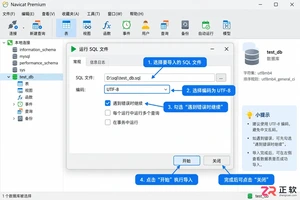
详解Navicat导入数据库的标准步骤,涵盖SQL脚本执行与CSV数据导入两种核心场景。针对导入过程中常见的字符集乱码、主键冲突及外键约束错误,提供具体的设置方法与修复建议,确保数据迁移准确无误。
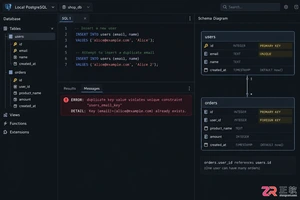
深入理解SQL PRIMARY KEY与UNIQUE约束的区别。文章从行标识与重复限制的目标出发,详解主键的非空特性、外键引用角色以及多数据库对NULL值的处理差异。结合users表实战示例,指导开发者如何根据字段稳定性与业务语义合理选择约束类型,避免设计误区。
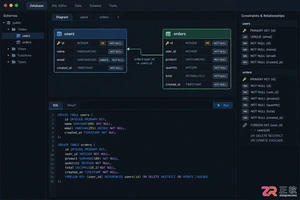
刚开始设计关系型数据库?了解PRIMARY KEY、FOREIGN KEY、UNIQUE、NOT NULL、CHECK、DEFAULT等约束的作用、语法和排错方法。本文以PostgreSQL语法为主,结合用户订单场景,清晰展示如何防止脏数据并处理常见约束冲突。
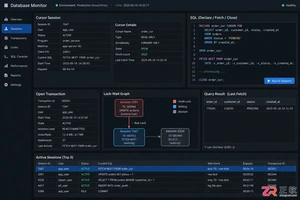
深入解析SQL游标导致的死锁与资源未释放问题。通过PostgreSQL与MySQL语法对比,展示如何识别长事务持锁、分析锁等待链,并提供短事务提交、异常清理及批量处理的最佳实践,确保数据库连接与锁资源及时释放。
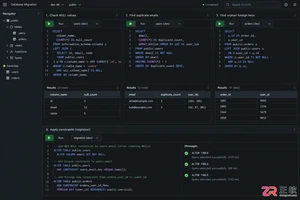
后端开发者在维护数据库时,常需对现有表添加主键、唯一或外键约束。若直接执行ADD CONSTRAINT,往往因存量数据不合规导致报错。本文详解操作前的数据清洗步骤、标准SQL语法及MySQL等特殊写法,帮助你在生产环境安全完成结构变更。
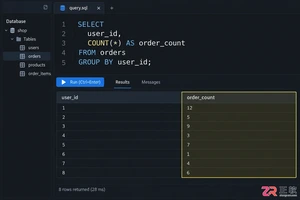
针对 SQL 初学者的分组统计实战指南。深入解析 GROUP BY 分组机制、WHERE 与 HAVING 的执行时机差异,以及 COUNT 函数对 NULL 值的处理逻辑。通过具体代码示例演示如何正确筛选聚合结果,并排查因 JOIN 连接导致的统计数据异常,提升报表准确性。
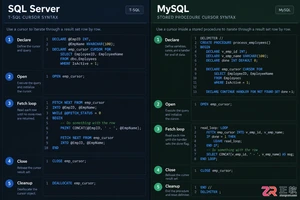
本文详细对比SQL Server和MySQL中游标的基本用法。从DECLARE声明到FETCH遍历,再到CLOSE关闭与DEALLOCATE/Handler清理,解析两者在语法结构、变量接收及异常处理上的核心差异。通过标准代码示例展示如何安全使用游标,避免资源泄漏,适用于需要进行数据库存储过程开发或跨平台迁移的开发者。
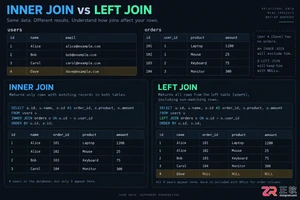
深入解析SQL中INNER JOIN与LEFT JOIN的核心区别。通过users和orders表实例,展示匹配行保留与NULL补位机制,重点讲解ON与WHERE子句中放置右表过滤条件的不同后果,提供防止LEFT JOIN退化的实战技巧及行数异常排查步骤。
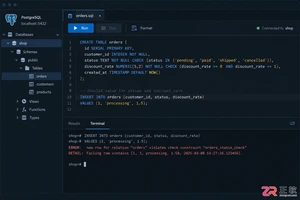
深入理解 SQL CHECK 约束在 PostgreSQL、MySQL 等数据库中的实现差异。文章通过订单业务场景,讲解如何定义单列范围与多列逻辑约束,分析 NULL 值对布尔条件的影响,并提供修改已有表结构时的安全操作建议,帮助开发者构建更健壮的数据完整性防线。
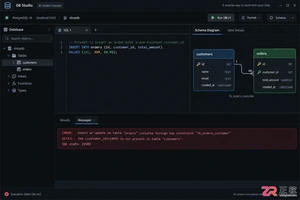
后端开发中,如何正确使用 SQL 外键约束来维护订单与明细表的关系?本文通过 PostgreSQL 示例,深入讲解外键的创建语法、插入顺序要求,以及 ON DELETE CASCADE、RESTRICT、SET NULL 等策略的实际影响与风险控制,助你构建健壮的数据库结构。





火山引擎是字节跳动旗下企业级云与AI服务平台。聚焦大模型核心能力,依托字节自研豆包多模态大模型,凭借火山方舟一站式平台,提供模型精调、推理部署、智能应用搭建等全链路服务,结合高性能AI算力,助力各行业快速落地大模型数字化与智能化应用。



