

JavaCompletableFuture异步编程最佳实践指南
CompletableFuture是JDK8异步编程方案,克服Future阻塞与组合缺陷,支持非阻塞链式调用、多任务编排及异常处理。核心API包括supplyAsync/runAsync创建任务,thenApply/thenCompose链式转换,thenCombine/allOf/anyOf组合多任务,exceptionally/handle异常处理。
一、为什么需要 CompletableFuture?
Ja va 并发编程的演进,活脱脱就是一部异步任务处理方式的升级史。不妨回想一下各个阶段的核心痛点:

Thread / Runnable(JDK 1.0)
    ↓ 痛点:无返回值、难以管理
Future + Callable(JDK 5)
    ↓ 痛点:get() 阻塞、无法链式组合
CompletableFuture(JDK 8)✅
    ↓ 优势:非阻塞、链式调用、函数式编排
可以说,CompletableFuture 是 JDK 8 为异步编程给出的终极方案。它精准地击碎了传统 Future 的几大软肋:
- ✅ 非阻塞:告别
future.get()死等结果的尴尬 - ✅ 链式调用:
thenApply → thenAccept → thenRun,流水线一样组织代码 - ✅ 多任务编排:用
allOf/anyOf就能搞定多个异步任务的协同 - ✅ 异常处理:
exceptionally/handle让异常捕获变得优雅
二、核心 API 一览图
先看一眼整体结构图,心里有个谱。
                    ┌─────────────────────────────┐
                    │     创建 CompletableFuture    │
                    └──────────┬──────────────────┘
                               │
              ┌────────────────┼────────────────┐
              ▼                ▼                ▼
     supplyAsync(U)      runAsync()       completedFuture(U)
     (有返回值)        (无返回值)       (立即完成)
                               │
          ┌────────────────────┼────────────────────┐
          ▼                    ▼                     ▼
   ┌─────────────┐    ┌──────────────┐    ┌────────────────┐
   │ 转换类方法   │    │ 消费类方法    │    │  组合类方法     │
   ├─────────────┤    ├──────────────┤    ├────────────────┤
   │thenApply    │    │thenAccept    │    │thenCombine     │
   │thenCompose  │    │thenRun       │    │thenAcceptBoth  │
   │applyToEither│    │acceptEither  │    │runAfterBoth    │
   │handle       │    │whenComplete  │    │runAfterEither  │
   └─────────────┘    └──────────────┘    └────────────────┘
          │                                      │
          ▼                                      ▼
   ┌─────────────┐                    ┌────────────────┐
   │ 异常处理     │    ┌──────────────►│ 多任务组合      │
   ├─────────────┤    │               ├────────────────┤
   │exceptionally│    │               │allOf(全部完成)  │
   │handle       │    │               │anyOf(任一完成)  │
   │whenComplete │    │               └────────────────┘
   └─────────────┘    │
                      ▼
               ┌─────────────┐
               │ 获取结果     │
               ├─────────────┤
               │get()        │
               │get(timeout) │
               │join()       │
               │orTimeout()  │
               │completeOnTimeout()
               └─────────────┘
三、创建异步任务
3.1 supplyAsync — 有返回值的异步任务
// 基础用法:使用默认 ForkJoinPool CompletableFuturefuture = CompletableFuture.supplyAsync(() -> { // 模拟耗时操作,比如远程 API 调用 try { Thread.sleep(1000); } catch (InterruptedException e) { Thread.currentThread().interrupt(); } return "Hello, CompletableFuture!"; }); // 非阻塞获取结果 String result = future.join(); // join() 不抛检查异常 System.out.println(result); // Hello, CompletableFuture!
3.2 runAsync — 无返回值的异步任务
// 执行一个不需要返回值的异步操作 CompletableFuturefuture = CompletableFuture.runAsync(() -> { System.out.println("执行异步任务: " + Thread.currentThread().getName()); // 发邮件、写日志,诸如此类 }); future.join(); // 等它跑完
3.3 指定自定义线程池(⚠️ 生产环境必须)
// ⚠️ 默认用的是 ForkJoinPool.commonPool(),生产环境真心建议指定线程池 ExecutorService executor = Executors.newFixedThreadPool(4); CompletableFuturefuture = CompletableFuture.supplyAsync(() -> { System.out.println("线程: " + Thread.currentThread().getName()); return "使用自定义线程池"; }, executor); // 别忘关线程池 executor.shutdown();
⚠️ 重要提醒:默认的
ForkJoinPool.commonPool()是全局共享的。一旦某个任务阻塞或耗时过长,其他组件也会跟着遭殃。生产环境务必传入自定义 Executor。
四、链式回调(核心用法)
这才是最能体现 CompletableFuture 魅力的地方,一段流水线下来,代码干净利落。
4.1 thenApply — 转换结果(相当于 map)
CompletableFutureresult = CompletableFuture.supplyAsync(() -> 10) .thenApply(x -> x * 2) // 20:结果翻倍 .thenApply(x -> x + 5); // 25:再加 5 System.out.println(result.join()); // 25
4.2 thenAccept — 消费结果(无返回值)
CompletableFuture.supplyAsync(() -> "World")
    .thenAccept(s -> System.out.println("Hello, " + s));
    // 输出: Hello, World
4.3 thenRun — 完成后执行操作(不关心结果)
CompletableFuture.supplyAsync(() -> {
    // 复杂计算过后...
    return "done";
}).thenRun(() -> {
    System.out.println("任务已完成!清理资源...");
});
4.4 thenCompose — 扁平映射(相当于 flatMap)
// 典型的场景:第一个异步任务的结果,是第二个异步任务的输入 CompletableFutureuserId = CompletableFuture.supplyAsync(() -> "user_123"); CompletableFuture userInfo = userId.thenCompose(id -> CompletableFuture.supplyAsync(() -> { // 拿 id 去查用户详情,模拟 RPC 调用 return "用户" + id + ": 张三, age=28"; }) ); System.out.println(userInfo.join()); // 用户user_123: 张三, age=28
thenApply vs thenCompose 的区别:
| 方法 | 返回值 | 适用场景 |
|---|---|---|
thenApply | CompletableFuture | 同步转换,类似 Stream.map |
thenCompose | CompletableFuture → 扁平化 | 异步嵌套,类似 Stream.flatMap |
五、多任务组合
5.1 thenCombine — 两个任务都完成后合并结果
CompletableFuturepriceFuture = CompletableFuture.supplyAsync(() -> 99.9); CompletableFuture quantityFuture = CompletableFuture.supplyAsync(() -> 3); // 两个都跑完,算总价 CompletableFuture totalFuture = priceFuture.thenCombine( quantityFuture, (price, qty) -> price * qty ); System.out.printf("总价: %.2f 元%n", totalFuture.join()); // 总价: 299.70 元
5.2 allOf — 所有任务全部完成
CompletableFuturetask1 = CompletableFuture.supplyAsync(() -> { sleep(500); return "任务1完成"; }); CompletableFuture task2 = CompletableFuture.supplyAsync(() -> { sleep(300); return "任务2完成"; }); CompletableFuture task3 = CompletableFuture.supplyAsync(() -> { sleep(700); return "任务3完成"; }); // 等所有都搞定了再触发 CompletableFuture allDone = CompletableFuture.allOf(task1, task2, task3); allDone.thenRun(() -> { System.out.println(task1.join()); // 任务1完成 System.out.println(task2.join()); // 任务2完成 System.out.println(task3.join()); // 任务3完成 System.out.println("✅ 全部任务执行完毕!"); }).join();
5.3 anyOf — 任一任务完成即返回
CompletableFuturefastTask = CompletableFuture.supplyAsync(() -> { sleep(200); return "快速任务"; }); CompletableFuture slowTask = CompletableFuture.supplyAsync(() -> { sleep(2000); return "慢速任务" }); // 谁先完成就拿谁的结果 Object firstResult = CompletableFuture.anyOf(fastTask, slowTask).join(); System.out.println("最快完成的: " + firstResult); // 快速任务
六、异常处理
代码里的异常迟早要来,与其被动等待,不如主动规划。
6.1 exceptionally — 恢复异常(类似 catch)
CompletableFuturefuture = CompletableFuture.supplyAsync(() -> { if (true) throw new RuntimeException("模拟异常!"); return "正常结果"; }).exceptionally(ex -> { System.err.println("捕获到异常: " + ex.getMessage()); return "降级默认值"; // 给一个兜底数据 }); System.out.println(future.join()); // 降级默认值
6.2 handle — 统一处理正常和异常(类似 finally)
CompletableFuture.supplyAsync(() -> {
    // 可能抛异常的操作
    int result = 10 / 0;
    return "成功: " + result;
}).handle((result, ex) -> {
    if (ex != null) {
        System.err.println("发生错误: " + ex.getMessage());
        return "错误处理后的默认响应";
    }
    return "处理成功: " + result;
}).thenAccept(System.out::println);
6.3 whenComplete — 类似 finally(不改变结果)
CompletableFuture.supplyAsync(() -> "重要数据")
    .whenComplete((result, ex) -> {
        // 无论成功失败都会执行,适合日志记录、指标上报
        if (ex != null) {
            System.err.println("任务失败,记录日志");
        } else {
            System.out.println("任务成功,耗时统计...");
        }
        // 注意:不返回新值,不会改变原始结果
    });
三种异常处理方式对比
| 方法 | 触发时机 | 能否恢复 | 能否改变结果 |
|---|---|---|---|
exceptionally | 仅异常时 | ✅ 返回替代值 | ✅ |
handle | 正常+异常时 | ✅ 返回新值 | ✅ |
whenComplete | 正常+异常时 | ❌ 仅副作用 | ❌ |
七、超时控制
// JDK 9+ 引入的 orTimeout CompletableFuturefutureWithTimeout = CompletableFuture.supplyAsync(() -> { sleep(5000); // 模拟一个耗时 5 秒的任务 return "结果"; }).orTimeout(2, TimeUnit.SECONDS) // 最多等 2 秒 .exceptionally(ex -> { if (ex instanceof TimeoutException) { return "超时降级结果"; } return "其他异常"; }); // 而 completeOnTimeout 更温和,超时不抛异常,直接返回默认值 CompletableFuture safeFuture = CompletableFuture.supplyAsync(() -> { sleep(5000); return "真实结果"; }).completeOnTimeout("默认超时值", 2, TimeUnit.SECONDS);
八、实战案例:电商商品详情页聚合
先看一个活生生的例子:电商商品详情页的数据聚合,相信不少同行对此深有体会。从多个微服务并行拉取数据再组装成响应,这正是 CompletableFuture 的拿手好戏。
import ja va.util.*;
import ja va.util.concurrent.*;
public class EcommerceDetailAggregator {
    // 模拟各个微服务
    private static CompletableFuture fetchProduct(String productId) {
        return CompletableFuture.supplyAsync(() -> {
            sleep(300);
            return new ProductInfo(productId, "MacBook Pro 16寸", 18999.00);
        });
    }
    private static CompletableFuture> fetchReviews(String productId) {
        return CompletableFuture.supplyAsync(() -> {
            sleep(400);
            return Arrays.asList(
                new Review("用户A", "性能强劲,开发利器!", 5),
                new Review("用户B", "屏幕素质顶级", 5),
                new Review("用户C", "略重但可以接受", 4)
            );
        });
    }
    private static CompletableFuture fetchInventory(String productId) {
        return CompletableFuture.supplyAsync(() -> {
            sleep(200);
            return new Inventory(productId, 128, "北京仓");
        });
    }
    private static CompletableFuture> fetchRecommendations(String productId) {
        return CompletableFuture.supplyAsync(() -> {
            sleep(350);
            return Arrays.asList(
                new Recommendation("Magic Mouse", 699),
                new Recommendation("USB-C Hub", 259)
            );
        });
    }
    public static void main(String[] args) {
        String productId = "P20240614";
        long startTime = System.currentTimeMillis();
        // 1. 并行发起 4 个异步请求
        CompletableFuture productFuture = fetchProduct(productId);
        CompletableFuture> reviewsFuture = fetchReviews(productId);
        CompletableFuture inventoryFuture = fetchInventory(productId);
        CompletableFuture> recsFuture = fetchRecommendations(productId);
        // 2. 组装最终结果
        CompletableFuture pageData = productFuture
            .thenCombine(reviewsFuture, (product, reviews) -> {
                PageResponse resp = new PageResponse();
                resp.product = product;
                resp.reviews = reviews;
                return resp;
            })
            .thenCombine(inventoryFuture, (resp, inventory) -> {
                resp.inventory = inventory;
                return resp;
            })
            .thenCombine(recsFuture, (resp, recs) -> {
                resp.recommendations = recs;
                return resp;
            });
        // 3. 设置超时 + 异常处理
        pageData = pageData.orTimeout(3, TimeUnit.SECONDS)
            .exceptionally(ex -> {
                System.err.println("聚合超时或异常: " + ex.getMessage());
                return PageResponse.fallback();
            });
        // 4. 输出结果
        PageResponse response = pageData.join();
        long elapsed = System.currentTimeMillis() - startTime;
        System.out.println("n========== 商品详情页响应 ==========");
        System.out.println("? 商品: " + response.product.name);
        System.out.println("? 价格: ¥" + response.product.price);
        System.out.println("? 库存: " + response.inventory.stock + "件 (" + response.inventory.warehouse + ")");
        System.out.println("⭐ 评分: " + a vgRating(response.reviews));
        System.out.println("? 推荐: " + formatRecs(response.recommendations));
        System.out.println("⏱️  总耗时: " + elapsed + "ms(串行需~1250ms)");
        System.out.println("======================================n");
    }
    // ========== 辅助方法 ==========
    private static void sleep(long ms) {
        try { Thread.sleep(ms); } catch (InterruptedException e) {
            Thread.currentThread().interrupt();
        }
    }
    private static double a vgRating(List reviews) {
        return reviews.stream().mapToInt(r -> r.rating).a verage().orElse(0);
    }
    private static String formatRecs(List recs) {
        StringBuilder sb = new StringBuilder();
        for (Recommendation r : recs) sb.append(r.name).append("(¥").append(r.price).append(") ");
        return sb.toString().trim();
    }
    // ========== 数据模型 ==========
    static class ProductInfo { String id, name; double price;
        ProductInfo(String id, String name, double price) { this.id=id; this.name=name; this.price=price; } }
    static class Review { String user, comment; int rating;
        Review(String user, String comment, int rating) { this.user=user; this.comment=comment; this.rating=rating; } }
    static class Inventory { String productId, warehouse; int stock;
        Inventory(String pid, int stock, String wh) { this.productId=pid; this.stock=stock; this.warehouse=wh; } }
    static class Recommendation { String name; double price;
        Recommendation(String name, double price) { this.name=name; this.price=price; } }
    static class PageResponse {
        ProductInfo product; List reviews; Inventory inventory; List recommendations;
        static PageResponse fallback() { PageResponse r = new PageResponse(); r.product = new ProductInfo("", "暂不可用", 0); return r; }
    }
}
预期输出:
========== 商品详情页响应 ==========
? 商品: MacBook Pro 16寸
? 价格: ¥18999.0
? 库存: 128件 (北京仓)
⭐ 评分: 4.67
? 推荐: Magic Mouse(¥699.0) USB-C Hub(¥259.0)
⏱️ 总耗时: ~420ms(串行需~1250ms)
======================================
? 性能提升约 3 倍! 这恰恰就是 CompletableFuture 在实际项目中的核心价值所在。
九、CompletableFuture vs 传统 Future 对比
| 特性 | Future(JDK 5) | CompletableFuture(JDK 8) |
|---|---|---|
| 手动完成 | ❌ 不支持 | ✅ complete() |
| 链式调用 | ❌ 不支持 | ✅ thenApply/thenAccept... |
| 多任务组合 | ❌ 不支持 | ✅ allOf/anyOf/thenCombine |
| 异常处理 | ❌ 只能 get() 时捕获 | ✅ exceptionally/handle |
| 非阻塞获取 | ❌ get() 阻塞 | ✅ thenAccept 回调 |
| 超时控制 | ✅ get(timeout) | ✅ orTimeout(JDK9+) |
十、最佳实践清单
- 始终为 supplyAsync/runAsync 指定自定义线程池
- 用
join()取代get(),省去检查异常的烦恼 - 链式调用中尽早处理异常,别让异常悄悄传播导致整条链断裂
- IO 密集型任务用独立线程池,别去占用 ForkJoinPool
- 合理设置超时(
orTimeout或completeOnTimeout) - 避免在 thenApply 里塞耗时操作,那会阻塞后面的链条
- 用
allOf批量等待多个任务,别一个一个去 join - 日志记录关键节点的耗时和状态
十一、总结
| 要点 | 内容 |
|---|---|
| 核心价值 | 非阻塞异步编程,告别 callback hell |
| 创建方式 | supplyAsync(有返回值) / runAsync(无返回值) |
| 链式调用 | thenApply(转换) → thenAccept(消费) → thenRun(收尾) |
| 组合编排 | thenCombine(双任务) / allOf(全完成) / anyOf(任一完成) |
| 异常处理 | exceptionally(恢复) / handle(统一) / whenComplete(日志) |
| 生产要点 | 自定义线程池 + 超时控制 + 早期异常处理 |
? 延伸阅读:
- 《Ja va Concurrency in Practice》— Brian Goetz
- JDK 源码
ja va.util.concurrent.CompletableFuture - 本系列上一篇:《Ja va线程池完全指南》
本文基于 JDK 8+ 编写,部分 API(比如 orTimeout)需要 JDK 9+。如果有任何疑问,欢迎交流讨论!

详细分析链表删除节点的时间复杂度,深入探讨单链表与双向链表在不同已知前提下的查找与删除开销,并结合完整代码与清晰图解进行对比总结。

想知道如何让AI写出的代码更贴合你的习惯?本文手把手教你在VS Code中调整Codex相关模型参数,通过修改配置文件优化温度值和令牌限制,解决代码建议不准确或响应慢的问题。

通过实测展示Claude Code在终端中如何理解自然语言指令、自动修改代码文件并处理复杂编程任务,帮助开发者评估其实际辅助能力。

本教程详细讲解如何使用Visual Studio创建WinForms项目,通过添加按钮和标签控件并编写点击事件代码,实现一个基础的计数器功能,适合C#初学者快速上手Windows窗体应用开发。

详解Cursor编辑器中自动补全功能的开启与优化设置,涵盖Tab触发机制、上下文窗口调整及模型切换,帮助开发者解决补全延迟、干扰大等问题,提升编码流畅度。

详解Pandas中数据格式转换的核心方法,包括astype强制转换、to_numeric容错处理及日期解析技巧,解决常见类型错误并提升数据处理效率。

详细介绍在Visual Studio Code中安装Chinese (Simplified)语言包的方法,包括通过扩展市场搜索、安装及自动重启切换至简体中文界面的完整步骤,帮助开发者快速将编辑器本地化。

针对Cursor安装包默认锁定C盘且无路径选择界面的问题,提供通过手动移动文件并创建目录联结(Symbolic Link)的解决方案,实现将软件安装在其他磁盘分区。
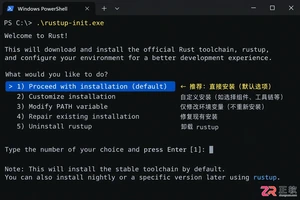
详解Windows系统下Rust语言的安装步骤,重点解析rustup工具链管理机制,解决环境变量配置错误及MSVC链接器缺失问题,提供可复制的命令验证方法与常见报错的因果排查思路。

详解VS Code中Chat插件的安装与核心配置步骤,重点解决API连接失败、响应慢等常见问题,通过优化上下文设置提升代码生成质量,适合希望集成AI辅助工具的开发者阅读。




Photoshop 2026 是 Adobe 推出的专业图像处理与视觉设计软件,支持 Windows、macOS 和 iPad 等平台,广泛应用于摄影修图、电商设计、平面海报、数字绘画及视觉合成等创作场景。

Blender 是一款免费开源、跨平台的专业 3D 创作软件,集建模、动画、渲染、视频编辑与视觉合成等功能于一体,广泛应用于影视动画、游戏设计和建筑可视化等领域。软件支持 Cycles 物理渲染器与 Eevee 实时渲染引擎,并提供多边形建模、骨骼绑定、物理模拟等专业工具。Blender 兼容 Windows、macOS 和 Linux 系统,安装包轻巧、运行流畅,依托活跃的全球开发者社区持续更新,是从初学者到专业创作者都值得选择的正版 3D 创作工具。


Photoshop 2026 是 Adobe 推出的专业图像处理与视觉设计软件,支持 Windows、macOS 和 iPad 等平台,广泛应用于摄影修图、电商设计、平面海报、数字绘画及视觉合成等创作场景。
Blender 是一款免费开源、跨平台的专业 3D 创作软件,集建模、动画、渲染、视频编辑与视觉合成等功能于一体,广泛应用于影视动画、游戏设计和建筑可视化等领域。软件支持 Cycles 物理渲染器与 Eevee 实时渲染引擎,并提供多边形建模、骨骼绑定、物理模拟等专业工具。Blender 兼容 Windows、macOS 和 Linux 系统,安装包轻巧、运行流畅,依托活跃的全球开发者社区持续更新,是从初学者到专业创作者都值得选择的正版 3D 创作工具。