

如何在 Mapbox 中为自定义数据(如 96 所机构)实现精准搜索与过滤功能
针对固定数据集(如96所机构)的精准搜索,不应依赖MapboxGeocodingAPI,而应构建纯前端本地搜索控件。通过IControl接口实现实时过滤,配合GeoJSON数据源和图层,使地图飞向匹配机构并显示详情。该方案零外部依赖、数据可控、响应毫秒级,提供高度定制化的搜索体验。
先亮明觀點:當你面對的是固定數據集(比如數據庫導出的 96 所機構),想要一個精準、可預測的搜索體驗時,最直接的結論是——千萬別依賴 Mapbox Geocoding API。為什麼?因為那個 API 是面向全球地理實體的,它會把街道、城市、甚至某個咖啡館都塞進結果裡,完全違背了「只搜機構名」這個核心需求。
所以,更務實的做法是:徹底脫離遠程地理編碼,轉而構建一個純前端的本地搜索控件。這條路徑不僅輕量、高效,而且數據完全可控。以下是完整的實現思路,從數據準備到交互細節,一步步拆解。
第一步:準備結構化的機構數據
首先,你得確保機構數據已經加載成標準的 GeoJSON FeatureCollection 或一個結構清晰的數組。每個機構必須包含唯一標識(比如 id)、名稱(name)以及坐標(geometry.coordinates)。這裡有個簡單的示範:
const institutes = [ { id: 1, name: "北京大學", coordinates: [116.3075, 39.9847] }, { id: 2, name: "清華大學", coordinates: [116.3230, 39.9994] } // ... 共 96 條];這個結構是後續所有操作的基礎,只要數據整齊,後面的工作就會順暢很多。
第二步:打造自定義搜索控件(用 IControl 實現)
核心思路是利用 Mapbox 的 IControl 接口來封裝搜索輸入框和邏輯。這樣做的好處是不用侵入式地操作 DOM,代碼更乾淨,也更容易維護。
class InstituteSearchControl { onAdd(map) { this._map = map; this._container = document.createElement('div'); this._container.className = 'mapboxgl-ctrl mapboxgl-ctrl-group'; const input = document.createElement('input'); input.type = 'text'; input.placeholder = '搜索機構名稱...'; input.className = 'institute-search-input'; input.addEventListener('input', (e) => this._onInput(e.target.value)); this._container.appendChild(input); return this._container; } _onInput(query) { const map = this._map; const filtered = institutes.filter(inst => inst.name.toLowerCase().includes(query.toLowerCase()) ); // 清除現有標記(或僅更新可見標記) map.getSource('institutes')?.setData({ type: 'FeatureCollection', features: filtered.map(inst => ({ type: 'Feature', properties: { id: inst.id, name: inst.name }, geometry: { type: 'Point', coordinates: inst.coordinates } })) }); // 可選:飛向首個匹配項 if (filtered.length > 0 && query.trim()) { map.flyTo({ center: filtered[0].coordinates, zoom: 14 }); } } onRemove() { this._container.parentNode.removeChild(this._container); }}// 添加控件到地圖map.addControl(new InstituteSearchControl(), 'top-left');這段代碼的核心邏輯其實很簡單:用戶輸入的同時,我們就在內存中過濾數據,然後實時更新地圖上的數據源。如果輸入框不為空且有匹配結果,地圖會自動飛向第一個匹配的機構位置。這種交互方式非常直觀,用戶體驗也相當流暢。
第三步:配合圖層與交互優化
控件有了,接下來得確保地圖上正確加載了 institutes 數據源和符號圖層。同時,綁定點擊事件來顯示機構詳情,這也是必不可少的一步。
map.addSource('institutes', { type: 'geojson', data: { type: 'FeatureCollection', features: institutes.map(inst => ({ type: 'Feature', properties: { id: inst.id, name: inst.name }, geometry: { type: 'Point', coordinates: inst.coordinates } })) }});map.addLayer({ id: 'institute-points', type: 'circle', source: 'institutes', paint: { 'circle-color': '#4264fb', 'circle-radius': 6 }});// 點擊彈窗map.on('click', 'institute-points', (e) => { const name = e.features[0].properties.name; new mapboxgl.Popup() .setLngLat(e.lngLat) .setHTML(`${name}
點擊查看詳情
`) .addTo(map);});這樣一來,用戶不僅能搜索,還能點擊地圖上的標記點查看具體信息。整套方案可以說是非常完整了。
關鍵注意事項
當然,有些細節還是得留意,不然容易踩坑:
- 性能保障:96 條數據完全在內存中過濾,響應是毫秒級的,完全不需要網絡請求。這點大可放心。
- 大小寫兼容:用 .toLowerCase() 統一比對,能避免用戶輸入大小寫混亂帶來的問題,體驗更友好。
- 空查詢處理:當輸入框清空時,應該重載全部機構。這個邏輯在 _onInput 中需要補充,否則地圖上會一片空白。
- 樣式隔離:為搜索框添加 CSS 類(比如 .mapboxgl-ctrl .institute-search-input),避免和 Mapbox 默認控件樣式衝突。這點雖然小,但影響視覺效果。
- 無障礙支持:為 添加 aria-label="搜索高校機構",能提升可訪問性。雖然不是必須,但確實是加分項。
總而言之,這套方案帶來的是一個零外部依賴、100% 數據可控、與業務邏輯深度融合的搜索體驗。對於那些需要高度定制化的地圖應用來說,這才是真正的高手思路。
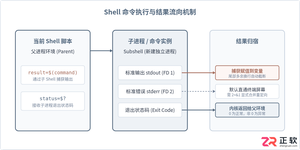
详细讲解在Shell脚本中执行命令并获取执行结果的常用方法,涵盖标准输出捕获、退出状态码判断、错误流重定向、多行结果处理及常见避坑要点。
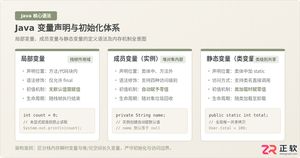
系统解析Java局部变量、成员变量与静态变量的定义语法、声明与初始化机制、生命周期及JVM内存驻留规则,结合图解与代码示例分析常见编译错误与认知误区。
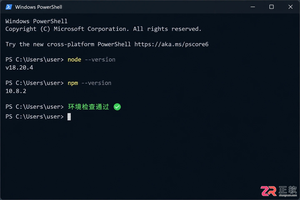
详解如何在Windows 10/11上安装Claude Code。涵盖WSL与Git Bash终端选择、Node.js版本检查、npm全局安装步骤、身份验证流程及claude doctor诊断方法,帮助开发者快速搭建本地AI编码助手。
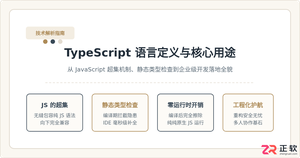
深入浅出解析TypeScript是什么语言。本文详细介绍TypeScript的语言定义、超集架构、核心运行原理、与JavaScript的核心对比以及四类典型工业级应用场景,帮助读者全面看懂TS的价值与用途。

详解如何在 Windows 电脑上通过 Microsoft Store 安装 Codex 桌面应用,包括启动登录、切换 Codex 模式、关联本地代码项目及终端环境配置的界面操作指引。
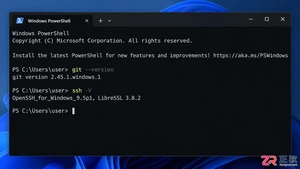
本文详解如何在Windows环境中使用PowerShell生成SSH密钥对,配置ssh-agent自动加载私钥,并将公钥安全添加至GitHub账户,最后通过git remote set-url切换为SSH地址,解决每次操作需输入账号密码的问题。
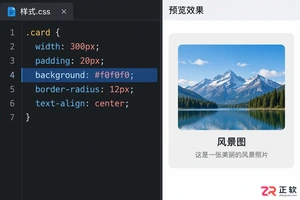
深入解析backdrop与background在网页开发及视觉设计中的区别。通过CSS代码示例,展示如何正确使用background设置元素背景,以及利用backdrop-filter创建弹窗遮罩模糊效果,避免概念混用。
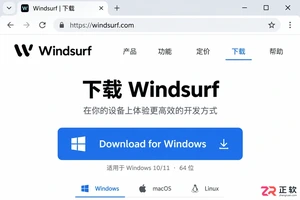
详解 Windsurf IDE 在 Windows 系统的下载来源、安装步骤及首次启动界面。指导用户如何导入编辑器设置、打开项目文件夹及使用终端与 AI 功能,适合初次接触该工具的开发者阅读。
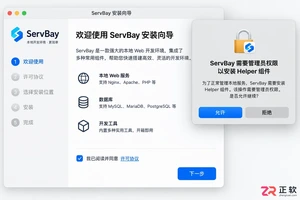
新手入门 ServBay 本地开发环境,详解安装包下载、Dashboard 状态监控、Packages 组件安装、Services 服务控制及 Websites 项目配置。掌握 .servbay.config 版本管理与日志排查技巧,快速搭建稳定的 PHP、Node.js 等多语言开发环境。




WPS Office是一款面向macOS用户的综合办公套件,将文字处理、电子表格、演示文稿、PDF工具、模板与云协作整合在同一应用中。它兼容常见Microsoft Office格式,支持Intel及Apple芯片Mac,基础功能可免费使用,

Shapr3D是一款面向工业设计、机械工程、建筑概念和三维打印工作流的CAD软件。Mac版采用Parasolid建模内核,支持草图约束、实体建模、工程图、可视化渲染及常见CAD格式交换,并可通过账户在多台设备之间同步项目。

REAPER是Cockos开发的数字音频工作站,提供多轨音频与MIDI录制、剪辑、处理、混音和母带制作工具。Mac版兼容Intel与Apple芯片,支持AU、VST、VST3、CLAP等插件格式,并提供高度可定制的工作流程。

Adobe Photoshop 是面向摄影师、设计师和内容创作者的专业图像处理工具,可在 Windows 上完成照片修饰、选区抠图、图层合成、文字排版、绘画及生成式编辑。软件采用订阅授权,由 Creative Cloud 管理安装、更新与许

Adobe InDesign 是面向印刷与数字出版的专业页面排版工具,可制作书籍、杂志、宣传册、海报、交互式 PDF 和电子书。它提供精细的文字样式、多页面管理、印前检查及多格式输出能力,并能与 Photoshop、Illustrator

Adobe Illustrator 是用于绘制矢量图形、插画、图标、徽标和版式的专业设计工具。它以路径和锚点为核心,作品放大后仍能保持清晰,并提供画板、文字、渐变、图像描摹及精确变换等功能,适合品牌视觉、印刷物料、数字界面和商业插画创作。