

如何动态添加文本框并批量收集其值提交至 MySQL 数据库
动态添加文本框时,前端需使用createElement创建输入元素,并维护数组以同步数据;提交时通过fetch异步发送请求数据至后端;后端接收并使用参数化SQL预处理语句批量写入MySQL数据库,确保有效防注入且不直接连接数据库。
✅ 前端:动态添加 + 批量采集值
可以借助document.createElement 来动态创建输入框,同时给每个字段设置一个唯一标识(通常用 name 属性或 data-index),方便后续遍历。这里有个关键点:不要每次提交时再去DOM里查询一遍,而是维护一个实时同步的数组,集中管理所有输入值。
const container = document.getElementById('field-container');
const addBtn = document.getElementById('add-btn');
const submitBtn = document.getElementById('submit-btn');
const words = []; // 存储所有文本框当前值(建议用对象数组增强可维护性)
let fieldIndex = 0;

addBtn.addEventListener('click', () => {
  const input = document.createElement('input');
  input.type = 'text';
  input.className = 'dynamic-field';
  input.placeholder = `请输入第 ${++fieldIndex} 个值`;
  input.dataset.index = fieldIndex; // 用于调试/映射,非必需

  // 实时监听变化,自动更新 words 数组(推荐)
  input.addEventListener('input', (e) => {
    words[fieldIndex - 1] = e.target.value || '';
  });
  container.appendChild(input);
});

// 提交时收集所有有效值(过滤空字符串可选)
submitBtn.addEventListener('click', () => {
  const validWords = words.filter(word => word && word.trim() !== '');
  // 发送至后端(示例使用 Fetch API)
  fetch('/api/sa ve-words', {
    method: 'POST',
    headers: { 'Content-Type': 'application/json' },
    body: JSON.stringify({ words: validWords })
  })
  .then(res => res.json())
  .then(data => alert(`成功保存 ${data.count} 个字段!`))
  .catch(err => console.error('提交失败:', err));
});
有几个细节值得注意:
* 尽量避免在提交时临时用 querySelectorAll('input') 去读取DOM——如果用户通过粘贴等方式输入且没有触发 input 事件,数据可能会漏掉。
* 建议使用 input 事件而不是 change 事件,这样能确保实时响应每一次输入。
* 如果需求里还涉及删除字段,那么 words 数组也要同步 splice 掉对应的索引,并重新调整后续元素的 dataset.index。
✅ 后端:接收数据并写入MySQL(Node.js + Express 示例)
有个必须明确的原则:前端绝对不能直连数据库——不仅技术上不可行,更是安全红线。所有操作必须通过后端接口中转。// server.js(需安装 express, mysql2)
const express = require('express');
const mysql = require('mysql2/promise');
const app = express();
app.use(express.json());
const pool = mysql.createPool({
host: 'localhost',
user: 'your_user',
password: 'your_pass',
database: 'your_db',
waitForConnections: true,
connectionLimit: 10
});
app.post('/api/sa ve-words', async (req, res) => {
const { words } = req.body;
if (!Array.isArray(words) || words.length === 0) {
return res.status(400).json({ error: '缺少有效字段数据' });
}
try {
const connection = await pool.getConnection();
// 使用参数化查询防止 SQL 注入
const placeholders = words.map((_, i) => `(?)`).join(', ');
const sql = `INSERT INTO words_table (content) VALUES ${placeholders}`;
await connection.execute(sql, words);
connection.release();
res.json({ success: true, count: words.length });
} catch (err) {
console.error(err);
res.status(500).json({ error: '数据库保存失败' });
}
});
app.listen(3000, () => console.log('Server running on http://localhost:3000'));
✅ 总结
* 前端核心职责:动态渲染、实时同步数据、结构化打包,再加上安全提交(HTTPS + CSRF 防护)。 * 后端核心职责:校验数据合法性、通过参数化SQL写入、必要时做事务控制、记录错误日志。 * 绝对禁止的行为:在前端硬编码数据库连接信息、用 eval() 解析输入、绕过服务端直接操作数据库。 这套方案既能灵活扩展表单字段,又能保证数据完整性和系统安全性——可以说是生产环境推荐的标准实践。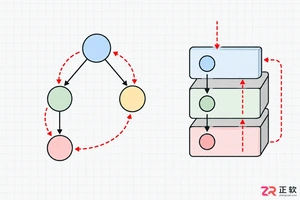
解析PHP递归函数在树形数据处理中的性能瓶颈,提供预加载数据消除I/O、使用显式栈替代深层递归的实战方案,帮助开发者在代码可读性与执行效率间做出合理取舍。
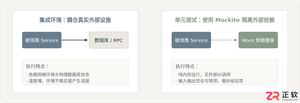
详细讲解在Java单元测试中如何使用Mockito模拟依赖对象,包括引入依赖、创建Mock、打桩返回值、行为验证以及Mock与Spy的核心差异和常见陷阱排查。

详细分析链表删除节点的时间复杂度,深入探讨单链表与双向链表在不同已知前提下的查找与删除开销,并结合完整代码与清晰图解进行对比总结。

想知道如何让AI写出的代码更贴合你的习惯?本文手把手教你在VS Code中调整Codex相关模型参数,通过修改配置文件优化温度值和令牌限制,解决代码建议不准确或响应慢的问题。

通过实测展示Claude Code在终端中如何理解自然语言指令、自动修改代码文件并处理复杂编程任务,帮助开发者评估其实际辅助能力。

本教程详细讲解如何使用Visual Studio创建WinForms项目,通过添加按钮和标签控件并编写点击事件代码,实现一个基础的计数器功能,适合C#初学者快速上手Windows窗体应用开发。

详解Cursor编辑器中自动补全功能的开启与优化设置,涵盖Tab触发机制、上下文窗口调整及模型切换,帮助开发者解决补全延迟、干扰大等问题,提升编码流畅度。

详解Pandas中数据格式转换的核心方法,包括astype强制转换、to_numeric容错处理及日期解析技巧,解决常见类型错误并提升数据处理效率。
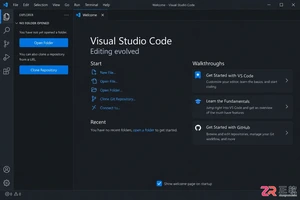
详细介绍在Visual Studio Code中安装Chinese (Simplified)语言包的方法,包括通过扩展市场搜索、安装及自动重启切换至简体中文界面的完整步骤,帮助开发者快速将编辑器本地化。
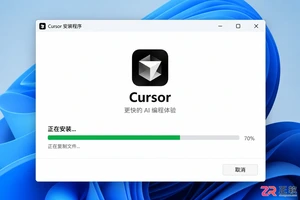
针对Cursor安装包默认锁定C盘且无路径选择界面的问题,提供通过手动移动文件并创建目录联结(Symbolic Link)的解决方案,实现将软件安装在其他磁盘分区。




Photoshop 2026 是 Adobe 推出的专业图像处理与视觉设计软件,支持 Windows、macOS 和 iPad 等平台,广泛应用于摄影修图、电商设计、平面海报、数字绘画及视觉合成等创作场景。

Blender 是一款免费开源、跨平台的专业 3D 创作软件,集建模、动画、渲染、视频编辑与视觉合成等功能于一体,广泛应用于影视动画、游戏设计和建筑可视化等领域。软件支持 Cycles 物理渲染器与 Eevee 实时渲染引擎,并提供多边形建模、骨骼绑定、物理模拟等专业工具。Blender 兼容 Windows、macOS 和 Linux 系统,安装包轻巧、运行流畅,依托活跃的全球开发者社区持续更新,是从初学者到专业创作者都值得选择的正版 3D 创作工具。


Photoshop 2026 是 Adobe 推出的专业图像处理与视觉设计软件,支持 Windows、macOS 和 iPad 等平台,广泛应用于摄影修图、电商设计、平面海报、数字绘画及视觉合成等创作场景。
Blender 是一款免费开源、跨平台的专业 3D 创作软件,集建模、动画、渲染、视频编辑与视觉合成等功能于一体,广泛应用于影视动画、游戏设计和建筑可视化等领域。软件支持 Cycles 物理渲染器与 Eevee 实时渲染引擎,并提供多边形建模、骨骼绑定、物理模拟等专业工具。Blender 兼容 Windows、macOS 和 Linux 系统,安装包轻巧、运行流畅,依托活跃的全球开发者社区持续更新,是从初学者到专业创作者都值得选择的正版 3D 创作工具。