

7.6.3 基于TCP协议的Socket通信(2)
本节引言: 上一节已经带大家过了一遍 Socket 的基础概念和常见用法,还顺手做了一个“小猪简易聊天室”的 Demo。看到这里,大家对 Socket 应该已经有了一个基本认识。接下来,内容再往前走一步:用 Socket 来实现大文件的断点续传。这里要说明一下,本节讲解的是一个别人已经写好的 Soc
本节引言:
上一节已经带大家过了一遍 Socket 的基础概念和常见用法,还顺手做了一个“小猪简易聊天室”的 Demo。看到这里,大家对 Socket 应该已经有了一个基本认识。接下来,内容再往前走一步:用 Socket 来实现大文件的断点续传。这里要说明一下,本节讲解的是一个别人已经写好的 Socket 大文件上传示例,重点不在于从零独立写出来,而是先把思路和用法吃透,等真正要用的时候,能直接上手,这就够了。
1.运行效果图:
1.先把我们编写好的Socket服务端运行起来:
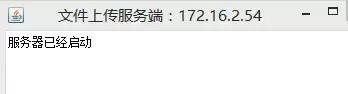
2.将一个音频文件放到SD卡根目录下:
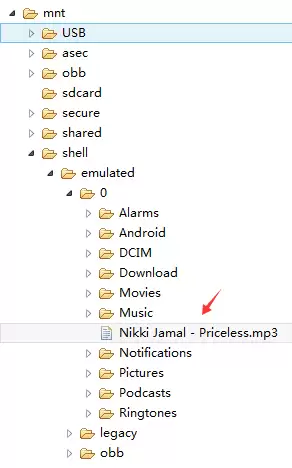
3.运行我们的客户端:
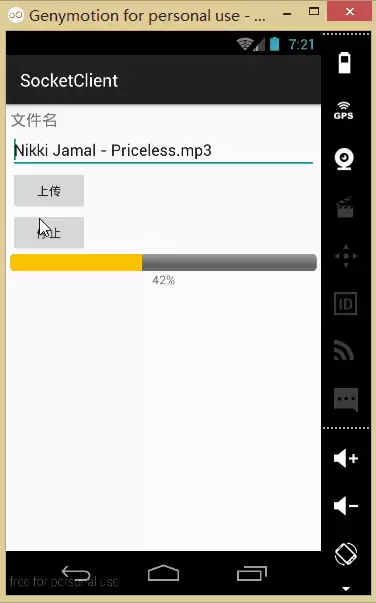
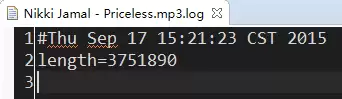
4.上传成功后可以看到我们的服务端的项目下生成一个file的文件夹,我们可以在这里找到上传的文件: .log那个是我们的日志文件
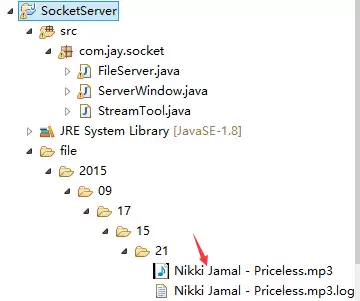
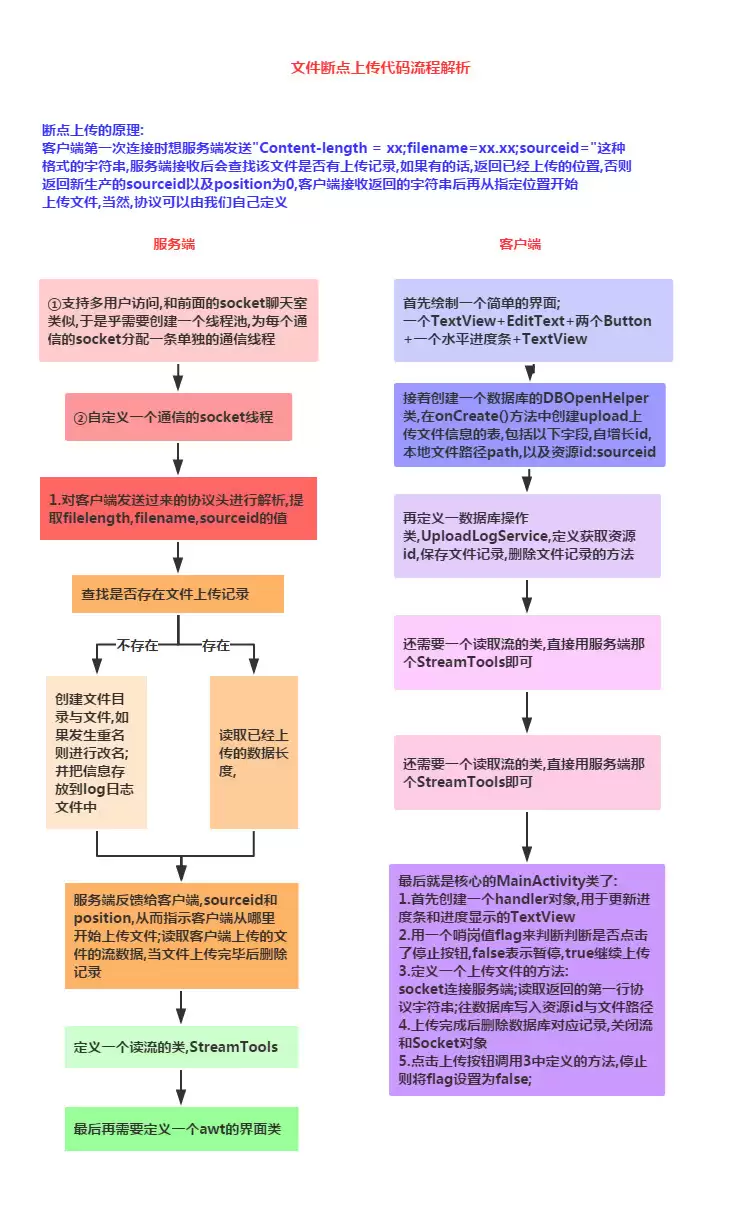
2.实现流程图:
3.代码示例:
先编写一个服务端和客户端都会用到的流解析类:
StreamTool.ja va:
public class StreamTool {
    public static void sa ve(File file, byte[] data) throws Exception {
        FileOutputStream outStream = new FileOutputStream(file);
        outStream.write(data);
        outStream.close();
    }
    public static String readLine(PushbackInputStream in) throws IOException {
        char buf[] = new char[128];
        int room = buf.length;
        int offset = 0;
        int c;
        loop:       while (true) {
            switch (c = in.read()) {
                case -1:
                case 'n':
                    break loop;
                case 'r':
                    int c2 = in.read();
                    if ((c2 != 'n') && (c2 != -1)) in.unread(c2);
                    break loop;
                default:
                    if (--room < 0) {
                        char[] lineBuffer = buf;
                        buf = new char[offset + 128];
                        room = buf.length - offset - 1;
                        System.arraycopy(lineBuffer, 0, buf, 0, offset);
                    }
                    buf[offset++] = (char) c;
                    break;
            }
        }
        if ((c == -1) && (offset == 0)) return null;
        return String.copyValueOf(buf, 0, offset);
    }
    /**
     * 读取流
     * @param inStream
     * @return 字节数组
     * @throws Exception
     */
    public static byte[] readStream(InputStream inStream) throws Exception{
        ByteArrayOutputStream outSteam = new ByteArrayOutputStream();
        byte[] buffer = new byte[1024];
        int len = -1;
        while( (len=inStream.read(buffer)) != -1){
            outSteam.write(buffer, 0, len);
        }
        outSteam.close();
        inStream.close();
        return outSteam.toByteArray();
    }
}
1)服务端的实现:
socket管理与多线程管理类:
FileServer.ja va:
public class FileServer {
private ExecutorService executorService;//线程池
    private int port;//监听端口
    private boolean quit = false;//退出
    private ServerSocket server;
    private Map datas = new HashMap();//存放断点数据
public FileServer(int port){
        this.port = port;
        //创建线程池,池中具有(cpu个数*50)条线程
        executorService = Executors.newFixedThreadPool(Runtime.getRuntime().a vailableProcessors() * 50);
    }
    /**
     * 退出
     */
    public void quit(){
       this.quit = true;
       try {
           server.close();
       } catch (IOException e) {
       }
    }
    /**
     * 启动服务
     * @throws Exception
     */
    public void start() throws Exception{
        server = new ServerSocket(port);
        while(!quit){
            try {
              Socket socket = server.accept();
              //为支持多用户并发访问,采用线程池管理每一个用户的连接请求
              executorService.execute(new SocketTask(socket));
            } catch (Exception e) {
              //  e.printStackTrace();
            }
        }
    }
private final class SocketTask implements Runnable{
       private Socket socket = null;
       public SocketTask(Socket socket) {
           this.socket = socket;
       }
public void run() {
           try {
               System.out.println("accepted connection "+ socket.getInetAddress()+ ":"+ socket.getPort());
               PushbackInputStream inStream = new PushbackInputStream(socket.getInputStream());
               //得到客户端发来的第一行协议数据:Content-Length=143253434;filename=xxx.3gp;sourceid=
               //如果用户初次上传文件,sourceid的值为空。
               String head = StreamTool.readLine(inStream);
               System.out.println(head);
               if(head!=null){
                   //下面从协议数据中提取各项参数值
                   String[] items = head.split(";");
                   String filelength = items[0].substring(items[0].indexOf("=")+1);
                   String filename = items[1].substring(items[1].indexOf("=")+1);
                   String sourceid = items[2].substring(items[2].indexOf("=")+1);
                   long id = System.currentTimeMillis();//生产资源id,如果需要唯一性,可以采用UUID
                   FileLog log = null;
                   if(sourceid!=null && !"".equals(sourceid)){
                       id = Long.valueOf(sourceid);
                       log = find(id);//查找上传的文件是否存在上传记录
                   }
                   File file = null;
                   int position = 0;
                   if(log==null){//如果不存在上传记录,为文件添加跟踪记录
                       String path = new SimpleDateFormat("yyyy/MM/dd/HH/mm").format(new Date());
                       File dir = new File("file/"+ path);
                       if(!dir.exists()) dir.mkdirs();
                       file = new File(dir, filename);
                       if(file.exists()){//如果上传的文件发生重名,然后进行改名
                           filename = filename.substring(0, filename.indexOf(".")-1)+ dir.listFiles().length+ filename.substring(filename.indexOf("."));
                           file = new File(dir, filename);
                       }
                       sa ve(id, file);
                   }else{// 如果存在上传记录,读取已经上传的数据长度
                       file = new File(log.getPath());//从上传记录中得到文件的路径
                       if(file.exists()){
                           File logFile = new File(file.getParentFile(), file.getName()+".log");
                           if(logFile.exists()){
                               Properties properties = new Properties();
                               properties.load(new FileInputStream(logFile));
                               position = Integer.valueOf(properties.getProperty("length"));//读取已经上传的数据长度
                           }
                       }
                   }
OutputStream outStream = socket.getOutputStream();
                   String response = "sourceid="+ id+ ";position="+ position+ "rn";
                   //服务器收到客户端的请求信息后,给客户端返回响应信息:sourceid=1274773833264;position=0
                   //sourceid由服务器端生成,唯一标识上传的文件,position指示客户端从文件的什么位置开始上传
                   outStream.write(response.getBytes());
RandomAccessFile fileOutStream = new RandomAccessFile(file, "rwd");
                   if(position==0) fileOutStream.setLength(Integer.valueOf(filelength));//设置文件长度
                   fileOutStream.seek(position);//指定从文件的特定位置开始写入数据
                   byte[] buffer = new byte[1024];
                   int len = -1;
                   int length = position;
                   while( (len=inStream.read(buffer)) != -1){//从输入流中读取数据写入到文件中
                       fileOutStream.write(buffer, 0, len);
                       length += len;
                       Properties properties = new Properties();
                       properties.put("length", String.valueOf(length));
                       FileOutputStream logFile = new FileOutputStream(new File(file.getParentFile(), file.getName()+".log"));
                       properties.store(logFile, null);//实时记录已经接收的文件长度
                       logFile.close();
                   }
                   if(length==fileOutStream.length()) delete(id);
                   fileOutStream.close();
                   inStream.close();
                   outStream.close();
                   file = null;
}
           } catch (Exception e) {
               e.printStackTrace();
           }finally{
               try {
                   if(socket!=null && !socket.isClosed()) socket.close();
               } catch (IOException e) {}
           }
       }
    }
public FileLog find(Long sourceid){
        return datas.get(sourceid);
    }
    //保存上传记录
    public void sa ve(Long id, File sa veFile){
        //日后可以改成通过数据库存放
        datas.put(id, new FileLog(id, sa veFile.getAbsolutePath()));
    }
    //当文件上传完毕,删除记录
    public void delete(long sourceid){
        if(datas.containsKey(sourceid)) datas.remove(sourceid);
    }
private class FileLog{
       private Long id;
       private String path;
       public Long getId() {
           return id;
       }
       public void setId(Long id) {
           this.id = id;
       }
       public String getPath() {
           return path;
       }
       public void setPath(String path) {
           this.path = path;
       }
       public FileLog(Long id, String path) {
           this.id = id;
           this.path = path;
       }
    }
} 服务端界面类:ServerWindow.ja va:
public class ServerWindow extends Frame {
    private FileServer s = new FileServer(12345);
    private Label label;
    public ServerWindow(String title) {
        super(title);
        label = new Label();
        add(label, BorderLayout.PAGE_START);
        label.setText("服务器已经启动");
        this.addWindowListener(new WindowListener() {
            public void windowOpened(WindowEvent e) {
                new Thread(new Runnable() {
                    public void run() {
                        try {
                            s.start();
                        } catch (Exception e) {
                            // e.printStackTrace();
                        }
                    }
                }).start();
            }
            public void windowIconified(WindowEvent e) {
            }
            public void windowDeiconified(WindowEvent e) {
            }
            public void windowDeactivated(WindowEvent e) {
            }
            public void windowClosing(WindowEvent e) {
                s.quit();
                System.exit(0);
            }
            public void windowClosed(WindowEvent e) {
            }
            public void windowActivated(WindowEvent e) {
            }
        });
    }
    /**
     * @param args
     */
    public static void main(String[] args) throws IOException {
        InetAddress address = InetAddress.getLocalHost();
        ServerWindow window = new ServerWindow("文件上传服务端:" + address.getHostAddress());
        window.setSize(400, 300);
        window.setVisible(true);
    }
}
2)客户端(Android端)
首先是布局文件:activity_main.xml:
因为断点续传,我们需要保存上传的进度,我们需要用到数据库,这里我们定义一个数据库 管理类:DBOpenHelper.ja va::
/**
 * Created by Jay on 2015/9/17 0017.
 */
public class DBOpenHelper extends SQLiteOpenHelper {
public DBOpenHelper(Context context) {
        super(context, "jay.db", null, 1);
    }
@Override
    public void onCreate(SQLiteDatabase db) {
        db.execSQL("CREATE TABLE IF NOT EXISTS uploadlog (_id integer primary key autoincrement, path varchar(20), sourceid varchar(20))");
    }
@Override
    public void onUpgrade(SQLiteDatabase db, int oldVersion, int newVersion) {
}
}然后是数据库操作类:UploadHelper.ja va:
/**
 * Created by Jay on 2015/9/17 0017.
 */
public class UploadHelper {
    private DBOpenHelper dbOpenHelper;
public UploadHelper(Context context) {
        dbOpenHelper = new DBOpenHelper(context);
    }
public String getBindId(File file) {
        SQLiteDatabase db = dbOpenHelper.getReadableDatabase();
        Cursor cursor = db.rawQuery("select sourceid from uploadlog where path=?", new String[]{file.getAbsolutePath()});
        if (cursor.moveToFirst()) {
            return cursor.getString(0);
        }
        return null;
    }
public void sa ve(String sourceid, File file) {
        SQLiteDatabase db = dbOpenHelper.getWritableDatabase();
        db.execSQL("insert into uploadlog(path,sourceid) values(?,?)",
                new Object[]{file.getAbsolutePath(), sourceid});
    }
public void delete(File file) {
        SQLiteDatabase db = dbOpenHelper.getWritableDatabase();
        db.execSQL("delete from uploadlog where path=?", new Object[]{file.getAbsolutePath()});
    }
}对了,别忘了客户端也要贴上那个流解析类哦,最后就是我们的MainActivity.ja va了:
public class MainActivity extends AppCompatActivity implements View.OnClickListener {
private EditText edit_fname;
    private Button btn_upload;
    private Button btn_stop;
    private ProgressBar pgbar;
    private TextView txt_result;
private UploadHelper upHelper;
    private boolean flag = true;
private Handler handler = new Handler() {
        @Override
        public void handleMessage(Message msg) {
            pgbar.setProgress(msg.getData().getInt("length"));
            float num = (float) pgbar.getProgress() / (float) pgbar.getMax();
            int result = (int) (num * 100);
            txt_result.setText(result + "%");
            if (pgbar.getProgress() == pgbar.getMax()) {
                Toast.makeText(MainActivity.this, "上传成功", Toast.LENGTH_SHORT).show();
            }
        }
    };
@Override
    public void onCreate(Bundle sa vedInstanceState) {
        super.onCreate(sa vedInstanceState);
        setContentView(R.layout.activity_main);
        bindViews();
        upHelper = new UploadHelper(this);
    }
private void bindViews() {
        edit_fname = (EditText) findViewById(R.id.edit_fname);
        btn_upload = (Button) findViewById(R.id.btn_upload);
        btn_stop = (Button) findViewById(R.id.btn_stop);
        pgbar = (ProgressBar) findViewById(R.id.pgbar);
        txt_result = (TextView) findViewById(R.id.txt_result);
btn_upload.setOnClickListener(this);
        btn_stop.setOnClickListener(this);
    }
@Override
    public void onClick(View v) {
        switch (v.getId()) {
            case R.id.btn_upload:
                String filename = edit_fname.getText().toString();
                flag = true;
                if (Environment.getExternalStorageState().equals(Environment.MEDIA_MOUNTED)) {
                    File file = new File(Environment.getExternalStorageDirectory(), filename);
                    if (file.exists()) {
                        pgbar.setMax((int) file.length());
                        uploadFile(file);
                    } else {
                        Toast.makeText(MainActivity.this, "文件并不存在~", Toast.LENGTH_SHORT).show();
                    }
                } else {
                    Toast.makeText(MainActivity.this, "SD卡不存在或者不可用", Toast.LENGTH_SHORT).show();
                }
                break;
            case R.id.btn_stop:
                flag = false;
                break;
        }
    }
private void uploadFile(final File file) {
        new Thread(new Runnable() {
            public void run() {
                try {
                    String sourceid = upHelper.getBindId(file);
                    Socket socket = new Socket("172.16.2.54", 12345);
                    OutputStream outStream = socket.getOutputStream();
                    String head = "Content-Length=" + file.length() + ";filename=" + file.getName()
                            + ";sourceid=" + (sourceid != null ? sourceid : "") + "rn";
                    outStream.write(head.getBytes());
PushbackInputStream inStream = new PushbackInputStream(socket.getInputStream());
                    String response = StreamTool.readLine(inStream);
                    String[] items = response.split(";");
                    String responseSourceid = items[0].substring(items[0].indexOf("=") + 1);
                    String position = items[1].substring(items[1].indexOf("=") + 1);
                    if (sourceid == null) {//如果是第一次上传文件,在数据库中不存在该文件所绑定的资源id
                        upHelper.sa ve(responseSourceid, file);
                    }
                    RandomAccessFile fileOutStream = new RandomAccessFile(file, "r");
                    fileOutStream.seek(Integer.valueOf(position));
                    byte[] buffer = new byte[1024];
                    int len = -1;
                    int length = Integer.valueOf(position);
                    while (flag && (len = fileOutStream.read(buffer)) != -1) {
                        outStream.write(buffer, 0, len);
                        length += len;//累加已经上传的数据长度
                        Message msg = new Message();
                        msg.getData().putInt("length", length);
                        handler.sendMessage(msg);
                    }
                    if (length == file.length()) upHelper.delete(file);
                    fileOutStream.close();
                    outStream.close();
                    inStream.close();
                    socket.close();
                } catch (Exception e) {
                    Toast.makeText(MainActivity.this, "上传异常~", Toast.LENGTH_SHORT).show();
                }
            }
        }).start();
    }
}
最后,还有,记得往**AndroidManifest.xml**中写入这些权限哦!
4.代码下载:
Socket上传大文件demo
5.本节小结:
本节给大家介绍了基于TCP协议的Socket的另一个实例:使用Socket完成大文件的续传, 相信大家对Socket的了解更进一步,嗯,下一节再写一个例子吧,两个处于同一Wifi 下的手机相互传递数据的实例吧!就说这么多,谢谢~

遇到Docker容器频繁自动重启?本文提供从查看容器日志、解读退出代码到配置Restart Policy的完整排查与修复方案,确保服务稳定性。
学习如何在Linux中使用命令行添加临时静态路由,并通过修改网络配置文件实现重启后依然有效的永久静态路由设置,涵盖CentOS和Ubuntu的不同配置方法。
摄像头连接电脑后不知如何查看画面?本教程演示如何使用Windows自带的“相机”应用快速调取实时视频流,无需下载额外软件,步骤简单直观,适用于大多数USB及内置摄像头。
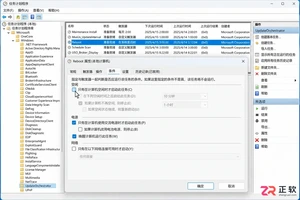
针对 Windows 11 电脑在无人操作时自动关机或重启的问题,本文详解如何通过任务计划程序禁用更新重启任务,并调整电源睡眠策略,从根源解决非预期的自动关机现象。

详细讲解在Windows电脑上测试摄像头人脸识别功能的步骤,包括开启Windows Hello、录入面部数据、不同环境下的效果验证及常见问题排查,帮助用户确认设备兼容性与识别准确率。
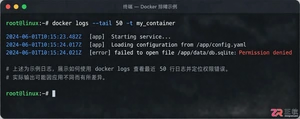
当 Docker 容器启动后立即退出时,不要盲目重启。本文详解如何通过 docker logs 查看标准输出错误,利用 docker inspect 检查挂载与网络配置,并修正入口点脚本权限问题,提供一套高效的因果排查流程。
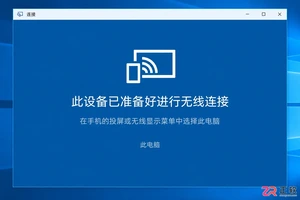
详解如何利用Windows 10自带功能将安卓手机画面投射至电脑屏幕,涵盖开启步骤、连接技巧及延迟分析,适合临时演示与多屏协作场景。
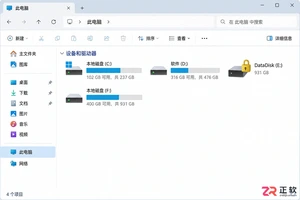
详细介绍如何在Windows系统中为移动硬盘解除BitLocker加密,包括解锁驱动器、关闭加密功能及监控解密进度的完整操作流程,帮助用户安全移除数据保护。
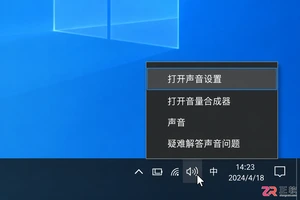
本文详解Windows 10笔记本耳机无声音的常见原因与解决方法,涵盖物理接口检查、默认播放设备切换、驱动程序更新及音频增强关闭等操作,并分析蓝牙耳机连接异常的例外场景。
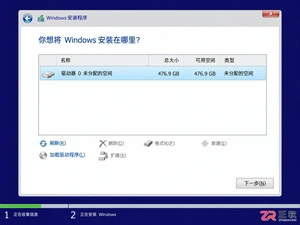
还在为SATA固态硬盘装Win10怎么分区头疼?本教程详解安装过程中的分区步骤,涵盖4K对齐检查、ESP引导分区处理及容量规划建议,助你一次性搞定系统盘,避免后期卡顿与空间浪费。




Photoshop 2026 是 Adobe 推出的专业图像处理与视觉设计软件,支持 Windows、macOS 和 iPad 等平台,广泛应用于摄影修图、电商设计、平面海报、数字绘画及视觉合成等创作场景。

Blender 是一款免费开源、跨平台的专业 3D 创作软件,集建模、动画、渲染、视频编辑与视觉合成等功能于一体,广泛应用于影视动画、游戏设计和建筑可视化等领域。软件支持 Cycles 物理渲染器与 Eevee 实时渲染引擎,并提供多边形建模、骨骼绑定、物理模拟等专业工具。Blender 兼容 Windows、macOS 和 Linux 系统,安装包轻巧、运行流畅,依托活跃的全球开发者社区持续更新,是从初学者到专业创作者都值得选择的正版 3D 创作工具。


Photoshop 2026 是 Adobe 推出的专业图像处理与视觉设计软件,支持 Windows、macOS 和 iPad 等平台,广泛应用于摄影修图、电商设计、平面海报、数字绘画及视觉合成等创作场景。
Blender 是一款免费开源、跨平台的专业 3D 创作软件,集建模、动画、渲染、视频编辑与视觉合成等功能于一体,广泛应用于影视动画、游戏设计和建筑可视化等领域。软件支持 Cycles 物理渲染器与 Eevee 实时渲染引擎,并提供多边形建模、骨骼绑定、物理模拟等专业工具。Blender 兼容 Windows、macOS 和 Linux 系统,安装包轻巧、运行流畅,依托活跃的全球开发者社区持续更新,是从初学者到专业创作者都值得选择的正版 3D 创作工具。