

Kubernetes服务类型浅析:从概念到实践
本文转自Rancher Labs在Kubernetes中,服务总是能使其网络访问到一个或一组Pod上。服务将会根据标签选择Pod并且当对这些服务建立网络时,它会选择集群中所有与服务的selector相匹配的Pod,并选择其中的一个,然后将网络请求转发给它。Kubernetes 服务vs Deploy
本文转自Rancher Labs
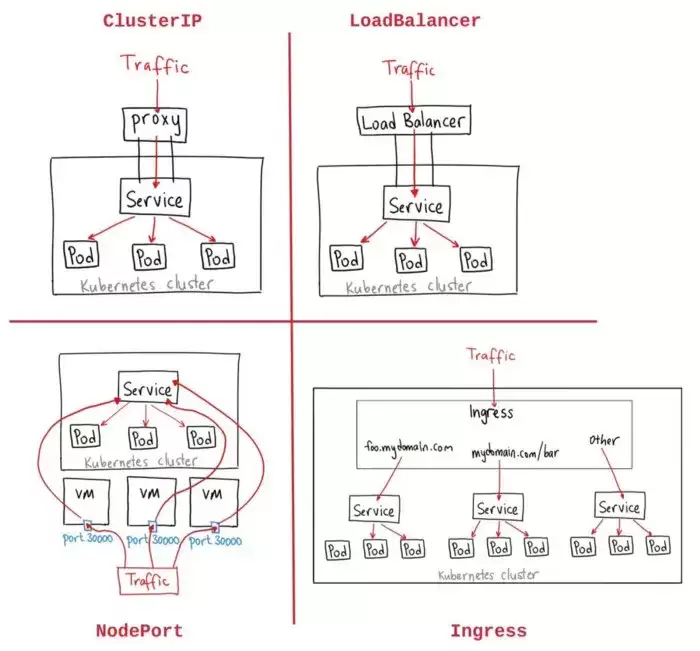
在Kubernetes中,服务总是能使其网络访问到一个或一组Pod上。服务将会根据标签选择Pod并且当对这些服务建立网络时,它会选择集群中所有与服务的selector相匹配的Pod,并选择其中的一个,然后将网络请求转发给它。
Kubernetes 服务vs Deployment
在K8S中我们应该如何区分Deployment和服务呢?
Deployment主要负责让一组pod在集群中保持运行
服务主要负责在集群中启用对一组pod的网络访问
在K8S集群中,我们其实可以只使用deployment,而不依赖服务,这样就能让几个相同的Pod保持运行。而且,Deployment的规模是能灵活调整的,既可以扩大,也可以缩小,pod还能进行复制。不过在Kubernetes里,单个pod虽然能直接通过网络请求单独访问,但要去跟踪pod的话,就会有点难度了。
其实呀,我们还可以选择使用一种服务类型,而无需依赖deployment。一旦这么做了,就只会创建一个单独的pod,而不会像在deployment中那样,将所有pod一起创建出来。不过呢,咱们还有另一种选择,那就是让我们的服务依据分配给它们的标签来进行筛选,进而把网络请求精准地路由到这些Pod上。
我们如何发现Kubernetes服务呢?
在Kubernetes中,有两种方式可以发现服务:
DNS类型。DNS server被添加到集群中,以便观察Kubernetes API为每个新服务创建DNS record set。当整个集群启用DNS后,所有的Pod都应该能够自动进行服务名称解析。
ENV变量。在这一发现方法中,一个pod运行在一个节点上,所以 kubelet为每个active服务添加环境变量。
ClusterIP、NodePort和LoadBalancer是什么?
服务规范中的类型属性决定了服务如何暴露在网络中。比如,ClusterIP、NodePort和LoadBalancer。
ClusterIP—默认值。该服务只能从Kubernetes集群内访问。NodePort—这使得服务可以通过集群中每个节点上的静态端口访问。LoadBalancer—服务通过云提供商的负载均衡器功能可以从外部访问。阿里云、AWS、Azure都提供了这一功能。
如何创建一个服务
通过deployment kind的帮助,以“Hello World” App形式的简单示例将会帮助你更好地理解如何创建服务。
我们的操作流程是,当我们看到应用程序已经部署完成并且以up状态运行的时候,我们将创建服务(Cluster IP)来访问Kubernetes中的应用程序。
现在,让我们创建一个正在运行的deployment
“kubectl run hello-world –replicas=3 –labels=”run=load-balancer-example” –image=gcr.io/google-samples/node-hello:1.0 –port=8080”.这里,这个命令在Kubernetes中创建了一个有两个应用程序副本的deployment。
接下来,
run "kubectl get deployment hello-world" so see that the deployment is running.
Now we can check the replicaset and pods that the deployment created.
$ kubectl get deployments hello-world
NAME          DESIRED   CURRENT   UP-TO-DATE   A VAILABLE       AGE
hello-world    3          3            3        3              76s
应用程序现在正在运行,如果你想要访问新创建的应用程序,我们需要创建ClusterIP类型的服务:
为服务创建一个YAML manifest并应用它,或
使用
kubectl expose命令,这是一个更为简单的选项。因为这一命令可以无需创建YAML文件即可创建一个服务。
$ kubectl expose deployment hello-world --type=ClusterIP --name=example-service
service "example-service" exposed
在这里,我们将创建一个名为example-service的服务,类型为ClusterIP。
那么,现在我们将访问我们的应用程序:
run “kubectl get service example-service” to get our port number.然后,我们需要执行port-forward命令。因为我们的服务类型是ClusterIP,所以只能在集群内访问,因此我们必须通过转发端口到集群中的本地端口才能访问我们的应用程序。
我们可以使用其他类型,如LoadBalancer,这将在AWS或GCP中创建一个LB,然后我们可以使用给LB的DNS地址和我们端口号来访问应用程序。
$ kubectl get service example-service

NAME              TYPE        CLUSTER-IP      EXTERNAL-IP   PORT(S)    AGE
example-service   ClusterIP   100.20.167.76           8080/TCP   1h

$ kubectl port-forward service/example-service 8080:8080
Forwarding from 127.0.0.1:8080 -> 8080
现在我们可以从工作站浏览http://localhost:8080,并且我们应该会看到:
Hello Kubernetes!Kubernetes 服务 NodePort YAML示例
此示例YAML创建了可用于外部网络请求的服务。在这里,我们提到了带Value的NodePort,因此服务被映射到集群中每个节点上的端口。
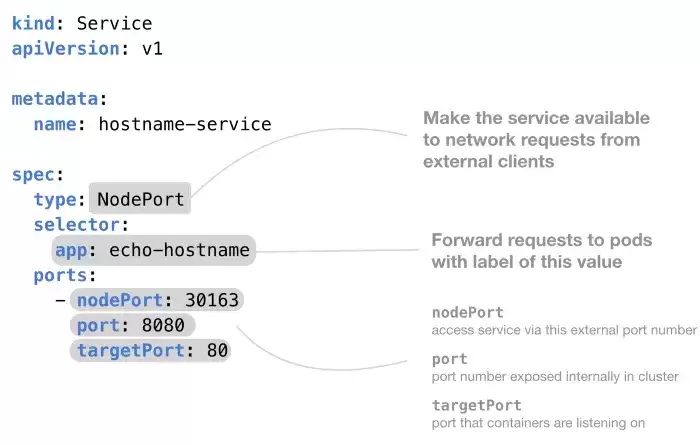
下面是一个yaml的例子,它将展示我们如何在Kubernetes中使用NodePort服务类型。
kind: Service
apiVersion: v1
metadata:
  name: hostname-service
spec:
  # Expose the service on a static port on each node
  # so that we can access the service from outside the cluster
  type: NodePort
# When the node receives a request on the static port (30163)
  # "select pods with the label 'app' set to 'echo-hostname'"
  # and forward the request to one of them
  selector:
    app: echo-hostname
ports:
    # Three types of ports for a service
    # nodePort - a static port assigned on each the node
    # port - port exposed internally in the cluster
    # targetPort - the container port to send requests to
    - nodePort: 30163
      port: 8080
      targetPort: 80
除了开始菜单的变化,Windows 11在TPM 2.0安全要求、窗口贴靠布局、驱动兼容性以及系统更新策略上与Windows 10有显著不同。本文详解两者实质差异,助你判断是否值得升级。
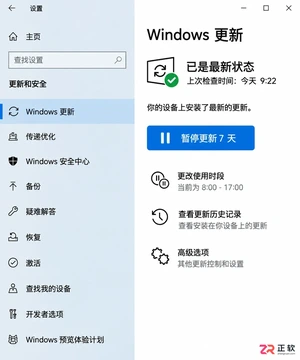
详解Windows 10家庭版和专业版在关闭或暂停自动更新时的操作区别。涵盖通用的暂停更新、活动时间设置,以及专业版独有的组策略管理入口,帮助不同版本用户合理控制更新节奏,避免系统安全风险。
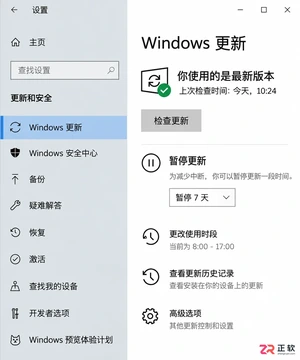
想知道Win10暂停更新最长能设多久?官方支持最长暂停35天。本文图文演示如何在设置中开启暂停、确认生效日期,以及到期后如何恢复更新或调整活动时间以避免打扰。
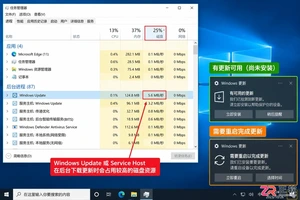
本教程介绍如何在Windows 10中通过暂停更新、设置活动时间及安排重启时间来减少更新弹窗提醒。包含通知隐藏技巧及更新失败排查步骤,帮助你在保持系统安全的同时减少工作打扰。
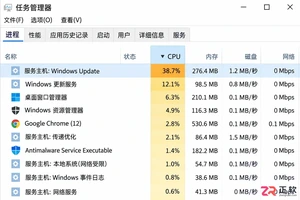
Windows 10 更新时 CPU 占用过高怎么办?本教程演示如何通过任务管理器确认更新进程,使用“暂停更新”功能临时停止后台活动,并设置“活动时间”防止自动重启干扰工作。提供安全的故障排查步骤,避免直接禁用系统服务带来的风险。
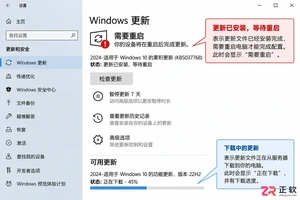
Win10玩游戏时突然弹出更新重启提示?不要强制关机。本文教你如何通过设置“活动时间”避免自动重启,利用“安排重启”规划空闲时间,以及合理使用“暂停更新”功能。区分不同状态下的应对策略,既保护游戏进度又维持系统安全。
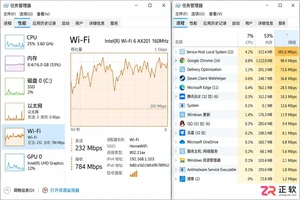
Win10自动更新抢占带宽导致游戏卡顿或网页打不开?本教程教你通过任务管理器确认更新进程,利用暂停更新、按流量计费连接和传递优化带宽限制,精准控制Windows Update下载速度,解决网络拥堵问题。
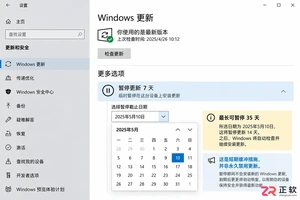
Win10家庭版用户常受强制更新困扰。本文详解如何利用系统自带的暂停更新、活动时间和安排重启功能,在不破坏系统稳定性的前提下减少更新打扰,并分析注册表修改的风险及系统支持现状。
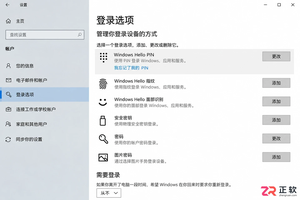
Windows 10更新后开机突然要求输入密码?本文解析自动登录失效的真实原因,提供通过netplwiz重新保存凭据、关闭Windows Hello干扰及排查账户策略的完整步骤,助你恢复免密进入桌面。
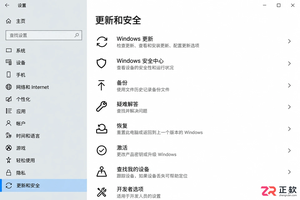
Windows 10更新下载失败反复重试怎么办?不要直接停用服务。本文教你通过设置页面暂停更新、启用按流量计费连接以及调整活动时间,安全地暂时停止下载任务并避免意外重启。




Photoshop 2026 是 Adobe 推出的专业图像处理与视觉设计软件,支持 Windows、macOS 和 iPad 等平台,广泛应用于摄影修图、电商设计、平面海报、数字绘画及视觉合成等创作场景。

Blender 是一款免费开源、跨平台的专业 3D 创作软件,集建模、动画、渲染、视频编辑与视觉合成等功能于一体,广泛应用于影视动画、游戏设计和建筑可视化等领域。软件支持 Cycles 物理渲染器与 Eevee 实时渲染引擎,并提供多边形建模、骨骼绑定、物理模拟等专业工具。Blender 兼容 Windows、macOS 和 Linux 系统,安装包轻巧、运行流畅,依托活跃的全球开发者社区持续更新,是从初学者到专业创作者都值得选择的正版 3D 创作工具。


Photoshop 2026 是 Adobe 推出的专业图像处理与视觉设计软件,支持 Windows、macOS 和 iPad 等平台,广泛应用于摄影修图、电商设计、平面海报、数字绘画及视觉合成等创作场景。
Blender 是一款免费开源、跨平台的专业 3D 创作软件,集建模、动画、渲染、视频编辑与视觉合成等功能于一体,广泛应用于影视动画、游戏设计和建筑可视化等领域。软件支持 Cycles 物理渲染器与 Eevee 实时渲染引擎,并提供多边形建模、骨骼绑定、物理模拟等专业工具。Blender 兼容 Windows、macOS 和 Linux 系统,安装包轻巧、运行流畅,依托活跃的全球开发者社区持续更新,是从初学者到专业创作者都值得选择的正版 3D 创作工具。