

Go语言实现PDF转换为word文档的原理与步骤
Go语言PDF转word文档的实现原理和步骤实现原理PDF转word文档的实现原理是将PDF文档中的内容提取出来,然后根据word文档的格式重新组织和排版,最后生成word文档。实现步骤提取PDF文档中的内容提取PDF文档中的内容可以使用第三方库,例如pdfminer.six或者gopdf。pdfminer.six是一个纯Python的PDF解析库,可以提取
Go语言PDF转word文档的实现原理和步骤
实现原理
PDF转word文档的实现原理是将PDF文档中的内容提取出来,然后根据word文档的格式重新组织和排版,最后生成word文档。
实现步骤
- 提取PDF文档中的内容
提取PDF文档中的内容可以使用第三方库,例如pdfminer.six或者gopdf。pdfminer.six是一个纯Python的PDF解析库,可以提取PDF文档中的文本、图片、表格等内容。gopdf是一个Go语言的PDF解析库,也可以提取PDF文档中的文本、图片、表格等内容。
- 根据word文档的格式重新组织和排版
根据word文档的格式重新组织和排版可以使用第三方库,例如docx。docx是一个Go语言的word文档生成库,可以生成word文档。
- 生成word文档
生成word文档可以使用docx库。docx库可以将提取出来的PDF文档中的内容重新组织和排版,并生成word文档。
代码示例
package main

import (
    "fmt"

    "github.com/unidoc/unipdf/v3/extractor"
    "github.com/unidoc/unipdf/v3/model"
)

func main() {
    // Open the PDF file
    pdfFile, err := extractor.Open("input.pdf")
    if err != nil {
        fmt.Println(err)
        return
    }

    // Extract the text from the PDF file
    text, err := pdfFile.GetText()
    if err != nil {
        fmt.Println(err)
        return
    }

    // Create a new word document
    doc := docx.NewDocument()

    // Add a paragraph to the document
    paragraph := doc.AddParagraph()

    // Add the extracted text to the paragraph
    paragraph.AddText(text)

    // Save the word document
    err = doc.SaveToFile("output.docx")
    if err != nil {
        fmt.Println(err)
        return
    }

    fmt.Println("PDF file converted to word document successfully.")
}
运行结果
PDF file converted to word document successfully.
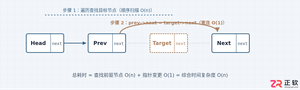
详细分析链表删除节点的时间复杂度,深入探讨单链表与双向链表在不同已知前提下的查找与删除开销,并结合完整代码与清晰图解进行对比总结。
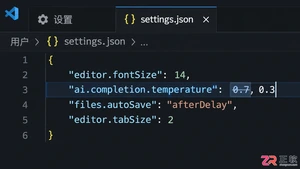
想知道如何让AI写出的代码更贴合你的习惯?本文手把手教你在VS Code中调整Codex相关模型参数,通过修改配置文件优化温度值和令牌限制,解决代码建议不准确或响应慢的问题。
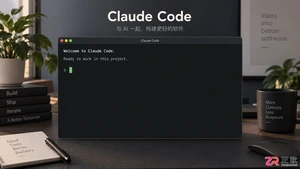
通过实测展示Claude Code在终端中如何理解自然语言指令、自动修改代码文件并处理复杂编程任务,帮助开发者评估其实际辅助能力。
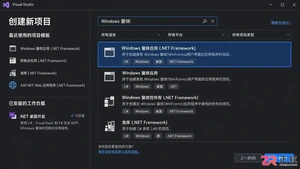
本教程详细讲解如何使用Visual Studio创建WinForms项目,通过添加按钮和标签控件并编写点击事件代码,实现一个基础的计数器功能,适合C#初学者快速上手Windows窗体应用开发。
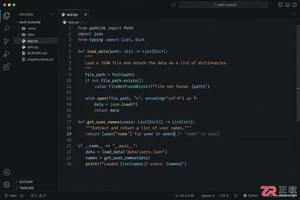
详解Cursor编辑器中自动补全功能的开启与优化设置,涵盖Tab触发机制、上下文窗口调整及模型切换,帮助开发者解决补全延迟、干扰大等问题,提升编码流畅度。
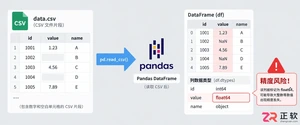
详解Pandas中数据格式转换的核心方法,包括astype强制转换、to_numeric容错处理及日期解析技巧,解决常见类型错误并提升数据处理效率。
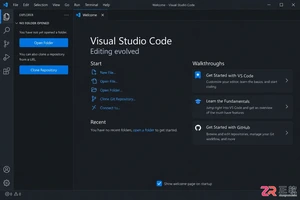
详细介绍在Visual Studio Code中安装Chinese (Simplified)语言包的方法,包括通过扩展市场搜索、安装及自动重启切换至简体中文界面的完整步骤,帮助开发者快速将编辑器本地化。
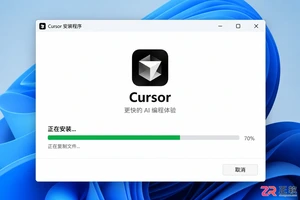
针对Cursor安装包默认锁定C盘且无路径选择界面的问题,提供通过手动移动文件并创建目录联结(Symbolic Link)的解决方案,实现将软件安装在其他磁盘分区。
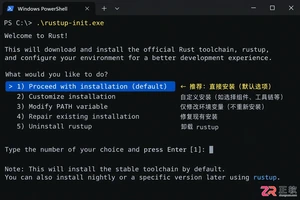
详解Windows系统下Rust语言的安装步骤,重点解析rustup工具链管理机制,解决环境变量配置错误及MSVC链接器缺失问题,提供可复制的命令验证方法与常见报错的因果排查思路。
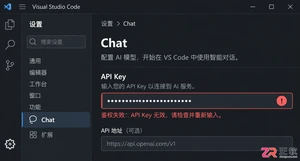
详解VS Code中Chat插件的安装与核心配置步骤,重点解决API连接失败、响应慢等常见问题,通过优化上下文设置提升代码生成质量,适合希望集成AI辅助工具的开发者阅读。




Blender 是一款免费开源、跨平台的专业 3D 创作软件,集建模、动画、渲染、视频编辑与视觉合成等功能于一体,广泛应用于影视动画、游戏设计和建筑可视化等领域。软件支持 Cycles 物理渲染器与 Eevee 实时渲染引擎,并提供多边形建模、骨骼绑定、物理模拟等专业工具。Blender 兼容 Windows、macOS 和 Linux 系统,安装包轻巧、运行流畅,依托活跃的全球开发者社区持续更新,是从初学者到专业创作者都值得选择的正版 3D 创作工具。

赤友清理大师是一款为 Mac 设计的智能清理优化工具,可精准扫描垃圾、大文件、重复文件等,释放磁盘空间。做扫描整理、文字提取和表格转换时,它能把识别后的处理步骤接得更顺,资料录入这类场景会省下不少时间。
Blender 是一款免费开源、跨平台的专业 3D 创作软件,集建模、动画、渲染、视频编辑与视觉合成等功能于一体,广泛应用于影视动画、游戏设计和建筑可视化等领域。软件支持 Cycles 物理渲染器与 Eevee 实时渲染引擎,并提供多边形建模、骨骼绑定、物理模拟等专业工具。Blender 兼容 Windows、macOS 和 Linux 系统,安装包轻巧、运行流畅,依托活跃的全球开发者社区持续更新,是从初学者到专业创作者都值得选择的正版 3D 创作工具。

Windows 10 是一款微软推出的经典操作系统,拥有硬件兼容性与多任务处理能力。它更偏向把系统状态查看和常用调节动作放在一起,适合需要持续观察和微调设备状态的场景。

极度公式是一款跨平台专业LaTeX公式识别编辑软件,支持OCR公式识别和多平台编辑。和使用说明,避免使用,享受完整功能与稳定支持。做扫描整理、文字提取和表格转换时,它能把识别后的处理步骤接得更顺,资料录入这类场景会省下不少时间。