

LNMP在Debian上如何配置SSL
在Debian系统上,要为LNMP(即Linux、Nginx、MySQL、PHP的组合)配置SSL,让其支持HTTPS,这需要经历几个特定的步骤。接下来,我将为你提供一个基础的指南,帮助你完成SSL证书的设置,并对Nginx进行相应配置,以实现HTTPS的正常使用。1. 安装CertbotCertb
在Debian系统上,要为LNMP(即Linux、Nginx、MySQL、PHP的组合)配置SSL,让其支持HTTPS,这需要经历几个特定的步骤。接下来,我将为你提供一个基础的指南,帮助你完成SSL证书的设置,并对Nginx进行相应配置,以实现HTTPS的正常使用。
1. 安装Certbot
Certbot是一个自动化的工具,用于获取和续订Let’s Encrypt SSL证书。你可以使用以下命令安装Certbot:
sudo apt update
sudo apt install certbot python3-certbot-nginx
2. 获取SSL证书
使用Certbot获取SSL证书。运行以下命令并按照提示操作:
sudo certbot --nginx -d yourdomain.com -d www.yourdomain.comCertbot会自动配置Nginx以使用SSL证书,并创建一个指向你的网站的符号链接。
3. 验证SSL配置
Certbot会自动检测你的Nginx配置文件是否存在语法错误。要是有错误,它会提示你去修复。当然,你也能手动测试Nginx配置文件的语法哦:
sudo nginx -t如果没有错误,重新加载Nginx以应用更改:
sudo systemctl reload nginx4. 配置自动续订
Certbot会自动设置一个cron作业来定期续订你的SSL证书。你可以手动测试续订过程以确保一切正常:
sudo certbot renew --dry-run如果一切正常,Certbot会在证书到期前30天自动续订证书。
5. 配置防火墙
确保你的防火墙允许HTTPS流量。如果你使用的是ufw,可以运行以下命令:
sudo ufw allow 'Nginx Full'6. 可选配置
HSTS(HTTP Strict Transport Security):强制浏览器始终通过HTTPS访问你的网站。
add_header Strict-Transport-Security "max-age=31536000; includeSubDomains" always;OCSP Stapling:提高SSL握手速度和安全性。
ssl_stapling on;
ssl_stapling_verify on;
resolver 8.8.8.8 8.8.4.4 valid=300s;
resolver_timeout 5s;
将上述配置添加到你的Nginx服务器块中,以启用这些可选功能。
示例Nginx服务器块配置
以下是一个基本的Nginx服务器块配置示例,包括SSL设置:
server {
    listen 80;
    server_name yourdomain.com www.yourdomain.com;

    location /.well-known/acme-challenge/ {
        root /var/www/certbot;
    }

    location / {
        return 301 https://$host$request_uri;
    }
}

server {
    listen 443 ssl;
    server_name yourdomain.com www.yourdomain.com;

    ssl_certificate /etc/letsencrypt/live/yourdomain.com/fullchain.pem;
    ssl_certificate_key /etc/letsencrypt/live/yourdomain.com/privkey.pem;
    include /etc/letsencrypt/options-ssl-nginx.conf;
    ssl_dhparam /etc/letsencrypt/ssl-dhparams.pem;

    add_header Strict-Transport-Security "max-age=31536000; includeSubDomains" always;
    ssl_stapling on;
    ssl_stapling_verify on;
    resolver 8.8.8.8 8.8.4.4 valid=300s;
    resolver_timeout 5s;

    root /var/www/html;
    index index.php index.html index.htm;

    location ~ .php$ {
        include snippets/fastcgi-php.conf;
        fastcgi_pass unix:/var/run/php/php7.4-fpm.sock;
    }

    location / {
        try_files $uri $uri/ =404;
    }
}
请根据你的实际情况调整配置。
完成这些步骤后,你的Debian服务器上的LNMP环境应该已经成功配置了SSL。
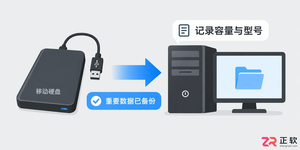
详解 Windows 10 自定义安装中清空目标硬盘全部分区的操作步骤。从数据备份、U盘启动到删除分区重建系统结构,提供安全的界面导览与注意事项,适合需要彻底重置电脑的用户。
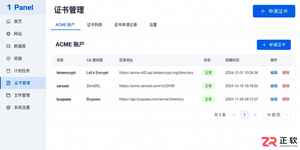
遇到 1Panel 申请证书失败?本文通过界面区域导览,详细讲解 ACME 账户、DNS 账号权限、手动解析记录、HTTP 80 端口连通性及网站 SSL 配置等关键排查点,助你解决证书申请难题。
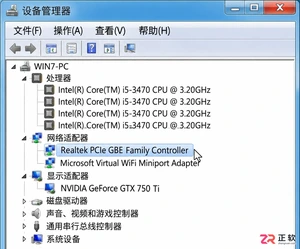
详细讲解如何将Windows 7系统替换为Windows 10,包括升级与全新安装的选择、关键数据备份、U盘启动盘制作、磁盘分区操作及驱动恢复步骤。注意Windows 10支持周期已结束,需做好安全规划。
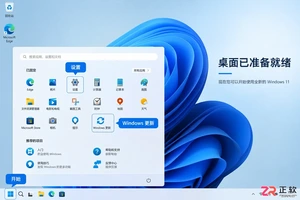
详细讲解Windows系统安装步骤,包括使用Media Creation Tool制作启动U盘、BIOS/UEFI启动设置、磁盘分区选择及驱动激活检查。区分就地重装与全新安装,帮助用户安全完成系统部署。
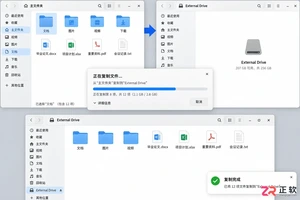
想从 Linux 换回 Windows?本文详解制作安装介质、进入 BIOS/UEFI 启动菜单、删除 Linux 分区及安装 Windows 的全过程。重点提示数据备份与磁盘确认,避免误删其他硬盘数据。

学习如何安装和配置 ObjectDock,包括设置 Dock 位置、图标大小、自动隐藏、添加应用快捷方式、更换背景主题以及设置开机自启,打造高效美观的 Windows 桌面环境。
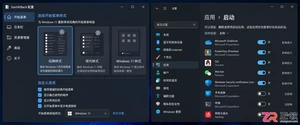
找不到StartAllBack开机启动选项?本文详解如何在Windows设置、任务管理器及启动文件夹中定位StartAllBack启动项,并验证其是否随系统自动运行,解决重启后界面恢复默认的问题。
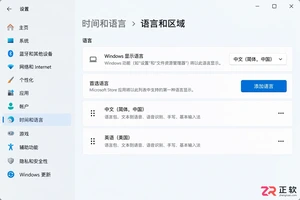
遇到Windows界面无法切换为中文的情况?本文详解如何区分输入法与显示语言,排查单一语言版本限制,正确安装中文语言包并解决下载失败问题,助您快速恢复中文界面。
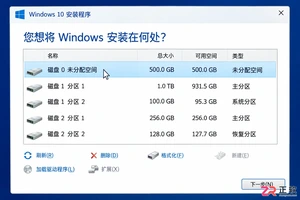
Windows 10 安装过程中遇到分区混乱或报错?本教程指导你如何在备份数据后,正确识别目标磁盘,匹配 UEFI/GPT 启动模式,并通过安装程序自动重建系统分区,确保全新安装顺利启动。
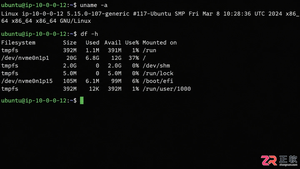
详解 1Panel 在 Linux 服务器上的在线安装步骤。涵盖环境检查、SSH 终端操作、官方脚本执行、Docker 依赖处理及浏览器访问配置,助您快速搭建运维管理面板。



Shapr3D是一款面向工业设计、机械工程、建筑概念和三维打印工作流的CAD软件。Mac版采用Parasolid建模内核,支持草图约束、实体建模、工程图、可视化渲染及常见CAD格式交换,并可通过账户在多台设备之间同步项目。

REAPER是Cockos开发的数字音频工作站,提供多轨音频与MIDI录制、剪辑、处理、混音和母带制作工具。Mac版兼容Intel与Apple芯片,支持AU、VST、VST3、CLAP等插件格式,并提供高度可定制的工作流程。

Ableton Live 是面向音乐制作人与现场表演者的数字音频工作站,提供编曲视图、独具特色的现场视图、音频录制、MIDI创作、实时变速、乐器及效果器。Mac版原生支持Apple芯片,并可连接音频接口、MIDI控制器和第三方插件。


Photoshop 2026 是 Adobe 推出的专业图像处理与视觉设计软件,支持 Windows、macOS 和 iPad 等平台,广泛应用于摄影修图、电商设计、平面海报、数字绘画及视觉合成等创作场景。

Blender 是一款免费开源、跨平台的专业 3D 创作软件,集建模、动画、渲染、视频编辑与视觉合成等功能于一体,广泛应用于影视动画、游戏设计和建筑可视化等领域。软件支持 Cycles 物理渲染器与 Eevee 实时渲染引擎,并提供多边形建模、骨骼绑定、物理模拟等专业工具。Blender 兼容 Windows、macOS 和 Linux 系统,安装包轻巧、运行流畅,依托活跃的全球开发者社区持续更新,是从初学者到专业创作者都值得选择的正版 3D 创作工具。