

使用 PHP 将图像转换为 Base64 编码
借助PHP中的多个内置函数,有很多方法可以将图像编码为base64格式。这些函数包括:pathinfofile_get_contentsbase64_encodemime_content_type在php中使用file_get_contents、pathinfo和base64_encode将图像编码为Base64图像应该有一个存储在变量中的定义路径,以使用file_get_contents、pathinfo和base64_encode将图像编码为base64。使用pathinfo功能读取信息。然后将结果信
借助 PHP 中的多个内置函数,有很多方法可以将图像编码为 base64 格式。
这些函数包括:
-
pathinfo -
file_get_contents -
base64_encode -
mime_content_type
在 php 中使用 file_get_contents、pathinfo 和 base64_encode 将图像编码为 Base64
图像应该有一个存储在变量中的定义路径,以使用 file_get_contents、pathinfo 和 base64_encode 将图像编码为 base64。
使用 pathinfo 功能读取信息。然后将结果信息传递给 file_get_contents 函数。
file_get_contents 的工作是将图像文件读入字符串。我们可以将字符串传递给 base64_encode 函数。
要显示 base64 编码的图像,连接字符串 data:image/、来自 pathinfo 的信息、字符串 ;base64 和 base64 编码的字符串。
php
	// Define a path for the image
	$image_path = 'xps-unsplash.jpg';

	// Check the image type
	$image_type = pathinfo($image_path, PATHINFO_EXTENSioN);

	// Read the image into a string
	$data = file_get_contents($image_path);

	// Encode the image
	$base64_encode = 'data:image:/' . $image_type . ';base64,' . base64_encode($data);

	// Return the first 50 characters of the
	// base64 encoded string
	echo substr($base64_encode, 0, 50);
?>
输出:
data:image:/jpg;base64,/9j/4AAQSkZJRgABAQEASABIAAD
在 PHP 中使用 file_get_contents 和 base64_encode 将图像编码为 Base64
要将图像转换为 base64,请将图像的路径直接传递给 file_get_contents 函数。
file_get_contents 函数将返回一个字符串。如果你将此字符串作为参数提供给 base64_encode 函数,将会有所帮助。
php
// Define a path for the image
$data = file_get_contents('xps-unsplash.jpg');

// Encode the image
$base64_encode = base64_encode($data);

// Return the first 50 characters of the
// base64 encoded string
echo substr($base64_encode, 0, 50);
?>
输出:
/9j/4AAQSkZJRgABAQEASABIAAD/4gIcSUNDX1BST0ZJTEUAAQ
在 PHP 中使用 base64_encode 和 mime_content_type 将图像编码为 Base64
使用 file_get_contents 函数读取图像路径。然后将生成的字符串转换为 base64 编码。
你可以在将图像源传递给 html src 标记之前对其进行格式化。
为此,你需要将图像格式化为 data:{mime};base64,{data}。你可以从格式中推断出你需要图像 mime 类型。
你可以使用 mime_content_type 函数获取图像 mime 类型。最后,你将格式作为 src 属性的值传递。
php
// Define a path for the image
$image_path = 'xps-unsplash.jpg';
// Read the image path and convert it to
// base64
$base64_encode = base64_encode(file_get_contents($image_path));
// Prepare the image for use in an img
// src tag
$image_source = 'data: ' . mime_content_type($image_path) . ';base64,' . $base64_encode;
// Display the image in the img src tag
echo ' . $image_source . '">';
?>
. $image_source . '">';
?>
输出:

使用 PHP 中的自定义函数将图像编码为 Base64
在此函数的定义中,你可以使用诸如 file_get_contents、base64_encode 和 pathinfo 之类的方法来处理图像编码。
你可以使用 file_put_contents 实现缓存功能以获得更好的性能。
php
function encode_html_image (
$image_file,
$alternate_text = NULL,
$image_cache,
$image_extension = NULL
) {
// check if the image is not a file
if (!is_file($image_file)) {
return false;
}
// Save the image as base64 extension for
// use as a cache
$image_with_base64_extension = "{$image_file}.base64";
if ($image_cache && is_file($image_with_base64_extension)) {
// Use the cache image
$base64_encoded_image = file_get_contents($image_with_base64_extension);
} else {
// Create a new base64 encoded image
$image_binary_data = file_get_contents($image_file);
$base64_encoded_image = base64_encode($image_binary_data);
if ($image_cache) {
file_put_contents($image_with_base64_extension, $base64_encoded_image);
}
}
$image_extension = pathinfo($image_file, PATHINFO_EXTENSION);
return " ";
}
$sample_image = 'xps-unsplash.jpg';
$encoded_image = encode_html_image($sample_image, 'XPS by DELL', true);
echo $encoded_image;
?>
";
}
$sample_image = 'xps-unsplash.jpg';
$encoded_image = encode_html_image($sample_image, 'XPS by DELL', true);
echo $encoded_image;
?>
输出:


深入解析接口日志记录表的字段设计原则,涵盖请求头、参数、响应体、耗时等关键数据的采集与存储方法,提供可直接落地的建表代码与性能优化建议,解决线上问题排查难、数据追溯缺失的痛点。
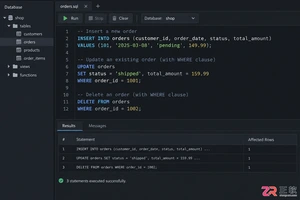
掌握SQL增删改核心规范:INSERT必须指定列清单以防结构变更错误;UPDATE和DELETE执行前务必通过SELECT确认WHERE条件范围;利用事务BEGIN/ROLLBACK机制实现误操作回滚。本文结合PostgreSQL语法与跨库差异,提供从语句编写到结果验证的完整安全操作流程,帮助开发者规避生产环境数据风险。
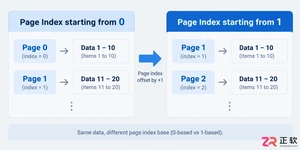
遇到接口分页数据对不上?本文解析page和size参数的核心设置规则,包括起始索引选择、默认值配置及异常处理,助你避开常见的分页陷阱。
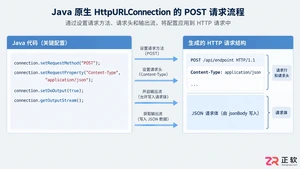
深入解析Java发送JSON格式POST请求的实现机制,对比原生API与第三方库的代码差异,提供可复制的代码示例,并探讨超时设置、编码处理及微服务场景下的例外情况。
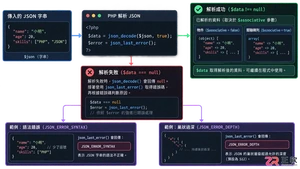
本文详解PHP中json_decode处理嵌套JSON数据的机制,对比对象与数组模式的取值差异,提供防止空指针错误的健壮代码示例,帮助开发者快速定位解析失败原因。
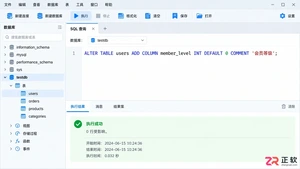
遇到需要给现有MySQL表增加新列的情况?本文详细解析ALTER TABLE ADD COLUMN语句的标准写法,包括如何在指定位置插入字段、设置默认值以及批量操作的技巧,助你避开锁表风险,轻松完成结构变更。
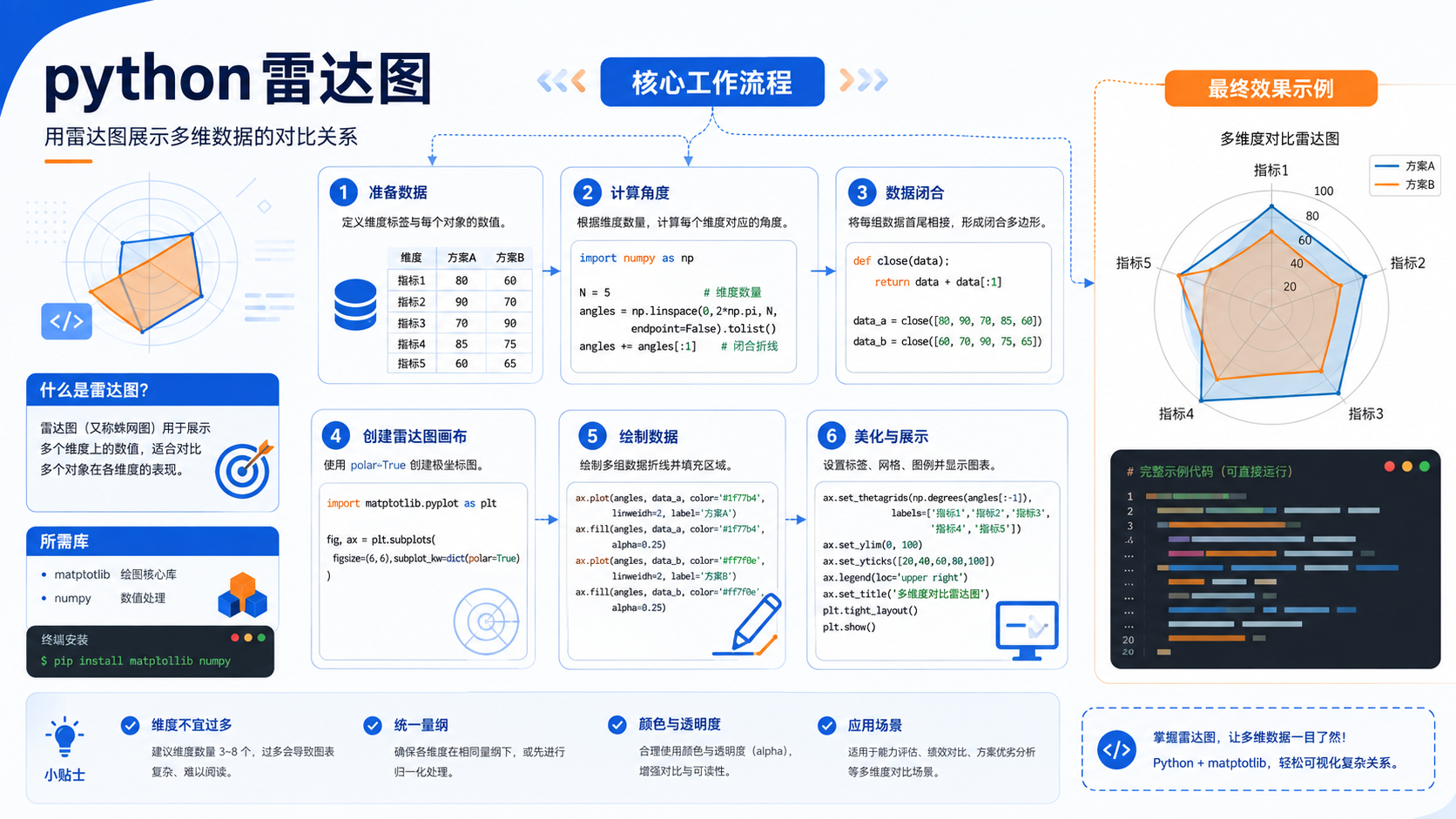
针对后端开发者的 python 雷达图实操指南。包含基于官方文档的环境准备、venv 虚拟环境创建、pip 依赖管理及验证命令,提供清晰的排错决策图与适用边界说明。
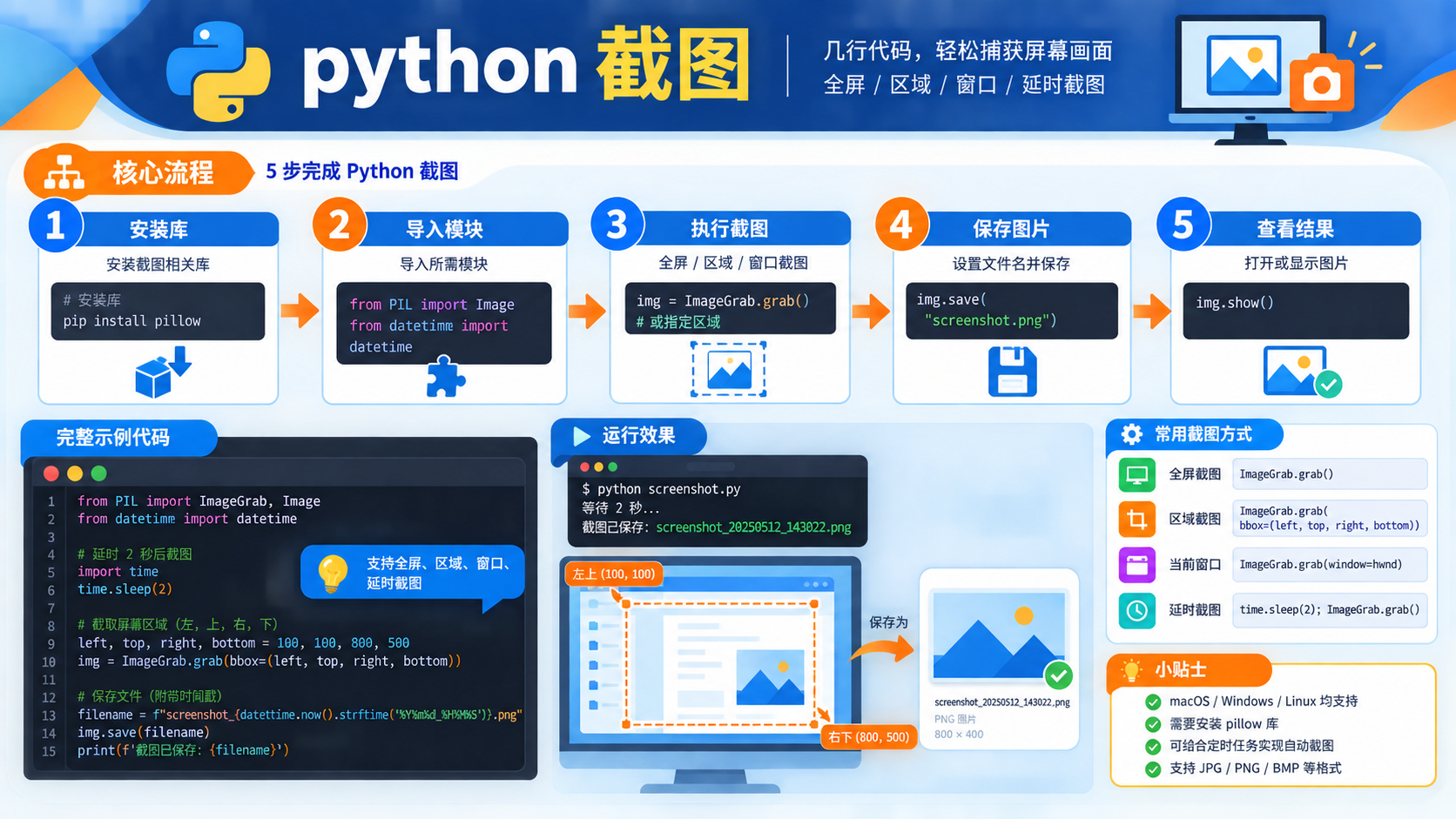
面向后端开发者的 python 截图技术文章,涵盖从环境检查、虚拟环境创建到依赖管理的完整流程。提供基于官方文档的验证命令与决策路径,帮助读者快速定位并解决截图任务中的环境问题。
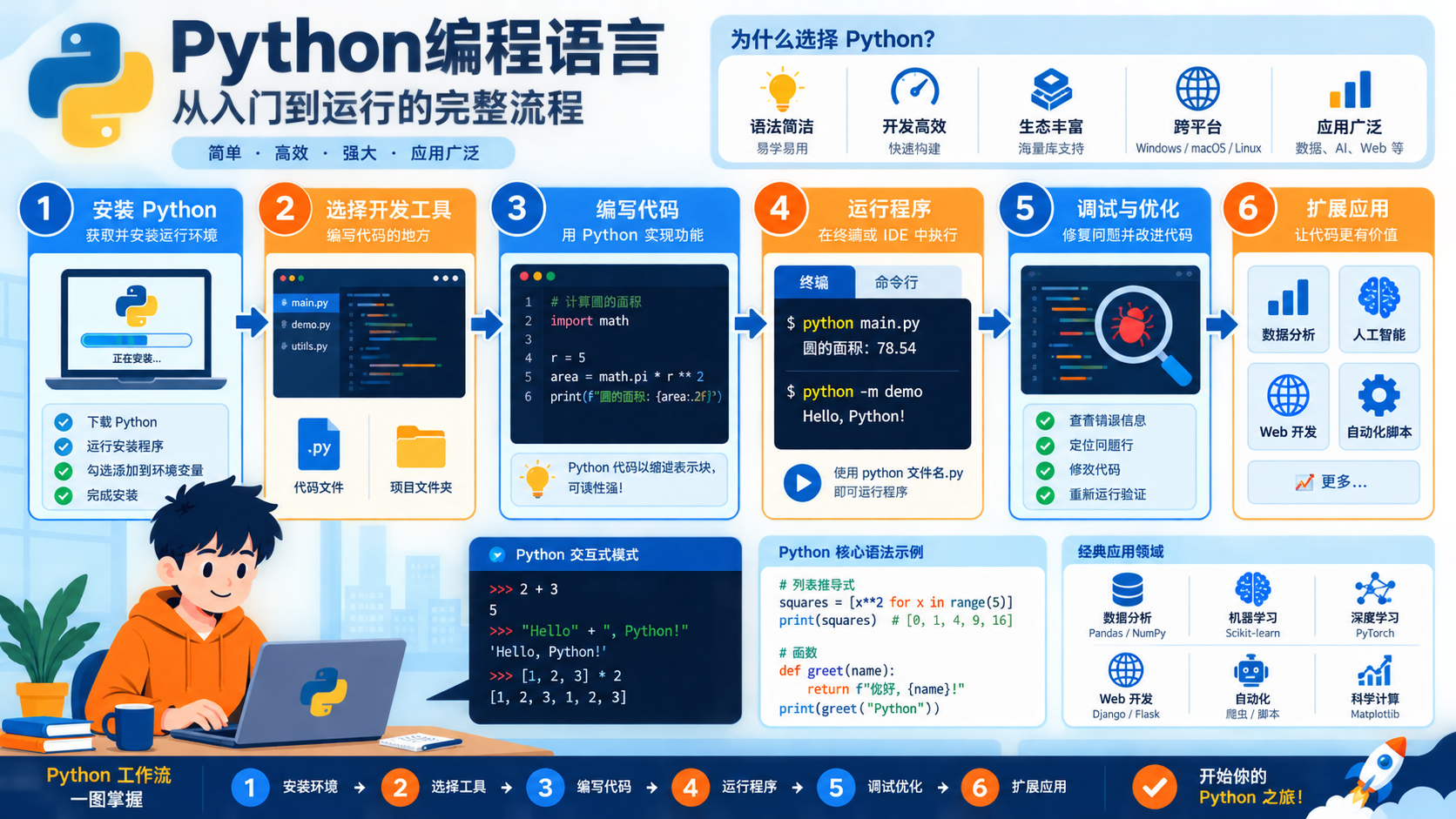
详解 python编程语言 的基础概念与实操步骤。涵盖版本检查、venv 虚拟环境隔离、pip 依赖安装及 sys.executable 验证方法,提供清晰的决策路径与适用边界说明。
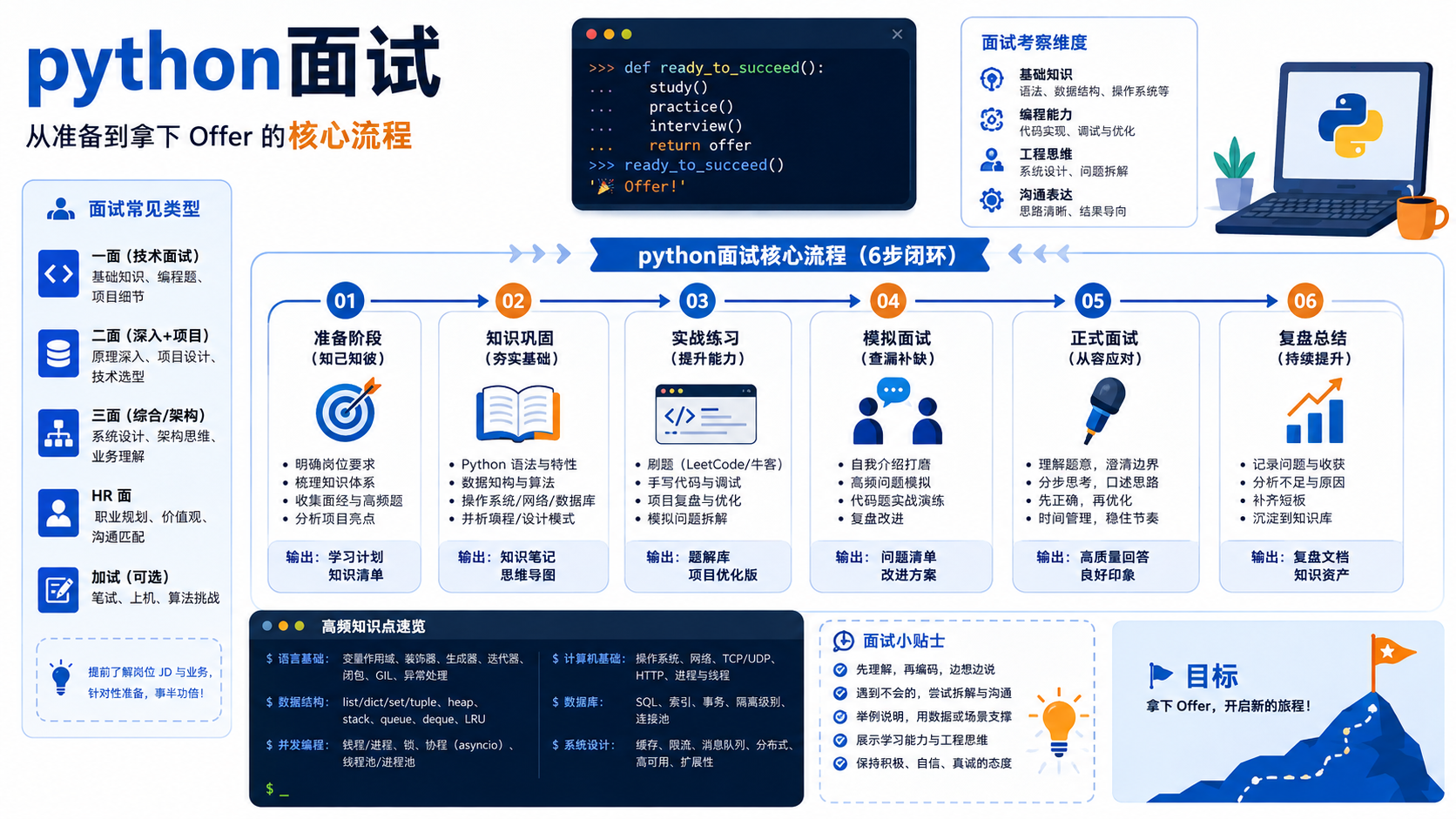
为后端开发者提供“python面试”相关的技术准备步骤,包括版本检查、虚拟环境创建、依赖安装及验证命令,严格遵循Python官方文档规范。





火山引擎是字节跳动旗下企业级云与AI服务平台。聚焦大模型核心能力,依托字节自研豆包多模态大模型,凭借火山方舟一站式平台,提供模型精调、推理部署、智能应用搭建等全链路服务,结合高性能AI算力,助力各行业快速落地大模型数字化与智能化应用。



