

Java中的自定义异常怎么实现
Java中的异常Java中默认的异常信息有哪些呢?Java程序中捕获异常之后会将异常进行输出,不知道细心的同学有没有注意到一点,输出的异常是什么东西呢?下面来看一个常见的ArithmeticException异常:java.lang.ArithmeticException:/byzeroatgreenhouse.ExceptionTest.testException(ExceptionTest.java:16)atsun.reflect.NativeMethodAccessorImpl.invoke0(N
Java中的异常
Java中默认的异常信息有哪些呢?Java程序中捕获异常之后会将异常进行输出,不知道细心的同学有没有注意到一点,输出的异常是什么东西呢?下面来看一个常见的ArithmeticException异常:
java.lang.ArithmeticException: / by zero
    at greenhouse.ExceptionTest.testException(ExceptionTest.java:16)
    at sun.reflect.NativeMethodAccessorImpl.invoke0(Native Method)
    at sun.reflect.NativeMethodAccessorImpl.invoke(NativeMethodAccessorImpl.java:39)
    at sun.reflect.DelegatingMethodAccessorImpl.invoke(DelegatingMethodAccessorImpl.java:25)
    at java.lang.reflect.Method.invoke(Method.java:597)
    at org.junit.runners.model.FrameworkMethod$1.runReflectiveCall(FrameworkMethod.java:44)
    at org.junit.internal.runners.model.ReflectiveCallable.run(ReflectiveCallable.java:15)
    at org.junit.runners.model.FrameworkMethod.invokeExplosively(FrameworkMethod.java:41)
    at org.junit.internal.runners.statements.InvokeMethod.evaluate(InvokeMethod.java:20)
    at org.junit.runners.BlockJUnit4ClassRunner.runChild(BlockJUnit4ClassRunner.java:76)
    at org.junit.runners.BlockJUnit4ClassRunner.runChild(BlockJUnit4ClassRunner.java:50)
    at org.junit.runners.ParentRunner$3.run(ParentRunner.java:193)
    at org.junit.runners.ParentRunner$1.schedule(ParentRunner.java:52)
    at org.junit.runners.ParentRunner.runChildren(ParentRunner.java:191)
    at org.junit.runners.ParentRunner.access$000(ParentRunner.java:42)
    at org.junit.runners.ParentRunner$2.evaluate(ParentRunner.java:184)
    at org.junit.runners.ParentRunner.run(ParentRunner.java:236)
    at org.junit.runner.JUnitCore.run(JUnitCore.java:157)
    at com.intellij.junit4.JUnit4IdeaTestRunner.startRunnerWithArgs(JUnit4IdeaTestRunner.java:68)
    at com.intellij.rt.execution.junit.IdeaTestRunner$Repeater.startRunnerWithArgs(IdeaTestRunner.java:47)
    at com.intellij.rt.execution.junit.JUnitStarter.prepareStreamsAndStart(JUnitStarter.java:242)
    at com.intellij.rt.execution.junit.JUnitStarter.main(JUnitStarter.java:70)
再看看一个Java程序员耳熟能详的NullPointerException空指针异常:
java.lang.NullPointerException
    at greenhouse.ExceptionTest.testException(ExceptionTest.java:16)
    at sun.reflect.NativeMethodAccessorImpl.invoke0(Native Method)
    at sun.reflect.NativeMethodAccessorImpl.invoke(NativeMethodAccessorImpl.java:39)
    at sun.reflect.DelegatingMethodAccessorImpl.invoke(DelegatingMethodAccessorImpl.java:25)
    at java.lang.reflect.Method.invoke(Method.java:597)
    at org.junit.runners.model.FrameworkMethod$1.runReflectiveCall(FrameworkMethod.java:44)
    at org.junit.internal.runners.model.ReflectiveCallable.run(ReflectiveCallable.java:15)
    at org.junit.runners.model.FrameworkMethod.invokeExplosively(FrameworkMethod.java:41)
    at org.junit.internal.runners.statements.InvokeMethod.evaluate(InvokeMethod.java:20)
    at org.junit.runners.BlockJUnit4ClassRunner.runChild(BlockJUnit4ClassRunner.java:76)
    at org.junit.runners.BlockJUnit4ClassRunner.runChild(BlockJUnit4ClassRunner.java:50)
    at org.junit.runners.ParentRunner$3.run(ParentRunner.java:193)
    at org.junit.runners.ParentRunner$1.schedule(ParentRunner.java:52)
    at org.junit.runners.ParentRunner.runChildren(ParentRunner.java:191)
    at org.junit.runners.ParentRunner.access$000(ParentRunner.java:42)
    at org.junit.runners.ParentRunner$2.evaluate(ParentRunner.java:184)
    at org.junit.runners.ParentRunner.run(ParentRunner.java:236)
    at org.junit.runner.JUnitCore.run(JUnitCore.java:157)
    at com.intellij.junit4.JUnit4IdeaTestRunner.startRunnerWithArgs(JUnit4IdeaTestRunner.java:68)
    at com.intellij.rt.execution.junit.IdeaTestRunner$Repeater.startRunnerWithArgs(IdeaTestRunner.java:47)
    at com.intellij.rt.execution.junit.JUnitStarter.prepareStreamsAndStart(JUnitStarter.java:242)
    at com.intellij.rt.execution.junit.JUnitStarter.main(JUnitStarter.java:70)
大家有没有发现一个特点,就是异常的输出中能够精确的输出异常出现的地点,精确到每一行代码,还有后面一大堆的执行过程类调用,也都打印出来了,这些信息从哪儿来呢?
这些信息是从栈中获取的,在打印异常日志的时候,会从JVM 栈中去获取这些调用信息。能够精确的定位异常出现的异常当然是好,但是我们有时候考虑到程序的性能,以及一些需求时,我们有时候并不需要完全的打印这些信息,并且去方法调用栈中获取相应的信息,是有性能消耗的,对于一些性能要求高的程序,我们完全可以在异常处理方面为程序性能做一个性能提升。
自定义Java异常类
所以如何避免输出这些堆栈信息呢? 那么自定义异常就可以解决这个问题:
首先,自定义异常需要继承RuntimeException,然后,再通过是重写fillInStackTrace,toString 方法,例如下面我定义一个AppException异常:
package com.green.monitor.common.exception;

import java.text.MessageFormat;
/**
 * 自定义异常类
 */
public class AppException extends RuntimeException {

	private boolean isSuccess = false;
	private String key;
	private String info;

	public AppException(String key) {
		super(key);
		this.key = key;
		this.info = key;
	}

	public AppException(String key, String message) {
		super(MessageFormat.format("{0}[{1}]", key, message));
		this.key = key;
		this.info = message;
	}

	public AppException(String message, String key, String info) {
		super(message);
		this.key = key;
		this.info = info;
	}

	public boolean isSuccess() {
		return isSuccess;
	}

	public String getKey() {
		return key;
	}

	public void setKey(String key) {
		this.key = key;
	}

	public String getInfo() {
		return info;
	}

	public void setInfo(String info) {
		this.info = info;
	}

	@Override
	public Throwable fillInStackTrace() {
		return this;
	}

	@Override
	public String toString() {
		return MessageFormat.format("{0}[{1}]",this.key,this.info);
	}
}
Java异常源码
那么为什么要重写fillInStackTrace,和 toString 方法呢? 我们首先来看源码是怎么一回事。
public class RuntimeException extends Exception {
    static final long serialVersionUID = -7034897190745766939L;

    /** Constructs a new runtime exception with null as its
     * detail message.  The cause is not initialized, and may subsequently be
     * initialized by a call to {@link #initCause}.
     */
    public RuntimeException() {
	      super();
    }

    /** Constructs a new runtime exception with the specified detail message.
     * The cause is not initialized, and may subsequently be initialized by a
     * call to {@link #initCause}.
     *
     * @param   message   the detail message. The detail message is saved for
     *          later retrieval by the {@link #getMessage()} method.
     */
    public RuntimeException(String message) {
        super(message);
    }

    /**
     * Constructs a new runtime exception with the specified detail message and
     * cause.  Note that the detail message associated with
     * cause is not automatically incorporated in
     * this runtime exception's detail message.
     *
     * @param  message the detail message (which is saved for later retrieval
     *         by the {@link #getMessage()} method).
     * @param  cause the cause (which is saved for later retrieval by the
     *         {@link #getCause()} method).  (A null value is
     *         permitted, and indicates that the cause is nonexistent or
     *         unknown.)
     * @since  1.4
     */
    public RuntimeException(String message, Throwable cause) {
        super(message, cause);
    }

    /** Constructs a new runtime exception with the specified cause and a
     * detail message of (cause==null ? null : cause.toString())
     * (which typically contains the class and detail message of
     * cause).  This constructor is useful for runtime exceptions
     * that are little more than wrappers for other throwables.
     *
     * @param  cause the cause (which is saved for later retrieval by the
     *         {@link #getCause()} method).  (A null value is
     *         permitted, and indicates that the cause is nonexistent or
     *         unknown.)
     * @since  1.4
     */
    public RuntimeException(Throwable cause) {
        super(cause);
    }
}
RuntimeException是继承Exception,但是它里面只是调用了父类的方法,本身是没有做什么其余的操作。那么继续看Exception里面是怎么回事。
public class Exception extends Throwable {
    static final long serialVersionUID = -3387516993124229948L;

    /**
     * Constructs a new exception with null as its detail message.
     * The cause is not initialized, and may subsequently be initialized by a
     * call to {@link #initCause}.
     */
    public Exception() {
	    super();
    }

    /**
     * Constructs a new exception with the specified detail message.  The
     * cause is not initialized, and may subsequently be initialized by
     * a call to {@link #initCause}.
     *
     * @param   message   the detail message. The detail message is saved for
     *          later retrieval by the {@link #getMessage()} method.
     */
    public Exception(String message) {
	    super(message);
    }

    /**
     * Constructs a new exception with the specified detail message and
     * cause.  Note that the detail message associated with
     * cause is not automatically incorporated in
     * this exception's detail message.
     *
     * @param  message the detail message (which is saved for later retrieval
     *         by the {@link #getMessage()} method).
     * @param  cause the cause (which is saved for later retrieval by the
     *         {@link #getCause()} method).  (A null value is
     *         permitted, and indicates that the cause is nonexistent or
     *         unknown.)
     * @since  1.4
     */
    public Exception(String message, Throwable cause) {
        super(message, cause);
    }

    /**
     * Constructs a new exception with the specified cause and a detail
     * message of (cause==null ? null : cause.toString()) (which
     * typically contains the class and detail message of cause).
     * This constructor is useful for exceptions that are little more than
     * wrappers for other throwables (for example, {@link
     * java.security.PrivilegedActionException}).
     *
     * @param  cause the cause (which is saved for later retrieval by the
     *         {@link #getCause()} method).  (A null value is
     *         permitted, and indicates that the cause is nonexistent or
     *         unknown.)
     * @since  1.4
     */
    public Exception(Throwable cause) {
        super(cause);
    }
}
从源码中可以看到,Exception里面也是直接调用了父类的方法,和RuntimeException一样,自己其实并没有做什么。那么直接来看Throwable里面是怎么一回事:
public class Throwable implements Serializable {
  public Throwable(String message) {
        fillInStackTrace();
        detailMessage = message;
    }

     /**
     * Fills in the execution stack trace. This method records within this
     * Throwable object information about the current state of
     * the stack frames for the current thread.
     *
     * @return  a reference to this Throwable instance.
     * @see     java.lang.Throwable#printStackTrace()
     */
    public synchronized native Throwable fillInStackTrace();

       /**
     * Provides programmatic access to the stack trace information printed by
     * {@link #printStackTrace()}.  Returns an array of stack trace elements,
     * each representing one stack frame.  The zeroth element of the array
     * (assuming the array's length is non-zero) represents the top of the
     * stack, which is the last method invocation in the sequence.  Typically,
     * this is the point at which this throwable was created and thrown.
     * The last element of the array (assuming the array's length is non-zero)
     * represents the bottom of the stack, which is the first method invocation
     * in the sequence.
     *
     * Some virtual machines may, under some circumstances, omit one
     * or more stack frames from the stack trace.  In the extreme case,
     * a virtual machine that has no stack trace information concerning
     * this throwable is permitted to return a zero-length array from this
     * method.  Generally speaking, the array returned by this method will
     * contain one element for every frame that would be printed by
     * printStackTrace.
     *
     * @return an array of stack trace elements representing the stack trace
     *         pertaining to this throwable.
     * @since  1.4
     */
    public StackTraceElement[] getStackTrace() {
        return (StackTraceElement[]) getOurStackTrace().clone();
    }

    private synchronized StackTraceElement[] getOurStackTrace() {
        // Initialize stack trace if this is the first call to this method
        if (stackTrace == null) {
            int depth = getStackTraceDepth();
            stackTrace = new StackTraceElement[depth];
            for (int i=0; i < depth; i++)
                stackTrace[i] = getStackTraceElement(i);
        }
        return stackTrace;
    }

    /**
     * Returns the number of elements in the stack trace (or 0 if the stack
     * trace is unavailable).
     *
     * package-protection for use by SharedSecrets.
     */
    native int getStackTraceDepth();

    /**
     * Returns the specified element of the stack trace.
     *
     * package-protection for use by SharedSecrets.
     *
     * @param index index of the element to return.
     * @throws IndexOutOfBoundsException if index < 0 ||
     *         index >= getStackTraceDepth()
     */
    native StackTraceElement getStackTraceElement(int index);

    /**
     * Returns a short description of this throwable.
     * The result is the concatenation of:
     *
-
*
- the {@linkplain Class#getName() name} of the class of this object *
- ": " (a colon and a space) *
- the result of invoking this object's {@link #getLocalizedMessage} * method *
从源码中可以看到,到Throwable就几乎到头了,在fillInStackTrace() 方法是一个native方法,这方法也就是会调用底层的C语言,返回一个Throwable对象,toString 方法,返回的是throwable的简短描述信息,并且在getStackTrace 方法和 getOurStackTrace 中调用的都是native方法getStackTraceElement,而这个方法是返回指定的栈元素信息,所以这个过程肯定是消耗性能的,那么我们自定义异常中的重写toString方法和fillInStackTrace方法就可以不从栈中去获取异常信息,直接输出,这样对系统和程序来说,相对就没有那么"重",是一个优化性能的非常好的办法。
按照上面我们举例的自定义AppException异常,如果出现异常了,这个AppException异常输出是什么样的信息呢?请看下面吧:
@Test
    public void testException(){
        try {
            String str =null;
            System.out.println(str.charAt(0));
        }catch (Exception e){
            throw new AppException("000001","空指针异常");
        }
    }
执行上面单元测试,在异常异常的时候,系统将会打印我们自定义的异常信息:
000001[空指针异常]
Process finished with exit code -1
深入解析Java中局部变量未初始化编译报错与成员变量自动赋予默认值的机制差异,涵盖JVM内存分配、编译期确定性赋值检查与实际排查修复方案。

详细讲解在Java中获取当前系统时间并进行格式化输出的两种核心方案:基于Java 8全新日期时间API的DateTimeFormatter与传统遗留的SimpleDateFormat,包含完整代码示例、线程安全机制对比及生产选型建议。
深入解析Java中final变量与static final常量的定义、内存语义、初始化时机及合法赋值路径,涵盖编译期常量优化与实战避坑指南。
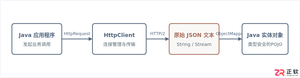
本文提供Java标准库HttpClient发起HTTP GET/POST请求并结合Jackson进行JSON数据反序列化与序列化的完整代码示例与工程实践指南。
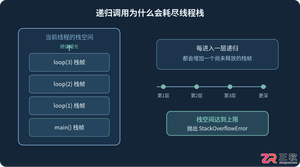
详细分析Java递归调用出现StackOverflowError的原因,结合代码说明线程栈、栈帧和递归深度之间的关系,并介绍终止条件排查、迭代改写、减少栈帧开销以及通过-Xss调整JVM栈空间的方法。
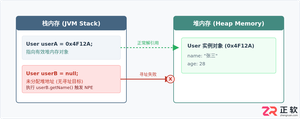
针对Java中常见的NullPointerException(NPE),本文从堆栈日志定位、典型代码触发场景、具体修复代码对比到防御体系进行系统讲解,提供实用且易上手的排查与修复方案。


针对大数据工程场景,系统对比Java、Scala与Python在执行性能、生态结合、开发效率和维护成本上的核心差异,给出清晰的架构选型依据与落地方案。





火山引擎是字节跳动旗下企业级云与AI服务平台。聚焦大模型核心能力,依托字节自研豆包多模态大模型,凭借火山方舟一站式平台,提供模型精调、推理部署、智能应用搭建等全链路服务,结合高性能AI算力,助力各行业快速落地大模型数字化与智能化应用。



