

疫情未返校未返工第N天:自动打卡全攻略
这件事还得从一只蝙蝠说起…算了,昨天下午3点半,潇X巴哥给我打了个电话,说关于自动打卡的想法…哎,反正就是因为疫情需要每天向学校提交健康打卡,每天填写相同的内容太麻烦了,所以就想开发一个程序来自动完成打卡…我和潇X巴哥确定了思路后,分头行动:他用Java编写了一个后台程序,可以自动为多人打卡,并开发了一个网页让用户填写账号密码并存储在数据库中;我的想法则更直接,只为一个人打卡,用Python模拟浏览器登录后进行打卡,并设置定时任务(多人则设置多个定时任务);在Windows上的运行效果如下:核心代码如下:
这件事还得从一只蝙蝠说起…
算了,昨天下午3点半,潇X巴哥给我打了个电话,说关于自动打卡的想法…
哎,反正就是因为疫情需要每天向学校提交健康打卡,每天填写相同的内容太麻烦了,所以就想开发一个程序来自动完成打卡…
我和潇X巴哥确定了思路后,分头行动:
他用Java编写了一个后台程序,可以自动为多人打卡,并开发了一个网页让用户填写账号密码并存储在数据库中;我的想法则更直接,只为一个人打卡,用Python模拟浏览器登录后进行打卡,并设置定时任务(多人则设置多个定时任务);在Windows上的运行效果如下:


核心代码如下:
def lajaDaka():
# 登录
r1 = requests.post(login_url, data=login, headers=headers, verify=False)
if r1.status_code == 200:
print(time.strftime("%Y:%m:%d:%H:%M", time.localtime()))
print(login["username"] + " 登录成功!")
# 拿到登录后的 cookie 并添加到 header 中
header1 = r1.headers
headers["Cookie"] = header1["Set-Cookie"]
else:
return
# 打卡
r2 = requests.post(daka_url, data=daka, headers=headers, verify=False)
response2 = r2.json()
if r2.status_code != 200:
print("打卡失败!")
return
if response2["result"] == True:
print("打卡成功!")
else:
print(response2["errorInfoList"]["message"])
if name == "main":
lajaDaka()
自动运行Windows适用的Python代码控制休眠时间如下:
if name == "main":
while True:
now_hour = time.strftime("%H", time.localtime())
now_min = time.strftime("%M", time.localtime())设置每天 8 点发送
if now_hour < "08":
rest = 8 - int(now_hour) + 24
sleeptime = (rest-1)*3600 + (60-int(now_min))*60
print("启动时北京时间为:"+time.strftime("%H:%M", time.localtime()),"\t 脚本将在",rest-1,"小时",int((sleeptime-(rest-1)*3600)/60),"分钟后打卡")
time.sleep(sleeptime)
elif now_hour == "08":
print("软件明天开始将在每天 8 点发送数据!")
lajaDaka()
time.sleep(24*60*60-int(now_min)*60)
在Linux(云服务器)上搭建Python环境后,下载依赖,使用shell脚本定时执行:
python /home/python/yiban_daka/daka.py
CRON表达式的基本语法如下:
潇X巴哥的Java Web版本符合程序员应有的简洁和方便,干净又卫生! http://39.105.174.214/index.html

详解 PicHound 扩展在 Chrome 等浏览器中的安装步骤、图标固定方法、站点访问权限设置及图片查找技巧,解决无法识别或加载缓慢等常见问题。
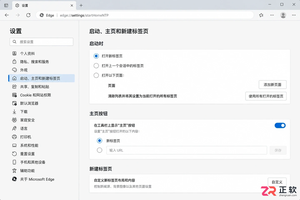
详细图解 Microsoft Edge 浏览器中启动行为、主页按钮及新标签页的设置方法。厘清三者区别,提供准确的菜单路径与检查步骤,解决浏览器首页设置混淆问题。
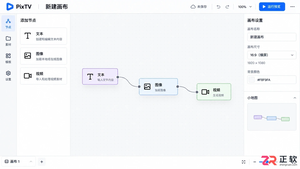
零基础学习如何使用PixTV制作AI漫剧。涵盖账号注册、画布创建、脚本拆解、角色设定、分镜生成及音视频剪辑导出的完整步骤,帮助新手快速掌握节点式创作工具的核心用法。
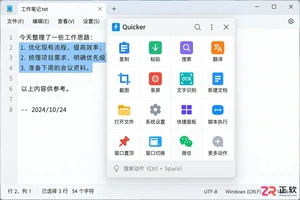
详解 Quicker 软件基础用法,包括如何唤出动作面板、创建基于选中文本的搜索动作、管理场景与分组,以及配置专属动作快捷键,提升 Windows 办公效率。
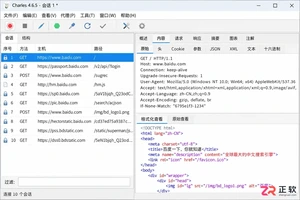
详解Windows下Charles HTTPS抓包配置:包括根证书安装信任、SSL Proxying主机设置、浏览器验证及移动端差异处理,确保开发者安全高效地调试加密流量。
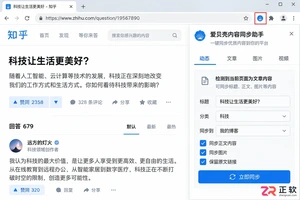
想知道如何关闭爱贝壳内容同步助手?本教程详解在Chrome和Edge浏览器中停用扩展、限制网页权限及彻底卸载的步骤,帮助你安全暂停同步任务并检查浏览器状态。
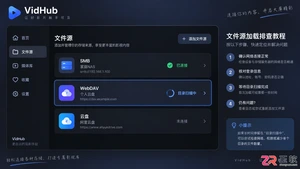
VidHub添加SMB或WebDAV文件源后加载缓慢?本文详解如何区分媒体库扫描慢与视频播放卡,通过精简扫描路径、验证网络权限及本地下载对比,快速解决文件源响应延迟问题。
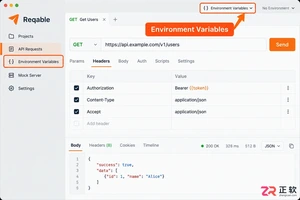
想知道Reqable全局变量设置在哪里?本教程详解环境变量入口位置、全局与自定义环境的区别、变量引用方法及安全检查步骤,助你轻松管理API调试配置。
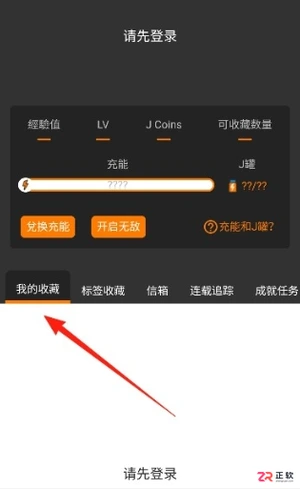
面向寻找高清无广告漫画资源的读者,jmcomic3漫画app(https://www.jmmanhua.top/)提供海量精品内容与智能推荐。针对用户关心的隐私保护及阅读卡顿问题,本文详解如何通过隐私设置隐藏收藏记录,并从设备内存、网络信号及线路切换三个维度排查加载故障,助您获得流畅纯净的沉浸式阅读体验。
详解如何在Windows环境下使用Docker Compose部署Skyvern。包括LLM密钥配置、本地Web界面登录、API连接检查及首个浏览器自动化任务创建步骤,适合初学者快速上手。




WPS Office是一款面向macOS用户的综合办公套件,将文字处理、电子表格、演示文稿、PDF工具、模板与云协作整合在同一应用中。它兼容常见Microsoft Office格式,支持Intel及Apple芯片Mac,基础功能可免费使用,

Shapr3D是一款面向工业设计、机械工程、建筑概念和三维打印工作流的CAD软件。Mac版采用Parasolid建模内核,支持草图约束、实体建模、工程图、可视化渲染及常见CAD格式交换,并可通过账户在多台设备之间同步项目。

REAPER是Cockos开发的数字音频工作站,提供多轨音频与MIDI录制、剪辑、处理、混音和母带制作工具。Mac版兼容Intel与Apple芯片,支持AU、VST、VST3、CLAP等插件格式,并提供高度可定制的工作流程。

Adobe Photoshop 是面向摄影师、设计师和内容创作者的专业图像处理工具,可在 Windows 上完成照片修饰、选区抠图、图层合成、文字排版、绘画及生成式编辑。软件采用订阅授权,由 Creative Cloud 管理安装、更新与许

Adobe InDesign 是面向印刷与数字出版的专业页面排版工具,可制作书籍、杂志、宣传册、海报、交互式 PDF 和电子书。它提供精细的文字样式、多页面管理、印前检查及多格式输出能力,并能与 Photoshop、Illustrator

Adobe Illustrator 是用于绘制矢量图形、插画、图标、徽标和版式的专业设计工具。它以路径和锚点为核心,作品放大后仍能保持清晰,并提供画板、文字、渐变、图像描摹及精确变换等功能,适合品牌视觉、印刷物料、数字界面和商业插画创作。