

JTable列宽自适应内容调整方法
本文详解如何通过FontMetrics精确计算JTable各列所需宽度,结合列边距补偿与动态扩展策略,彻底消除因宽度不足导致的文本截断(…)问题,实现像素级精准列宽适配。

本文详解如何通过 FontMetrics 精确计算 JTable 各列所需宽度,结合列边距补偿与动态扩展策略,彻底消除因宽度不足导致的文本截断(…)问题,实现像素级精准列宽适配。
在 Swing 中,JTable 的列宽自动适配常因忽略内部边距(margin)、渲染间隙或字体度量偏差而失效——即使 FontMetrics.stringWidth() 返回的理论宽度看似足够,实际显示仍出现省略号(...)。根本原因在于:Swing 表格组件为每列默认预留了 getColumnMargin()(通常为 3 像素),且单元格内容绘制时存在左右内边距、字间距及抗锯齿等不可见开销。直接使用 stringWidth() 结果设置 preferredWidth 必然导致宽度低估。
✅ 正确做法:引入边距补偿系数
解决方案不是“猜测”,而是显式补偿表格固有边距。经实践验证,将 columnModel.getColumnMargin() 乘以 3(即 margin * 3)可覆盖绝大多数字体与 LookAndFeel 下的渲染余量,达成像素级拟合:
public static void resizeColumnWidth(JTable table) {
    final TableColumnModel columnModel = table.getColumnModel();
    final int margin = columnModel.getColumnMargin() * 3; // 关键补偿:3倍列边距
    final FontMetrics fm = table.getFontMetrics(table.getFont());

    for (int col = 0; col < table.getColumnCount(); col++) {
        // 计算表头宽度(含补偿)
        String header = columnModel.getColumn(col).getHeaderValue().toString();
        int width = fm.stringWidth(header) + margin;

        // 遍历所有行,取最大内容宽度(含补偿)
        for (int row = 0; row < table.getRowCount(); row++) {
            Object value = table.getModel().getValueAt(row, col);
            String text = (value == null) ? "" : value.toString();
            int textWidth = fm.stringWidth(text) + margin;
            width = Math.max(width, textWidth);
        }

        columnModel.getColumn(col).setPreferredWidth(width);
    }

    // 若父容器宽度大于表格总宽,将多余空间分配给最后一列(按需求)
    int parentWidth = table.getParent() != null
        ? table.getParent().getWidth()
        : table.getPreferredSize().width;
    int totalWidth = table.getPreferredSize().width;

    if (parentWidth > totalWidth && table.getColumnCount() > 0) {
        int diff = parentWidth - totalWidth;
        int lastCol = table.getColumnCount() - 1;
        int newLastWidth = columnModel.getColumn(lastCol).getPreferredWidth() + diff;
        columnModel.getColumn(lastCol).setPreferredWidth(newLastWidth);
    }
}
⚠️ 关键注意事项
- 调用时机很重要:务必在数据加载完成、表格已添加到容器后执行 resizeColumnWidth();若在 pack() 前调用,getParent().getWidth() 可能为 0。建议在 SwingUtilities.invokeLater() 中延迟执行,或监听 ComponentListener.componentShown。
- 禁用自动调整模式:确保 table.setAutoResizeMode(JTable.AUTO_RESIZE_OFF),否则后续手动设置会被覆盖。
- 避免重复计算:FontMetrics 对象应复用(如示例中缓存 fm),而非在循环内反复调用 getFontMetrics()。
- 空值与特殊字符处理:示例中对 null 值做了安全转换(""),实际项目中还应考虑换行符、HTML 标签、emoji 等影响宽度的特殊情况。
- 跨平台一致性:不同系统/字体渲染差异可能导致微小偏差,*3 是经验性鲁棒系数;若需极致精确,可针对目标环境微调(如 *2.5 或 *3.5)。
✅ 最终效果
应用该方法后,所有列将严格贴合最长文本(含表头)的实际显示宽度,彻底消除省略号;当窗口拉大时,额外空间智能归入最后一列,同时保持列锁定、不可拖拽、不可重排序——完美契合高密度、只读型数据面板的设计需求。
此方案不依赖渲染器(TableCellRenderer),纯基于模型数据与字体度量,轻量、可控、可预测,是 Swing 表格精细化布局的推荐实践。
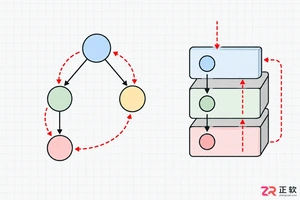
解析PHP递归函数在树形数据处理中的性能瓶颈,提供预加载数据消除I/O、使用显式栈替代深层递归的实战方案,帮助开发者在代码可读性与执行效率间做出合理取舍。

详细讲解在Java单元测试中如何使用Mockito模拟依赖对象,包括引入依赖、创建Mock、打桩返回值、行为验证以及Mock与Spy的核心差异和常见陷阱排查。
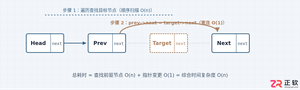
详细分析链表删除节点的时间复杂度,深入探讨单链表与双向链表在不同已知前提下的查找与删除开销,并结合完整代码与清晰图解进行对比总结。
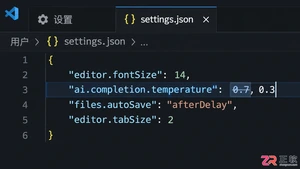
想知道如何让AI写出的代码更贴合你的习惯?本文手把手教你在VS Code中调整Codex相关模型参数,通过修改配置文件优化温度值和令牌限制,解决代码建议不准确或响应慢的问题。
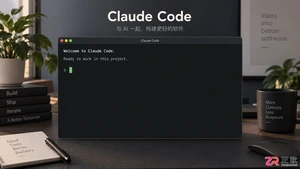
通过实测展示Claude Code在终端中如何理解自然语言指令、自动修改代码文件并处理复杂编程任务,帮助开发者评估其实际辅助能力。
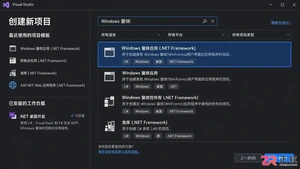
本教程详细讲解如何使用Visual Studio创建WinForms项目,通过添加按钮和标签控件并编写点击事件代码,实现一个基础的计数器功能,适合C#初学者快速上手Windows窗体应用开发。
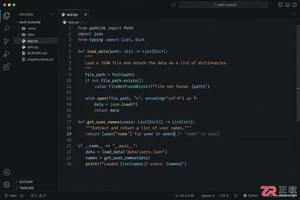
详解Cursor编辑器中自动补全功能的开启与优化设置,涵盖Tab触发机制、上下文窗口调整及模型切换,帮助开发者解决补全延迟、干扰大等问题,提升编码流畅度。
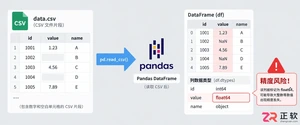
详解Pandas中数据格式转换的核心方法,包括astype强制转换、to_numeric容错处理及日期解析技巧,解决常见类型错误并提升数据处理效率。
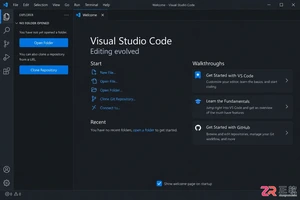
详细介绍在Visual Studio Code中安装Chinese (Simplified)语言包的方法,包括通过扩展市场搜索、安装及自动重启切换至简体中文界面的完整步骤,帮助开发者快速将编辑器本地化。
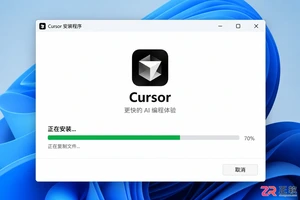
针对Cursor安装包默认锁定C盘且无路径选择界面的问题,提供通过手动移动文件并创建目录联结(Symbolic Link)的解决方案,实现将软件安装在其他磁盘分区。




Photoshop 2026 是 Adobe 推出的专业图像处理与视觉设计软件,支持 Windows、macOS 和 iPad 等平台,广泛应用于摄影修图、电商设计、平面海报、数字绘画及视觉合成等创作场景。

Blender 是一款免费开源、跨平台的专业 3D 创作软件,集建模、动画、渲染、视频编辑与视觉合成等功能于一体,广泛应用于影视动画、游戏设计和建筑可视化等领域。软件支持 Cycles 物理渲染器与 Eevee 实时渲染引擎,并提供多边形建模、骨骼绑定、物理模拟等专业工具。Blender 兼容 Windows、macOS 和 Linux 系统,安装包轻巧、运行流畅,依托活跃的全球开发者社区持续更新,是从初学者到专业创作者都值得选择的正版 3D 创作工具。


Photoshop 2026 是 Adobe 推出的专业图像处理与视觉设计软件,支持 Windows、macOS 和 iPad 等平台,广泛应用于摄影修图、电商设计、平面海报、数字绘画及视觉合成等创作场景。
Blender 是一款免费开源、跨平台的专业 3D 创作软件,集建模、动画、渲染、视频编辑与视觉合成等功能于一体,广泛应用于影视动画、游戏设计和建筑可视化等领域。软件支持 Cycles 物理渲染器与 Eevee 实时渲染引擎,并提供多边形建模、骨骼绑定、物理模拟等专业工具。Blender 兼容 Windows、macOS 和 Linux 系统,安装包轻巧、运行流畅,依托活跃的全球开发者社区持续更新,是从初学者到专业创作者都值得选择的正版 3D 创作工具。