

ubuntu中thinkphp如何实现定时任务
在 Ubuntu 系统中,使用 ThinkPHP 实现定时任务 在 Ubuntu 环境下为 ThinkPHP 项目配置定时任务,其实是一套标准化的操作流程。整个过程可以清晰地分为几个关键步骤,只要按部就班,就能让后台任务自动运转起来。 第一步:编写定时任务脚本 首先,我们需要在 ThinkPHP 项
在 Ubuntu 系统中,使用 ThinkPHP 实现定时任务
在 Ubuntu 环境下为 ThinkPHP 项目配置定时任务,其实是一套标准化的操作流程。整个过程可以清晰地分为几个关键步骤,只要按部就班,就能让后台任务自动运转起来。
第一步:编写定时任务脚本
首先,我们需要在 ThinkPHP 项目中创建一个专门处理定时任务的命令。通常,这个脚本会放在 app/command/ 目录下。举个例子,创建一个名为 ScheduledTask.php 的文件:
namespace app\command;

use think\console\Command;
use think\console\Input;
use think\console\Output;
use think\console\style\Progress;

class ScheduledTask extends Command
{
    protected function configure()
    {
        // 设置命令名称
        $this->setName('scheduled:task')
             ->setDescription('Run scheduled task');
    }

    protected function execute(Input $input, Output $output)
    {
        // 你的定时任务逻辑
        $output->writeln("Running scheduled task...");
        // 示例:更新数据库中的某些数据
        // \app\model\User::update(['status' => 1]);
        $output->writeln("Scheduled task completed.");
    }
}
这里就是你的任务核心逻辑所在,比如数据清理、状态更新或者发送报告等。
第二步:注册命令
脚本写好之后,得让系统知道它的存在。这需要在 application/console.php 配置文件中进行注册:
return [
    'commands' => [
        'scheduled:task' => \app\command\ScheduledTask::class,
    ],
];
这样一来,ThinkPHP 的控制台就能识别并调用我们刚创建的 scheduled:task 命令了。
第三步:配置定时任务调度器
接下来的关键,是让系统能够定时自动触发这个命令。这里通常会借助 Lara vel 的任务调度器(Scheduler),它功能强大且配置方便。前提是确保你的服务器环境已经支持它。
配置的核心在于操作系统的 Crontab。通过命令 crontab -e 编辑定时任务列表,然后添加下面这行:
* * * * * cd /path/to/your/project && php artisan schedule:run >> /dev/null 2>&1这行配置的意思是:每分钟都进入你的项目目录,并执行一次 php artisan schedule:run 命令。这个命令会去检查当前是否有需要执行的任务,而真正的任务执行频率则由下一步来定义。
第四步:定义定时任务
最后,我们需要在 app/Console/Kernel.php 文件中,具体定义哪个命令以何种频率执行。看下面的例子:
namespace app\Console;

use Illuminate\Console\Scheduling\Schedule;
use Illuminate\Foundation\Console\Kernel as ConsoleKernel;

class Kernel extends ConsoleKernel
{
    protected function schedule(Schedule $schedule)
    {
        // 每分钟运行一次 scheduled:task 命令
        $schedule->command('scheduled:task')->everyMinute();
    }

    protected function commands()
    {
        $this->load(__DIR__.'/Commands');
        require base_path('routes/console.php');
    }
}
在这里,我们通过 $schedule->command('scheduled:task')->everyMinute(); 指定了之前注册的命令每分钟执行一次。当然,你也可以根据需要设置为每小时、每天或每周执行。
完成以上四个步骤,整个定时任务的链路就打通了。别忘了,务必将第三步 Crontab 配置中的 /path/to/your/project 替换成你项目在服务器上的真实绝对路径。这样,一个基于 Ubuntu 和 ThinkPHP 的自动化定时任务系统就搭建完成了。
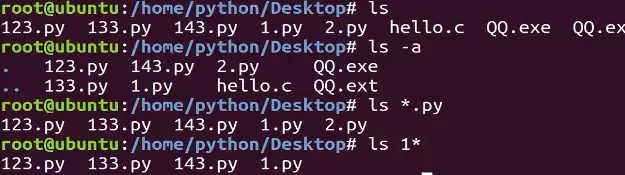
本教程指导Ubuntu新手打开终端,通过pwd、ls、cd、mkdir和touch命令完成基础文件目录操作。适用于桌面版、虚拟机及WSL环境,提供从查看路径到创建测试文件的完整验证步骤,帮助读者建立命令行操作的安全意识与正确习惯。
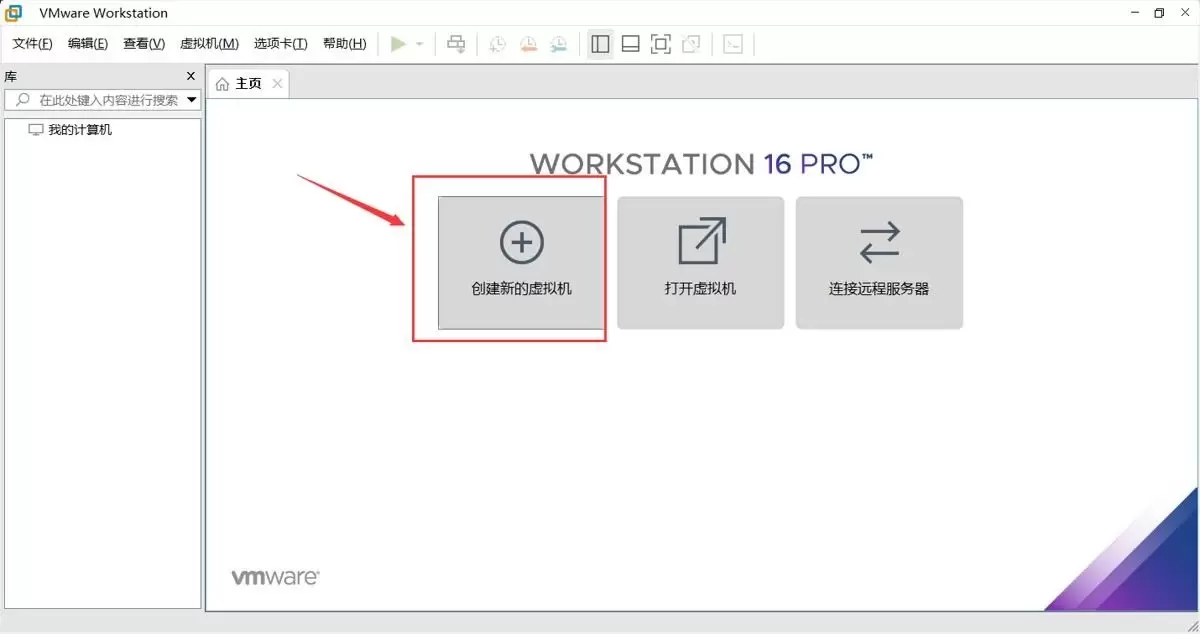
本文提供在VMware中安装Ubuntu并验证启动的完整流程。适用于首次练习Linux或搭建开发环境的用户。按步骤完成虚拟机创建、ISO挂载、硬件分配与安装后,可通过终端命令确认版本、内核与网络状态,确保系统可正常使用。
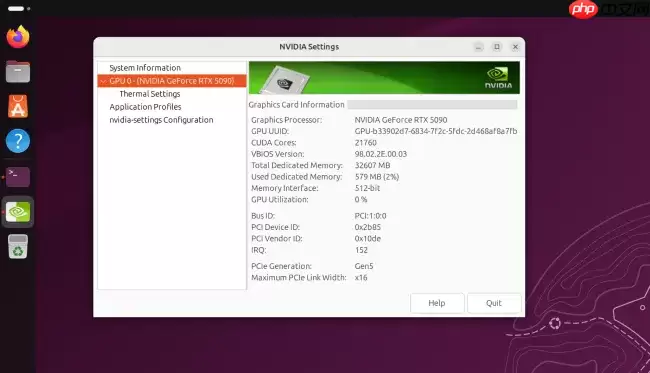
Ubuntu26.04LTS针对英伟达显卡在Wayland+GNOME环境进行性能调优,通过修改gbm_surface_lock_front_buffer函数,将帧渲染等待时间从毫秒级降至微秒级,显著提升UI响应和画面流畅度。该补丁已作为发行版专属补丁集成,确保LTS用户无需等待上游整合即可获得优化体验。
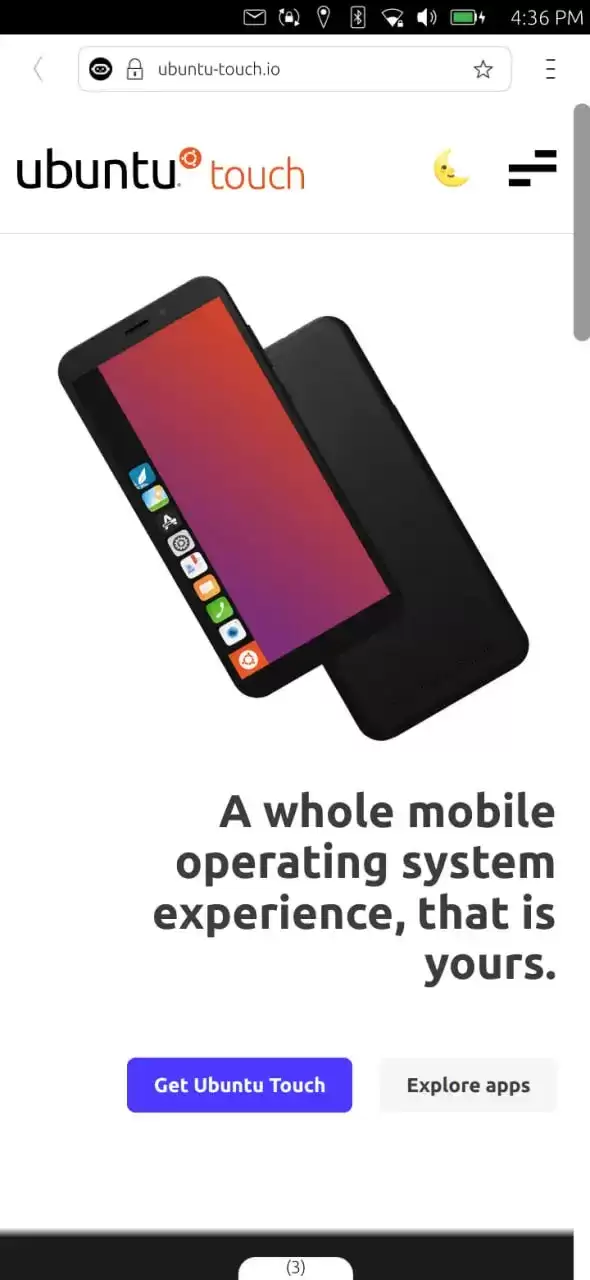
UbuntuTouch24.04-2.0Beta发布,底层升级至Ubuntu24.04,浏览器引擎从Chromium87跃升至134,网页兼容性显著提升;新增屏幕刘海区域自动适配、截图编辑器、网络指示器改进、移动数据可靠性增强、数据加密稳定,并新增NothingPhone(1)等设备支持。
ufw status仅显示高层策略和显式添加的规则(如“80 ALLOW Anywhere”),不反映默认策略绕过、IPv6独立规则、Docker等直写nftables的bypass规则,也无法体现本地回环流量不受管控等底层细节。Ubuntu 默认用 ufw 管理防火墙,但规则实际由 nftable
锁屏背景和桌面壁纸之所以不同,是因为GNOME默认会复制桌面壁纸,然后强制叠加高斯模糊和亮度调整效果,这个效果是由lockDialogGroup的CSS来控制的。要是想去除模糊,建议使用Control Blur Effect On Lock Screen扩展,把Adjust Sigma设置为0就行。
Ubuntu Swapper(一般就是指Ubuntu的交换分区或者交换文件)在服务器上的应用成效,是由多个因素共同决定的,像服务器的硬件配置情况、工作负载的类型以及交换空间的大小和具体配置等。下面为大家带来一些有关Ubuntu Swapper在服务器上应用效果的一般性评价:正面效果内存管理:交换空间

根本原因是纯命令行tty默认不支持UTF-8及中文字体渲染,locale设置仅影响字符解析逻辑,不解决字体绘制问题;图形终端自带UTF-8渲染,而tty需借助fbterm等工具实现中文显示。为什么终端里中文显示为问号或方块 纯命令行(tty,例如通过Ctrl+Alt+F3进入的界面)默认不会加载UT

通过分析Tomcat日志来提升Ubuntu服务器性能是一个很好的方法。以下是一些步骤和建议,帮助你通过Tomcat日志来优化服务器性能:1. 收集日志首先,得保证你的Tomcat服务器有详细的日志记录配置。在conf/logging.properties文件里,你可以对日志级别和输出格式进行调整。o
直接修改PS1是最为可控且轻量的方法。因为GNOME Terminal主题难以区分提示符、命令输入与输出,而PS1搭配ANSI转义码能够精准地为各个字段上色,并且需要用[ ]进行包裹,以防止光标出现错位的情况。直接改 PS1 是最可控、最轻量的方式,不需要装框架或改终端全局配色。 为什么不用改 GN




Postman是一套面向API全生命周期的开发与测试平台,可在Mac上发送和调试多种协议请求,管理集合、环境及认证信息,并完成脚本测试、模拟服务、监控、文档发布和团队协作。它适合开发、测试及运维人员使用,提供个人免费方案。
Docker Desktop 是 Docker 官方为 Mac 提供的容器开发环境,集成 Docker Engine、命令行工具、Compose、Build、Kubernetes 与图形化管理界面。

Android Studio 是 Google 面向安卓应用开发提供的官方集成开发环境,基于 IntelliJ IDEA 构建。它整合智能代码编辑、Gradle 构建、界面预览、设备模拟、性能分析、调试测试及 APK 分析等工具。

PixPix 是面向品牌、卖家和内容团队的在线 AI 图片视频创作平台,提供图视频 Agent、无限画布、图片生成、视频生成、自然语言编辑及商品套图、产品精修和带货视频等电商工具。

Postman 是面向 API 全生命周期的开发与协作平台。Windows 桌面版可用于构建和发送 HTTP、GraphQL、gRPC、WebSocket、MQTT 等请求,并提供环境变量、集合、脚本测试、模拟服务、监控、文档及团队工作区等

Docker Desktop 为 Windows 开发者提供集成式容器环境,内置 Docker Engine、命令行工具、Compose、Build 与 Kubernetes 等组件,可在本机完成镜像构建、容器运行、日志查看和资源管理。