

Python基础指南之逻辑运算符and or not的应用详解
Python逻辑运算符and、or、not具有短路求值特性,能返回操作数本身而非布尔值。and要求所有操作数为真才真,or任一为真即真,not取反。实际应用中,它们常被用于条件判断、条件赋值、设置默认值、避免除零等错误,有效简化if-else结构,提升代码简洁性与可读性。
一、开篇:逻辑——程序的决策核心
程序说到底,就是一连串“如果……就……”的决策拼图。而让这些决策得以运转的,正是三个基础得不能再基础的逻辑运算符——and(与)、or(或)、not(非)。

先快速感受一下它们的日常画风:
# 每天都会写的逻辑判断
if age >= 18 and has_id_card:
    print("允许进入")

if is_vip or total_amount > 1000:
    print("免运费")

if not is_banned:
    print("可以发帖")
但Python的逻辑运算符远比表面看起来的那张“布尔表”要深邃得多。它们有短路求值的特性,有返回操作数本身而非布尔值的独特行为,还有在各种Python惯用写法中的巧妙应用。今天这篇文章,我们就一起从入门到精通,彻底搞懂Python逻辑运算符的所有门道。
1.1 先做个测试
# 这些表达式的结果是什么?
print(3 and 5)           # ?
print(0 and 5)           # ?
print(3 or 5)            # ?
print(0 or 5)            # ?
print(not 3)             # ?
print(not 0)             # ?
print([] and "hello")    # ?
print("" or "default")   # ?
如果你的第一反应全是True和False,那说明你还需要更深入一些。正确答案我们稍后揭晓。
二、逻辑运算符的基本功能
2.1 and —— 逻辑与
and要求两边都为真,结果才为真:
# and 的真值表
print(True and True)    # True
print(True and False)   # False
print(False and True)   # False
print(False and False)  # False

# 实际应用
age = 25
has_ticket = True
can_enter = age >= 18 and has_ticket
print(can_enter)        # True

# 多个and连用
score = 85
is_valid_score = 0 <= score and score <= 100
# 等价于链式比较:0 <= score <= 100
2.2 or —— 逻辑或
or要求两边至少有一边为真,结果就为真:
# or 的真值表
print(True or True)     # True
print(True or False)    # True
print(False or True)    # True
print(False or False)   # False

# 实际应用
is_vip = False
total_amount = 1500
free_shipping = is_vip or total_amount >= 1000
print(free_shipping)    # True —— 金额够了

# 多条件或
is_admin = False
is_moderator = False
is_author = True
can_edit = is_admin or is_moderator or is_author
print(can_edit)         # True
2.3 not —— 逻辑非
not取反:真变假,假变真:
# not 的真值表
print(not True)     # False
print(not False)    # True

# 实际应用
is_banned = False
if not is_banned:
    print("账号正常,可以操作")

# 双重否定 —— 将任意值转为布尔值
print(not not 42)   # True
print(not not "")   # False
print(not not [])   # False

# not 的优先级高于 and 和 or
print(not True and False)    # False —— (not True) and False
print(not (True and False))  # True  —— not (False)
三、短路求值:Python逻辑运算的核心特性
3.1 什么是短路求值
短路求值(short-circuit evaluation)简单说就是:逻辑运算符一旦能确定最终结果,就不再计较后面的表达式了。这不仅是为了性能,更是编程中一种精妙的控制流手段。
# and 的短路:如果左边为假,右边不会执行
def check_expensive():
    print("执行了耗时检查...")
    return True

result = False and check_expensive()
print(result)    # False
# 注意:没有输出"执行了耗时检查..."!

# or 的短路:如果左边为真,右边不会执行
result = True or check_expensive()
print(result)    # True
# 同样没有输出"执行了耗时检查..."
3.2 短路求值的实际价值
# 场景1:安全地访问可能为None的对象
user = None
# 传统写法
if user is not None:
    print(user.name)

# 短路写法
print(user and user.name)    # None —— 不会尝试访问None.name
# user为None(假值),直接返回None,不执行user.name

user = type('User', (), {'name': '张三'})()
print(user and user.name)    # 张三

# 场景2:使用默认值
username = "" or "匿名用户"
print(username)    # 匿名用户 —— "为空字符串(假值),返回默认值

config_host = None
host = config_host or "localhost"
print(host)        # localhost

# 场景3:条件执行
# 只有当列表非空时才计算其长度
data = [1, 2, 3, 4, 5]
result = data and len(data) > 3
print(result)      # True

empty_data = []
result = empty_data and len(empty_data) > 3
print(result)      # False —— 不报错!len(empty_data)没被执行

# 场景4:避免除零错误
def safe_division(a, b):
    """安全除法:b为0时返回None而非抛出异常"""
    return b != 0 and a / b

print(safe_division(10, 2))    # 5.0
print(safe_division(10, 0))    # False(而非ZeroDivisionError!)

# 改进版:返回None
def safe_division2(a, b):
    return b != 0 and a / b or None

# 但这个版本有bug!因为a/b等于0时会被当作假值
# 更好的实现:
def safe_division3(a, b):
    if b == 0:
        return None
    return a / b
四、核心知识点:and和or返回的是操作数,不是布尔值
4.1 这是Python逻辑运算符最重要的特性
现在来揭晓开篇测试题的正确答案——注意,答案很可能跟你想的不一样:
# Python的逻辑运算符返回操作数本身,而非单纯的True/False!

# and 的规则:
# 如果左边为假值 → 返回左边
# 如果左边为真值 → 返回右边

print(3 and 5)           # 5 —— 3是真值,所以返回右边的5
print(0 and 5)           # 0 —— 0是假值,短路返回0
print([] and "hello")    # [] —— 空列表是假值,返回[]
print("hi" and "world")  # world —— "hi"是真值,返回"world"

# or 的规则:
# 如果左边为真值 → 返回左边
# 如果左边为假值 → 返回右边

print(3 or 5)            # 3 —— 3是真值,短路返回3
print(0 or 5)            # 5 —— 0是假值,返回右边的5
print("" or "default")   # default —— ""是假值,返回"default"
print("hello" or "bye")  # hello —— "hello"是真值,返回"hello"

# not 的规则:始终返回布尔值 True 或 False
print(not 3)             # False
print(not 0)             # True
print(not [])            # True
print(not "hello")       # False
4.2 这个特性的实际威力
正因为and和or返回的是操作数本身,它们就可以被用来做选择性取值——这比硬生生地写if-else要简洁得多。
# or 的经典用法:提供默认值
# 等价于:如果a为假值,则使用b作为默认值
name = user_input or "匿名用户"
port = env_port or 8080
path = config_path or "/default/path"

# 但注意0和空字符串也是假值!
def get_limit(limit):
    """获取分页限制,默认为10"""
    return limit or 10

print(get_limit(20))   # 20 —— limit不为0,正常返回
print(get_limit(0))    # 10 —— 0是假值!这可能不是期望的行为!

# ✅ 更精确的默认值处理
def get_limit_v2(limit):
    """如果limit是None则用默认10,否则用limit本身(包括0)"""
    return limit if limit is not None else 10

print(get_limit_v2(20))   # 20
print(get_limit_v2(0))    # 0 —— 正确!
print(get_limit_v2(None)) # 10

# and 的经典用法:条件取值
# 只有满足条件时才取后面的值
result = is_valid and compute_expensive_value()
# 等价于:result = compute_expensive_value() if is_valid else is_valid

# 链式使用
a = 10
b = 20
c = 0
# 返回第一个假值,或最后一个值
print(a and b and c)  # 0 —— c是假值,返回c
print(a and b)        # 20 —— a和b都是真值,返回最后一个
五、Python中的真值测试
5.1 哪些值是"假的"
要玩转逻辑运算符,必须先搞清楚Python里什么样的东西会被当作“假”。
# Python中以下值是"假值"(falsy):
# 1. False
# 2. None
# 3. 0(包括 0, 0.0, 0j, Decimal(0), Fraction(0, 1))
# 4. 空的序列和集合:'', (), [], {}, set(), range(0)
# 5. 自定义类中定义了 __bool__ 或 __len__ 且返回False/0

falsy_values = [
    False,
    None,
    0,
    0.0,
    0j,
    '',
    [],
    (),
    {},
    set(),
    range(0),
    frozenset(),
]

for v in falsy_values:
    print(f"{v!r:12} → bool = {bool(v)}")

# 输出均为False

# 除了以上这些,其他所有值都是真值!
truthy_values = [
    True,
    1, -1, 0.001,
    " ", "False", "0",
    [None], [[]],
    {None: None},
    object(),
    lambda: None,
]

for v in truthy_values:
    print(f"{v!r:15} → bool = {bool(v)}")
# 输出均为True
5.2 常见误区
# 误区1:"False" 字符串是真值
print(bool("False"))    # True —— 非空字符串都是真值!

# 误区2:[None] 是真值
print(bool([None]))     # True —— 非空列表都是真值!

# 误区3:只检查是否为None时用 or
count = 0
result = count or 10    # 10 —— 但0可能是合法的count值!
# ✅ 正确做法:
result = count if count is not None else 10  # 0

# 误区4:将或条件写成数学形式
# ❌ 错误写法
# if status == "active" or "pending":   # 这总是True!
# 等价于 if (status == "active") or "pending":
# "pending"是非空字符串,永远为True

# ✅ 正确写法
if status == "active" or status == "pending":
    pass
# 或
if status in ("active", "pending"):
    pass
六、逻辑运算符的优先级与组合
6.1 优先级顺序
# 优先级从高到低:
# not > and > or

# 示例1:
result = not True and False or True
# 等价于:((not True) and False) or True
# = (False and False) or True
# = False or True
# = True
print(result)    # True

# 示例2:
result = True or False and False
# 等价于:True or (False and False)
# = True or False
# = True
print(result)    # True

# 示例3:
result = True and not False or False
# 等价于:(True and (not False)) or False
# = (True and True) or False
# = True or False
# = True
print(result)    # True

# ? 建议:复杂的逻辑表达式加括号,提高可读性
# 好:
result = (a > 0) and (b < 10) or (c is None)
# 不好:
result = a > 0 and b < 10 or c is None  # 虽然效果相同,但对读者不友好
6.2 逻辑运算符与其他运算符的优先级
# 比较运算符 > 逻辑运算符
# 即:>、<、== 高于 not、and、or

result = 5 > 3 and 10 < 20
# 等价于:(5 > 3) and (10 < 20)

result = not 5 == 3
# 等价于:not (5 == 3)

# 完整优先级链(从高到低):
# ** (幂运算)
# +x, -x, ~x (一元运算符)
# *, /, //, %
# +, - (二元加减)
# <<, >> (移位)
# & (按位与)
# ^ (按位异或)
# | (按位或)
# ==, !=, >, <, >=, <=, is, is not, in, not in
# not
# and
# or
# = (赋值)
七、逻辑运算符的惯用写法
7.1 or 设置默认值
# 经典模式:使用or设置默认值
def get_config(key, default=None):
    """从环境变量或配置文件中获取配置"""
    import os
    value = os.environ.get(key) or default
    return value

# 注意区分:None  vs  假值
# or 对 0, "", [] 等也会启用默认值
def process(data, limit=None):
    limit = limit or 100    # 如果limit是0,也会变成100!
    # ...

# Python 3.10+ 更好的默认值写法
def get_data(timeout=None):
    timeout = timeout or 30  # 老写法

# 如果需要区分None和0:
def get_data_v2(timeout=None):
    if timeout is None:
        timeout = 30
    return timeout
7.2 and 条件执行
# 模式:只有条件满足时才执行操作
def log_if_enabled(message, enabled=True):
    """如果日志启用,则记录消息"""
    return enabled and print(f"[LOG] {message}")

log_if_enabled("操作成功")       # [LOG] 操作成功
log_if_enabled("操作失败", False)  # 什么都不输出

# 模式:链式访问可能不存在的属性
user = None
# 安全的属性访问
name = user and user.profile and user.profile.name
print(name)  # None —— 不会因为None没有profile而抛异常

user = type('User', (), {'profile': type('Profile', (), {'name': '张三'})()})()
name = user and user.profile and user.profile.name
print(name)  # 张三
7.3 not 取反与双重否定
# not 用于反转条件
is_empty = not data       # 等价于 len(data) == 0
is_invalid = not is_valid

# 双重否定将任意值转为布尔值
# 这等价于 bool(x)
print(not not "hello")    # True
print(not not 0)          # False
print(not not [1, 2])     # True

# 在实际中,bool(x)更清晰
print(bool("hello"))      # True —— 比 not not x 更可读
7.4 三元表达式 vs 逻辑运算符
# Python中的三元表达式
value = a if condition else b

# 用逻辑运算符"模拟"三元表达式(不推荐但值得理解)
# condition and true_value or false_value
# 注意:这个模式有bug!当true_value为假值时失效

x = 5
result = (x > 0) and "正数" or "非正数"
print(result)  # 正数 —— 正确

x = -5
result = (x > 0) and "正数" or "非正数"
print(result)  # 非正数 —— 正确

x = 5
result = (x > 0) and "" or "非正数"
print(result)  # 非正数 —— 错误!""是假值,短路到了or的另一边!

# ✅ 所以Python 2.5引入了真正的三元表达式
result = "正数" if x > 0 else "非正数"
print(result)  # 正数 —— 总是正确
八、any() 和 all() —— 批量逻辑判断
8.1 基本用法
# all(): 所有元素都为真 → True(等价于对可迭代对象做 and)
# any(): 任一元素为真 → True(等价于对可迭代对象做 or)

# all() —— 全部为真
print(all([True, True, True]))     # True
print(all([True, False, True]))    # False
print(all([1, 2, 3]))              # True(所有非零)
print(all([1, 0, 3]))              # False
print(all([]))                     # True!空可迭代对象返回True

# any() —— 存在为真
print(any([True, False, False]))   # True
print(any([False, False, False]))  # False
print(any([0, 0, 1]))              # True
print(any([]))                     # False!空可迭代对象返回False
8.2 实际应用
# 场景1:验证多个条件
def validate_user(user):
    """用户信息完整性验证"""
    conditions = [
        user.get("name"),           # 名字不能为空
        user.get("age", 0) >= 18,   # 年龄不小于18
        "@" in user.get("email", ""), # 邮箱包含@
        len(user.get("password", "")) >= 8, # 密码至少8位
    ]
    return all(conditions)

user1 = {"name": "张三", "age": 25, "email": "zhangsan@example.com", "password": "12345678"}
user2 = {"name": "", "age": 17, "email": "invalid", "password": "123"}

print(validate_user(user1))    # True
print(validate_user(user2))    # False

# 场景2:权限检查
def has_any_permission(user, required_permissions):
    """用户是否拥有至少一项所需权限"""
    user_perms = set(user.get("permissions", []))
    return any(p in user_perms for p in required_permissions)

user = {"name": "张三", "permissions": ["read", "comment"]}
print(has_any_permission(user, ["admin", "moderator"]))    # False
print(has_any_permission(user, ["admin", "read"]))        # True

# 场景3:数据质量检查
def is_clean_row(row):
    """检查数据行是否完整(所有字段非空)"""
    return all(row.values())

rows = [
    {"name": "张三", "age": 25, "city": "北京"},
    {"name": "李四", "age": None, "city": "上海"},
    {"name": "", "age": 30, "city": "广州"},
]
clean_rows = [r for r in rows if is_clean_row(r)]
print(f"清洗后剩{len(clean_rows)}行")

# 场景4:检查字符串特征
def is_strong_password(password):
    """检查密码是否满足多个条件"""
    checks = [
        len(password) >= 8,
        any(c.isupper() for c in password),    # 至少一个大写字母
        any(c.islower() for c in password),    # 至少一个小写字母
        any(c.isdigit() for c in password),    # 至少一个数字
        any(not c.isalnum() for c in password), # 至少一个特殊字符
    ]
    return all(checks)

print(is_strong_password("Abc123!@"))   # True
print(is_strong_password("abc123"))     # False —— 没有大写和特殊字符
九、实战案例
9.1 表单验证器
class FormValidator:
    """表单验证器,展示逻辑运算符的组合使用"""

    def __init__(self, data):
        self.data = data
        self.errors = []

    def required(self, field, message=None):
        """必填字段验证"""
        value = self.data.get(field)
        if not value:  # 空字符串、None、0都视为未填写
            self.errors.append(message or f"{field}为必填项")
        return self  # 链式调用

    def min_length(self, field, length, message=None):
        """最小长度验证"""
        value = self.data.get(field, "")
        if value and len(value) < length:
            self.errors.append(message or f"{field}至少需要{length}个字符")
        return self

    def is_email(self, field, message=None):
        """邮箱格式验证"""
        value = self.data.get(field, "")
        if value and ("@" not in value or "." not in value.split("@")[-1]):
            self.errors.append(message or f"{field}不是有效的邮箱地址")
        return self

    def is_valid(self):
        """是否通过验证"""
        return not self.errors  # 无错误 = 验证通过

    def get_errors(self):
        """获取所有错误"""
        return self.errors

# 使用
form_data = {
    "username": "",
    "password": "123",
    "email": "invalid_email",
}

validator = (FormValidator(form_data)
    .required("username", "用户名不能为空")
    .required("password", "密码不能为空")
    .min_length("password", 6, "密码至少6位")
    .is_email("email", "邮箱格式不正确")
)

if not validator.is_valid():
    for error in validator.get_errors():
        print(f"❌ {error}")
else:
    print("✅ 验证通过")
9.2 智能搜索过滤器
class SmartFilter:
    """智能过滤器:组合多个条件筛选数据"""

    def __init__(self, items):
        self.items = items
        self.conditions = []

    def add_condition(self, condition, required=True):
        """添加筛选条件
        condition: 一个函数,接受item返回bool
        required: 是否必须满足
        """
        self.conditions.append((condition, required))
        return self

    def apply(self):
        """应用所有条件,返回筛选结果"""
        results = []
        for item in self.items:
            # 所有required条件必须满足(and),非required条件至少满足一个(or)
            required_passed = all(cond(item) for cond, req in self.conditions if req)
            optional_passed = any(cond(item) for cond, req in self.conditions if not req)

            if required_passed and (optional_passed or not any(not req for _, req in self.conditions)):
                results.append(item)

        return results

# 使用:筛选商品
products = [
    {"name": "MacBook Pro", "price": 12999, "brand": "Apple", "category": "笔记本"},
    {"name": "ThinkPad X1", "price": 8999, "brand": "Lenovo", "category": "笔记本"},
    {"name": "iPad Air", "price": 4999, "brand": "Apple", "category": "平板"},
    {"name": "Surface Pro", "price": 6999, "brand": "Microsoft", "category": "平板"},
    {"name": "MacBook Air", "price": 7999, "brand": "Apple", "category": "笔记本"},
]

filtered = (SmartFilter(products)
    .add_condition(lambda p: p["category"] == "笔记本")      # 必须是笔记本
    .add_condition(lambda p: p["price"] < 10000)            # 价格低于10000
    .add_condition(lambda p: p["brand"] == "Apple", required=False)  # 最好是Apple
    .apply()
)

for p in filtered:
    print(f"{p['name']} - ¥{p['price']} ({p['brand']})")
十、本章小结
本文我们把Python逻辑运算符的方方面面拆了个底朝天:
- 三个基本运算符:
and(逻辑与)、or(逻辑或)、not(逻辑非)。 - 短路求值:
and左边为假则短路,or左边为真则短路。这不仅是性能优化,更是安全编程的重要手段。 - 最关键的知识点:
and和or返回操作数本身,而非布尔值。这使它们可以用于选择性取值(value = a or default)和条件执行(condition and action())。 - 真值测试:
False、None、0、空序列/集合是假值,其余都是真值。注意"False"、[None]等的陷阱。 - 优先级:
not > and > or。复杂表达式建议加括号。 - 惯用写法:
or设置默认值、and条件执行、any()/all()批量判断,这些都是写出Pythonic代码的重要技巧。
逻辑运算符是编程中最常用的运算符之一。正确理解它们的特性,能让你写出更简洁、更安全、更优雅的Python代码。
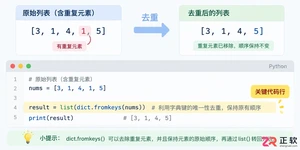
学习如何使用Python高效删除列表中的重复元素。本文提供5种常见方法的代码示例,涵盖保持顺序与不保持顺序的场景,适合初学者和进阶开发者参考。

详细讲解使用Python编写Web接口的核心步骤与完整代码示例,涵盖环境准备、路由定义、数据校验、服务启动及调试测试方法。
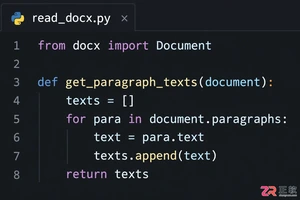
介绍如何利用编程工具读取和解析Word文档(docx格式),涵盖基础文本提取代码示例、结构化数据处理逻辑,以及处理复杂排版时的技术局限与替代方案。

详细讲解在Python中调用C语言代码提升性能的完整实践指南,包含原理分析、编译步骤、ctypes与CFFI具体实现、性能对比及常见陷阱。
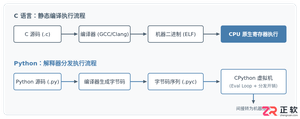
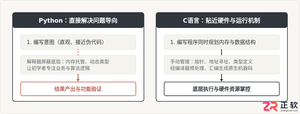
客观对比Python与C语言在心智负担、底层机制与学习反馈上的核心差异,提供清晰有据的选择标准与切实的入门学习路径。


针对大数据工程场景,系统对比Java、Scala与Python在执行性能、生态结合、开发效率和维护成本上的核心差异,给出清晰的架构选型依据与落地方案。

本篇LangGraph Python中文入门教程详解,系统梳理StateGraph状态机定义、节点编写、边与条件路由、检查点持久化(MemorySaver)等核心机制,提供从环境安装到完整循环智能体构建的代码示例与实操指导。
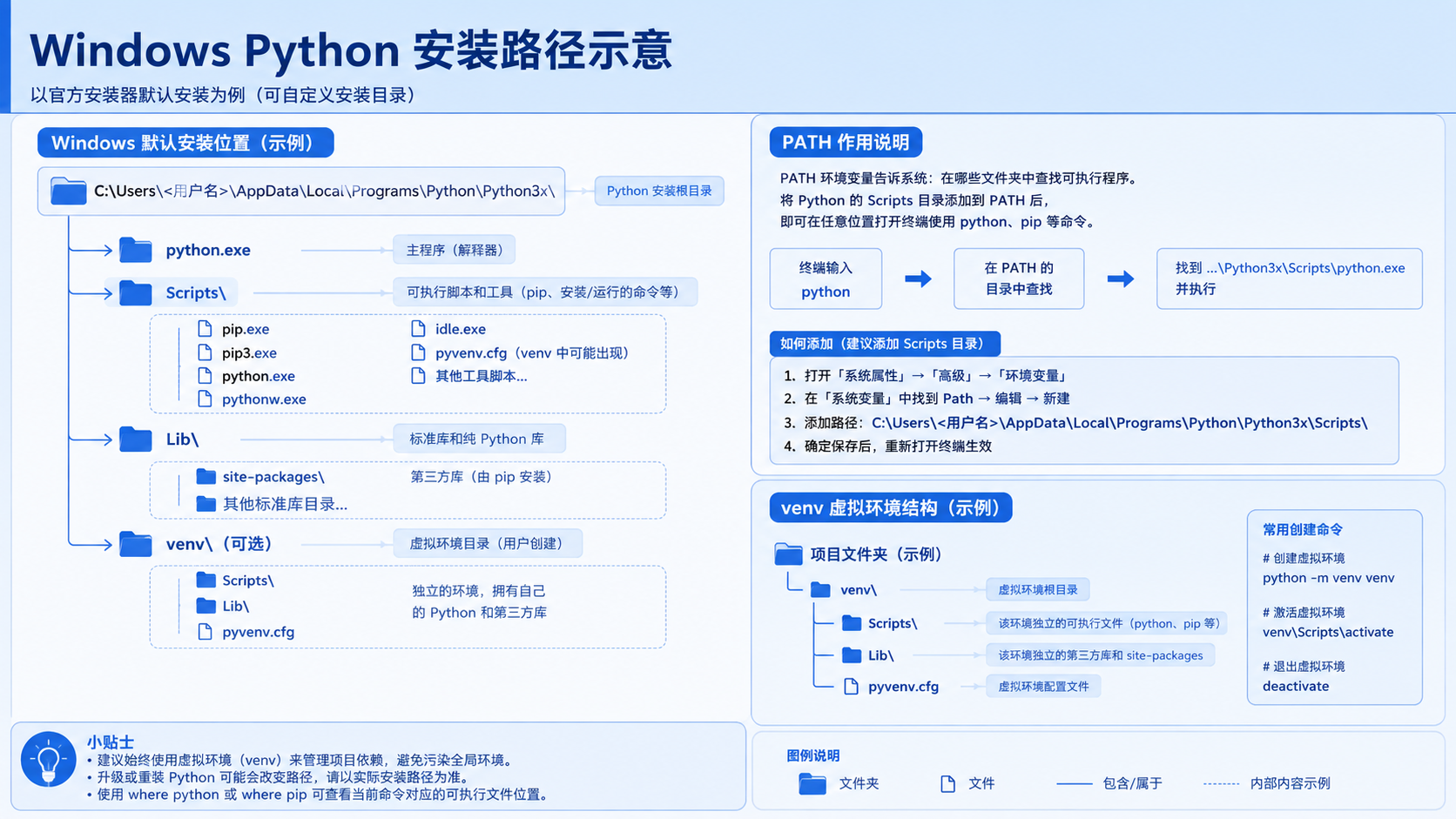
面向后端开发者,基于 Python 官方文档说明如何在 Windows 上安装 Python、创建 venv 虚拟环境及使用 pip 管理依赖。包含可复制命令、验证方法及工具选择边界,避免常见配置误区。





火山引擎是字节跳动旗下企业级云与AI服务平台。聚焦大模型核心能力,依托字节自研豆包多模态大模型,凭借火山方舟一站式平台,提供模型精调、推理部署、智能应用搭建等全链路服务,结合高性能AI算力,助力各行业快速落地大模型数字化与智能化应用。



