

Python中如何使用正则表达式进行字符串匹配和替换详解
Python的re模块提供正则表达式处理字符串,支持re.sub()进行字符串替换(可指定替换次数、使用替换函数),re.search()在整个字符串中搜索模式,re.match()从字符串开头匹配。可实现多模式替换、将数字翻倍等复杂操作,并能通过?控制贪婪与非贪婪匹配,通过re.IGNORECASE控制大小写忽略,还有re.MULTILINE多行模式等选项
在Python里,正则表达式就像一把瑞士军刀——专门用来处理字符串的搜索、替换、分割这些琐事。而re模块正是这把刀的工具箱,里面装满了各种好用的函数。下面我们就从最基础的导入开始,一步步看看怎么用正则搞定匹配和替换。
1. 导入re模块
动手之前,先得把re模块请出来。它就像工具箱的钥匙,没有它,后面的操作都无从谈起。
import re
2. 使用re.sub()函数进行字符串替换
re.sub()是替换的主力军,它能把字符串里所有匹配正则表达式的部分统统换成你指定的内容。语法长这样:
re.sub(pattern, repl, string, count=0, flags=0)
pattern:要匹配的正则模式。repl:替换成什么?可以是字符串,也可以是一个函数(后面会看到它的妙用)。string:原始字符串。count:最多替换几次,默认0代表全部替换。flags:匹配模式,比如忽略大小写。
示例1:
把"ja va script"改成"ja vascript"(注意这里加了单词边界,避免误伤"ja vascripter"之类的词)。
import re

text = "ja va script is awesome."
pattern = r"\bja va script\b"
repl = "ja vascript"
new_text = re.sub(pattern, repl, text)
print(new_text)  # 输出: ja vascript is awesome.
示例2:
把字符串中的所有四位数字替换成"****"。
import re

text = "1234 hello 5678 world"
pattern = r"\b\d{4}\b"
repl = "****"
new_text = re.sub(pattern, repl, text)
print(f'Original string: {text}')
print(f'Replaced string: {new_text}')
# 输出:
# Original string: 1234 hello 5678 world
# Replaced string: **** hello **** world
3. 使用re.search()函数进行字符串匹配
re.search()不会从头开始,而是在整个字符串里搜索第一个匹配的位置。语法:
re.search(pattern, string, flags=0)
pattern:正则模式。string:原始字符串。flags:可选匹配模式。
示例:
检查字符串里有没有"World"。
import re

text = "Hello World"
pattern = r"World"
match = re.search(pattern, text)
if match:
    print("匹配成功")
    print(match.group())  # 输出: World
else:
    print("匹配失败")
4. 使用re.match()函数进行字符串匹配
re.match()和search的区别在于——它只从字符串开头开始匹配,开头对不上就直接返回None。
re.match(pattern, string, flags=0)
pattern:正则模式。string:原始字符串。flags:可选匹配模式。
示例:
看看字符串是不是以"Hello"开头。
import re

text = "Hello World"
pattern = r"Hello"
match = re.match(pattern, text)
if match:
    print("匹配成功")
    print(match.group())  # 输出: Hello
else:
    print("匹配失败")
5. 使用正则表达式进行复杂的字符串替换
有时候替换逻辑不是固定的——比如想把所有数字都翻倍,这时候就需要一个替换函数登场了。
示例:
把字符串里的每个数字都替换成它自己的两倍。
import re

text = "The numbers are 123 and 456."
pattern = r"\d+"

def double(match):
    num = int(match.group())
    return str(num * 2)

new_text = re.sub(pattern, double, text)
print(new_text)  # 输出: The numbers are 246 and 912.
6. 使用正则表达式进行多模式替换
如果同时要替换好几个单词,用字典配合循环就能优雅搞定。注意要对字典的键先做转义,防止特殊字符捣乱。
示例:
把"apple"换成"orange","banana"换成"grape"。
import re

text = "apple banana cherry"
rep = {"apple": "orange", "banana": "grape"}

# 把字典的键转义一下
rep = dict((re.escape(k), v) for k, v in rep.items())

# 用"|"把多个模式拼成一个大的正则
pattern = re.compile("|".join(rep.keys()))

# 替换时取字典里对应的值
new_text = pattern.sub(lambda m: rep[re.escape(m.group(0))], text)
print(new_text)  # 输出: orange grape cherry
7. 使用正则表达式进行贪婪和非贪婪匹配
默认情况下,*、+这些量词是贪婪的——能多匹配就多匹配。要想让它们“知足常乐”,就在后面加个?。
示例:
从HTML标签里提取内容,贪婪和非贪婪的结果完全不同。
import re text = "Example Content" # 贪婪匹配 (.会跨过中间的所有字符) pattern_greedy = r"(.*) " match_greedy = re.search(pattern_greedy, text) if match_greedy: print("贪婪匹配结果:", match_greedy.group(1)) # 输出: Example Content # 非贪婪匹配 (能停就停) pattern_non_greedy = r"(.*?) " match_non_greedy = re.search(pattern_non_greedy, text) if match_non_greedy: print("非贪婪匹配结果:", match_non_greedy.group(1)) # 输出: Example
8. 使用正则表达式进行忽略大小写匹配
设置flags=re.IGNORECASE(或者缩写re.I),正则就不分大小写了。
示例:
用"hello"去匹配"Hello World"。
import re

text = "Hello World"
pattern = r"hello"
match = re.search(pattern, text, re.IGNORECASE)
if match:
    print("匹配成功")
    print(match.group())  # 输出: Hello
else:
    print("匹配失败")
总结
从简单的替换到复杂的动态处理,Python的re模块确实能把字符串操作变得灵活又高效。这些例子只是冰山一角——当你真正熟悉了正则,处理日志、清洗数据、提取信息都会顺手很多。关键是理解每个参数的用意,多动手写几个例子,那些看似复杂的模式很快就变成肌肉记忆了。
遇到PHP递归报错时,不要盲目调大max_nesting_level。本文教你区分Xdebug限制、内存耗尽和正则递归错误,提供代码级的终止条件优化与迭代替代方案,彻底解决栈溢出问题。
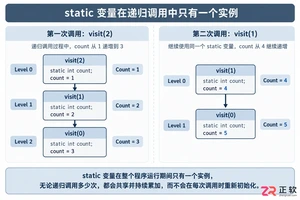
本文分析PHP递归中static变量导致的状态污染及引用传递引发的共享数据修改问题。提供具体的代码复现、缓存键设计建议及调试打印技巧,帮助开发者避免隐蔽的逻辑错误。
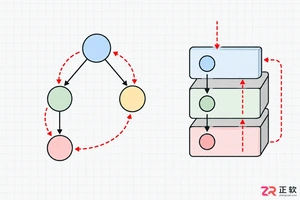
解析PHP递归函数在树形数据处理中的性能瓶颈,提供预加载数据消除I/O、使用显式栈替代深层递归的实战方案,帮助开发者在代码可读性与执行效率间做出合理取舍。
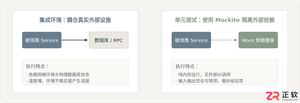
详细讲解在Java单元测试中如何使用Mockito模拟依赖对象,包括引入依赖、创建Mock、打桩返回值、行为验证以及Mock与Spy的核心差异和常见陷阱排查。

详细分析链表删除节点的时间复杂度,深入探讨单链表与双向链表在不同已知前提下的查找与删除开销,并结合完整代码与清晰图解进行对比总结。

想知道如何让AI写出的代码更贴合你的习惯?本文手把手教你在VS Code中调整Codex相关模型参数,通过修改配置文件优化温度值和令牌限制,解决代码建议不准确或响应慢的问题。

通过实测展示Claude Code在终端中如何理解自然语言指令、自动修改代码文件并处理复杂编程任务,帮助开发者评估其实际辅助能力。

本教程详细讲解如何使用Visual Studio创建WinForms项目,通过添加按钮和标签控件并编写点击事件代码,实现一个基础的计数器功能,适合C#初学者快速上手Windows窗体应用开发。

详解Cursor编辑器中自动补全功能的开启与优化设置,涵盖Tab触发机制、上下文窗口调整及模型切换,帮助开发者解决补全延迟、干扰大等问题,提升编码流畅度。

详解Pandas中数据格式转换的核心方法,包括astype强制转换、to_numeric容错处理及日期解析技巧,解决常见类型错误并提升数据处理效率。




Photoshop 2026 是 Adobe 推出的专业图像处理与视觉设计软件,支持 Windows、macOS 和 iPad 等平台,广泛应用于摄影修图、电商设计、平面海报、数字绘画及视觉合成等创作场景。

Blender 是一款免费开源、跨平台的专业 3D 创作软件,集建模、动画、渲染、视频编辑与视觉合成等功能于一体,广泛应用于影视动画、游戏设计和建筑可视化等领域。软件支持 Cycles 物理渲染器与 Eevee 实时渲染引擎,并提供多边形建模、骨骼绑定、物理模拟等专业工具。Blender 兼容 Windows、macOS 和 Linux 系统,安装包轻巧、运行流畅,依托活跃的全球开发者社区持续更新,是从初学者到专业创作者都值得选择的正版 3D 创作工具。


Photoshop 2026 是 Adobe 推出的专业图像处理与视觉设计软件,支持 Windows、macOS 和 iPad 等平台,广泛应用于摄影修图、电商设计、平面海报、数字绘画及视觉合成等创作场景。
Blender 是一款免费开源、跨平台的专业 3D 创作软件,集建模、动画、渲染、视频编辑与视觉合成等功能于一体,广泛应用于影视动画、游戏设计和建筑可视化等领域。软件支持 Cycles 物理渲染器与 Eevee 实时渲染引擎,并提供多边形建模、骨骼绑定、物理模拟等专业工具。Blender 兼容 Windows、macOS 和 Linux 系统,安装包轻巧、运行流畅,依托活跃的全球开发者社区持续更新,是从初学者到专业创作者都值得选择的正版 3D 创作工具。