

C++中httplib的使用小结
cpp-httplib是轻量级单头文件C++HTTP库,零外部依赖(除SSL),跨平台支持HTTP/1.1、SSL/TLS、文件上传、正则路由。仅需包含头文件即可搭建服务或发起请求,核心类Server与Client提供路由注册及GET、POST等多种请求方法,适合快速开发REST服务与客户端。
一、什么是 cpp-httplib?
cpp-httplib 是什么?简单说,就是一个轻量级、单头文件的 C++ HTTP 客户端/服务器库。你只需要包含一个头文件,就能快速搭建 HTTP 服务或发起 HTTP 请求,完全不需要依赖那些复杂的第三方库。

核心特性
| 特性 | 说明 |
|---|---|
| 单头文件 | 仅需 #include |
| 跨平台 | 支持 Windows、Linux、macOS |
| HTTP/1.1 | 完整支持持久连接、管道化 |
| SSL/TLS | 可选 OpenSSL 或 mbedTLS 支持 HTTPS |
| 文件上传 | 原生支持 multipart/form-data |
| 正则路由 | 支持正则表达式匹配 URL 路径 |
二、如何安装和引入
1. 获取源码
git clone https://github.com/yhirose/cpp-httplib.git
2. 引入项目
cpp-httplib 是header-only库,所以操作很简单:把 httplib.h 复制到你的项目目录里就行。
#include "httplib.h" // 或者 #include(如果放在系统路径)
编译时记得链接线程库(Linux):
g++ -std=c++17 server.cpp -o server -pthread
三、核心类与接口详解
3.1 命名空间与基础类型
namespace httplib
{
// 范围请求(用于断点续传)
using Range = std::pair;
using Ranges = std::vector;
// 表单数据(文件上传用)
struct MultipartFormData
{
    std::string name;        // 表单字段名
    std::string content;     // 文件内容
    std::string filename;    // 文件名
    std::string content_type;// MIME 类型
};
// 常用容器别名
using MultipartFormDataItems = std::vector;
using Params = std::multimap;  // 查询参数
using Headers = std::multimap;// HTTP 头部
} // namespace httplib
3.2 Request 结构体:获取请求信息
当客户端发起请求时,cpp-httplib 会把所有信息封装在 Request 对象中。这意味着你可以轻松拿到方法、路径、头部、参数等所有细节。
struct Request
{
    std::string method;           // HTTP 方法:GET/POST/PUT/DELETE 等
    std::string path;              // 请求路径(如 /hi)
    Headers headers;               // 请求头
    std::string body;              // 请求体(POST 数据等)
    Params params;                 // URL 查询参数(?name=zhangsan&age=18)
    MultipartFormDataMap files;    // 上传的文件
    Ranges ranges;                 // 范围请求(断点续传)
    Match matches;                 // 正则路由捕获组
};
常用字段详解:
| 字段 | 用途 | 示例 |
|---|---|---|
| method | 判断请求类型 | req.method == "POST" |
| path | 获取请求路径 | /api/user/123 |
| params | 获取 URL 参数 | ?name=zhangsan → req.params["name"] |
| headers | 获取请求头 | req.headers["Content-Type"] |
| body | 获取原始请求体 | JSON 字符串或表单数据 |
| matches | 正则匹配结果 | 捕获 URL 中的动态部分 |
3.3 Response 结构体:构建响应
struct Response
{
    std::string version;   // HTTP 版本
    int status = -1;       // 状态码:200, 404, 500 等
    std::string reason;    // 状态描述
    Headers headers;       // 响应头
    std::string body;      // 响应体

    // 便捷方法
    void set_content(const std::string &s, const std::string &content_type);
    void set_header(const std::string &key, const std::string &val);
};
关键方法说明:
set_content(body, type):设置响应内容和 MIME 类型
- "text/html" - HTML 页面
- "application/json" - JSON 数据
- "text/plain" - 纯文本
set_header(key, val):添加自定义响应头(如 CORS 支持)
3.4 Server 类:搭建 HTTP 服务
class Server
{
public:
    // 路由注册:支持 GET/POST/PUT/DELETE/PATCH/OPTIONS
    Server& Get(const std::string &pattern, Handler handler);
    Server& Post(const std::string &pattern, Handler handler);
    Server& Put(const std::string &pattern, Handler handler);
    Server& Delete(const std::string &pattern, Handler handler);

    // 静态文件服务
    bool set_mount_point(const std::string &mount_point,
                         const std::string &dir,
                         Headers headers = Headers());

    // 启动服务器
    bool listen(const std::string &host, int port);

private:
    using Handler = std::function;
};
路由匹配规则:
- 精确匹配:
"/hi"匹配http://localhost:9000/hi - 正则匹配:
R"(/numbers/(\d+))"匹配/numbers/123并捕获数字
3.5 Client 类:发起 HTTP 请求
class Client
{
public:
    explicit Client(const std::string &host, int port);

    // GET 请求
    Result Get(const std::string &path, const Headers &headers);
    Result Get(const std::string &path,
               const Params ¶ms,
               const Headers &headers,
               Progress progress = nullptr);

    // POST 请求(多种重载)
    Result Post(const std::string &path,
                const std::string &body,
                const std::string &content_type);
    Result Post(const std::string &path, const Params ¶ms);
    Result Post(const std::string &path,
                const Headers &headers,
                const Params ¶ms);
    Result Post(const std::string &path,
                const MultipartFormDataItems &items);  // 文件上传

    // PUT/DELETE
    Result Put(const std::string &path, ...);
    Result Delete(const std::string &path, ...);
};
3.6 Result 类:处理响应结果
class Result {
public:
    operator bool() const;           // 是否请求成功
    const Response& value() const;     // 获取响应(可能抛出异常)
    const Response& operator*() const; // 解引用访问
    const Response* operator->() const; // 箭头访问

    // 使用示例:
    // auto res = client.Get("/api");
    // if (res && res->status == 200) { ... }
};
四、示例
4.1 搭建基础 HTTP 服务器
#include#include // 处理函数:打印请求详情并返回 HTML void HelloWorld(const httplib::Request &req, httplib::Response &rsp) { // 打印请求方法 std::cout << "Method: " << req.method << std::endl; // 打印请求路径 std::cout << "Path: " << req.path << std::endl; // 打印请求体 std::cout << "Body: " << req.body << std::endl; // 遍历并打印所有请求头 std::cout << "Headers:" << std::endl; for (auto &[key, val] : req.headers) { std::cout << " " << key << " = " << val << std::endl; } // 遍历并打印 URL 查询参数 std::cout << "Params:" << std::endl; for (auto &[key, val] : req.params) { std::cout << " " << key << " = " << val << std::endl; } // 设置响应内容 std::string html_body = " Hello World
"; rsp.set_content(html_body, "text/html"); rsp.status = 200; // HTTP OK } int main() { httplib::Server svr; // 注册路由:GET /hi svr.Get("/hi", HelloWorld); // 正则路由:匹配 /numbers/123 这样的路径 // R"()" 是原始字符串字面量,避免转义 svr.Get(R"(/numbers/(\d+))", [](const httplib::Request &req, httplib::Response &rsp) { std::cout << "Matched path: " << req.path << std::endl; // req.matches[0] 是整个匹配的字符串(如 /numbers/123) // req.matches[1] 是第一个捕获组(如 123) std::cout << "Full match: " << req.matches[0] << std::endl; std::cout << "Captured number: " << req.matches[1] << std::endl; rsp.set_content("Number received: " + req.matches[1].str(), "text/plain"); rsp.status = 200; }); std::cout << "Server starting at http://0.0.0.0:9000" << std::endl; // 启动服务器(阻塞调用) svr.listen("0.0.0.0", 9000); return 0; }
测试命令:
# 基础请求
curl "http://localhost:9000/hi?name=zhangsan&age=18"
# 正则路由
curl "http://localhost:9000/numbers/123456"
4.2 HTTP 客户端示例
#include#include int main() { // 创建客户端,指定服务器地址和端口 httplib::Client client("192.168.65.128", 9000); // 设置请求头 httplib::Headers headers = { {"Connection", "closed"}, // 短连接 {"User-Agent", "cpp-httplib-client"} }; // 设置查询参数 httplib::Params params = { {"name", "lisi"}, {"age", "18"} }; // 发起 GET 请求 auto rsp = client.Get("/hi", params, headers); // 检查响应 if (rsp) { // 请求成功(网络层) std::cout << "Status: " << rsp->status << std::endl; if (rsp->status == 200) { // HTTP 成功 std::cout << "Response body:" << std::endl; std::cout << rsp->body << std::endl; } else { std::cerr << "HTTP Error: " << rsp->reason << std::endl; } } else { std::cerr << "Request failed (network error)" << std::endl; } // POST 请求示例(表单数据) httplib::Params form_data = { {"username", "admin"}, {"password", "123456"} }; auto post_res = client.Post("/login", form_data); // POST JSON 示例 std::string json = R"({"user":"admin","pass":"secret"})"; auto json_res = client.Post("/api/login", json, "application/json"); return 0; }
五、原理图
┌─────────┐ GET /hi?name=zhangsan HTTP/1.1
│ Client │ ───────────────────────────────────────►
└─────────┘
│
▼
┌─────────────────────────────────────────────────────────────┐
│ Class Server │
│ ┌─────────────────┐ ┌─────────────────────────────────┐ │
│ │ + get_handlers_ │ │ 路由表 │ │
│ │ + post_handlers_│───►├─────────────┬───────────────────┤ │
│ │ + listen(port) │ │ 路径 │ 回调函数 │ │
│ └─────────────────┘ │ /hi │ HelloWorld │ │
│ │ │ /numbers/(\d+)│ lambda │ │
│ │ └─────────────┴───────────────────┘ │
│ │ │ │
│ └──────────────────────────┘ │
│ 匹配成功,调用回调 │
└─────────────────────────────────────────────────────────────┘
│
▼
┌─────────────────────────────────────┐
│ void HelloWorld(const Request &req, │
│ Response &rsp) {│
│ // 访问 req.method, req.path │
│ // 访问 req.params["name"] │
│ // 设置 rsp.set_content(...) │
│ // 设置 rsp.status = 200 │
│ } │
└─────────────────────────────────────┘
六、实践与注意事项
6.1 线程安全
Server是多线程的,每个请求在独立线程中处理- 不要在處理函数中使用非线程安全的全局变量,如果一定要用则加锁保护
6.2 错误处理
// 始终检查 Result 对象
auto res = client.Get("/api");
if (!res)
{
    // 网络错误:连接失败、超时等
    std::cerr << "Network error" << std::endl;
    return;
}

if (res->status != 200)
{
    // HTTP 错误:404, 500 等
    std::cerr << "HTTP " << res->status << ": " << res->reason << std::endl;
    return;
}
6.3 性能优化
// 启用 Keep-Alive(默认已启用)
httplib::Client client("api.example.com", 80);
client.set_keep_alive(true);

// 设置超时
client.set_connection_timeout(5);  // 连接超时 5 秒
client.set_read_timeout(10);       // 读取超时 10 秒
6.4 HTTPS 支持
编译时链接 OpenSSL:
g++:
g++ -std=c++17 server.cpp -o server -pthread -lssl -lcrypto
如果是用CmakeLists,则需要:
#添加CPPHTTPLIB_OPENSSL_SUPPORT
target_compile_definitions(testLLM PRIVATE CPPHTTPLIB_OPENSSL_SUPPORT)

#链接库
target_link_libraries(OpenSSL::SSL OpenSSL::Crypto)
代码中使用:
httplib::SSLServer svr("./cert.pem", "./key.pem");  // HTTPS 服务器
httplib::SSLClient client("https://example.com"); // HTTPS 客户端 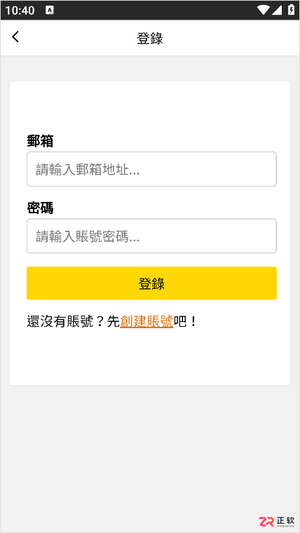
漫蛙2 Manwa2 (https://www.ao3cn.cc/)提供海量正版资源与无广告清爽体验。针对多设备阅读断点、离线缓存及画质需求,本文详解其横竖屏切换、智能推荐及高清显示功能,并逐步指导用户通过账号登录与书架设置完成阅读进度同步,确保在Android设备上获得流畅、舒适的追更体验。
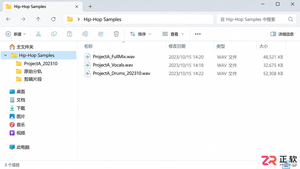
想提升Hip-Hop制作手感?利用音述AI的分轨功能,提取人声、鼓点和贝斯素材。本文详解从导出、剪辑到标签管理的完整流程,助你打造合规且实用的个人采样库。
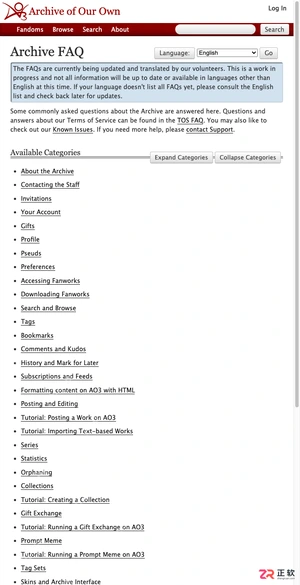
本文提供 AO3 的最新镜像入口https://www.ao3cn.cc/及登录指引。针对网络访问不稳定或页面加载异常的痛点,文章汇总了可用的访问地址,并区分手机端与电脑端的浏览优化技巧。同时,详解如何利用收藏、追更和历史记录功能管理阅读进度,最后强调账号安全与防钓鱼注意事项,帮助用户安全、高效地在线阅读和筛选同人小说。
本文提供稳定的国内直达入口https://www.ao3cn.cc/及操作指引。针对网络访问不稳定及海量作品筛选困难的痛点,介绍如何通过ao3cn.cc镜像站点快速进入平台,并利用标签、Fandom、作者等多维度信息进行精准检索。内容涵盖入口验证、搜索策略及阅读前的信息筛选方法,帮助用户高效定位长篇、短篇或系列同人作品,提升阅读体验。
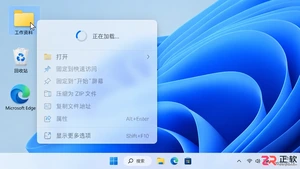
Windows 11右键点击桌面或文件时出现明显延迟?本文详解如何通过重启资源管理器、排查第三方软件扩展、检查系统文件完整性及清理后台负载来优化右键菜单响应速度,提供安全有效的实操步骤。
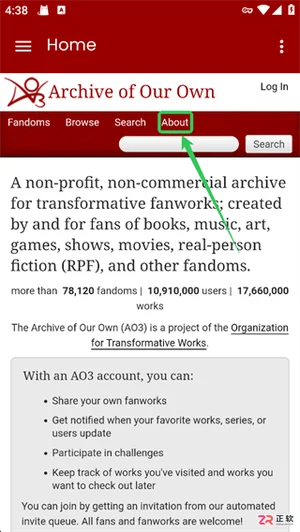
Archive of Our Own(AO3)平台网页端入口是:https://www.ao3cn.cc/,本文详细拆解AO3网页端与App端的中文语言切换步骤,涵盖从菜单导航到确认生效的全流程。同时梳理精准搜索、自由标签筛选、离线缓存优化及评论区净化等核心功能,帮助用户在去广告、非营利的包容环境中,高效定位小众题材并享受稳定的阅读与互动体验。
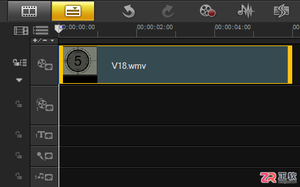
面向使用会声会影X10进行基础视频处理的用户,解决如何从长视频中精准截取所需片段的需求。针对手动拖动易误差的痛点,本文详解利用时间轴滑块配合导览面板“开始/结束标记”功能的实操步骤。通过设置橘红色标记线界定剪辑范围,实现非破坏性快速剪辑并即时预览,帮助用户掌握简单高效的视频截取方法。

立刻MV网页版不需要安装Windows或macOS客户端,打开浏览器登录即可导入音频、生成字幕和导出视频。只有手机端才需下载App或使用小程序。本文解答网页版操作流程、项目同步及常见登录问题。

WPS表格中多余空格会导致数据匹配失败。本文详解如何区分首尾空格与业务分隔空格,使用查找替换和TRIM函数安全清理数据,并处理全角空格等隐藏字符,确保数据清洗后字段含义准确。

遇到视频字幕无法单独选中或删除?本文详解如何在会声会影中通过时间轴对象、轨道隐藏测试及字幕文件逻辑,准确区分内嵌硬字幕与独立软字幕轨道,并提供对应的修改、删除或遮盖技巧。




IntelliJ IDEA 是 JetBrains 推出的专业集成开发环境,重点服务于 Java、Kotlin 与 JVM 项目开发。软件集成代码补全、静态检查、重构、调试、测试、版本控制及构建工具,并可借助插件扩展语言和框架支持。

JetBrains PyCharm 是面向 Python 开发者的集成开发环境,提供智能补全、代码检查、重构、调试、测试、版本控制及虚拟环境管理功能。Mac 版兼容 Intel 与 Apple 芯片,核心功能可免费使用。

JetBrains WebStorm 是面向 JavaScript、TypeScript 和现代 Web 技术的专业集成开发环境,可智能理解项目结构,提供代码补全、重构、错误检查、运行调试、测试及 Git 工具。

JetBrains IntelliJ IDEA 是以 Java、Kotlin 和 JVM 项目为核心的专业集成开发环境,提供智能补全、代码检查、安全重构、调试、测试、版本控制及构建工具集成。统一发行版的核心功能可免费用于商业和非商业项目,

PhpStorm 是 JetBrains 面向 PHP 与现代 Web 开发打造的专业集成开发环境,提供代码补全、静态检查、重构、调试、测试、数据库、版本控制及前端语言支持。Windows 用户可直接下载安装程序,

PyCharm 是 JetBrains 推出的 Python 集成开发环境,提供智能代码补全、错误检查、重构、调试、测试、Git、终端及 Jupyter Notebook 支持。统一版安装后可体验 30 天 Pro 功能,


