

ubuntu上js与php如何交互
在Ubuntu环境下,JavaScript与PHP交互常用方案主要包括:传统AJAX基于XMLHttpRequest实现异步请求,现代FetchAPI基于Promise提供更简洁的语法形式,以及Node.js搭配Express构建API,或利用WebSocket实现实时双向通信。这些方法适用于前后端分离、全栈开发或实时数据交换等场景。
在 Ubuntu 环境下,Ja vaScript 和 PHP 之间究竟如何“对话”?这其实是个很实际的问题,尤其是在搞前后端分离或全栈开发的时候。常用的方案有好几种,下面一个个拆开来讲,每种都附上了代码,方便直接上手试试。
先说说最经典的那一套——AJAX(Asynchronous Ja vaScript and XML)。它允许 Ja vaScript 异步向服务器发请求、收响应,而不用刷新整个页面。原生 XMLHttpRequest 对象就能搞定,当然也可以用 jQuery 这样的库来简化写法。
Ja vaScript(前端)例子:
function fetchData() {
  var xhttp = new XMLHttpRequest();
  xhttp.onreadystatechange = function() {
    if (this.readyState == 4 && this.status == 200) {
      console.log(this.responseText);
      // 处理从PHP返回的数据
    }
  };
  xhttp.open("GET", "your_php_file.php", true);
  xhttp.send();
}
PHP(后端)例子:
接着是更现代一点的 Fetch API,它基于 Promise 机制,写法更简洁、可读性也更高。
Ja vaScript(前端)例子:
function fetchData() {
  fetch('your_php_file.php')
    .then(response => response.text())
    .then(data => console.log(data))
    .catch(error => console.error('Error:', error));
}
如果你打算用 Node.js 做后端,那就可以搭配 Express 框架搭建 API,前端再通过 fetch 来调用。这种模式在构建全栈应用时很常见。
Node.js + Express(后端)例子:
// server.js
const express = require('express');
const app = express();
const port = 3000;

app.get('/api/data', (req, res) => {
  res.send('Hello from Node.js with Express!');
});

app.listen(port, () => {
  console.log(`Server running at http://localhost:${port}`);
});
Ja vaScript(前端)调用:
fetch('/api/data')
  .then(response => response.text())
  .then(data => console.log(data))
  .catch(error => console.error('Error:', error));
最后一种,如果应用里需要实时数据交换,比如聊天、实时通知之类,就可以用 WebSockets。它在单个 TCP 连接上实现全双工通信,连接建立后双方可以随时推送消息。
Node.js + WebSocket(后端)例子:
// server.js
const WebSocket = require('ws');
const wss = new WebSocket.Server({ port: 8080 });

wss.on('connection', function connection(ws) {
  ws.on('message', function incoming(message) {
    console.log('received: %s', message);
  });

  ws.send('Hello from WebSocket server!');
});
Ja vaScript(前端)客户端:
const socket = new WebSocket('ws://localhost:8080');

socket.onopen = function() {
  socket.send('Hello from the client!');
};

socket.onmessage = function(event) {
  console.log('Message from server:', event.data);
};
每种方法都有自己的用武之地——AJAX 兼容性最好、Fetch API 更现代、Node+Express 适合全栈、WebSocket 适合实时场景。具体选哪个,就看实际需求和项目规模了。
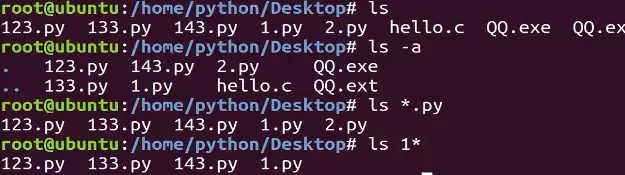
本教程指导Ubuntu新手打开终端,通过pwd、ls、cd、mkdir和touch命令完成基础文件目录操作。适用于桌面版、虚拟机及WSL环境,提供从查看路径到创建测试文件的完整验证步骤,帮助读者建立命令行操作的安全意识与正确习惯。
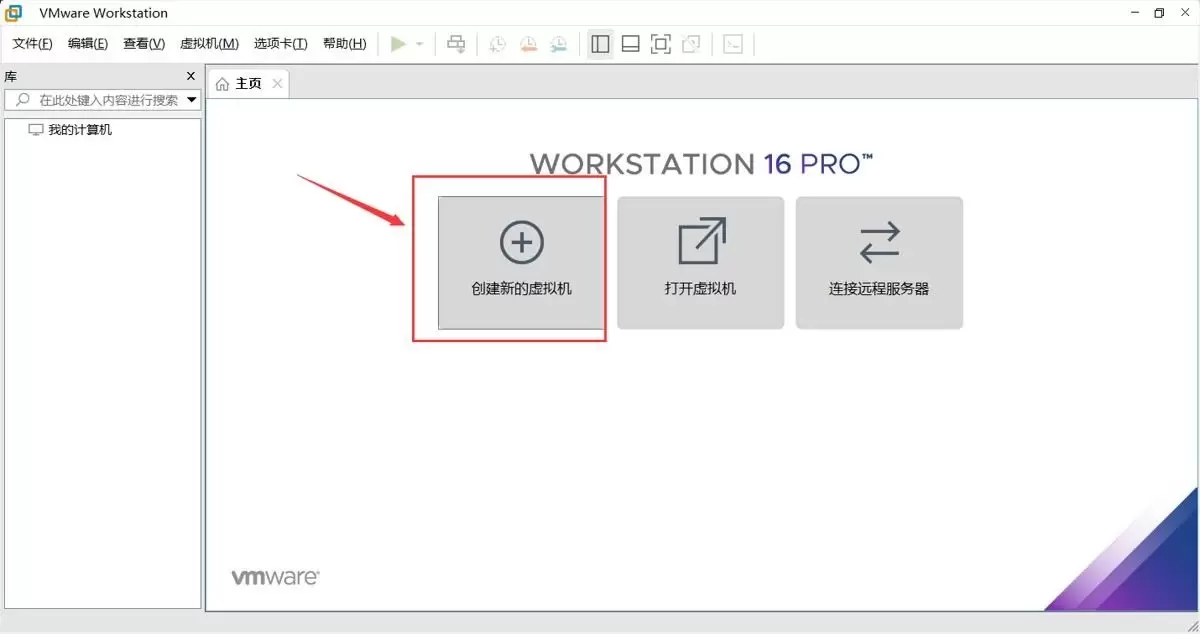
本文提供在VMware中安装Ubuntu并验证启动的完整流程。适用于首次练习Linux或搭建开发环境的用户。按步骤完成虚拟机创建、ISO挂载、硬件分配与安装后,可通过终端命令确认版本、内核与网络状态,确保系统可正常使用。
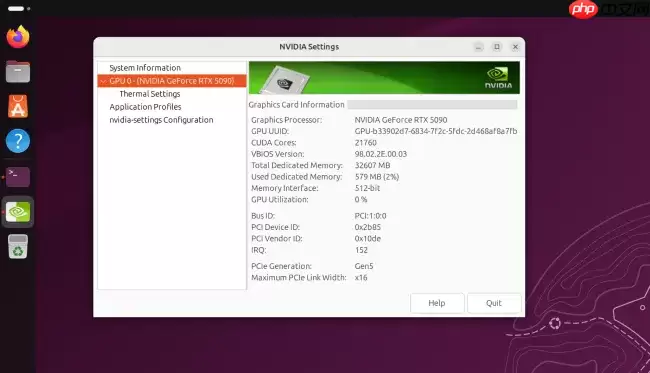
Ubuntu26.04LTS针对英伟达显卡在Wayland+GNOME环境进行性能调优,通过修改gbm_surface_lock_front_buffer函数,将帧渲染等待时间从毫秒级降至微秒级,显著提升UI响应和画面流畅度。该补丁已作为发行版专属补丁集成,确保LTS用户无需等待上游整合即可获得优化体验。
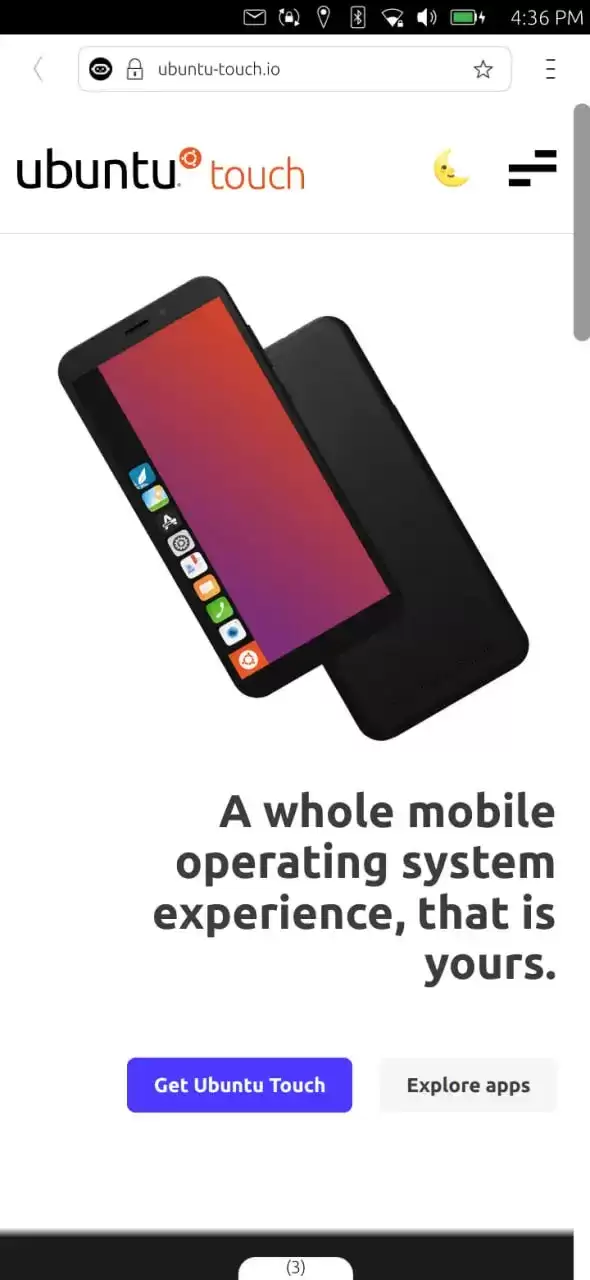
UbuntuTouch24.04-2.0Beta发布,底层升级至Ubuntu24.04,浏览器引擎从Chromium87跃升至134,网页兼容性显著提升;新增屏幕刘海区域自动适配、截图编辑器、网络指示器改进、移动数据可靠性增强、数据加密稳定,并新增NothingPhone(1)等设备支持。
ufw status仅显示高层策略和显式添加的规则(如“80 ALLOW Anywhere”),不反映默认策略绕过、IPv6独立规则、Docker等直写nftables的bypass规则,也无法体现本地回环流量不受管控等底层细节。Ubuntu 默认用 ufw 管理防火墙,但规则实际由 nftable
锁屏背景和桌面壁纸之所以不同,是因为GNOME默认会复制桌面壁纸,然后强制叠加高斯模糊和亮度调整效果,这个效果是由lockDialogGroup的CSS来控制的。要是想去除模糊,建议使用Control Blur Effect On Lock Screen扩展,把Adjust Sigma设置为0就行。
Ubuntu Swapper(一般就是指Ubuntu的交换分区或者交换文件)在服务器上的应用成效,是由多个因素共同决定的,像服务器的硬件配置情况、工作负载的类型以及交换空间的大小和具体配置等。下面为大家带来一些有关Ubuntu Swapper在服务器上应用效果的一般性评价:正面效果内存管理:交换空间
根本原因是纯命令行tty默认不支持UTF-8及中文字体渲染,locale设置仅影响字符解析逻辑,不解决字体绘制问题;图形终端自带UTF-8渲染,而tty需借助fbterm等工具实现中文显示。为什么终端里中文显示为问号或方块 纯命令行(tty,例如通过Ctrl+Alt+F3进入的界面)默认不会加载UT
通过分析Tomcat日志来提升Ubuntu服务器性能是一个很好的方法。以下是一些步骤和建议,帮助你通过Tomcat日志来优化服务器性能:1. 收集日志首先,得保证你的Tomcat服务器有详细的日志记录配置。在conf/logging.properties文件里,你可以对日志级别和输出格式进行调整。o
直接修改PS1是最为可控且轻量的方法。因为GNOME Terminal主题难以区分提示符、命令输入与输出,而PS1搭配ANSI转义码能够精准地为各个字段上色,并且需要用[ ]进行包裹,以防止光标出现错位的情况。直接改 PS1 是最可控、最轻量的方式,不需要装框架或改终端全局配色。 为什么不用改 GN




Postman是一套面向API全生命周期的开发与测试平台,可在Mac上发送和调试多种协议请求,管理集合、环境及认证信息,并完成脚本测试、模拟服务、监控、文档发布和团队协作。它适合开发、测试及运维人员使用,提供个人免费方案。
Docker Desktop 是 Docker 官方为 Mac 提供的容器开发环境,集成 Docker Engine、命令行工具、Compose、Build、Kubernetes 与图形化管理界面。

Android Studio 是 Google 面向安卓应用开发提供的官方集成开发环境,基于 IntelliJ IDEA 构建。它整合智能代码编辑、Gradle 构建、界面预览、设备模拟、性能分析、调试测试及 APK 分析等工具。

PixPix 是面向品牌、卖家和内容团队的在线 AI 图片视频创作平台,提供图视频 Agent、无限画布、图片生成、视频生成、自然语言编辑及商品套图、产品精修和带货视频等电商工具。

Postman 是面向 API 全生命周期的开发与协作平台。Windows 桌面版可用于构建和发送 HTTP、GraphQL、gRPC、WebSocket、MQTT 等请求,并提供环境变量、集合、脚本测试、模拟服务、监控、文档及团队工作区等
Docker Desktop 为 Windows 开发者提供集成式容器环境,内置 Docker Engine、命令行工具、Compose、Build 与 Kubernetes 等组件,可在本机完成镜像构建、容器运行、日志查看和资源管理。