

dmesg日志中的硬件故障提示有哪些
dmesg命令用于查看内核启动与运行时信息,可定位硬件故障。常见提示包括内存分配失败、CPU异常中断、磁盘I/O错误、网络无响应、显卡初始化失败及外设检测信息等。实际故障需结合硬件型号、驱动版本与系统配置分析。
dmesg(全称 display message 或 driver message)是 Linux 系统里一个非常实用的命令——它能帮我们查看内核启动信息和运行时的各种状态。当硬件出问题、驱动不兼容时,翻翻 dmesg 日志往往能快速定位。下面列出一些常见的硬件故障提示,你可以对照自己的日志看看有没有类似情况。

-
内存相关错误
内存不足或分配失败是最常见的,典型的日志包括:Memory cgroup out of memory: Kill processOut of memory: Kill processCannot allocate memoryMemory allocation failed
-
CPU 相关错误
CPU 异常往往体现在中断处理上,比如:CPU#0: Exception 0x80 (external interrupt) at ffffffff810a0000CPU#1: Exception 0x80 (external interrupt) at ffffffff810a0000CPU#2: Exception 0x80 (external interrupt) at ffffffff810a0000CPU#3: Exception 0x80 (external interrupt) at ffffffff810a0000
-
磁盘相关错误
硬盘或 SSD 的 I/O 失败会留下类似这样的记录:ata1.00: exception Emask 0x0 SAct 0x10 SErr 0x0 action 0x0sd 2:0:0:0: [sda] tag#0 FAILED Result: hostbyte=DID_OK driverbyte=DRIVER_SENSEsd 2:0:0:0: [sda] tag#1 FAILED Result: hostbyte=DID_OK driverbyte=DRIVER_SENSEsd 2:0:0:0: [sda] tag#2 FAILED Result: hostbyte=DID_OK driverbyte=DRIVER_SENSE
-
网络相关错误
网络不通或响应超时,dmesg 里会显示:eth0: no IPv4 response from 192.168.1.1eth0: no linkwlan0: no IPv4 response from 192.168.1.1wlan0: no link
-
显卡相关错误
Intel 核显或独显的初始化失败,通常会有类似:[drm:intel_modeset_init [i915]] *ERROR* Failed to initialize modesetting for connector[drm:intel_modeset_init [i915]] *ERROR* Failed to initialize modesetting for connector[drm:intel_modeset_init [i915]] *ERROR* Failed to initialize modesetting for connector
-
其他硬件错误
一些外设(如触摸板、电源按钮、盖子开关)的检测信息也会出现在 dmesg 里:input: SynPS/2 Synaptics TouchPad as /devices/platform/i8042/serio1/input/input0input: ETPS/2 Elantech Touchpad as /devices/platform/i8042/serio1/input/input1input: Power Button as /devices/LNXSYSTM:00/LNXSYBUS:00/PNP0C0C:00/input/input2input: Lid Switch as /devices/platform/lid.0/input/input3
这些提示只是参考,实际故障还取决于具体的硬件型号、驱动版本和系统配置。遇到问题,最稳妥的做法是查阅对应硬件的官方文档,或者找有经验的人帮忙看看。

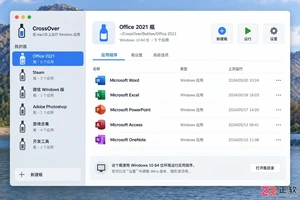
遇到CrossOver运行错误或需要更新版本时,如何彻底卸载旧版并干净重装?本教程详解macOS和Linux下的卸载步骤、残留文件清理方法及官方下载渠道,确保软件环境纯净稳定。




Postman是一套面向API全生命周期的开发与测试平台,可在Mac上发送和调试多种协议请求,管理集合、环境及认证信息,并完成脚本测试、模拟服务、监控、文档发布和团队协作。它适合开发、测试及运维人员使用,提供个人免费方案。
Docker Desktop 是 Docker 官方为 Mac 提供的容器开发环境,集成 Docker Engine、命令行工具、Compose、Build、Kubernetes 与图形化管理界面。

Android Studio 是 Google 面向安卓应用开发提供的官方集成开发环境,基于 IntelliJ IDEA 构建。它整合智能代码编辑、Gradle 构建、界面预览、设备模拟、性能分析、调试测试及 APK 分析等工具。

PixPix 是面向品牌、卖家和内容团队的在线 AI 图片视频创作平台,提供图视频 Agent、无限画布、图片生成、视频生成、自然语言编辑及商品套图、产品精修和带货视频等电商工具。

Postman 是面向 API 全生命周期的开发与协作平台。Windows 桌面版可用于构建和发送 HTTP、GraphQL、gRPC、WebSocket、MQTT 等请求,并提供环境变量、集合、脚本测试、模拟服务、监控、文档及团队工作区等

Docker Desktop 为 Windows 开发者提供集成式容器环境,内置 Docker Engine、命令行工具、Compose、Build 与 Kubernetes 等组件,可在本机完成镜像构建、容器运行、日志查看和资源管理。