

Ubuntu C++如何实现并发编程
说到Ubuntu上用C++搞并发编程,其实路子不少。从C++11开始,标准库就自带了一套并发工具,用起来相当顺手。下面把这些常见方法过一遍,每个都附上代码示例,方便直接上手。 多线程 – 从C++11起,头文件就是创建线程的标配。写法很直白,比如: #include #include void he
说到Ubuntu上用C++搞并发编程,其实路子不少。从C++11开始,标准库就自带了一套并发工具,用起来相当顺手。下面把这些常见方法过一遍,每个都附上代码示例,方便直接上手。
-
多线程 – 从C++11起,
#include#include void helloFunction() { std::cout << "Hello from a thread!" << std::endl; } int main() { std::thread t(helloFunction); t.join(); // 等待线程完成 return 0; } -
互斥锁 – 多线程抢资源时,数据竞争是个大的麻烦。
#include#include #include std::mutex mtx; // 创建一个互斥锁 void printMessage(const std::string& msg) { mtx.lock(); // 加锁 std::cout << msg << std::endl; mtx.unlock(); // 解锁 } int main() { std::thread t1(printMessage, "Hello from thread 1"); std::thread t2(printMessage, "Hello from thread 2"); t1.join(); t2.join(); return 0; } -
条件变量 – 线程间需要同步等待某个条件时,
#include#include #include #include std::mutex mtx; std::condition_variable cv; bool ready = false; void printId(int id) { std::unique_lock -
原子操作 – 不想用锁,又想保证计数器这些简单操作线程安全?
#include#include #include std::atomic counter(0); void incrementCounter() { for (int i = 0; i < 1000; ++i) { counter++; // 原子操作 } } int main() { std::thread t1(incrementCounter); std::thread t2(incrementCounter); t1.join(); t2.join(); std::cout << "Counter: " << counter << std::endl; return 0; } -
异步任务 – 想启动一个后台任务,等会儿再拿结果?
#include#include int asyncFunction() { std::this_thread::sleep_for(std::chrono::seconds(1)); return 42; } int main() { std::future result = std::async(std::launch::async, asyncFunction); std::cout << "Waiting for the result...\n"; int value = result.get(); // 获取异步操作的结果 std::cout << "Got the result: " << value << std::endl; return 0; } -
并行算法 – C++17开始,标准库里的算法(比如排序)可以带上并行执行策略,直接用
#include#include #include #include int main() { std::vector v = {1, 2, 3, 4, 5}; std::sort(std::execution::par, v.begin(), v.end()); for (int i : v) { std::cout << i << ' '; } std::cout << '\n'; return 0; }
编译时注意:如果你用了C++11或更高版本的特性,记得在编译命令里加上 -std=c++11(或 -std=c++17 等),并且如果用到线程,还要加 -pthread。比如:
g++ -std=c++11 -pthread your_program.cpp -o your_program以上是C++并发编程的几种基础手段。实际项目中,往往需要组合使用这些技术才能应对复杂的并发场景。
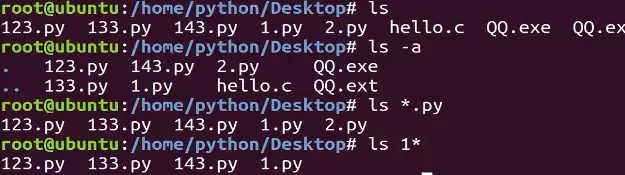
本教程指导Ubuntu新手打开终端,通过pwd、ls、cd、mkdir和touch命令完成基础文件目录操作。适用于桌面版、虚拟机及WSL环境,提供从查看路径到创建测试文件的完整验证步骤,帮助读者建立命令行操作的安全意识与正确习惯。
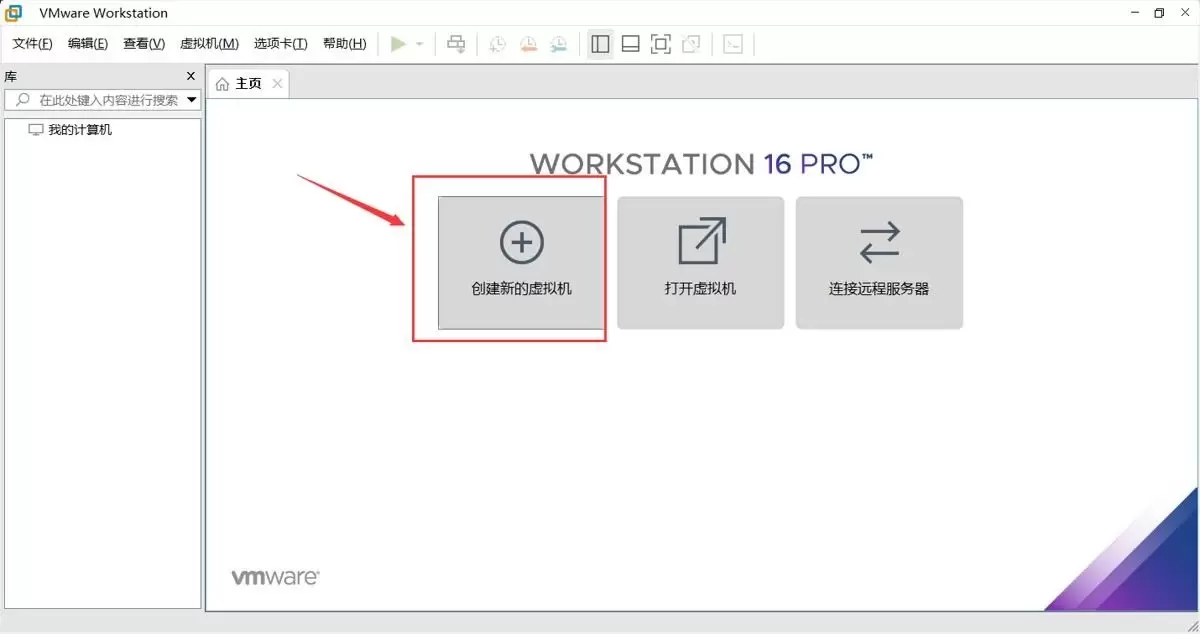
本文提供在VMware中安装Ubuntu并验证启动的完整流程。适用于首次练习Linux或搭建开发环境的用户。按步骤完成虚拟机创建、ISO挂载、硬件分配与安装后,可通过终端命令确认版本、内核与网络状态,确保系统可正常使用。
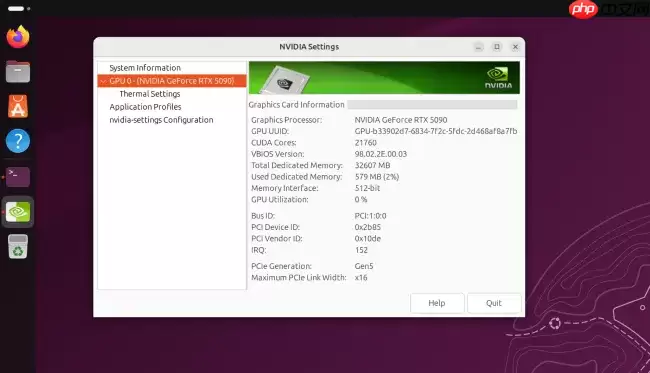
Ubuntu26.04LTS针对英伟达显卡在Wayland+GNOME环境进行性能调优,通过修改gbm_surface_lock_front_buffer函数,将帧渲染等待时间从毫秒级降至微秒级,显著提升UI响应和画面流畅度。该补丁已作为发行版专属补丁集成,确保LTS用户无需等待上游整合即可获得优化体验。
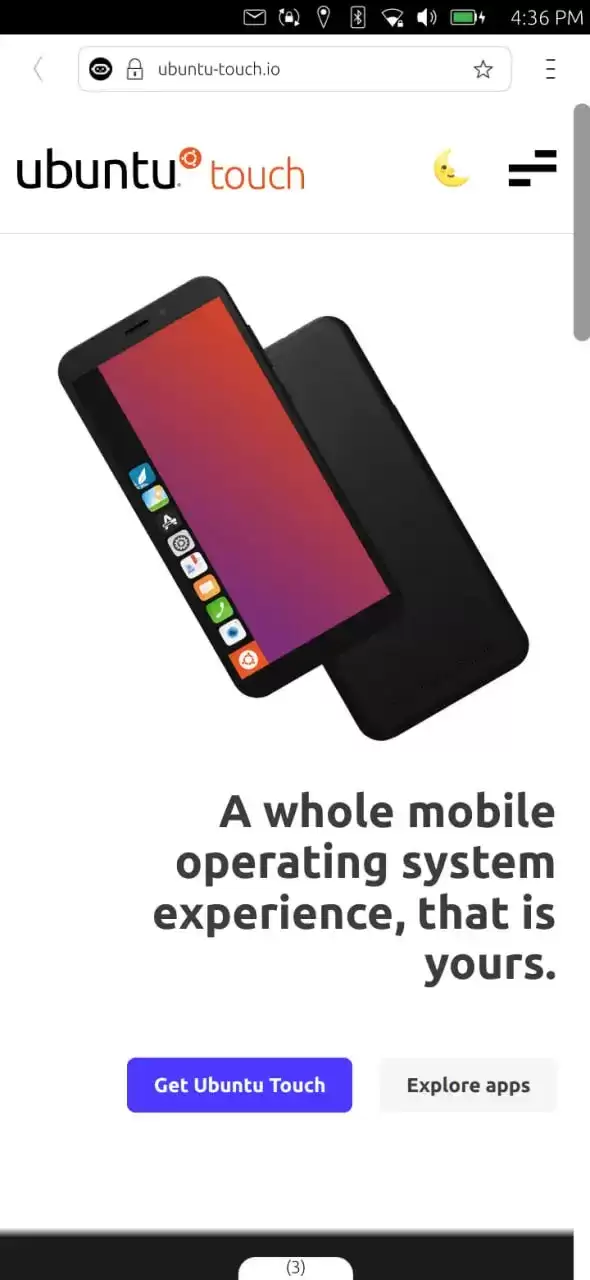
UbuntuTouch24.04-2.0Beta发布,底层升级至Ubuntu24.04,浏览器引擎从Chromium87跃升至134,网页兼容性显著提升;新增屏幕刘海区域自动适配、截图编辑器、网络指示器改进、移动数据可靠性增强、数据加密稳定,并新增NothingPhone(1)等设备支持。
ufw status仅显示高层策略和显式添加的规则(如“80 ALLOW Anywhere”),不反映默认策略绕过、IPv6独立规则、Docker等直写nftables的bypass规则,也无法体现本地回环流量不受管控等底层细节。Ubuntu 默认用 ufw 管理防火墙,但规则实际由 nftable
锁屏背景和桌面壁纸之所以不同,是因为GNOME默认会复制桌面壁纸,然后强制叠加高斯模糊和亮度调整效果,这个效果是由lockDialogGroup的CSS来控制的。要是想去除模糊,建议使用Control Blur Effect On Lock Screen扩展,把Adjust Sigma设置为0就行。
Ubuntu Swapper(一般就是指Ubuntu的交换分区或者交换文件)在服务器上的应用成效,是由多个因素共同决定的,像服务器的硬件配置情况、工作负载的类型以及交换空间的大小和具体配置等。下面为大家带来一些有关Ubuntu Swapper在服务器上应用效果的一般性评价:正面效果内存管理:交换空间
根本原因是纯命令行tty默认不支持UTF-8及中文字体渲染,locale设置仅影响字符解析逻辑,不解决字体绘制问题;图形终端自带UTF-8渲染,而tty需借助fbterm等工具实现中文显示。为什么终端里中文显示为问号或方块 纯命令行(tty,例如通过Ctrl+Alt+F3进入的界面)默认不会加载UT

通过分析Tomcat日志来提升Ubuntu服务器性能是一个很好的方法。以下是一些步骤和建议,帮助你通过Tomcat日志来优化服务器性能:1. 收集日志首先,得保证你的Tomcat服务器有详细的日志记录配置。在conf/logging.properties文件里,你可以对日志级别和输出格式进行调整。o
直接修改PS1是最为可控且轻量的方法。因为GNOME Terminal主题难以区分提示符、命令输入与输出,而PS1搭配ANSI转义码能够精准地为各个字段上色,并且需要用[ ]进行包裹,以防止光标出现错位的情况。直接改 PS1 是最可控、最轻量的方式,不需要装框架或改终端全局配色。 为什么不用改 GN




Postman是一套面向API全生命周期的开发与测试平台,可在Mac上发送和调试多种协议请求,管理集合、环境及认证信息,并完成脚本测试、模拟服务、监控、文档发布和团队协作。它适合开发、测试及运维人员使用,提供个人免费方案。
Docker Desktop 是 Docker 官方为 Mac 提供的容器开发环境,集成 Docker Engine、命令行工具、Compose、Build、Kubernetes 与图形化管理界面。

Android Studio 是 Google 面向安卓应用开发提供的官方集成开发环境,基于 IntelliJ IDEA 构建。它整合智能代码编辑、Gradle 构建、界面预览、设备模拟、性能分析、调试测试及 APK 分析等工具。

PixPix 是面向品牌、卖家和内容团队的在线 AI 图片视频创作平台,提供图视频 Agent、无限画布、图片生成、视频生成、自然语言编辑及商品套图、产品精修和带货视频等电商工具。

Postman 是面向 API 全生命周期的开发与协作平台。Windows 桌面版可用于构建和发送 HTTP、GraphQL、gRPC、WebSocket、MQTT 等请求,并提供环境变量、集合、脚本测试、模拟服务、监控、文档及团队工作区等

Docker Desktop 为 Windows 开发者提供集成式容器环境,内置 Docker Engine、命令行工具、Compose、Build 与 Kubernetes 等组件,可在本机完成镜像构建、容器运行、日志查看和资源管理。