

SpringBoot如何测试配置属性与web启动环境

JetBrains WebStorm 是面向 JavaScript、TypeScript 和现代 Web 技术的专业集成开发环境,可智能理解项目结构,提供代码补全、重构、错误检查、运行调试、测试及 Git 工具。
加载测试专用的属性点开@SpringBootTest源码中查看可以在之后加入临时配置,也可以使用命令行args参数设置。设置的测试专用参数会覆盖配置文件中的。packagecom;importorg.junit.jupiter.api.Test;importorg.springframework.beans.factory.annotation.Value;importorg.springframework.boot.test.context.SpringBootTest;@SpringBootTest(
加载测试专用的属性
点开@SpringBootTest源码中查看
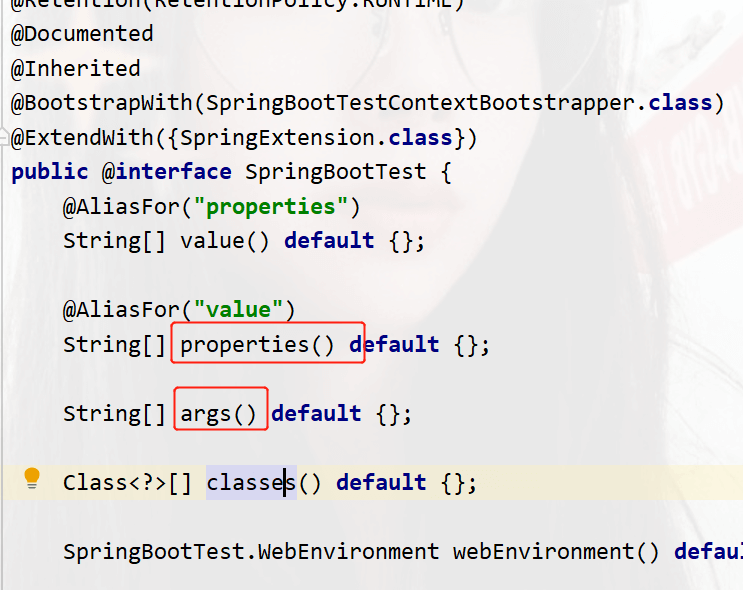
可以在之后加入临时配置, 也可以使用命令行args参数设置。设置的测试专用参数会覆盖配置文件中的。
package com;
import org.junit.jupiter.api.Test;
import org.springframework.beans.factory.annotation.Value;
import org.springframework.boot.test.context.SpringBootTest;
@SpringBootTest(args = {properties = {"test.properties=1234"})
public class TestProperties {
    @Value("${test.properties}")
    private String ps;
    @Test
    public void test(){
        System.out.println(ps);
    }
}
运行结果
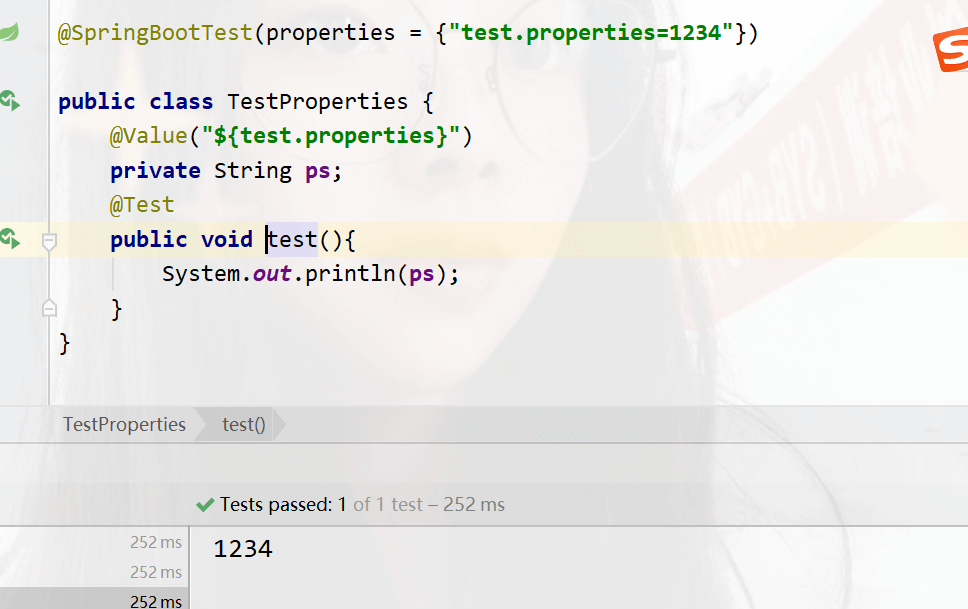
也可以使用命令行参数
args = {"--test.properties=4321"},
命令行参数的优先级比配置文件的高,所以当两者共存的时候,以命令行的为主
@SpringBootTest(args = {"--test.properties=4321"},properties = {"test.properties=1234"})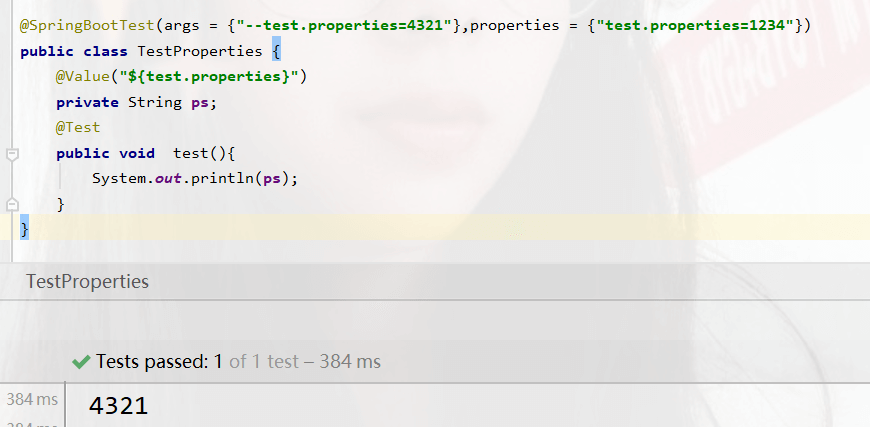
这个测试类设置的属性只对当前测试有效,影响小
使用外部bean对测试
package com.config;
import org.springframework.context.annotation.Bean;
import org.springframework.context.annotation.Configuration;
@Configuration//说明当前为配置类
public class TestBean {
    @Bean//创建bean
    public String mess(){
        return "this bean run ";
    }
}
在测试类下,使用@Import注解加载当前测试配置
package com.test;
import com.config.TestBean;
import org.junit.jupiter.api.Test;
import org.springframework.beans.factory.annotation.Autowired;
import org.springframework.boot.test.context.SpringBootTest;
import org.springframework.context.annotation.Import;
@SpringBootTest
@Import({TestBean.class})
public class TestBeanNow {
    @Autowired//注入bean对象
    public String mess;
    @Test
    public void test(){
        System.out.println(mess);
    }
}
运行结果
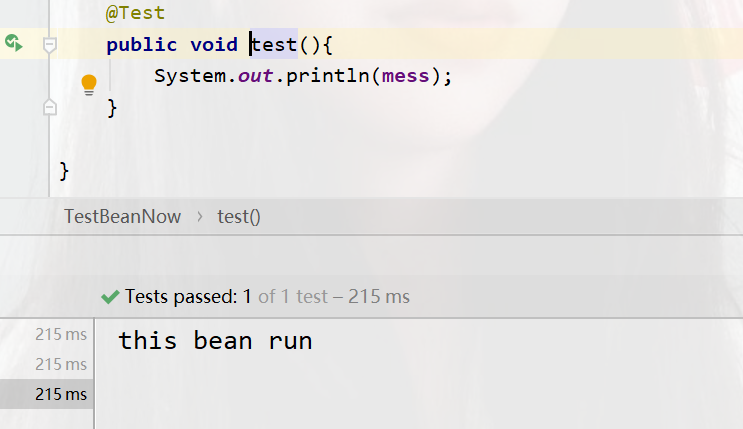
测速类启动web环境
在测试类中运行一般是不会启动服务器的,如下图。都是显示运行成功或失败的信息
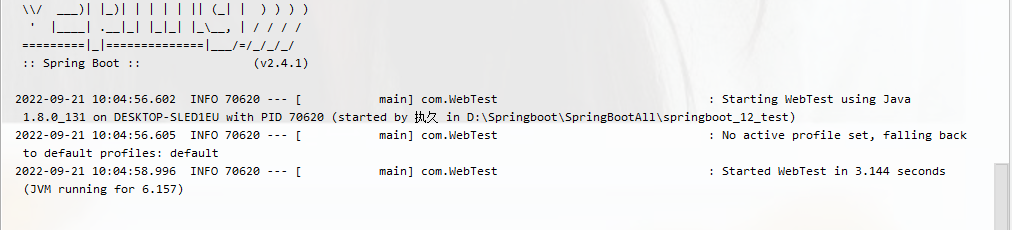
我们Ctrl+b点进@SpringBootTest源码中查看,有一个关于web的
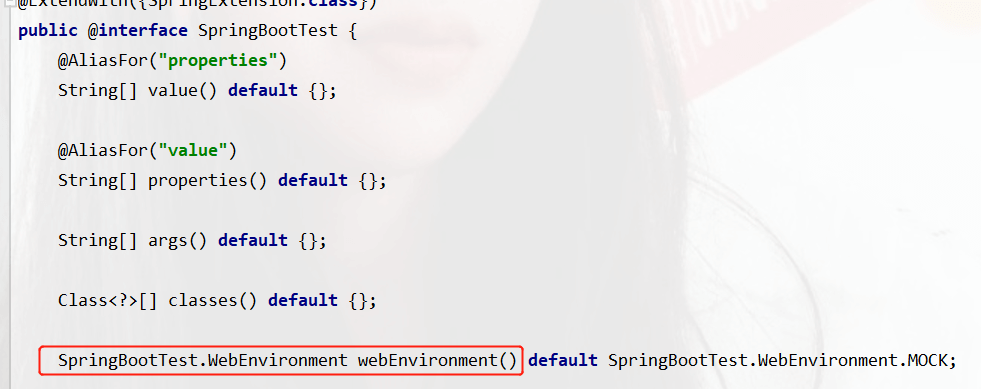
默认值是MOCK,mock:默认提供一个模拟的web环境,不会启动内嵌的服务器
我们在测试类中

第一个是以你配置文件指定的端口启动,如果没有就默认以8080启动
第二个mock:默认提供一个模拟的web环境,不会启动内嵌的服务器
第三个是不启动服务器
第四个是随机端口启动
我们测试随机端口启动
package com;
import org.junit.jupiter.api.Test;
import org.springframework.boot.test.context.SpringBootTest;
@SpringBootTest(webEnvironment = SpringBootTest.WebEnvironment.RANDOM_PORT)
public class WebTest {
    @Test
    public void test(){
    }
}
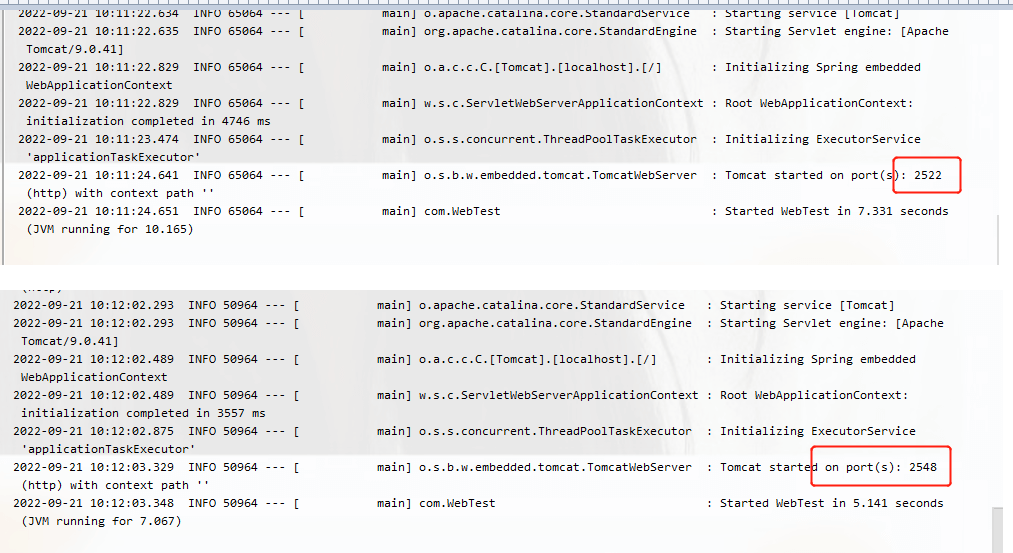
运行结果
运行了两次看端口结果,都是随机的

了解徕卡一瞬相机适配界面的机型配置、取景预览和照片风格选择。应用版本、下载入口和镜头调用尚未确认,不将界面状态作为全机型适配或画质提升保证。
通过Xshell连接Linux服务器,使用npm安装OpenClaw并配置systemd后台服务。利用Xshell的SSH隧道功能将远程控制台映射到本地,实现安全的本地浏览器访问与对话验证。
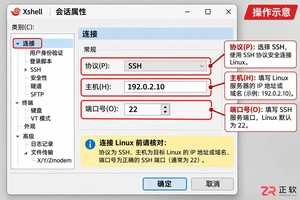
解决 Xshell 连接 Linux 失败问题,重点检查 TCP 端口连通性与防火墙设置。使用 Windows PowerShell 测试端口,登录服务器控制台验证 SSH 服务监听及 UFW 规则,确保网络路径畅通后再进行身份验证。

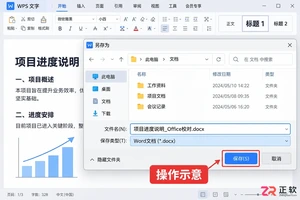
解决WPS文件在Office Word中打开后出现的分页错误、字体变化和图片跑位问题。通过核对字体、页面边距、段落间距和图片布局选项,快速恢复文档原版式,适用于Windows平台用户。
漫蛙官方入口经常变动,本文详解如何通过官方社交账号、公告栏及社群获取最新可用域名,确保访问安全,远离虚假链接。
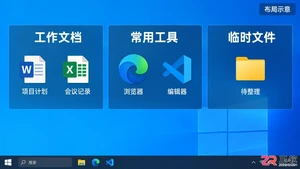
详解Windows版Fences软件锁定桌面分区的方法。包括调整布局、勾选Lock Fences选项、验证锁定效果,以及针对Fences 5/6版本缺失菜单时的注册表修复步骤,帮助用户固定桌面图标区域。

解析宇树科技营收增长但净利下降的原因,说明一加Ace 7 Pro 185Hz高刷的具体适用场景,并厘清Gemini 4 Carbon在长任务与代码安全方面的开放范围,提供准确的数据阅读方法。
在 Xshell 中如何设置显示行数以保留更多历史输出?本文详解 Windows 版 Xshell 8 中调整【滚动缓冲区】的步骤,包括修改会话属性、设置缓冲区数值及验证回滚效果的方法,帮助用户解决输出刷屏后无法查看前文的问题。





火山引擎是字节跳动旗下企业级云与AI服务平台。聚焦大模型核心能力,依托字节自研豆包多模态大模型,凭借火山方舟一站式平台,提供模型精调、推理部署、智能应用搭建等全链路服务,结合高性能AI算力,助力各行业快速落地大模型数字化与智能化应用。



