

vbs 文件操作集合代码
VBS脚本实现文件批量处理:一脚本从配置文件读取关键字,遍历文件夹内容,匹配后重命名添加.bak后缀并记日志;另一脚本根据文件路径列表,对衍生文件批量重命名添加.tmp后缀。
聊一个实用的小工具——VBS文件批量处理。很多时候,我们需要对特定文件夹下的文件进行批量操作,比如根据内容关键字来重命名文件。下面这段脚本,就是专门为解决这类需求设计的。
我们先看核心脚本文件:rename.vbs
rename.vbs

'关键字配置文件地址
Const config = "E:cleandatakey.txt"

'要检查的文件夹
Const dir = "D:Loghtml"

'日志保存路径
Const LogDir = "E:cleandataLog"

'全局对象
set fso=createobject("scripting.filesystemobject")

Dim keywordList(10000)

Rem : =========== 启动主程序
Dim starttime , Endtime

starttime = Now
Call main()
endtime = Now

Set fso = Nothing

msgbox  "恭喜!操作已完成。时间从:" & starttime & " 到 " & endtime   ,4096,"文件重命名"

Rem :  =========== 主程序
Sub main()
    wscript.echo "开始。。。" & Now
    Call GetKeyWord()
    Call getFiles(dir)
End Sub

Rem :  ===========  读取配置文件
Sub GetKeyWord()
    set sdir = createobject("scripting.dictionary")
    set file = fso.opentextfile(config)
    do while file.atendofstream<>true
        m=m+1
        sdir.add m,file.readline
        Dim word
        word = sdir(m)
'        wscript.echo word
        If Len(Trim(word) )>0 Then
            KeywordList(m)= word
        End If
    Loop
    file.close
    Set file = Nothing
End Sub

Rem :  =========== 获取文件列表
Sub getFiles(path)
    Set folder = fso.GetFolder(path)
    Set subfolder = folder.subfolders
    Set file = folder.files
    For Each s_file In file
        'wscript.echo s_file.path
        checkWord s_file.path
    Next

    For Each s_subfolder In subfolder
        getFiles(s_subfolder.path)    '递归调用
    Next
End Sub

Rem :  ===========  比较配置文件,判断是否包含关键字
Sub checkWord(path)
    'wscript.echo path
    Dim content , file
    Set file = fso.opentextfile(path, 1, false)
    content = file.readall
    file.close
    Set file = Nothing
    For i=0 To UBound(keywordList)
        word = keywordList(i)
        If InStr(content, word )>0 And Len(word)>0 Then
            wscript.echo path & " 已匹配到:" & word
'            Set file = Nothing
            RenameSubPage path
            Exit For
        End If
    Next
End Sub

Rem : =========== 将文件重命名
Sub RenameSubPage(path)
    If fso.fileexists(path) =True Then
        Dim target , ext
        ext = ".bak"
        target = path & ext
        ' ===== 方法一
        fso.movefile path , target

        ' ===== 方法二
        'Set f = fso.getfile( path)
        'f.name = f.name & ext
        'f.close
        'Set f = Nothing

        WriteLog target
    End If
End Sub

Rem :  ===========  处理日志
Sub WriteLog(strmsg)
    Dim logtxt
    logtxt = LogDir & "dellog-" & Year(Now) & "-" & Month(Now) & "-" & Day(Now) & ".txt"

    Dim f
    If fso.fileexists(logtxt) Then
        Set f = fso.opentextfile(logtxt, 8 )
    Else
        Set f = fso.opentextfile(logtxt, 2, true)
    End If

    f.writeline strmsg
    f.close
    Set f = Nothing

    ' ===== 方法2
'    Set objShell = CreateObject("Wscript.Shell")
'    cmd = "%comspec% /k echo " & strmsg & " >> " &  logtxt & "  && exit"
'    objShell.Run(cmd) ,vbhide
    ' 挂起允许,防止在任务管理器里产生过多的 cmd.exe 进程 ,如果有多个进程,请用 taskkill /f /im cmd.exe   关闭
'    Set objShell = Nothing

    Wscript.Sleep 5
End Sub
脚本的运作逻辑
整个脚本的思路很清晰。它首先从一个配置文件中读取所有关键字,然后递归遍历指定目录下的所有文件,对每个文件的内容进行扫描。一旦发现文件中包含配置中的某个关键字,就立刻对这个文件进行重命名——在原文件名后添加.bak后缀。最后,所有被重命名的文件路径都会被记录到当天的日志文件中。
这里有一个关键点:key.txt 的格式需要留意。每一行就是一个关键字,例如:
关键字一
关键字一
一行一个,干净利落。脚本在读取时,会自动过滤空行。
一个更轻量级的版本
如果场景更简单:不需要扫描文件内容,而是直接根据文件名列表进行批量重命名。下面这个改良版就能派上用场。
 rem 读取配置文件
 Dim config
 config = "conf.txt"
 set fso=createobject("scripting.filesystemobject")
 set a=createobject("scripting.dictionary")
 set file=fso.opentextfile(config)
 do while file.atendofstream<>true
  m=m+1
  a.add m,file.readline
 src =  a(m)
 RenameSubPage src
loop
file.close
Set fso =Nothing
msgbox  "操作已完成" ,4096,"文件重命名"

Sub RenameSubPage(strURL)
 Dim path
 For i=19 To 100
  path = Replace(strURL , ".html", "_"& i & ".html")
  If fso.fileexists(path) =True Then
   target = path & ".tmp"
   fso.movefile path , target
  Else
   ' do nothing
  End If
 Next
End Sub
这个版本的思路略有不同。它的配置文件 conf.txt 里不是关键字,而是具体的文件路径,比如:
D:abc.html
D:def.html
脚本会对配置中的每个文件路径进行“拓展重命名”:假设原始文件是 D:abc.html,它会依次检查是否存在 D:abc_19.html 到 D:abc_100.html 这些衍生文件,凡存在的,统一加上 .tmp 后缀。
一点使用上的建议
从实际应用角度来看,第一个脚本更适合内容审计或文档扫描的场景——比如你需要找出所有包含特定敏感词的文档并隔离它们。而第二个脚本则更适合文件名批量处理的场景,比如网页静态文件的批量备份。
值得注意的是,脚本中重命名操作都是不可逆的。虽然只是改了扩展名,但在大规模操作前,还是建议先在小范围内测试一下,确认逻辑符合预期。毕竟,数据无小事。

详解如何在 Windows 电脑上通过 Microsoft Store 安装 Codex 桌面应用,包括启动登录、切换 Codex 模式、关联本地代码项目及终端环境配置的界面操作指引。
本文详解如何在Windows环境中使用PowerShell生成SSH密钥对,配置ssh-agent自动加载私钥,并将公钥安全添加至GitHub账户,最后通过git remote set-url切换为SSH地址,解决每次操作需输入账号密码的问题。
深入解析backdrop与background在网页开发及视觉设计中的区别。通过CSS代码示例,展示如何正确使用background设置元素背景,以及利用backdrop-filter创建弹窗遮罩模糊效果,避免概念混用。
详解 Windsurf IDE 在 Windows 系统的下载来源、安装步骤及首次启动界面。指导用户如何导入编辑器设置、打开项目文件夹及使用终端与 AI 功能,适合初次接触该工具的开发者阅读。
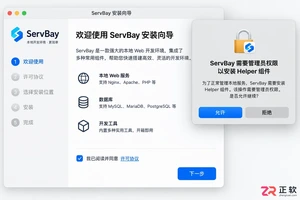
新手入门 ServBay 本地开发环境,详解安装包下载、Dashboard 状态监控、Packages 组件安装、Services 服务控制及 Websites 项目配置。掌握 .servbay.config 版本管理与日志排查技巧,快速搭建稳定的 PHP、Node.js 等多语言开发环境。

详解 CodeKit 在 macOS 下的安装步骤、项目导入方法、Sass与JavaScript编译设置及浏览器自动刷新功能,助您快速搭建高效的前端开发环境。
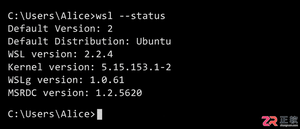
详解Windows环境下安装OpenAI Codex CLI的步骤,包括WSL环境检查、Node.js/npm配置、npm全局安装命令及首次启动验证,适合开发者快速上手。
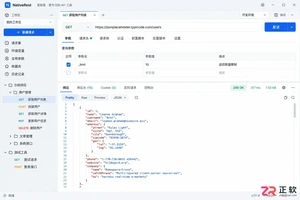
学习如何配置 NativeRest REST API 客户端。涵盖 Windows/macOS/Linux 安装后的工作区创建、环境变量管理、请求编辑及响应查看步骤,帮助开发者快速完成基础环境搭建与连通性测试。

深入解析CSS中设置透明度的核心属性opacity,剖析子元素继承、事件穿透、层叠上下文等关键注意事项,并提供与rgba、hsla的实用选型对比。




WPS Office是一款面向macOS用户的综合办公套件,将文字处理、电子表格、演示文稿、PDF工具、模板与云协作整合在同一应用中。它兼容常见Microsoft Office格式,支持Intel及Apple芯片Mac,基础功能可免费使用,

Shapr3D是一款面向工业设计、机械工程、建筑概念和三维打印工作流的CAD软件。Mac版采用Parasolid建模内核,支持草图约束、实体建模、工程图、可视化渲染及常见CAD格式交换,并可通过账户在多台设备之间同步项目。

REAPER是Cockos开发的数字音频工作站,提供多轨音频与MIDI录制、剪辑、处理、混音和母带制作工具。Mac版兼容Intel与Apple芯片,支持AU、VST、VST3、CLAP等插件格式,并提供高度可定制的工作流程。

Postman 是面向 API 全生命周期的开发与协作平台。Windows 桌面版可用于构建和发送 HTTP、GraphQL、gRPC、WebSocket、MQTT 等请求,并提供环境变量、集合、脚本测试、模拟服务、监控、文档及团队工作区等

Navicat Premium 是一体化数据库开发与管理工具,可在同一界面连接 MySQL、PostgreSQL、SQL Server、Oracle、SQLite、MongoDB、Redis 等数据库,

Adobe Premiere(原名 Adobe Premiere Pro)是一款面向影视、短视频、广告和网络内容制作的专业非线性编辑软件。Windows 版提供多轨剪辑、字幕转录、调色、音频处理、动态图形、格式转换与智能辅助工具,